
Introduction
This manual provides detailed instructions for the BoxWave AccuPoint Active Stylus. This electronic stylus is designed to interact with your device's screen using electronic pulses, offering a precise and natural writing experience without the need for Bluetooth pairing. It features an ultra-fine tip for accuracy and a durable aluminum construction.
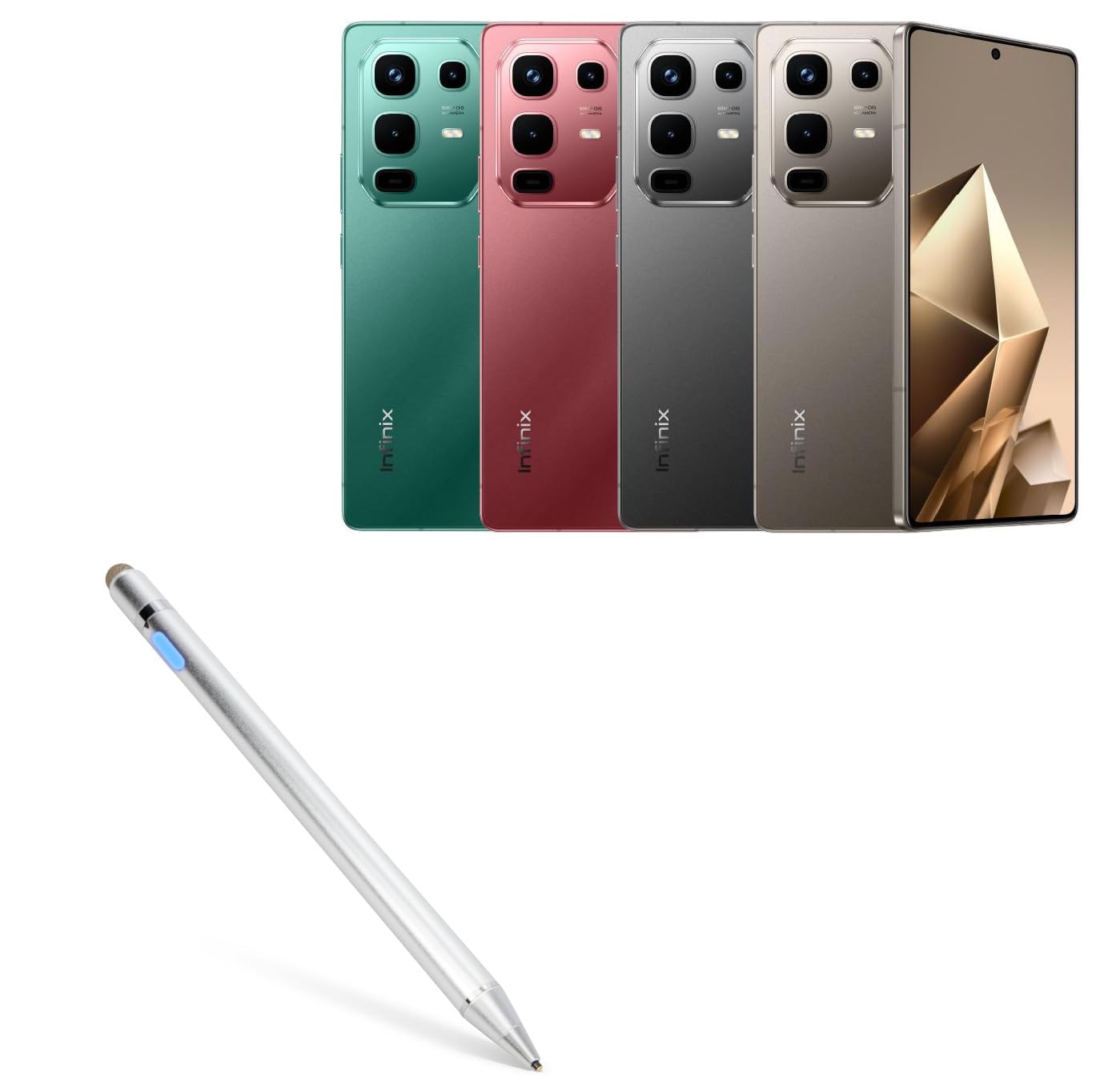
Image: The BoxWave AccuPoint Active Stylus in metallic silver, showcasing анын кооз дизайны.
Жайгашуу
- Стилусту заряддоо: Before first use, fully charge the stylus. Connect the included MicroUSB cable to the charging port on the stylus and to any standard USB power source.
- Күйгүзүү: Press the button located on the stylus barrel to turn it on. An indicator light will illuminate, typically blue, to confirm it is active.
- No Pairing Required: The AccuPoint Active Stylus does not require Bluetooth pairing. It is ready for use once powered on.

Image: Close-up of the stylus showing the charging port and indicator lights. Blue indicates power on, red indicates charging, and green indicates a full charge.

Image: The stylus being charged via a MicroUSB cable connected to a laptop's USB port.
Иштөө нускамалары
The AccuPoint Active Stylus is designed for precise interaction with your device's touchscreen. It functions by emitting electronic pulses to simulate a finger touch.
- Using the Fine Tip: The 2mm ultra-fine tip allows for accurate tapping, swiping, and drawing. Hold the stylus as you would a regular pen for a natural writing and drawing experience.
- FiberMesh Tip: The stylus also includes a FiberMesh tip on the opposite end. This tip provides an alternative for general navigation and can be used when a broader touch input is preferred.
- Шайкештик: This stylus is compatible with the Infinix Note 50 and other capacitive touchscreens.
- Чектөөлөр: Please note that the AccuPoint Active Stylus does not support palm rejection or pressure sensitivity.

Image: A hand holding the stylus, precisely tapping an icon on a tablet screen.

Сүрөт: жарылган view highlighting the built-in charging port, indicator light, 1.9mm extra fine tip, and FiberMesh tip. It also indicates "No Bluetooth Required".

Image: A hand using the AccuPoint Active Stylus on a tablet screen, illustrating natural writing and drawing capabilities.
Техникалык тейлөө
- Заряддоо: The built-in battery provides approximately 12 hours of continuous use. Recharge the stylus when the indicator light shows low power or when performance diminishes.
- Тазалоо: Use a soft, dry cloth to clean the stylus barrel. Do not use abrasive cleaners or immerse the stylus in liquids.
- Кеңеш кам көрүү: Handle the fine tip with care to prevent damage. The FiberMesh tip is removable and can be replaced if worn.
- Сактагыч: Store the stylus in a cool, dry place away from direct sunlight and extreme temperatures.
Проблемаларды чечүү
| Көйгөй | Чечим |
|---|---|
| Стилус күйбөй жатат. | Ensure the stylus is charged. Connect it to a power source using the MicroUSB cable and allow it to charge for at least 30 minutes. |
| Stylus is on but not responding on screen. |
|
| Inaccurate or inconsistent response. |
|
Техникалык шарттар
- Модел: AccuPoint Active Stylus
- Кеңеш өлчөмү: 2mm (Ultra Fine Tip)
- Батареянын иштөө мөөнөтү: Болжол менен 12 саат үзгүлтүксүз колдонуу
- Заряддоо порту: MicroUSB
- Материал: Brushed aluminum barrel
- Салмагы: 1.3 унция
- Өзгөчөлүктөрү: Electronic pulses for screen interaction, no Bluetooth pairing, LED indicator light, FiberMesh tip.
- Чектөөлөр: Does not support Palm Rejection or Pressure Sensitivity.

Image: A diagram illustrating key features and specifications including the protected charging port, 9mm fingerprint-proof brushed aluminum body, 1.9mm tip, removable FiberMesh tip, easy-on LED button and power indicator, and no pairing requirement.
Кепилдик жана колдоо
For warranty information or technical support, please refer to the official BoxWave website or contact their customer service directly. Details regarding specific warranty periods and support channels are typically provided with your purchase documentation or on the manufacturer's webсайт.
Manufacturer: BoxWave
Кошумча жардам алуу үчүн төмөнкүгө кириңиз: www.boxwave.com