
Introduction
Thank you for choosing the Wentronic Y05 Bluetooth Headphones. This manual provides essential information for setting up, operating, and maintaining your headphones to ensure optimal performance and longevity. Please read this manual thoroughly before using the product.
Пакеттин мазмуну
Төмөндө тизмеленген нерселердин баары пакетиңизге камтылганын текшериңиз:
- Y05 Зымсыз гарнитура
- USB-C заряддоо кабели
- 3.5 мм аудио кабель
- User Manual

Image: Contents of the Wentronic Y05 headphone package, showing the headphones, charging cable, audio cable, and user manual.
Продукт бүттүview: Controls and Ports
Familiarize yourself with the various buttons and ports on your Y05 headphones:

Image: A close-up of the right earcup of the Wentronic Y05 headphones, illustrating the control buttons and ports. Labels indicate functions such as power on/off, volume up/previous track, play/pause/callback, volume down/next track, Type-C charging port, and 3.5mm jack for wired mode.
- Кубат баскычы: Күйгүзүү/өчүрүү үчүн көпкө басыңыз.
- Volume Up / Previous Track Button: Short press for previous track, long press for volume up.
- Ойнотуу/Тындыруу / Чакыруу баскычы: Short press to play/pause music. Double press to initiate callback.
- Volume Down / Next Track Button: Short press for next track, long press for volume down.
- Type-C заряддоо порту: Наушниктерди заряддоо үчүн.
- 3.5 мм аудио уячасы: Зымдуу аудио туташуу үчүн.
- Микрофон: Чалуулар үчүн интеграцияланган.
Жайгашуу
1. Наушниктерди заряддоо
Before first use, fully charge your headphones. Connect the supplied USB-C charging cable to the Type-C port on the headphones and the other end to a USB power source (e.g., computer USB port, wall adapter). The indicator light will show charging status and turn off when fully charged. A full charge provides approximately 48 hours of listening time.

Image: Wentronic Y05 headphones displayed on a desk, highlighting the 48-hour battery life for extended listening. The image also shows the headphones in a folded position.
2. Күйгүзүү / Өчүрүү
- Күйгүзүү: Long press the Power button until the indicator light flashes.
- Өчүрүү: Long press the Power button until the indicator light turns off.
3. Bluetooth Жупташтыруу
- Наушниктердин өчүрүлгөнүн текшериңиз.
- Long press the Power button until the indicator light flashes blue and red alternately, indicating pairing mode.
- Түзмөгүңүздө (смартфон, планшет, ноутбук) Bluetooth иштетиңиз жана жеткиликтүү түзмөктөрдү издеңиз.
- Select "Y05" from the list of found devices.
- Жупташтырылгандан кийин, индикатор жарыгы жай көк түстө күйүп-өчөт.
The headphones feature Bluetooth 5.3 for stable, low-latency connections up to 50 feet. After the initial pairing, the headphones will automatically connect to your device when powered on, if Bluetooth is enabled on your device.
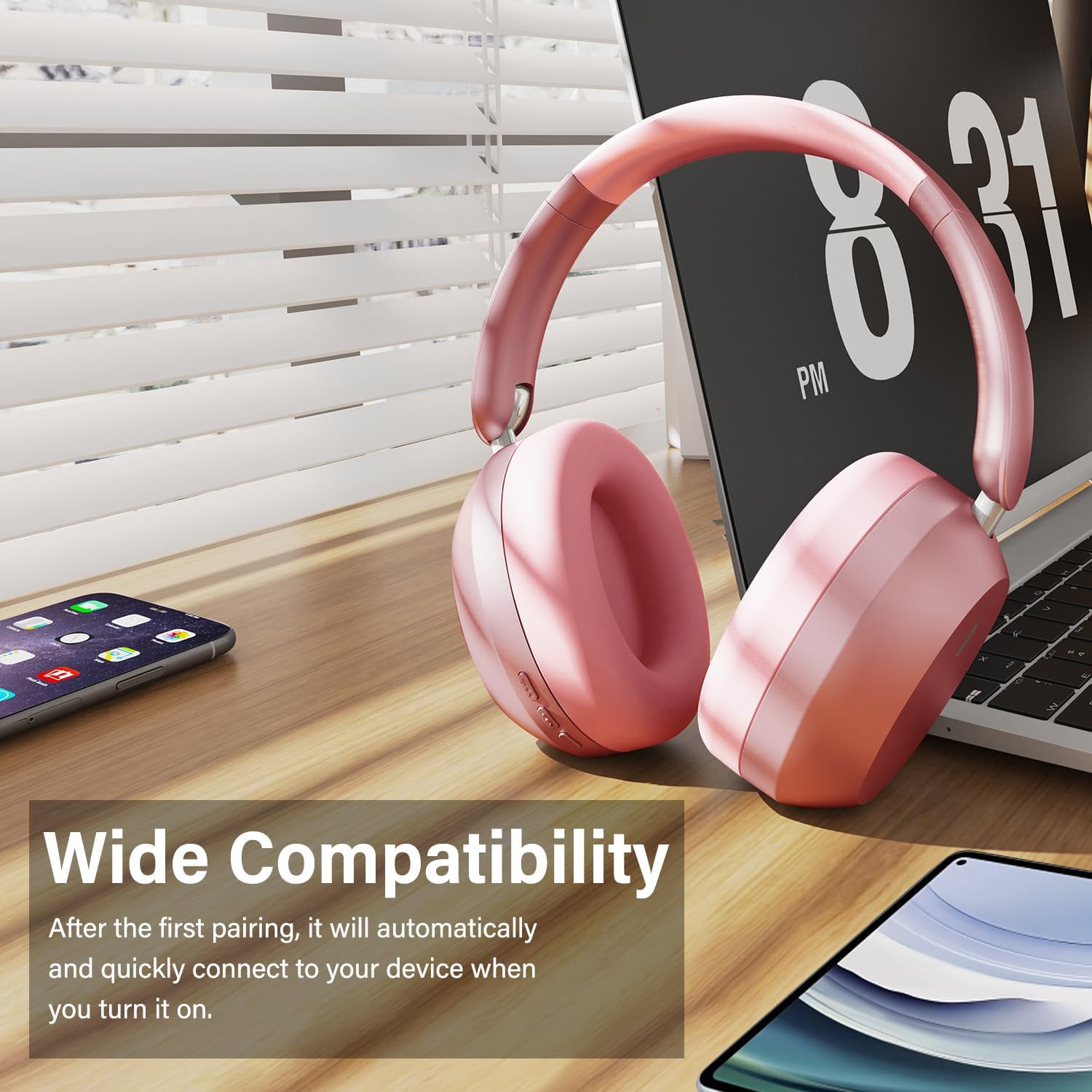
Image: Wentronic Y05 headphones positioned near a laptop, smartphone, and tablet, illustrating their wide compatibility with various Bluetooth-enabled devices.
4. Зымдуу режимдеги туташуу
To use the headphones in wired mode, connect one end of the 3.5mm audio cable to the audio jack on the headphones and the other end to your audio source. Wired mode can be used when the battery is low or when Bluetooth is not desired.
Иштөө нускамалары
Музыканы ойнотуу
- Ойнотуу/тындыруу: Play/Pause баскычын кыска басыңыз.
- Кийинки трек: Short press the Volume Down / Next Track button.
- Мурунку трек: Short press the Volume Up / Previous Track button.
- Көлөмү: Long press the Volume Up / Previous Track button.
- Үнүн азайтуу: Long press the Volume Down / Next Track button.
Чалууларды башкаруу
- Чалууга жооп берүү/аяктоо: Play/Pause баскычын кыска басыңыз.
- Чакырууну четке кагуу: Play/Pause баскычын көпкө басыңыз.
- Кайра чалуу: Double press the Play/Pause button.
The built-in microphone helps isolate your voice for clear phone calls by canceling unwanted external sound.

Image: A woman smiling while wearing white Wentronic Y05 headphones and holding a smartphone, illustrating the clear call quality provided by the built-in microphone.
Активдүү Шумду Жоюу (ANC)
The Y05 headphones feature Active Noise Cancellation. To activate or deactivate ANC, locate the dedicated ANC button (refer to the Product Overview section for button location). Press the button to toggle the ANC function. When ANC is active, it helps reduce ambient noise for a more immersive listening experience.

Image: A person wearing pink Wentronic Y05 headphones while using a tablet, with text indicating 'Active Noise Cancellation' and the ability to immerse oneself in their own world.
Техникалык тейлөө жана кам көрүү
- Тазалоо: Наушниктерди тазалоо үчүн жумшак, кургак чүпүрөктү колдонуңуз. Абразивдүү тазалагычтарды же эриткичтерди колдонбоңуз.
- Сактагыч: Колдонулбаганда, наушниктерди салкын, кургак жерде, тике күндүн нурунан жана өтө температурадан алыс сактаңыз. Бүктөлүүчү дизайн компакт сактоого мүмкүндүк берет.
- Батареяга кам көрүү: Батареянын иштөө мөөнөтүн сактоо үчүн, гарнитураны бат-баттан толук кубаттап турбаңыз. Узак мөөнөткө колдонулбаса да, аларды дайыма заряддап туруңуз.
- Суу таасири: Бул кулакчындар суу өткөрбөйт. Суунун же ашыкча нымдуулуктун таасиринен алыс болуңуз.

Image: Hands folding the Wentronic Y05 headphones to fit into a bag, illustrating the travel-ready and space-saving design.
Проблемаларды чечүү
If you encounter issues with your Wentronic Y05 headphones, refer to the following common problems and solutions:
| Көйгөй | Чечим |
|---|---|
| Кулакчындар күйбөйт. | Наушниктердин заряддалганын текшериңиз. USB-C кабели аркылуу кубат булагына туташуу. |
| Bluetooth түзмөгү менен жупташтыруу мүмкүн эмес. | Ensure headphones are in pairing mode (flashing blue/red). Turn off and on Bluetooth on your device. Move closer to the headphones. Clear previous Bluetooth connections on your device. |
| Үн жок же үнү төмөн. | Check volume levels on both headphones and your connected device. Ensure headphones are properly paired or the 3.5mm cable is fully inserted. |
| Үн сапаты начар. | Move closer to your Bluetooth device to avoid interference. Try a different audio source or file. Ensure the 3.5mm cable is not damaged if in wired mode. |
| Микрофон иштебей жатат. | Ensure the headphones are connected and selected as the input device on your computer/phone. Check application microphone settings. |
Техникалык шарттар
| Өзгөчөлүк | Деталь |
|---|---|
| Модель аты | Y05 |
| Байланыш технологиясы | Wireless (Bluetooth 5.3) / Wired (3.5 mm Jack) |
| Наушник уясы | 3.5 мм Джек |
| Зымсыз байланыш технологиясы | Bluetooth |
| Башкаруу түрү | Control Button |
| Кулак жайгаштыруу | Кулак үстүндө |
| Форма фактору | Кулак үстүндө |
| Noise Control | Sound Isolation (Active Noise Cancellation mentioned in images) |
| Батареянын иштөө мөөнөтү | 48 саатка чейин (угуу убактысы) |
| Айдоочунун өлчөмү | 40мм динамикалык айдоочулар |
| Материал | Plastic (with memory-protein ear cushions) |
| Элемент Салмагы | 2.89 унция (болжол менен 0.08 килограмм) |
| Шайкеш түзмөктөр | Уюлдук телефондор, стол үстүндөгү компьютерлер, ноутбуктар |
Кепилдик жана колдоо
Wentronic products are designed for reliability and performance. For information regarding warranty coverage, please refer to the warranty card included with your purchase or the retailer's return policy. For technical support or further assistance, please contact Wentronic customer service through the official webсайт же сатып алуу пункту.
You can visit the Wentronic Store for more information: Wentronic Store on Amazon.