
1. Орнотуу жана чогултуу
This section guides you through the initial setup and assembly of your Gyrocopters Zapphire Electric Bike. Please follow the steps carefully to ensure safe and correct operation.
1.1 Unpacking the Bike
Carefully remove the electric bike and all components from the packaging. Inspect for any damage during transit. Keep all packaging materials until assembly is complete and you have confirmed all parts are present.
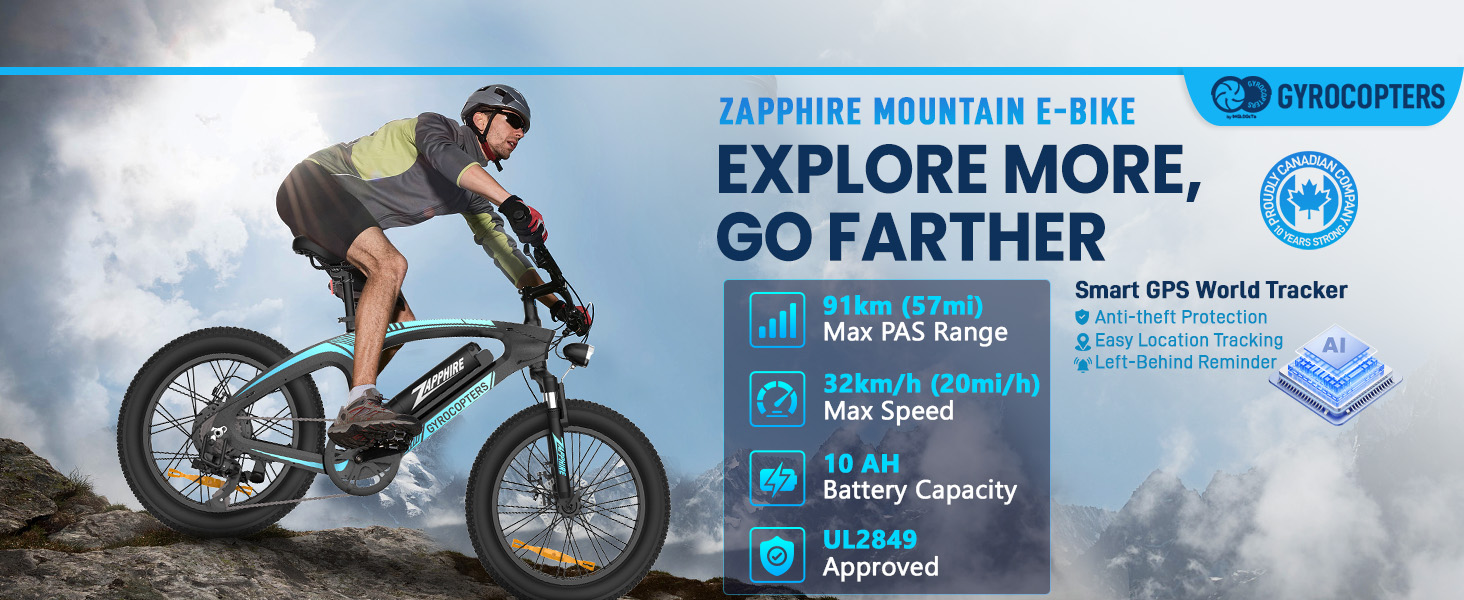
Image: Gyrocopters Zapphire Electric Bike in its original packaging.
1.2 Компонентти идентификациялоо
Before assembly, identify all included components. Refer to the assembly video for a visual guide to each part.
Video: Detailed assembly instructions for the Gyrocopters Zapphire Electric Bike, showing each component and step-by-step installation.
1.3 Kickstand Installation
Attach the kickstand to the designated mounting points on the bike frame using the provided wrench and screws. Ensure it is securely fastened and allows the bike to stand stably.
1.4 Рулду орнотуу
Insert the handlebar stem into the fork tube and tighten the bolts to secure it. Adjust the handlebar to a comfortable riding position, ensuring the brake levers and shifter are easily accessible.
1.5 Алдыңкы дөңгөлөктү орнотуу
Carefully align the front wheel with the fork dropouts, ensuring the brake rotor slides correctly into the caliper. Insert the quick-release skewer or axle and tighten it firmly. Double-check that the wheel spins freely without rubbing against the brake pads.
1.6 Педал орнотуу
Identify the left (L) and right (R) pedals. Apply a small amount of grease to the pedal threads. Screw the pedals into the crank arms by hand, then use a wrench to tighten them securely. Remember that the left pedal tightens counter-clockwise.
1.7 Seat and Tail Light Installation
Insert the seat post into the frame's seat tube. Adjust the seat height to a comfortable level, ensuring your feet can touch the ground when stopped. Secure the seat post with the quick-release lever or bolt. Attach the tail light to the seat post, ensuring it is visible from the rear.
1.8 Батареяны орнотуу
Insert the removable 42V 10Ah lithium-ion battery into its compartment on the bike frame. Use the provided key to lock the battery securely in place. Ensure the battery is fully charged before your first ride.
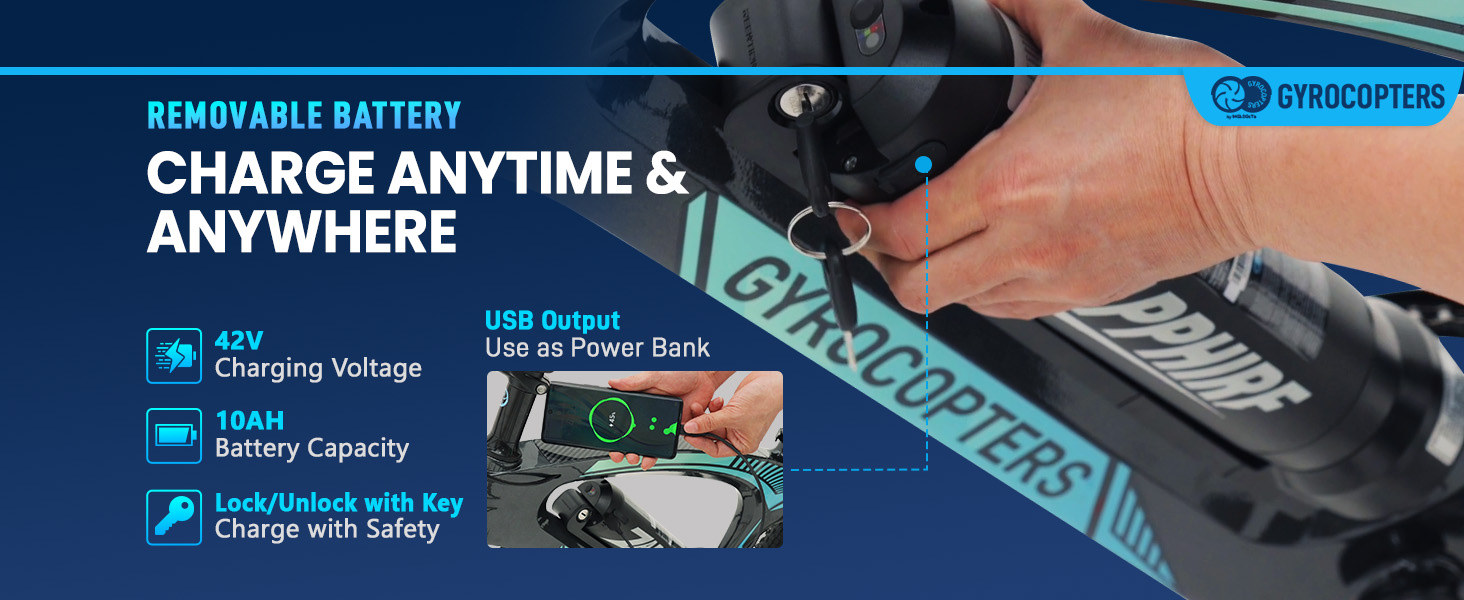
Image: Removable battery being inserted into the Gyrocopters Zapphire Electric Bike frame.
2. Иштөө нускамалары
Understand how to operate your Gyrocopters Zapphire Electric Bike safely and efficiently.
2.1 Күйгүзүү/өчүрүү жана LED дисплей
To power on the bike, press and hold the power button on the LED display for 3 seconds. The LED display will illuminate, showing speed, battery level, and current ride mode. To power off, press and hold the power button again for 3 seconds. The display also controls the headlight (press once to switch mode, press and hold for 3 seconds to turn on/off headlight).

Image: Close-up of the LED display and handlebar controls.
2.2 Айдоо режимдери
The Gyrocopters Zapphire offers three versatile riding modes:
- Педаль жардам режими: Provides motor assistance as you pedal, extending your range up to 91 km and reducing fatigue.
- дроссель режими: Allows for effortless cruising without pedaling, reaching speeds up to 32 Km/h.
- Кол режими: For a traditional biking experience without any motor assistance.

Image: Illustration of the three riding modes available on the electric bike.
2.3 Редукторду алмаштыруу
The bike is equipped with a reliable SHIMANO 7-speed gear set. Use the thumb shifter on the handlebar to change gears, adapting your riding style to different terrains and inclines.
2.4 Тормоздоо системасы
The Gyrocopters Zapphire features front and rear mechanical disc brakes. Squeeze the brake levers on the handlebar to engage the brakes. Always apply both brakes simultaneously for balanced and effective stopping power.
Сүрөт: Жакын план view of the mechanical dual disc brakes.
2.5 Integrated GPS Tracker
The integrated GPS tracker allows you to monitor your e-bike's location remotely via a compatible app, providing an additional layer of security against theft.
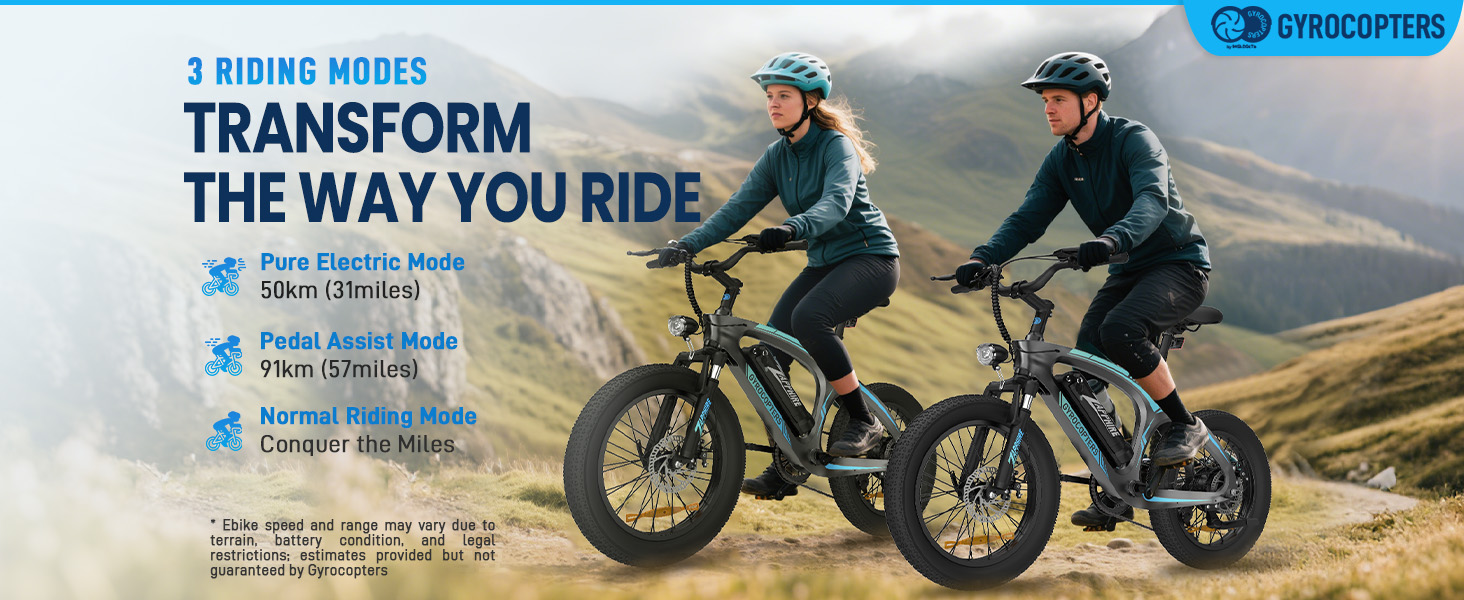
Image: Smartphone screen showing the real-time location tracking feature of the integrated GPS tracker.
3. Техникалык тейлөө
Электр велосипедиңиздин узак мөөнөттүү иштешин жана үзгүлтүксүз техникалык тейлөө анын оптималдуу иштешин камсыз кылат.
3.1 Батареяга кам көрүү жана кубаттоо
The 42V 10Ah lithium-ion battery is removable for convenient charging. Connect the charger to the battery's charging port and then to a power outlet. The integrated Battery Management System (BMS) protects against overcharging, overheating, and short circuits. The battery also features a built-in USB port for charging external devices.
Image: Diagram illustrating the protective features of the Battery Management System (BMS).
3.2 Шина басымы
Maintain proper tire pressure for the 20x3 inch fat tires. Refer to the tire sidewall for recommended pressure ranges. Correct tire pressure improves ride comfort, efficiency, and tire lifespan.
3.3 Жалпы тазалоо жана сактоо
The bike has an IP54 weather-resistant design, protecting it from dust and splashes. Clean the bike regularly with a damp cloth and mild detergent. Avoid high-pressure washing directly on electrical components. Store the bike in a dry, cool place when not in use.
3.4 Тормозду текшерүү
Regularly inspect the mechanical disc brakes for wear on the pads and rotors. Ensure the brake levers have proper tension and the cables are not frayed. Adjust or replace components as needed by a qualified technician.
4. Кыйынчылыктарды
This section provides solutions to common issues you might encounter with your electric bike.
4.1 Bike Not Powering On
- Батареяны текшерүү: Ensure the battery is fully charged and properly seated in its compartment. Verify the battery is locked with the key.
- Кубат баскычы: Confirm you are pressing and holding the power button on the LED display for the required 3 seconds.
- Байланыштары: Inspect all visible electrical connections for looseness or damage.
4.2 Motor Not Providing Assistance
- Батарея деңгээли: Батареянын жетиштүү заряды бар экенин текшериңиз.
- Айдоо режими: Verify that the bike is in Pedal Assist or Throttle Mode, not Manual Mode.
- Сенсор текшерүү: Ensure the pedal-assist sensor (if applicable) is clean and unobstructed.
4.3 Brakes Not Responding Effectively
- Тормоздук колодкалар: Check for worn brake pads and replace if necessary.
- Тормоз рычагдары: Ensure brake levers are not loose and have proper tension. Adjust cable tension if needed.
- Ротордун абалы: Inspect brake rotors for damage or excessive wear.
4.4 Иштөө учурундагы адаттан тыш үндөр
- Бош компоненттер: Check for any loose bolts, nuts, or components on the frame, wheels, or handlebars.
- чынжыр: Чынжырды туура майлоону жана чыңалууну текшериңиз.
- Тормоздор: Ensure brake pads are not rubbing against the rotors when not engaged.
5. Техникалык шарттар
Detailed technical specifications for the Gyrocopters Zapphire Electric Bike.
| Өзгөчөлүк | Спецификация |
|---|---|
| Модель аты | Zapphire |
| Мотор күчү | 500 Вт |
| Батарея | 42V 10Ah Литий-ион (алынуучу) |
| Max Pedal-Assist Range | 91 кмге чейин (57 миля) |
| Максималдуу ылдамдык | Up to 32 Km/h (20 mi/h) |
| Шиналар | 20x3 дюймдук майлуу шиналар |
| Тормоздор | Front and Rear Mechanical Dual Disc Brakes |
| Frame Material | Жеңил магний эритмеси |
| Суспензия түрү | Dual |
| Максималдуу жүктөө сыйымдуулугу | 120.2 кг (265 фунт) |
| UL сертификаты | UL 2849 сертификатына ээ |
| GPS | Integrated Anti-Theft GPS Tracker |
| Дисплей | LED Display with Smart Controls |
| Аба ырайына каршылык | IP54 рейтинги |
6. Кепилдик жана колдоо
Information regarding product warranty and how to contact customer support.
6.1 Продукциянын кепилдиги
The Gyrocopters Zapphire Electric Bike comes with a 90 күндүк чектелген кепилдик. This warranty covers manufacturing defects under normal use conditions. Please retain your proof of purchase for warranty claims. The warranty does not cover damage resulting from misuse, accidents, unauthorized modifications, or normal wear and tear.
6.2 Кардарларды колдоо
For any questions, technical assistance, or warranty claims, please contact Gyrocopters customer support:
- Телефон: +1 647-797-3804
- Электрондук почта: customercare@imgadgets.com
Our support team is available to assist you with any issues you may encounter.