
Introduction
Thank you for choosing the SHARE SUNSHINE Wireless Ergonomic Vertical Mouse. This device is designed to provide a comfortable and natural hand position, reducing wrist strain during extended use. It features adjustable angle, dual-mode connectivity (2.4G wireless and Bluetooth), a removable palm rest, and customizable RGB lighting. This manual provides detailed instructions for setup, operation, maintenance, and troubleshooting to ensure optimal performance and user experience.

Сүрөт 1: Бүттүview of the SHARE SUNSHINE Wireless Ergonomic Vertical Mouse.
Пакеттин мазмуну
- 1 x SHARE SUNSHINE Wireless Ergonomic Vertical Mouse
- 1 x USB Receiver (stored in the mouse's battery compartment)
- 1 х USB-C кубаттоо кабели
- 1 x User Manual
Продукт өзгөчөлүктөрү
- Эргономикалык вертикалдык дизайн: Promotes a natural handshake position to reduce wrist and forearm strain.
- Adjustable Angle Gradient: Customize the mouse angle for personalized comfort.
- Кош режимдеги туташуу: Seamlessly switch between 2.4G wireless and Bluetooth modes.
- Removable Palm Rest: Provides additional wrist support and can be detached for preference.
- 6 Программалануучу баскычтар: Includes left/right click, scroll wheel, DPI button, and two side buttons.
- Жөнгө салынуучу DPI: Up to 3600 DPI for precise cursor control.
- Кайра заряддалуучу батарея: Built-in battery for convenient charging.
- RGB жарыктандыруу: Customizable lighting effects for aesthetic appeal.

Image 2: The adjustable angle feature allows users to find their preferred hand position.
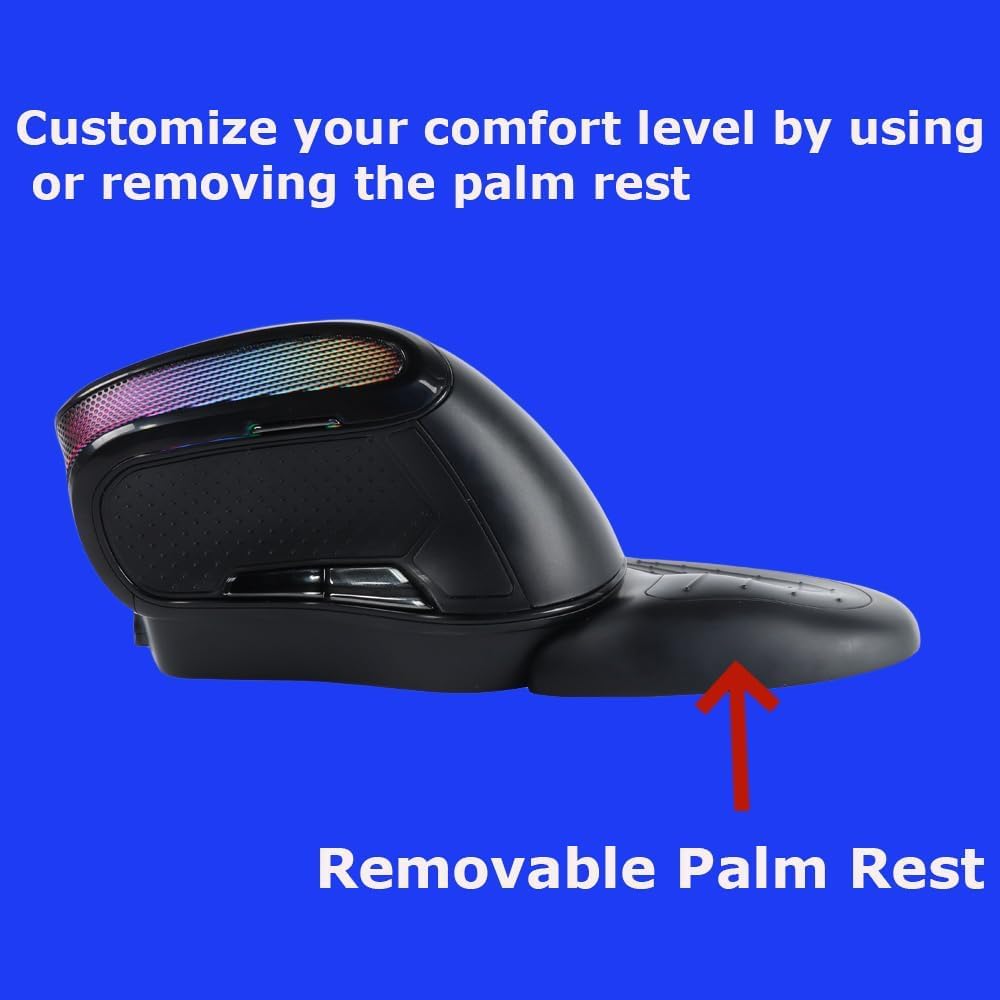
Image 3: The removable palm rest provides additional wrist support.
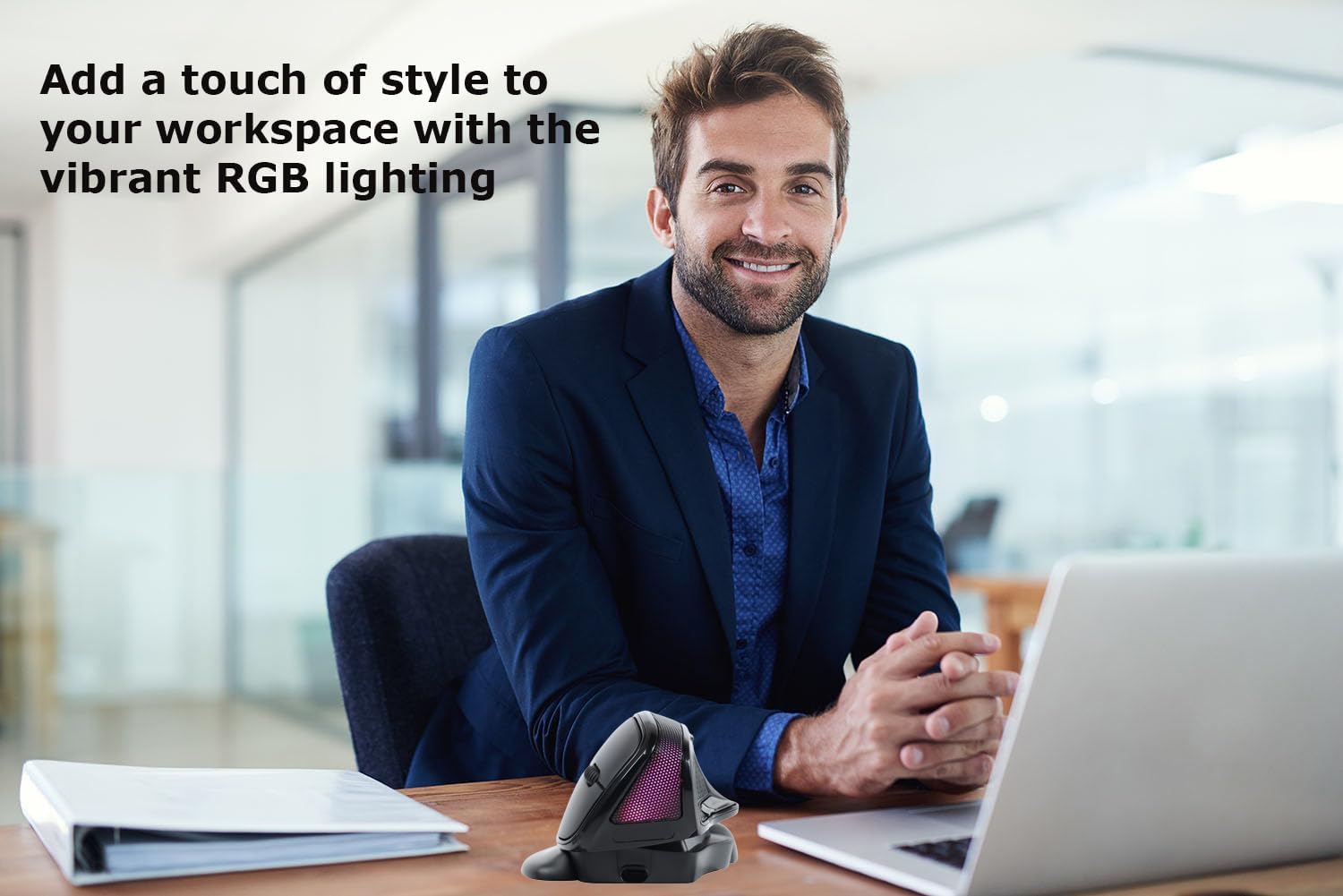
Image 4: The mouse features vibrant RGB lighting.
Жайгашуу
1. Чычканды заряддоо
Before first use, fully charge the mouse. Connect the provided USB-C charging cable to the charging port on the front of the mouse and the other end to a USB power source (e.g., computer USB port, USB wall adapter). The RGB lighting may indicate charging status.
2. 2.4G зымсыз туташуу
- Locate the USB receiver stored in the compartment at the bottom of the mouse.
- USB ресиверди компьютериңиздеги жеткиликтүү USB портуна сайыңыз.
- Turn on the mouse using the power switch located at the bottom.
- The mouse should automatically connect to your computer. If not, try moving the mouse closer to the receiver or restarting your computer.
3. Bluetooth туташуусу
- Чычканды өчүргүчтү колдонуп күйгүзүңүз.
- Press the mode switch button (usually on the bottom or top of the mouse) to switch to Bluetooth mode. The indicator light will flash, indicating it's in pairing mode.
- On your computer or device, go to Bluetooth settings.
- Издөө new devices and select "SHARE SUNSHINE Mouse" (or similar name) from the list.
- Жупташтыруу процессин аяктоо үчүн экрандагы көрсөтмөлөрдү аткарыңыз.
Video 1: A short guide on connecting the mouse to your device.
Иштөө нускамалары
1. Баскыч функциялары
- Сол чыкылдатуу баскычы: Стандарттык негизги чыкылдатуу функциясы.
- Оң баскычты чыкылдатуу: Стандарттык кошумча чыкылдатуу функциясы.
- Жылдыруу дөңгөлөгү: Өйдө/төмөн сыдырып, ортоңку чыкылдатыңыз.
- DPI баскычы: Cycles through DPI settings (e.g., 800/1200/1600/2400/3600 DPI).
- Алдыга баскыч (каптал): Алга карай жылдырат web браузерлер же file изилдөөчүлөр.
- Артка баскычы (каптал): Артка карай багыт алат web браузерлер же file изилдөөчүлөр.
2. DPI тууралоо
Press the DPI button (usually located near the scroll wheel) to cycle through available DPI settings. Each press will change the cursor speed, indicated by a brief change in the RGB lighting or a specific LED indicator. Adjust to your preferred sensitivity.
3. Бурчту жөндөө
The mouse features an adjustable angle mechanism. Gently rotate the top section of the mouse relative to its base to find the most comfortable angle for your hand and wrist. Ensure it clicks into place securely at your desired position.
4. Removable Palm Rest
The palm rest can be attached or detached based on your comfort preference. To attach, align the palm rest with the grooves on the mouse base and slide it into place until it locks. To remove, gently slide it off.
5. RGB жарыкты башкаруу
The RGB lighting typically cycles through various effects automatically. Some models may allow you to turn off the lighting or change modes by pressing a specific button combination (refer to specific product documentation if available, otherwise it's automatic).
Video 2: Demonstrating key operational features of the mouse.
Техникалык тейлөө
- Тазалоо: Чычкандын бетин сүртүү үчүн жумшак, кургак чүпүрөктү колдонуңуз. өжөр кир үчүн, бир аз гampчүпүрөктү суу же жумшак тазалоо эритмеси менен жууп салыңыз. Катуу химиялык заттардан же абразивдүү материалдардан алыс болуңуз.
- Сактагыч: Узак мөөнөткө колдонулбаганда, чычканды күн нурунан жана экстремалдык температурадан алыс салкын, кургак жерде сактаңыз.
- Батареяга кам көрүү: Батареянын иштөө мөөнөтүн узартуу үчүн, чычкандын зарядын тез-тез толук бошотпоңуз. Батареянын заряды аз калганын көрсөткөн индикатор пайда болгондо аны кубаттаңыз.
Проблемаларды чечүү
| Көйгөй | Чечим |
|---|---|
| Чычкан жооп бербей жатат |
|
| Cursor erratic or slow |
|
| Bluetooth байланышы тез-тез үзүлөт |
|
| RGB жарыктандыруу иштебейт |
|
Техникалык шарттар
| Модел | B0F7XJ9TPF |
| Байланыш | 2.4G зымсыз байланыш, Bluetooth |
| DPI орнотуулары | Жөнгө салынуучу, 3600 DPI чейин |
| Buttons | 6 (Сол, Оң, Айлантуу дөңгөлөгү, DPI, Алдыга, Артка) |
| Эргономика | Vertical, Adjustable Angle, Removable Palm Rest |
| Жарыктандыруу | RGB |
| Power Source | Заряддалуучу батарея |
| Шайкештик | PC, Laptop, Computer, Macbook, Tablet (Windows, macOS, Android, iOS) |
Кепилдик жана колдоо
The SHARE SUNSHINE Wireless Ergonomic Vertical Mouse comes with a бир жылдык кепилдик сатып алынган күндөн тартып. Бул кепилдик өндүрүштөгү кемчиликтерди камтыйт жана түзмөгүңүздүн ишенимдүү иштешин камсыз кылат.
For technical support, warranty claims, or any questions regarding your product, please contact SHARE SUNSHINE customer service through the retailer's platform or visit the official SHARE SUNSHINE store page on Amazon.
Сураныч, кепилдик максаттары үчүн сатып алганыңыздын далилин сактап коюңуз.