
1. Продукт бүтүп калдыview
The My Wall HP66L is an electric motorized TV wall mount designed for screens ranging from 17 to 32 inches (43 to 81 cm) and supporting a load of up to 45 kg. This versatile mount can be integrated into furniture, allowing your television to elegantly rise from a cabinet or descend futuristically from a ceiling installation. It offers convenient control options via a dedicated app, voice commands, and a remote control.
When not in use, your TV can be discreetly hidden, maintaining a harmonious and clutter-free living space. This system provides boundless possibilities for modern home entertainment setups.

Figure 1: The My Wall HP66L TV mount in both cabinet and ceiling configurations, highlighting its multiple control methods.
2. Коопсуздук маалыматы
- Орнотуудан жана колдонуудан мурун бардык нускамаларды кылдат окуп чыгыңыз.
- Ensure the mounting surface can support the combined weight of the mount and your TV.
- 45 кг максималдуу жүк көтөрүмдүүлүктөн ашпаңыз.
- Keep children and pets away from the moving parts of the mount during operation.
- Кандайдыр бир оңдоолорду же оңдоолорду аткаруудан мурун электр кубатын өчүрүңүз.
- Берилген жабдууларды же өндүрүүчү тарабынан бекитилген алмаштыруучуларды гана колдонуңуз.
- Бул продукт ички колдонуу үчүн гана иштелип чыккан.
3. Пакеттин мазмуну
Please check that all components are present and undamaged before beginning installation. Refer to the packing list provided in your product box for a detailed inventory. Typically, the package includes:
- Motorized TV lift mechanism
- Алыстан башкаруу
- Кубаттуу адаптер
- Mounting hardware kit (screws, anchors, washers)
- Колдонмо
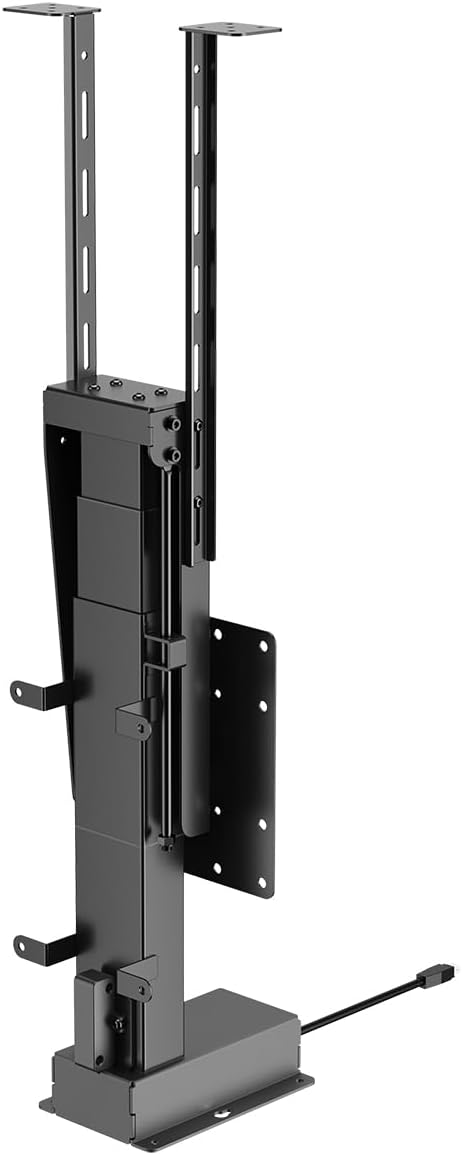
Сүрөт 2: Алдыңкы view of the motorized TV lift mechanism.

3-сүрөт: Каптал view of the motorized TV lift mechanism.
4. Орнотуу жана орнотуу
The My Wall HP66L TV mount is designed for both cabinet and ceiling integration. Professional installation is recommended due to the complexity of integrating the unit into furniture or ceiling structures.
4.1 Determine VESA Compatibility
Before installation, verify your TV's VESA mounting pattern. The VESA standard specifies the distance between the four mounting holes on the back of your TV in millimeters (horizontal x vertical).
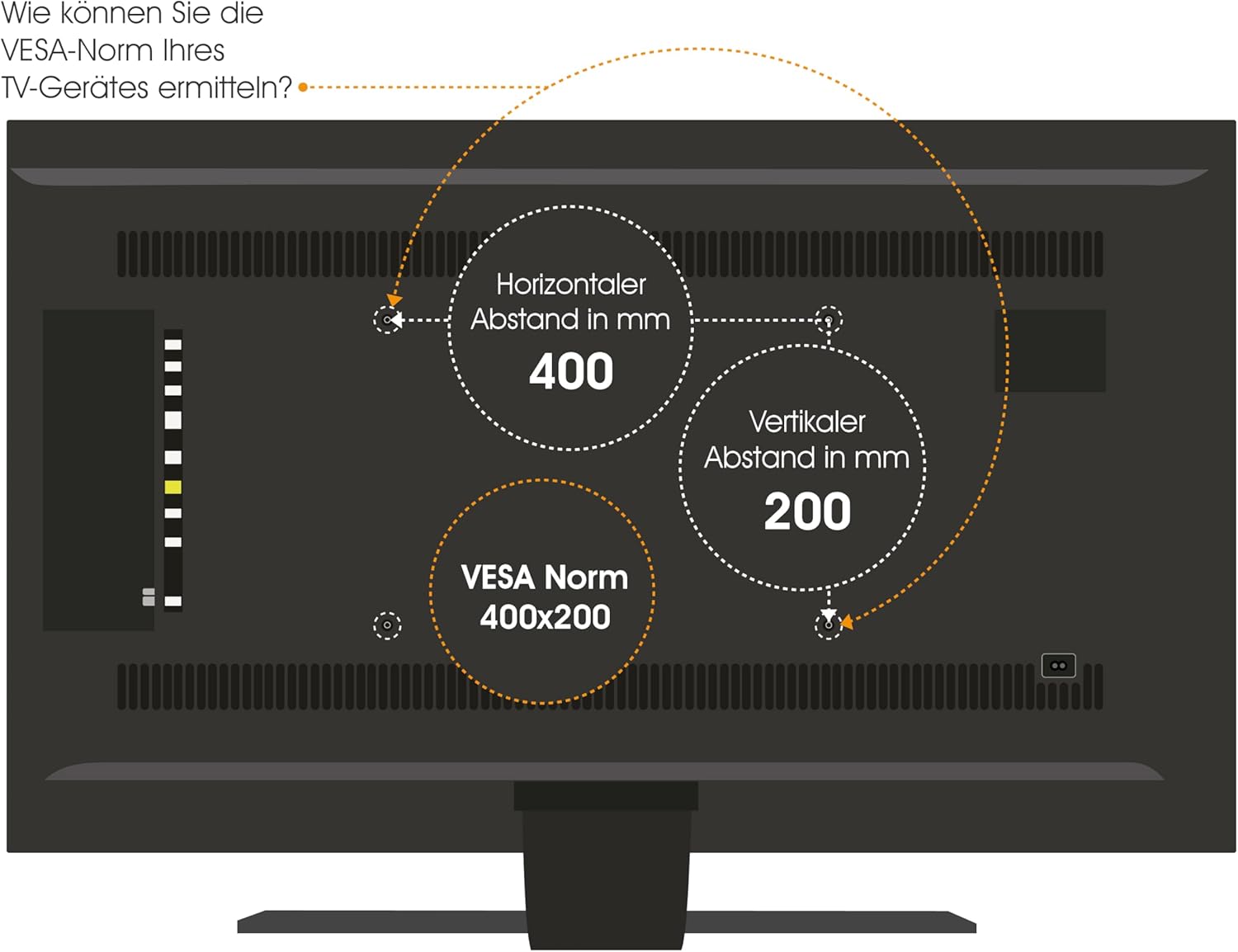
Figure 4: How to determine your TV's VESA standard.
4.2 Монтаждоо параметрлери
The mount supports two primary installation types:
- Cabinet/Furniture Integration: The lift mechanism is installed inside a cabinet, allowing the TV to rise vertically for viewing.
- Шыпты интеграциялоо: The lift mechanism is installed in a ceiling cavity, allowing the TV to descend vertically for viewing.

Figure 5: Lid variants for cabinet integration: fixed lid and hinged lid.
4.3 Жалпы орнотуу кадамдары
- Планды жайгаштыруу: Carefully determine the exact location for your TV and the lift mechanism, considering viewing angles, power access, and structural support.
- Монтаждоо бетин даярдоо: For cabinet installation, ensure the cabinet structure is robust enough. For ceiling installation, verify ceiling joists or suitable blocking are available.
- Mount the Lift Mechanism: Securely attach the lift mechanism to the chosen surface using appropriate fasteners. Refer to the detailed technical drawing for precise measurements and mounting points.
- Attach TV to Mount: Secure your TV to the VESA plate on the lift mechanism using the correct screws and spacers.
- Туташуу кубаты: Plug the power adapter into the lift mechanism and then into a suitable power outlet.
- Сыноо операциясы: Before final enclosure or finishing, test the full range of motion using the remote control or app.

Figure 6: Technical drawing with dimensions (in mm) for installation planning.
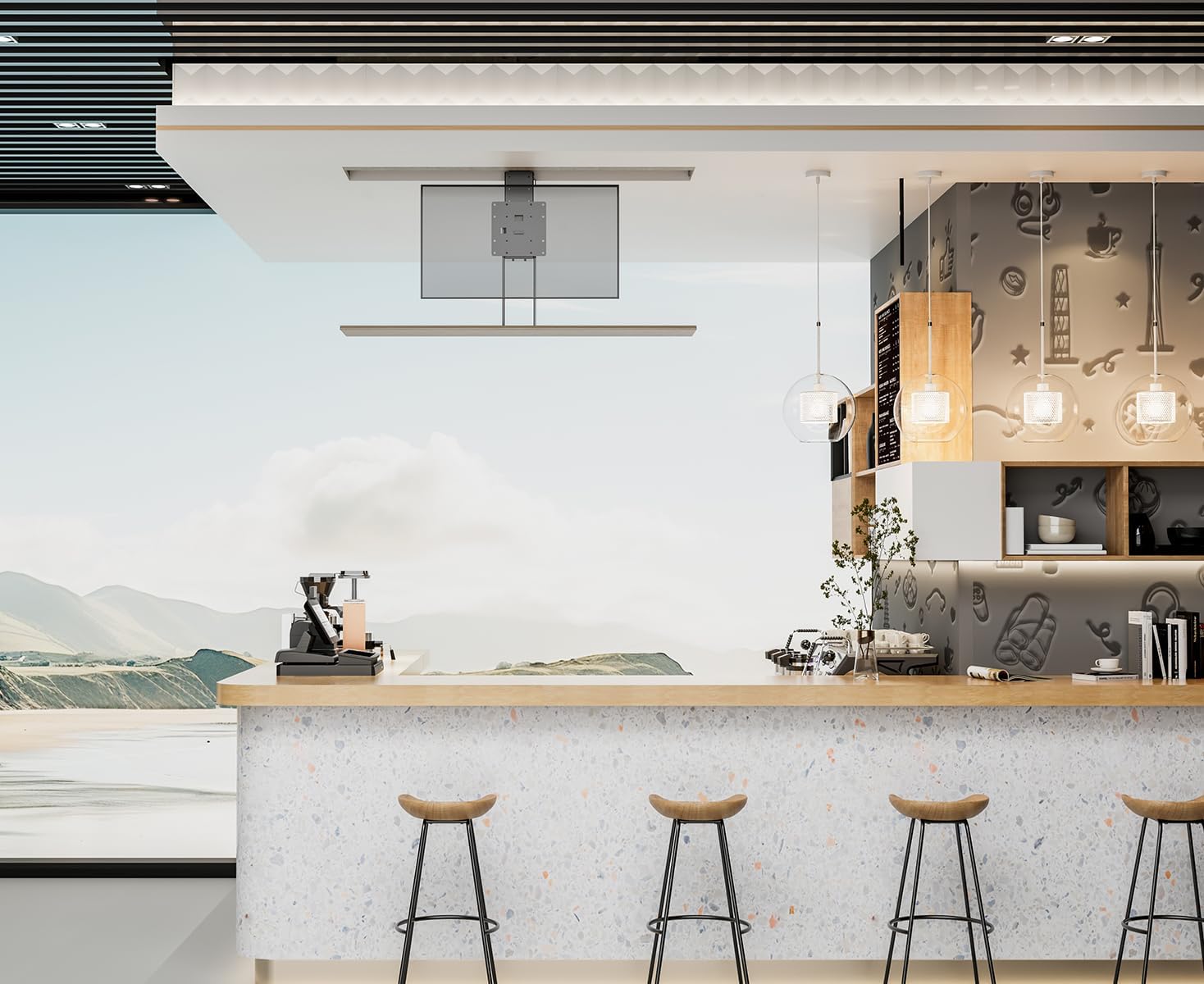
7-сүрөт: Мисample of TV lift installed in a cabinet.

8-сүрөт: Мисample of TV lift installed in a ceiling.
5. Иштөө нускамалары
The My Wall HP66L offers multiple convenient ways to control your TV lift.
5.1 Контролдоо ыкмалары
- Алыстан башкаруу: Use the included remote control to raise or lower the TV.
- Смартфондук колдонмо: Download the dedicated app (e.g., Tuya APP) to control the lift from your smartphone. Follow the app's instructions for pairing.
- Үн менен башкаруу: Integrate the lift with smart home systems like Alexa or Google Home for voice-activated operation. Refer to your smart home system's instructions for device integration.

Figure 9: Control options: Remote control, Tuya App, and Voice control.
5.2 Collision Avoidance System
The My Wall HP66L is equipped with a collision avoidance system to ensure safe movement. If an obstruction is detected during upward or downward motion, the lift will automatically stop to prevent damage.

Figure 10: Collision avoidance system for safe operation.
5.3 Расмий продукт Videos
There are no official product videos from the seller specifically for the My Wall HP66L model available at this time. Please refer to the images and written instructions for guidance.
6. Техникалык тейлөө
- Тазалоо: Wipe the exterior surfaces of the lift and TV with a soft, dry cloth. Do not use abrasive cleaners or solvents.
- Текшерүү: Бардык бекитүүчү бурамалар менен туташуулардын бекем экенине ынануу үчүн мезгил-мезгили менен текшерип туруңуз.
- Майлоо: The motorized components are generally maintenance-free. Do not attempt to lubricate internal parts unless specifically instructed by the manufacturer.
7. Кыйынчылыктарды
- Lift not moving:
- Ensure the power cable is securely connected to both the lift and the power outlet.
- Электр розеткасынын иштешин текшериңиз.
- Алыстан башкаруу пультунун батареялары түгөнүп калбаганын текшериңиз.
- Кыймылга тоскоол болгон бардык тоскоолдуктарды текшериңиз.
- Алыстан башкаруу жооп бербей жатат:
- Алыстан башкаруунун батареяларын алмаштырыңыз.
- Ensure there is no interference between the remote and the lift's receiver.
- Иш учурунда адаттан тыш үндөр:
- Ишти токтоосуз токтотуңуз.
- Inspect for any loose parts or obstructions.
- Эгер ызы-чуу кайталана берсе, кардарларды колдоо бөлүмүнө кайрылыңыз.
8. Техникалык шарттар
| Өзгөчөлүк | Деталь |
|---|---|
| Элемент моделинин номери | HP66L |
| Бренд | My Wall |
| Өндүрүүчү | My Wall |
| Шайкеш түзмөктөр | Телевидение |
| Минималдуу шайкеш өлчөмү | 17 дюйм |
| Максималдуу шайкеш өлчөмү | 32 дюйм |
| Кыймыл түрү | Бийиктиги жөнгө салынуучу |
| Монтаж түрү | Cabinet/Ceiling Mount |
| Материал | Металл |
| Түс | Кара |
| Жүктөө жөндөмдүүлүгү | 45 кг чейин |
| Элементтердин саны | 1 |
| Пакеттин өлчөмдөрү | 67 x 32.5 x 22.5 см |
| Пакет Салмагы | 13.54 кг |
| Келип чыккан өлкө | Кытай |
| Запастык бөлүктөрдүн болушу (ЕБ) | 1 жыл |
| Кепилденген программалык камсыздоо жаңыртууларына чейин | Белгисиз |
9. Кепилдик жана колдоо
This product comes with a standard manufacturer's warranty. Please refer to the warranty card included in your package for specific terms and conditions. For technical support, troubleshooting assistance, or warranty claims, please contact My Wall customer service through their official webсайт же сатып алуу менен камсыз болгон байланыш маалыматы.