
OMIZN M3
OMIZN M3 Global Walkie Talkie User Manual
Модел: M3
1. Киришүү
Thank you for choosing the OMIZN M3 Global Walkie Talkie. This device is a 4G Push-to-Talk (PTT) radio designed for reliable, long-range communication across various environments. It features AES256 encryption for secure conversations, a built-in LED flashlight, and a robust zinc alloy construction. This manual provides essential information for setting up, operating, and maintaining your device.
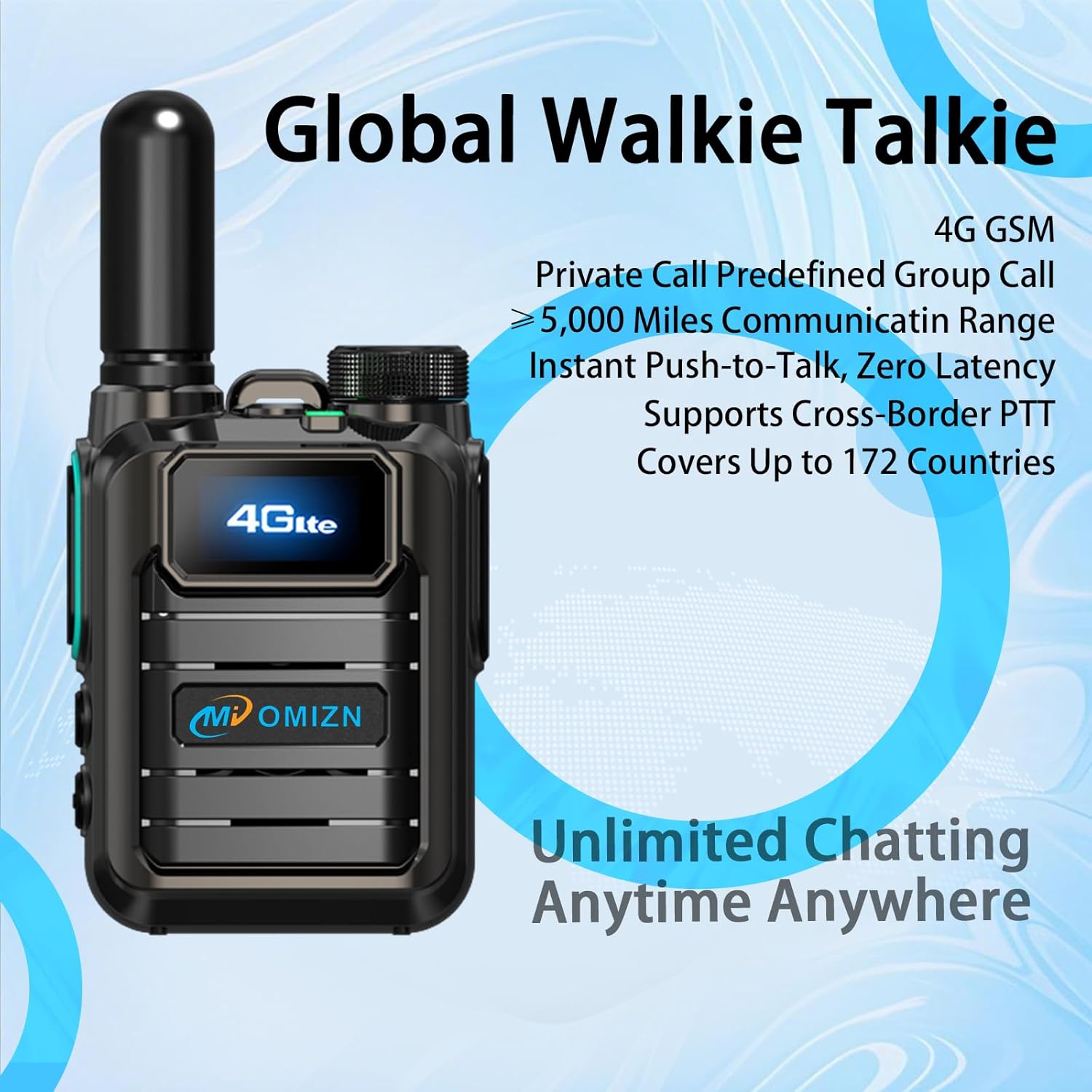
Figure 1: OMIZN M3 Global Walkie Talkie. This image shows the front of the walkie talkie, highlighting its 4G LTE display and the OMIZN brand logo.
2. Пакеттин мазмуну
Пакетиңизде бардык буюмдар бар экенин текшериңиз:
- OMIZN M3 Global Walkie Talkie Unit(s)
- Антенна
- Батарея
- Belt Clip
- USB Type-C кабели
- Заряддагыч
- Lanyard
- Колдонуучунун Колдонмосу (бул документ)
3. Түзмөк бүттүview
Familiarize yourself with the main components and controls of your OMIZN M3 walkie talkie.
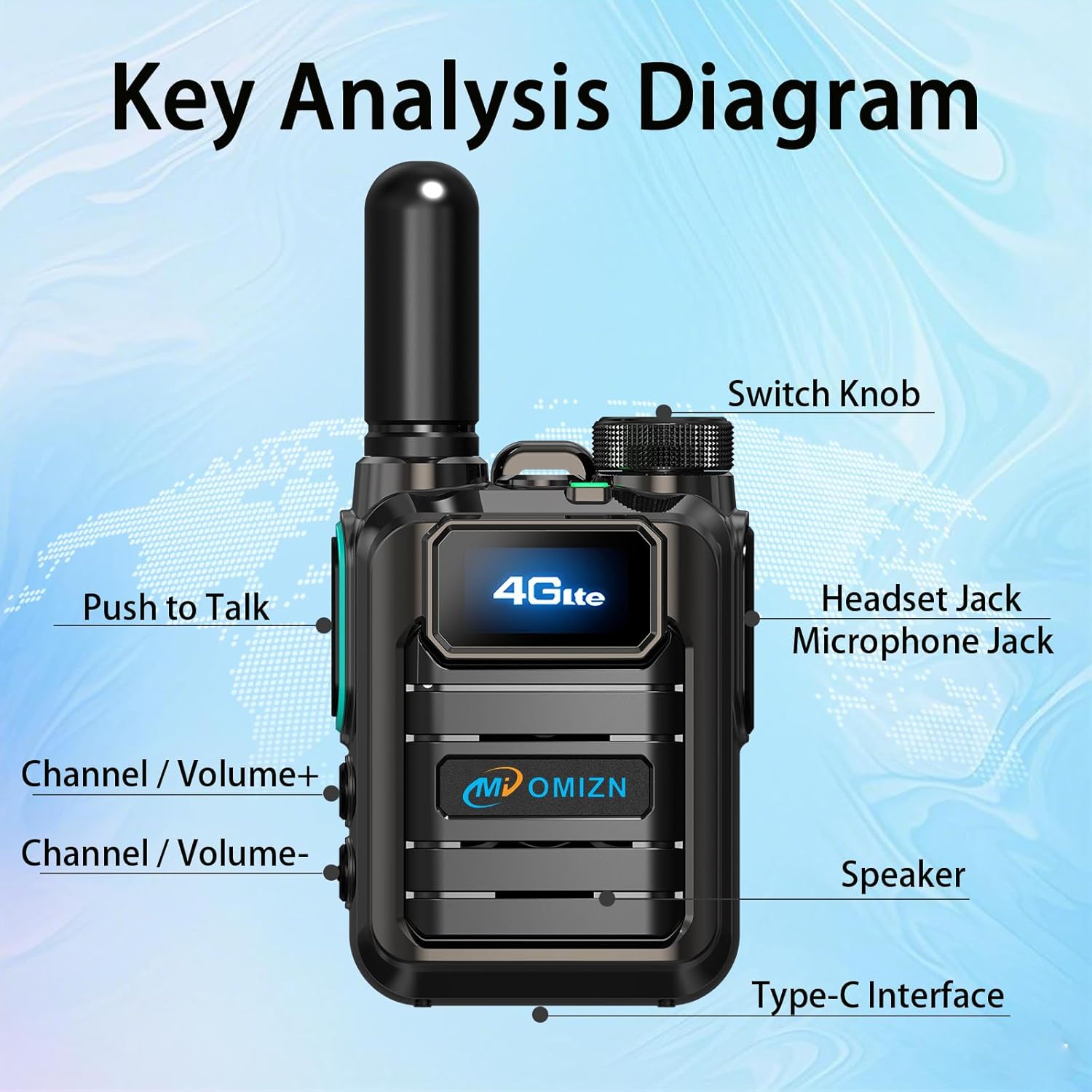
Figure 2: Key Analysis Diagram. This diagram labels the main parts of the OMIZN M3 walkie talkie, including the Switch Knob, Headset Jack, Microphone Jack, Push to Talk button, Channel/Volume+ button, Channel/Volume- button, Speaker, and Type-C Interface.
- Которуу баскычы: Power on/off and adjust volume.
- Headset Jack/Microphone Jack: Тышкы аудио аксессуарлар үчүн.
- Push to Talk (PTT) баскычы: Өткөрүү үчүн басып кармап туруңуз, ал эми угуу үчүн коё бериңиз.
- Channel/Volume+ Button: Adjust channel or increase volume.
- Channel/Volume- Button: Adjust channel or decrease volume.
- Баяндамачы: Аудио чыгаруу.
- Type-C интерфейси: Аппаратты заряддоо үчүн.
- LED фонарик: Караңгы чөйрөдө жарыкты камсыз кылат.
4. Орнотуу жана алгачкы колдонуу
4.1 Батареяны орнотуу жана заряддоо
The OMIZN M3 uses a large-capacity lithium battery. Ensure the battery is fully charged before first use.
- Батареяны орнотуу: Align the battery with the compartment on the back of the walkie talkie and press firmly until it clicks into place.
- Антеннаны тиркөө: Screw the antenna clockwise onto the connector at the top of the device until secure.
- Заряддоо: Connect the USB Type-C cable to the Type-C interface on the device and the other end to the charger. Plug the charger into a power outlet. The charging indicator will show the charging status. A full charge typically takes several hours.

Figure 3: Large-Capacity Lithium Battery. This image displays the removable lithium-ion battery for the OMIZN M3 walkie talkie.

Figure 4: Type-C Charging Interface. This image shows the Type-C port on the OMIZN M3 walkie talkie with a charging cable connected.
4.2 Күйгүзүү/өчүрүү
To power on the device, rotate the Switch Knob clockwise until you hear a click and the screen illuminates. To power off, rotate the Switch Knob counter-clockwise until it clicks off.
4.3 SIM Card Activation (Pre-Installed)
Your OMIZN M3 walkie talkie comes with a pre-installed SIM card, ready for immediate use in 172 countries. No additional activation steps or ID binding are required. For optimal performance, ensure you are within 4G network coverage. If you experience signal issues, contact OMIZN support for free replacement services.
5. Иштөө нускамалары
5.1 Basic Communication (Push-to-Talk)
- Select Channel/Group: Use the Channel/Volume+ or Channel/Volume- buttons to navigate through available channels or groups displayed on the HD screen.
- Берүү: Press and hold the Push to Talk (PTT) button on the side of the device. Speak clearly into the microphone.
- Кабыл алуу: Кирүүчү берүүлөрдү угуу үчүн PTT баскычын коё бериңиз.

Figure 5: Multiple Call Modes. This image illustrates the capability of the OMIZN M3 to support private calls, group calls, and broadcast modes.
5.2 Үндү тууралоо
Rotate the Switch Knob to adjust the speaker volume. Clockwise increases volume, counter-clockwise decreases it.
5.3 LED фонарьды колдонуу
The OMIZN M3 features a built-in LED flashlight. Refer to the device overview (Figure 2) for its location. Typically, a short press of a dedicated button (often combined with another function or a specific sequence) activates the flashlight. Consult the on-screen menu or quick guide for exact activation steps if not immediately apparent.
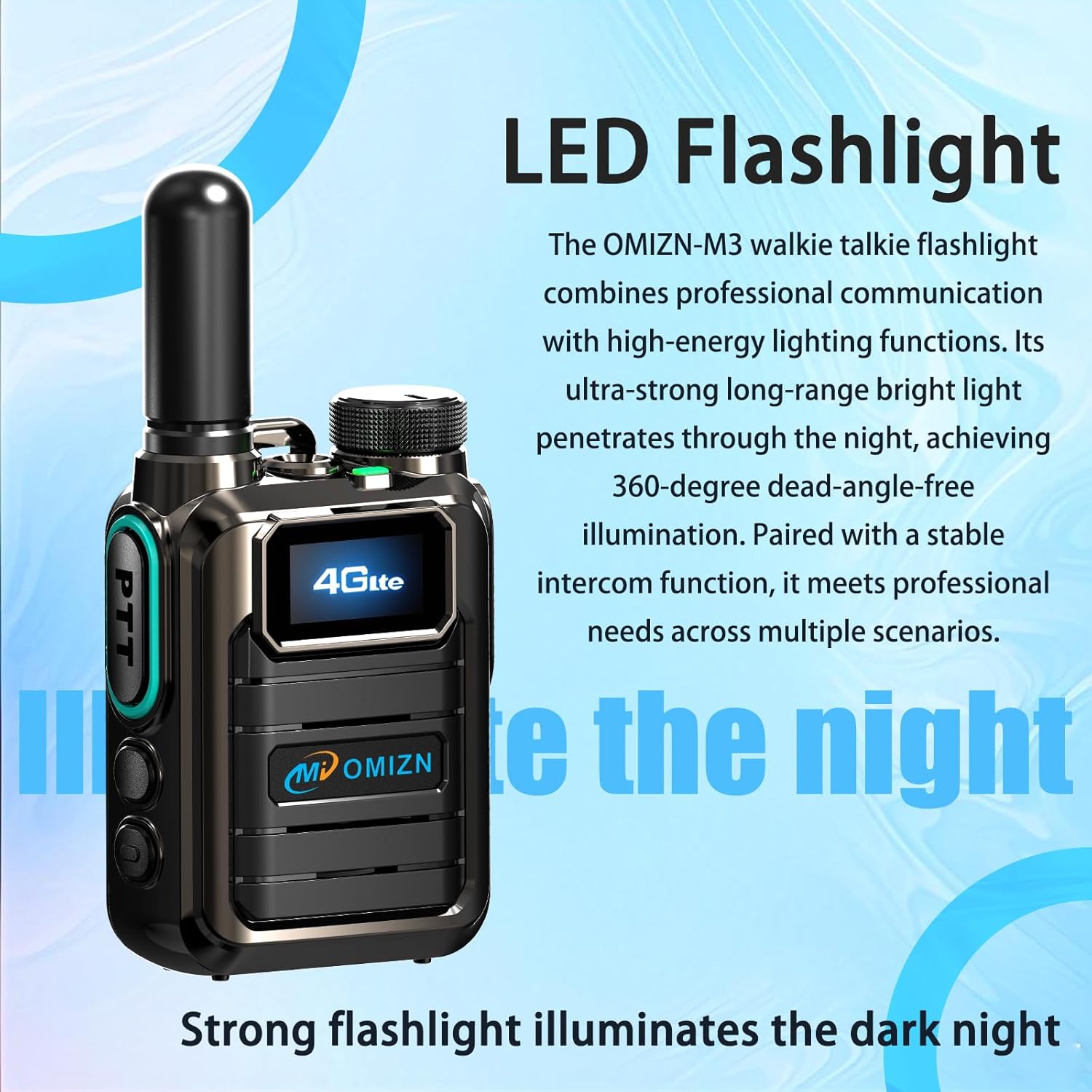
Figure 6: LED Flashlight. This image highlights the integrated LED flashlight feature of the OMIZN M3 walkie talkie.
5.4 AES256 Digital Encryption
The OMIZN M3 utilizes AES256 digital encryption to ensure secure and private communications. This feature is active by default, protecting your conversations from unauthorized interception. No user configuration is typically required for this encryption to function.
6. Техникалык тейлөө жана кам көрүү
- Тазалоо: жумшак колдонуу, damp cloth to clean the device. Do not use harsh chemicals or abrasive cleaners.
- Батареяга кам көрүү: Charge the battery regularly. Avoid fully discharging the battery frequently to prolong its lifespan. Store the device and battery in a cool, dry place when not in use for extended periods.
- Суу каршылык: The device is IP65 water-resistant, meaning it is protected against dust ingress and low-pressure water jets. It is not designed for submersion. Ensure all port covers are securely closed to maintain water resistance.
- Температура: Operate the device within the specified temperature range of -30℃ to 70℃.
7. Кыйынчылыктарды
| Көйгөй | Мүмкүн себеп | Чечим |
|---|---|---|
| Түзмөк күйбөйт. | Батарея аз же туура орнотулган эмес. | Батарея толук заряддалганын жана туура орнотулганын текшериңиз. |
| Өткөрүп же кабыл албайт. | No 4G network signal; incorrect channel/group; PTT button not pressed correctly. | Move to an area with better 4G coverage. Verify channel/group settings. Press and hold PTT button firmly while speaking. |
| Аудио сапаты начар. | Weak signal; microphone/speaker obstructed; volume too low. | Check signal strength. Ensure microphone and speaker are clear. Adjust volume. |
| SIM card signal issues. | Temporary network issue; faulty SIM card. | Restart the device. If issues persist, contact OMIZN customer support for SIM card replacement. |
8. Техникалык шарттар
| Бренд | OMIZN |
| Модель номери | M3 |
| Жыштык диапазону | 4G LTE |
| Сүйлөшүү диапазону максималдуу | 100 000 миль (тармакка көз каранды) |
| Каналдардын саны | 200 |
| Батарея сыйымдуулугу | 5000mAh |
| Батареянын орточо иштөө мөөнөтү | 36 Hours (Active Use), Up to 5 Days (Standby) |
| Тtage | 3.7 вольт (ток) |
| Сууга туруктуулук деңгээли | IP65 (Сууга туруктуу) |
| Продукциянын өлчөмдөрү (D x W x Y) | 1.18" x 2.2" x 2.8" |
| Элемент Салмагы | 7.84 унция |
| Иштөө температурасы | -30 градустан 70 градуска чейин |
| Шифрлөө | AES256 Digital Encryption |
| SIM карта | Pre-installed, supports 172 countries |
9. Кепилдик жана колдоо
For warranty information and technical support, please refer to the documentation included with your purchase or visit the official OMIZN website. If you encounter issues with the pre-installed SIM card or require replacement services, please contact OMIZN customer support directly.
OMIZN Customer Support: Please refer to your product packaging or the official OMIZN webбайланыш маалыматы үчүн сайт.
10. Коопсуздук маалыматы
- Аппаратты ажыратууга же өзгөртүүгө аракет кылбаңыз.
- Аппаратты экстремалдык температурадан, түз күндүн нурунан жана ачык оттон алыс кармаңыз.
- Use only OMIZN-approved batteries and chargers.
- Avoid exposing the device to strong electromagnetic fields.
- Батареяларды жана электрондук тетиктерди жергиликтүү эрежелерге ылайык таштаңыз.
Ask a question about this manual
Ask about setup, troubleshooting, compatibility, parts, safety, or missing instructions. Manuals+ will review the question and use this page’s manual context to help answer it.