
1. Киришүү
This manual provides detailed instructions for the VGN F1 Pro Max Wireless Gaming Mouse. Please read this guide thoroughly before using the product to ensure proper setup, operation, and maintenance. This mouse offers dual-mode connectivity (2.4GHz wireless and Type-C wired), a high-precision sensor, and programmable buttons for an optimized user experience.
2. Кутуда эмне бар
Пакетте бардык компоненттер бар экенин текшериңиз:
- 1 x VGN F1 Pro Max Gaming Mouse
- 1 x USB кабыл алгыч (2.4 ГГц зымсыз байланыш үчүн)
- 1 x Type-C заряддоо кабели
- 1 x PTFE Feet (replacement set)
- 1 x User Manual
- 1 x Extender (for USB receiver)
- 1 x Grip Tape
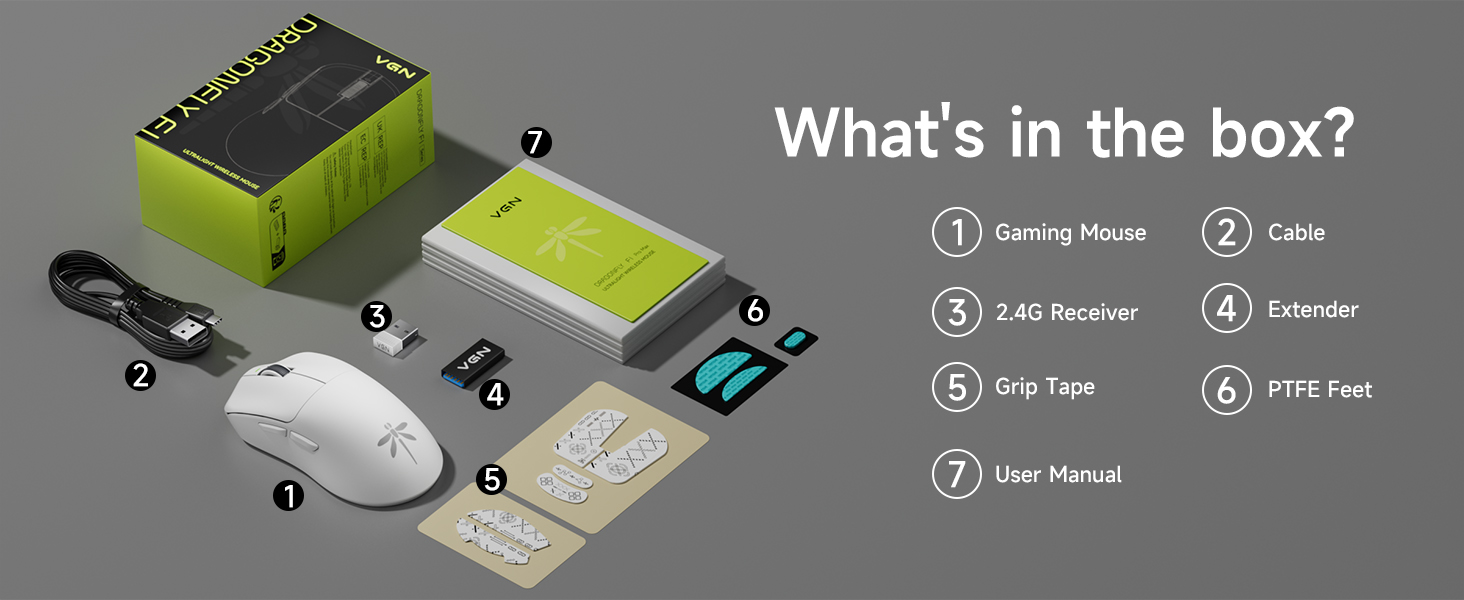
Image: Contents of the VGN F1 Pro Max package.
3. Продукциянын өзгөчөлүктөрү
3.1. PAW 3395 Sensor
The VGN F1 Pro Max is equipped with a PAW 3395 sensor, offering high precision and responsiveness. It features 650 IPS (Inches Per Second) tracking speed and 50G acceleration. The DPI (Dots Per Inch) is adjustable from 50 to 26,000. The default polling rate is 1,000Hz, with support for up to 4,000Hz with a separately purchased 4K receiver.
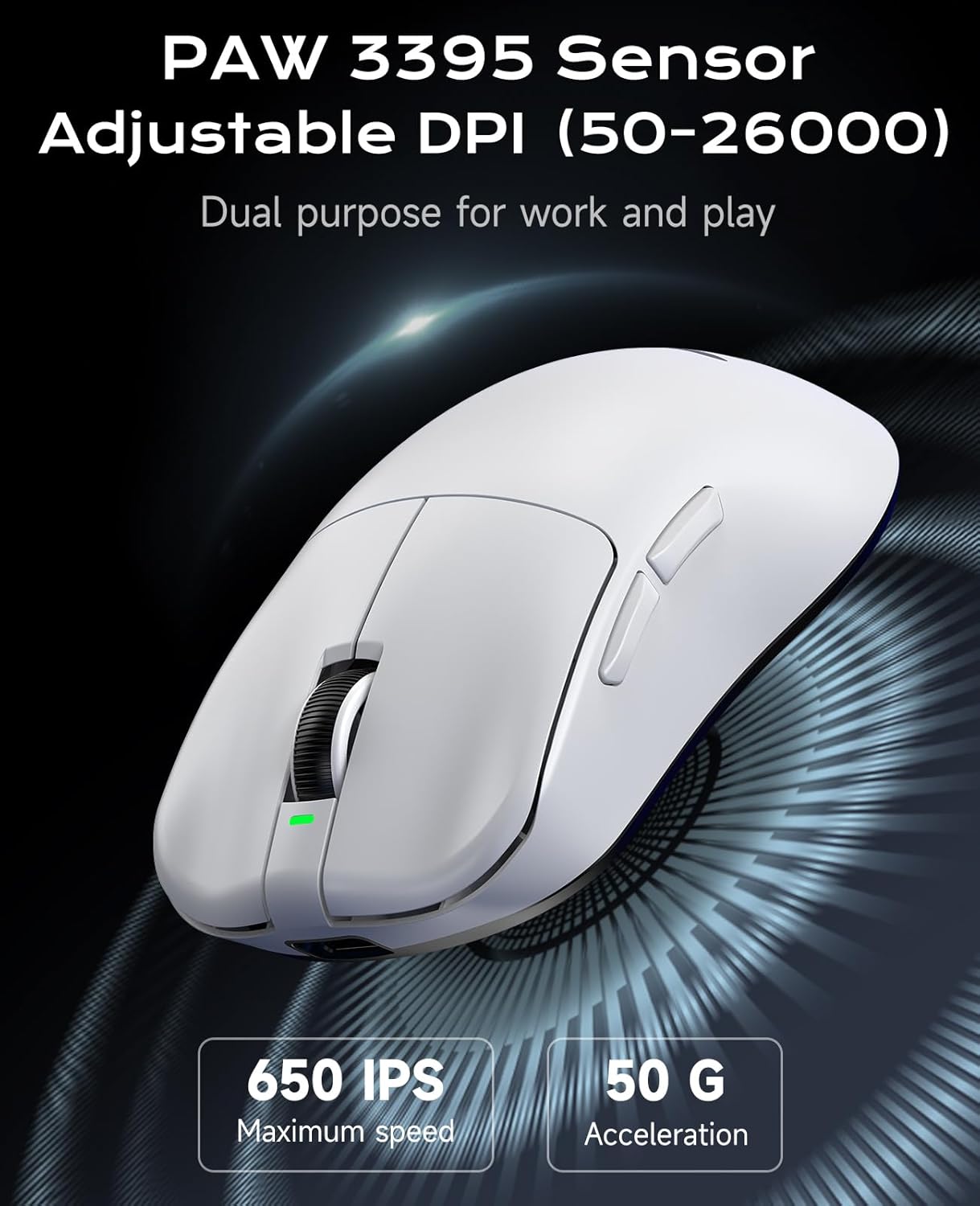
Image: PAW 3395 Sensor capabilities.
3.2. Black Gold Mamba Micro Motion Switches
This mouse utilizes Black Gold Mamba Micro Motion switches, designed for a distinct click feel with clear feedback and rapid rebound. These switches have a long lifespan of over 90 million clicks, making them suitable for demanding gaming scenarios.

Image: Black Gold Mamba Micro Motion switches.
3.3. Ultra-Lightweight Design
Weighing approximately 55g, the F1 Pro Max mouse features an ultra-lightweight design. This construction aims to reduce hand fatigue during extended use and enhance maneuverability.

Image: Ultra-lightweight design of the mouse.
3.4. Dual-Mode Connectivity
The mouse supports both 2.4GHz wireless connectivity via a USB receiver and wired connectivity via a Type-C cable. This allows for flexible usage depending on user preference and charging needs.
3.5. Узартылган батареянын иштөө мөөнөтү
Utilizing Smart Speed Wireless technology, the F1 Pro Max offers a continuous working battery life ranging from 130 hours to a maximum of 200 hours, depending on usage patterns.
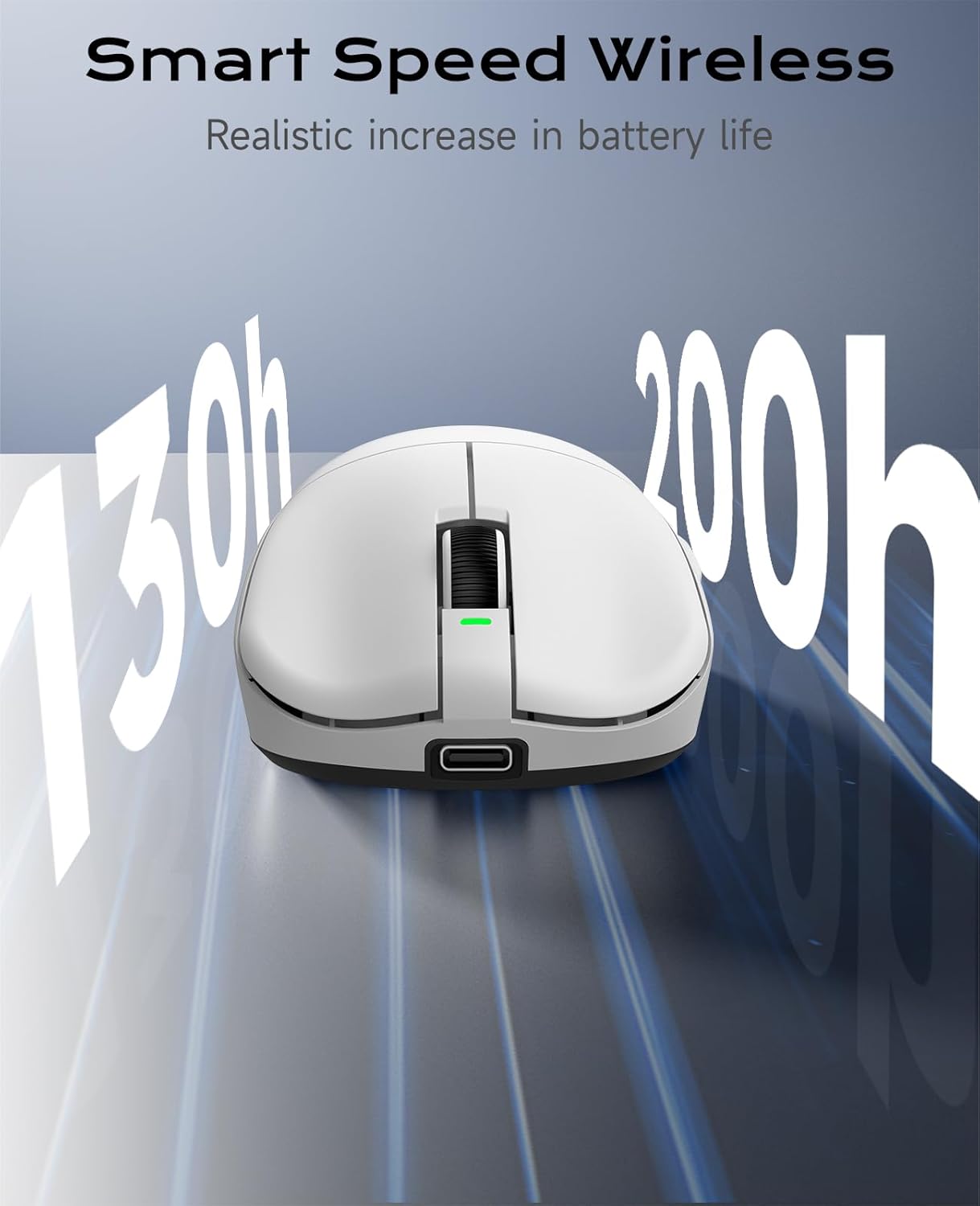
Image: Smart Speed Wireless for extended battery life.
4. Орнотуу
4.1. Зымсыз туташуу (2.4 ГГц)
- Чычкандын астындагы бөлүмдө сакталган USB ресиверди табыңыз.
- USB ресиверди компьютериңиздеги жеткиликтүү USB портуна сайыңыз.
- Turn on the mouse using the Power Switch located on the underside.
- Чычкан компьютериңизге автоматтык түрдө туташуу керек.
4.2. Зымдуу туташуу (С түрү)
- Connect one end of the provided Type-C charging cable to the Type-C interface on the front of the mouse.
- Кабелдин экинчи учун компьютериңиздеги жеткиликтүү USB портуна туташтырыңыз.
- Чычкан зымдуу режимде иштейт жана бир эле учурда кубатталат.

Image: Wireless and Wired connection options.
5. Иштөө нускамалары
5.1. Баскыч функциялары
The VGN F1 Pro Max mouse features 6 programmable buttons:
- Сол баскыч: Негизги чыкылдатуу функциясы.
- Оң баскыч: Экинчи баскычты чыкылдатуу функциясы.
- Жылдыруу дөңгөлөгү: Scrolls content up/down. Can also be pressed for a middle-click function.
- Алга баскычы: Алга карай жылдырат web браузерлер же тиркемелер.
- Артка баскычы: Артка карай багыт алат web браузерлер же тиркемелер.
- DPI баскычы: Алдын ала коюлган DPI деңгээлдери аркылуу айлануу.
5.2. Power Switch and Receiver Storage
On the underside of the mouse, you will find:
- Кубат которгучу: To turn the mouse ON or OFF.
- Receiver Storage Slot: A secure compartment for storing the USB receiver when not in use or during travel.

Image: Multi-function buttons and underside components.
6. Customization (VGN HUB Driver)
The VGN HUB custom driver software allows for advanced configuration of your F1 Pro Max mouse. This software enables you to:
- DPI жөндөөлөрүн тууралаңыз.
- Modify the polling rate.
- Assign custom functions to macro keys.
- Program various other settings.
Эскертүү: The VGN HUB software is compatible only with Windows 10 and above operating systems. Please visit the official VGN webакыркы драйвер программасын жүктөп алуу үчүн сайт.
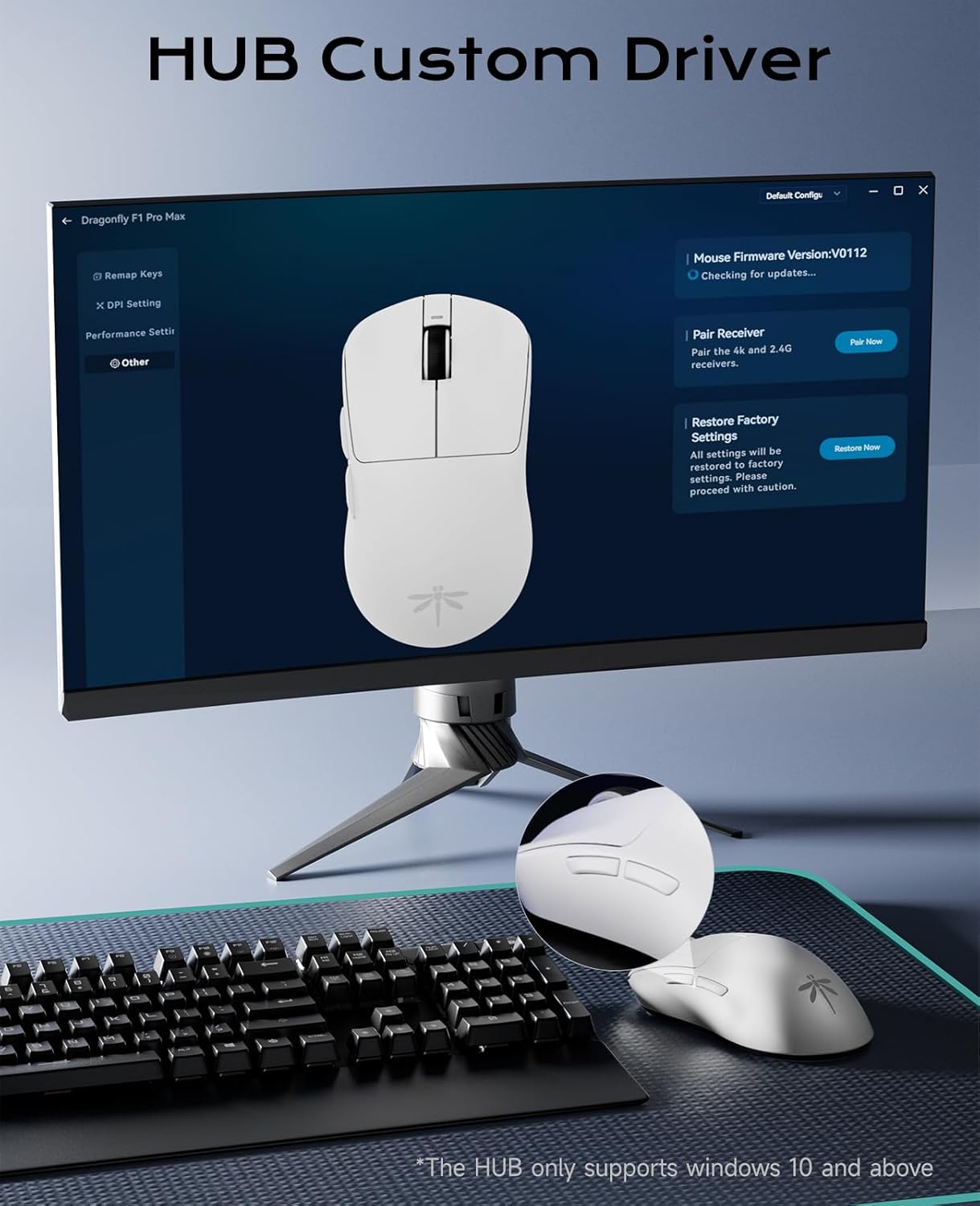
Image: VGN HUB custom driver interface.
7. Заряддоо жана батареянын иштөө мөөнөтү
7.1. Чычканды заряддоо
To charge the mouse, connect the provided Type-C cable to the mouse's Type-C port and the other end to a USB power source (e.g., computer USB port, USB wall adapter). The mouse can be used in wired mode while charging.
7.2. Батарея индикатору
The charging indicator light provides information about the battery status:
- Жашыл: Battery normal.
- Ачык күрөң: Түзмөк кубатталууда.
- Кызыл: Батарея аз.
8. Техникалык тейлөө
To ensure the longevity and optimal performance of your VGN F1 Pro Max mouse:
- Чычканды жумшак, кургак чүпүрөк менен сүртүп, аны таза кармаңыз. Катуу химиялык заттарды же абразивдүү материалдарды колдонуудан алыс болуңуз.
- Ensure the optical sensor on the underside is free from dust and debris for accurate tracking.
- Store the USB receiver in its designated slot when transporting the mouse to prevent loss.
- If using the included grip tape, ensure it is applied cleanly to prevent residue buildup.

Image: Mouse with optional anti-slip tape.
9. Кыйынчылыктарды
9.1. Чычкан жооп бербейт
- Ensure the mouse is turned ON using the power switch.
- For wireless mode, check if the USB receiver is securely plugged into a working USB port. Try a different USB port.
- For wired mode, ensure the Type-C cable is properly connected to both the mouse and the computer.
- Check the battery level. If low, connect the charging cable.
- Компьютериңизди өчүрүп күйгүзүңүз.
9.2. Курсордун туруксуз кыймылы
- Чычкандын астындагы оптикалык сенсорду тазалаңыз.
- Чычканды ылайыктуу жерде (мисалы, чычкан аянтчасында) колдонуп жатканыңызды текшериңиз.
- Interference from other wireless devices might affect performance. Try moving the receiver closer to the mouse or using a wired connection.
9.3. Баскычтар иштебей жатат
- Check if the VGN HUB software has remapped the buttons incorrectly. Reset to default settings if necessary.
- Ensure the mouse firmware is up to date via the VGN HUB software.
10. Техникалык шарттар
| Модел | F1 Pro Max |
| Байланыш | 2.4GHz Wireless, Type-C Wired |
| Сенсор | PAW 3395 оптикалык сенсору |
| DPI диапазону | 50 - 16 000 (Жөнгө салынуучу) |
| IPS | 650 |
| Ылдамдатуу | 50G |
| Добуш берүү көрсөткүчү | 1,000Hz (up to 4,000Hz with optional receiver) |
| Которгучтар | Black Gold Mamba Micro Motion (90M+ clicks) |
| Buttons | 6 Программалануучу баскычтар |
| Батареянын иштөө мөөнөтү | 130-200 hours (continuous use) |
| Салмагы | Болжол менен 55 г |
| Продукциянын өлчөмдөрү | 4.77 x 2.5 x 0.1 дюйм |
| OS Compatibility (VGN HUB) | Windows 10 жана андан жогору |
11. Кепилдик жана колдоо
For warranty information and technical support, please refer to the documentation included with your purchase or visit the official VGN webсайт. Ар кандай кепилдик дооматтары үчүн сатып алганыңыздын далилин сактаңыз.