
CYBERDOT C01
CYBERDOT Open Ear Bluetooth Headphones User Manual
Model: C01
Introduction
Thank you for choosing the CYBERDOT Open Ear Bluetooth Headphones. Designed for comfort and situational awareness, these air-conduction earbuds provide clear stereo sound and reliable performance for various activities, including sports, workouts, and daily use. This manual will guide you through the setup, operation, and maintenance of your new headphones.

Figure 1: CYBERDOT Open Ear Bluetooth Headphones and Charging Case.
Кутуда эмне бар
- CYBERDOT Open Ear Earbuds (Left and Right)
- Зымсыз кубаттоо кутусу
- USB-C заряддоо кабели
- User Manual
Жайгашуу
1. Наушникти жана капты заряддоо
Before first use, fully charge the headphones and the charging case. The case features an LED digital display to show battery levels.
- USB-C заряддоо: Берилген USB-C кабелин корпустагы кубаттоо портуна жана кубат булагына туташтырыңыз.
- Зымсыз кубаттоо: Кубаттоочу кутучаны шайкеш келген зымсыз кубаттоочу тактага коюңуз (кошулмада жок).
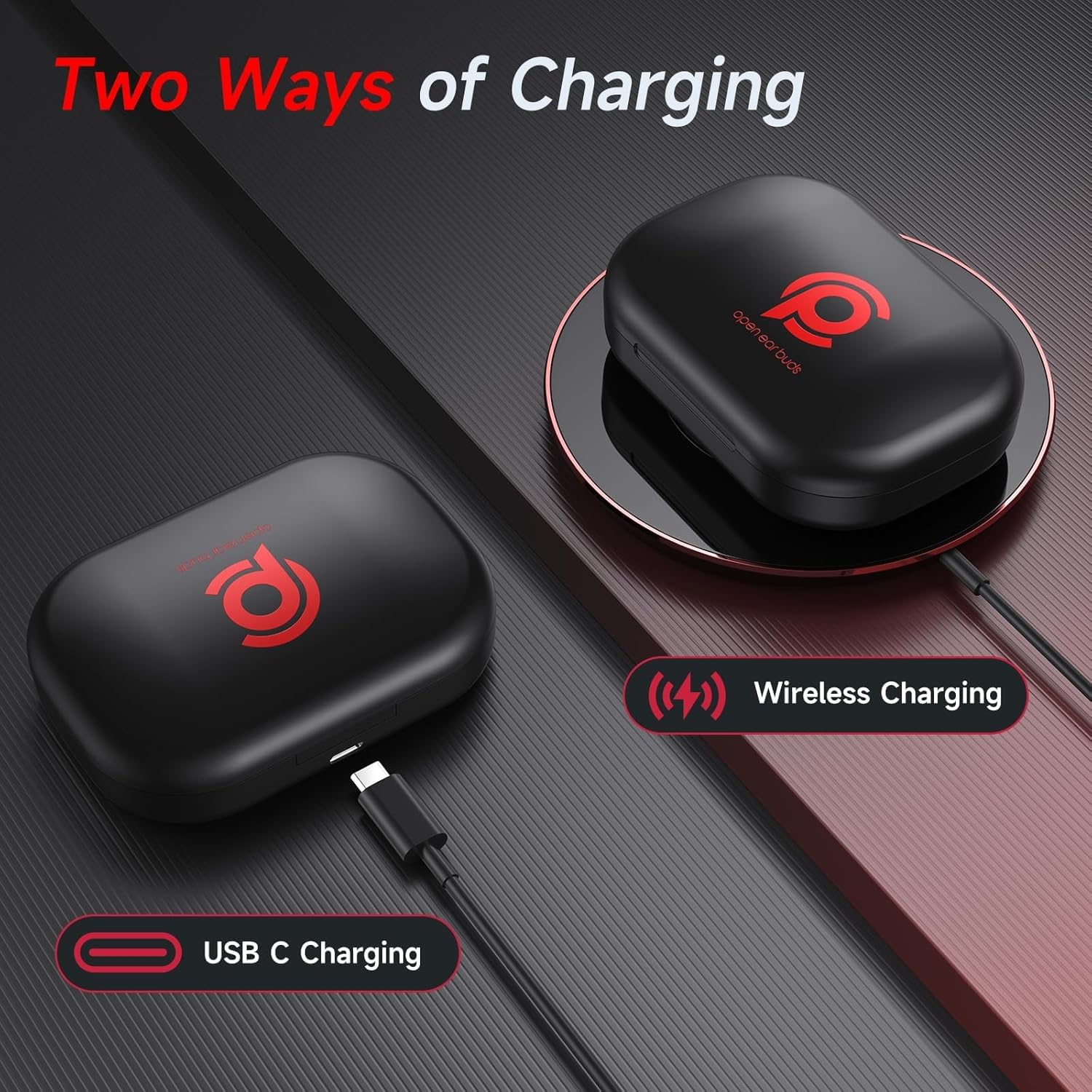
Figure 2: Charging options for the CYBERDOT headphones case.
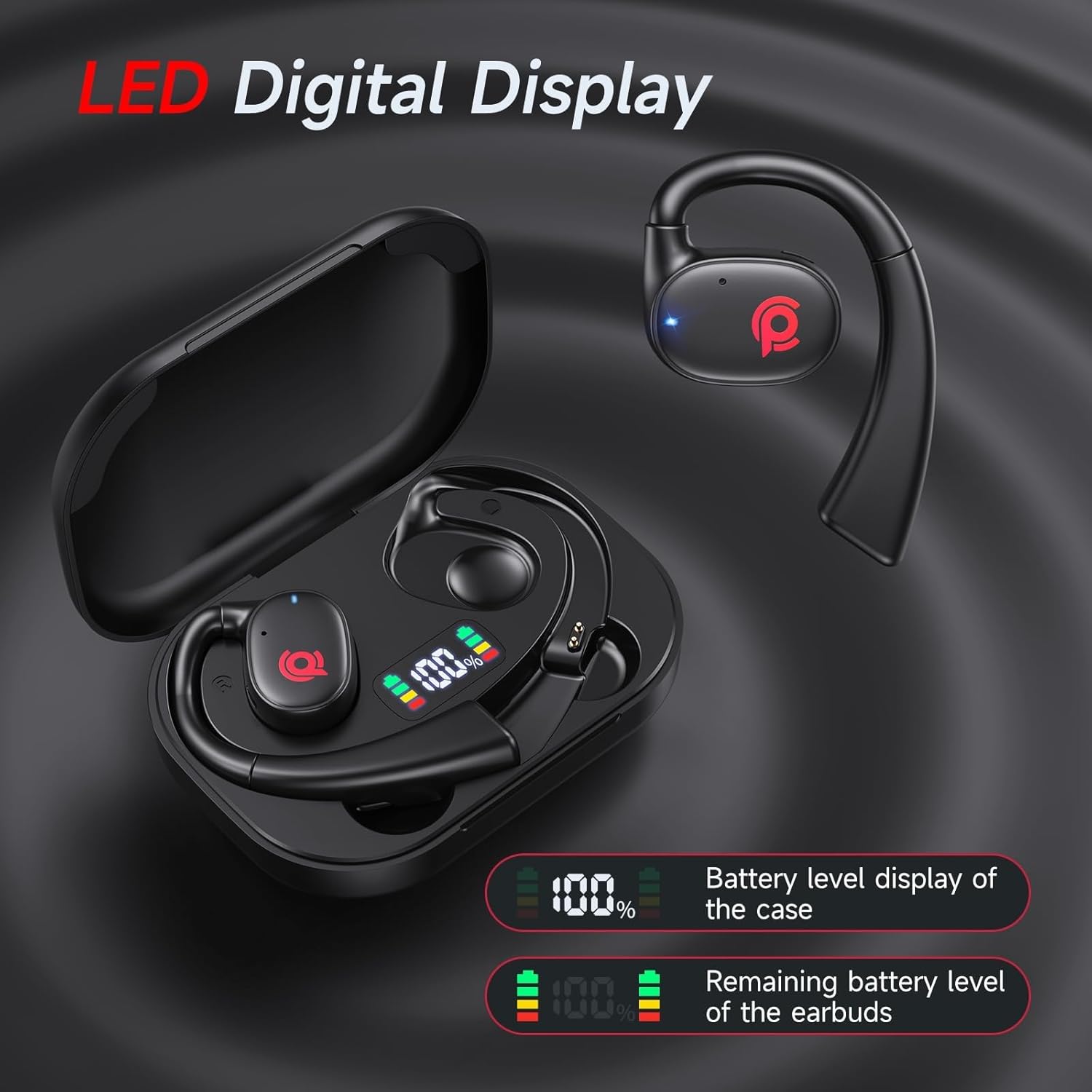
Figure 3: LED Digital Display indicating battery status.
2. Түзмөгүңүз менен жупташтыруу
Наушниктерде ыңгайлуулук үчүн автоматтык жупташтыруу функциясы бар.
- Түзмөгүңүздө (смартфондо, планшетте ж.б.) Bluetooth иштетилгенин текшериңиз.
- Заряддоо кутусун ачып, эки кулакчынды алып салыңыз. Алар автоматтык түрдө жупташтыруу режимине кирет.
- On your device, search for "C01" in the Bluetooth settings and select it to connect.
- Once connected, the earbuds are ready for use. Subsequent connections will be automatic when the earbuds are removed from the case.
3. Наушник тагынуу
The open-ear design with ear hooks provides a comfortable and secure fit.
- Rotate the main structure of the headphones so that it is at an angle to the plane of the ear hook.
- Maintain this angle and gently place the ear hook over your ear.
- Rotate the headphones to adjust for the most comfortable and secure fit around your ear.

Figure 4: Proper wearing technique for CYBERDOT Open Ear Headphones.
Иштөө нускамалары
1. Башкаруу элементтерине тийүү
The earbuds feature multi-functional touch buttons for easy control of music, calls, and voice assistant.

Figure 5: Touch Control Functions.
| Акция | Функция |
|---|---|
| Touch Twice (L/R) | Музыка ойнотуу/тындыруу, Чалууга жооп берүү/аяктоо |
| Long Press (L) 2s | Мурунку трек |
| Long Press (R) 2s | Кийинки трек |
| Touch Triple (L/R) | Үн Жардамчысын жандырыңыз (Siri, Google Жардамчы) |
| Touch Once (R) | Үнүн жогорулатуу (+) |
| Touch Once (L) | Үнүн азайтуу (-) |
| Long Press (L/R) 2s (during call) | Чакырууну четке кагуу |
2. Аудио тажрыйба
The 16.3mm dynamic drivers deliver powerful stereo sound with clear reproduction of instruments and vocals. The open-ear design enhances the natural audio experience, creating a broader sense of space and depth.

Figure 6: 16.3mm Dynamic Drivers for superior sound.
3. Чалууларды тазалоо
Advanced drivers ensure crystal-clear calls, making communication seamless even in noisy environments.
4. Situational Awareness
The open-back design allows ambient sounds to reach your ears, enhancing situational awareness for safety during outdoor activities or in busy environments. You can engage in conversations without removing the headphones.

Figure 7: Enhanced situational awareness with open-ear design.
Video 1: Demonstration of Open Ear Headphones for Sport, Workout, and Running. This video highlights the practical benefits of the open-ear design during various activities.
Техникалык тейлөө
- Тазалоо: Кулакчындарды жана кубаттоочу кутучаны тазалоо үчүн жумшак, кургак чүпүрөктү колдонуңуз. Катуу химиялык заттарды же абразивдүү материалдарды колдонуудан алыс болуңуз.
- Суу каршылык: The headphones are waterproof. However, avoid prolonged submersion in water. Dry them thoroughly after exposure to moisture.
- Сактагыч: Кулакчындарды коргоо жана кубаттап туруу үчүн колдонулбаган учурда кубаттоо кутучасында сактаңыз.
- Батареяга кам көрүү: Батареянын иштөө мөөнөтүн узартуу үчүн, кулакчындарды тез-тез толук зарядсыздандырбаңыз. Аларды үзгүлтүксүз кубаттап туруңуз.
Проблемаларды чечүү
| Көйгөй | Чечим |
|---|---|
| Кулакчындар жупташкан жок | Ensure earbuds are fully charged. Turn off and on Bluetooth on your device. Try forgetting the device in Bluetooth settings and re-pairing. |
| Үн жок же үнү төмөн | Check device volume and headphone volume. Ensure earbuds are properly seated in your ears. Reconnect Bluetooth. |
| Заряддоо маселелери | Verify the USB-C cable is securely connected. If using wireless charging, ensure the case is correctly placed on the charging pad. Check for debris in the charging port. |
| Бир гана кулакчын иштейт | Place both earbuds back into the charging case, close the lid, wait a few seconds, then open and remove them to re-establish connection. Ensure both earbuds are charged. |
Техникалык шарттар
| Өзгөчөлүк | Деталь |
|---|---|
| Модель аты | C01 |
| Бренд | CYBERDOT |
| Байланыш технологиясы | Зымсыз (Bluetooth 5.3) |
| Наушник формасы | Ачык кулак |
| Аудио драйвер түрү | Динамикалык драйвер (16.3 мм) |
| Батареянын иштөө мөөнөтү (бир кубаттоо) | 6 саат |
| Жалпы угуу убактысы (кубаттоочу куту менен) | 21 саат |
| Заряддоо убактысы | 7 саат (учур үчүн) |
| Башкаруу ыкмасы | тийүү |
| Сууга туруктуулук деңгээли | Суу өткөрбөйт |
| Материал | Пластик |
| Продукциянын өлчөмдөрү | 2.64 x 0.98 x 3.74 дюйм |
| Элемент Салмагы | 5 унция |
| UPC | 730425867932 |
Кепилдик жана колдоо
CYBERDOT products are manufactured with high-quality standards. For any product-related inquiries, technical support, or warranty claims, please refer to the contact information provided on the product packaging or visit the official CYBERDOT webсайт. Сураныч, кепилдик максаттары үчүн сатып алганыңыздын далилин сактап коюңуз.
Included components: Cable, User Manual, Open Ear buds, Wireless Charging Case.
Ask a question about this manual
Ask about setup, troubleshooting, compatibility, parts, safety, or missing instructions. Manuals+ will review the question and use this page’s manual context to help answer it.