
Introduction
The FTVOGUE ZN-MT32 is a versatile 18-in-1 air quality meter designed for indoor environment monitoring. It utilizes semiconductor and infrared technology to provide accurate measurements of various air quality parameters. This device features a 2.8-inch HD LCD screen for clear data display, a built-in 2000mAh rechargeable battery, and data storage capabilities.
This manual provides essential information for the proper setup, operation, and maintenance of your air quality meter.
Продукт өзгөчөлүктөрү
- 18-бирде өлчөө: Accurately measures Air Quality Index (AQI), CO2, HCHO, TVOC, PM0.3, PM1.0, PM2.5, PM5.0, PM10, temperature, and humidity.
- High Sensitivity Sensors: Equipped with sensitive sensors that provide precise readings of CO2 (1PPM), TVOC (0.01mg/m³), HCHO (0.01mg/m³), and PM (1µg/m³).
- 2.8-inch HD LCD Screen: Displays 13 data points in real-time with color-coded indicators for easy interpretation of air quality status.
- Data Storage & Analysis: Records PM particle ratios, displays data curves for PM2.5, HCHO, TVOC, and CO2. Connects to a computer for data extraction, saving up to one year of records.
- Кайра заряддалуучу батарея: Built-in 2000mAh Li-ion battery provides approximately 7 hours of continuous operation. Features a Type-C charging port.
Пакеттин мазмуну
- 1 x FTVOGUE ZN-MT32 Air Quality Meter
- 1 x USB Type-C кабели
- 1 x User Manual
Жайгашуу
1. Аппаратты заряддоо
Before first use, fully charge the air quality meter. Connect the provided USB Type-C cable to the charging port on the device and plug the other end into a standard USB power adapter (DC5V 1A, not included) or a computer USB port.
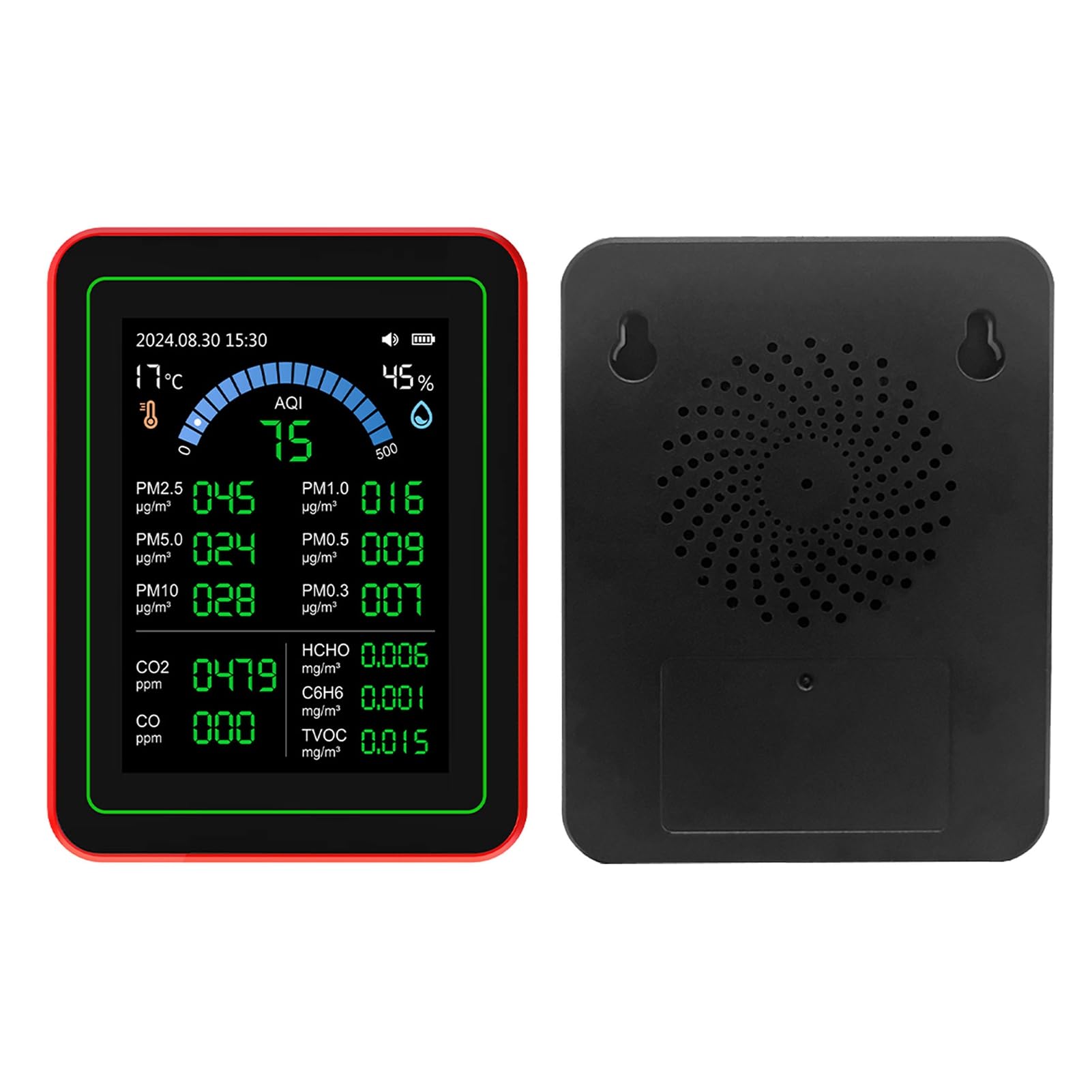
Figure 1: Air Quality Meter with Type-C Charging Port
The battery indicator on the screen will show charging status. A full charge typically takes several hours. The device can operate continuously for approximately 7 hours on a full charge.
2. Баштапкы күйгүзүү
Press and hold the power button (usually located on the side or front) for a few seconds until the screen illuminates. The device will perform a self-check and then display the main interface with real-time air quality data.

Figure 2: 2.8-inch HD Display showing real-time data
Allow the device to stabilize for a few minutes after powering on to ensure accurate readings, especially for initial calibration of certain sensors.
Иштөө нускамалары
The FTVOGUE ZN-MT32 features a simple interface controlled by a single button. The following instructions detail how to navigate and utilize its functions:
- Бир чыкылдатуу: On the main interface, a single click switches between Celsius and Fahrenheit temperature units.
- Эки жолу басуу: Toggles the sound (beeps/alerts) on or off.
- Үч жолу басуу: Enters the calibration interface. (Refer to advanced settings for calibration procedures if needed.)
- Quadruple Click: Enters screen-off mode. A single click will turn the screen back on.
- Quintuple Click: Enters the curve interface to view historical data trends.
- While in the curve interface, a single click switches between different data curves (e.g., PM2.5, HCHO, TVOC, CO2).
- Another quintuple click returns to the main interface.

Figure 3: Historical Data Curve Display
- Sextuple Click: Enters the PM2.5 comparison interface.
- A double click records the first group of 30-second evaluation data.
- Another double click records the average data of 2 groups of 30 seconds.
- A quintuple click returns to the main interface.

Figure 4: Particle Detection Comparison Interface
- Septuple Click: Enters the temperature adjustment interface.
- A single click increases the temperature by 1 degree Celsius.
- A double click decreases the temperature by 1 degree Celsius.
- A quintuple click exits the interface, or it will exit automatically after five seconds of inactivity.
Дисплейди түшүнүү
The 2.8-inch HD screen provides a comprehensive overview of your indoor air quality. Key indicators include:
- Температура жана нымдуулук: Displayed at the top left and right.
- AQI (Аба сапаты индекси): A composite value indicating overall air quality.
- PM Values: PM0.3, PM1.0, PM2.5, PM5.0, PM10 (Particulate Matter) in µg/m³.
- Газдын концентрациясы: CO2 (Carbon Dioxide in ppm), CO (Carbon Monoxide in ppm), HCHO (Formaldehyde in mg/m³), TVOC (Total Volatile Organic Compounds in mg/m³), C6H6 (Benzene in mg/m³).

Figure 5: Sensing System and Display Overview
The display uses color grading to visually represent air quality status, making it easy to quickly assess the environment.

Figure 6: Color Grading Display for Air Quality Status
Data Storage and Export
The device can store up to one year of detection data. To extract data records, connect the air quality meter to a computer using the provided USB Type-C cable. The device will appear as a storage device, allowing you to access and export the data fileандан ары талдоо үчүн.
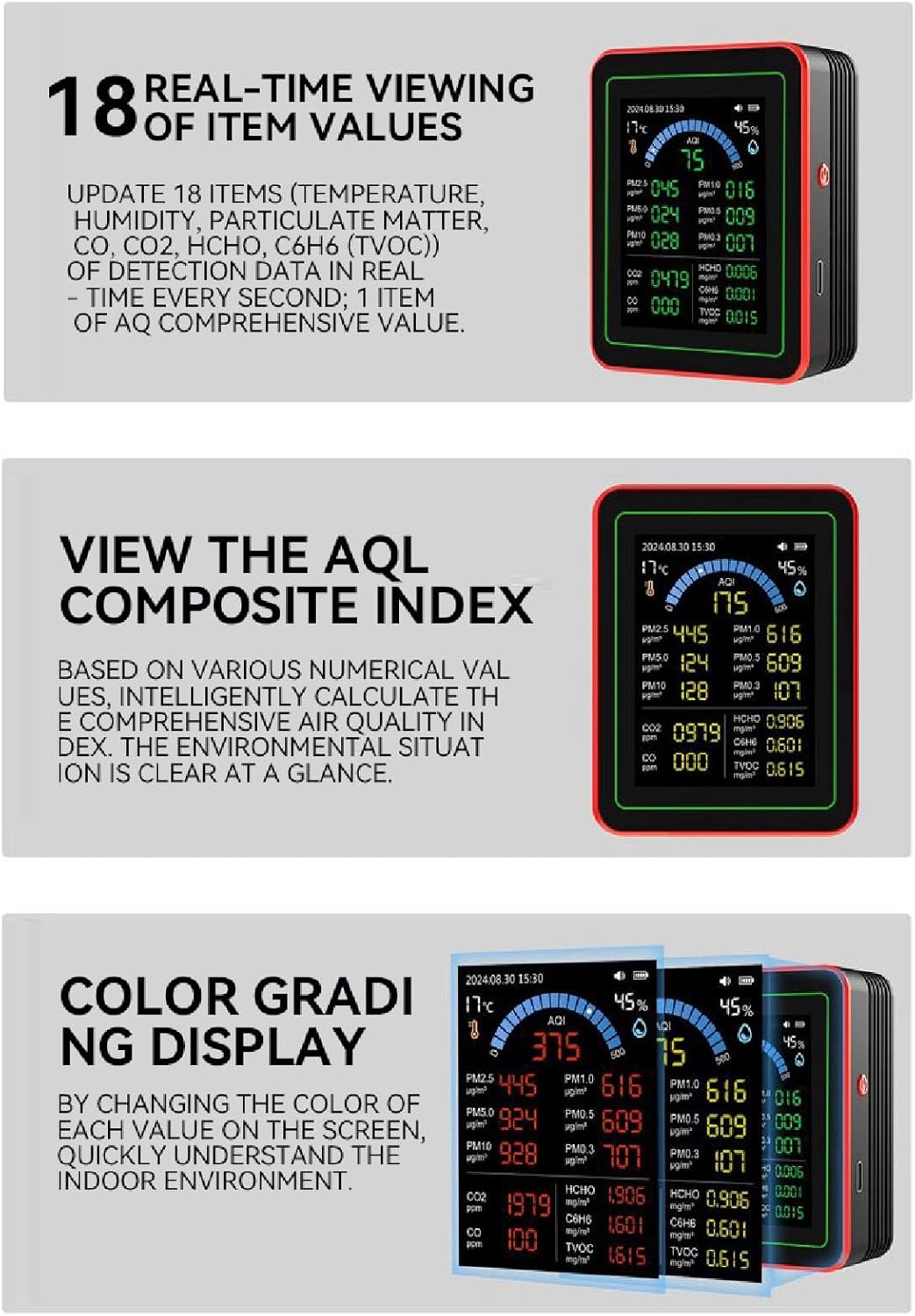
Figure 7: Connecting to PC for Data Export
Техникалык тейлөө
- Тазалоо: Use a soft, dry cloth to clean the exterior of the device. Do not use abrasive cleaners, solvents, or immerse the device in water.
- Сактагыч: Түзмөктү салкын, кургак жерде, күндүн түз нурунан, өтө жогорку температурадан жана нымдуулуктан алыс сактаңыз.
- Батареяга кам көрүү: Батареянын иштөө мөөнөтүн узартуу үчүн, бат-баттан батарейканы толук зарядсыздандырбаңыз. Аппаратты узак убакыт бою колдонбосо дагы, үзгүлтүксүз заряддаңыз.
- Сенсор коргоо: Avoid exposing the sensor vents to dust, liquids, or strong chemical fumes, as this can affect accuracy and device longevity.
Проблемаларды чечүү
| Көйгөй | Мүмкүн себеп | Чечим |
|---|---|---|
| Түзмөк күйбөйт. | Батарея аз же заряды жок. | Connect the device to a power source using the USB Type-C cable and charge it for at least 30 minutes before attempting to power on again. |
| Туура эмес же өзгөрүлмө окуулар. |
|
|
| Экран өчүк. | Device is in screen-off mode or powered off. | Single click the button to turn the screen back on if in screen-off mode. If completely off, press and hold the power button to restart. |
| Cannot connect to computer for data export. | Faulty USB cable or port, or incorrect connection. | Try a different USB Type-C cable or a different USB port on your computer. Ensure the cable is securely connected to both the device and the computer. |
Техникалык шарттар
| Параметр | Нарк |
|---|---|
| Модел | ZN-MT32 |
| Температура диапазону | 0-70℃ |
| Дисплей | LCD screen with backlight (2.8-inch HD) |
| Operating Voltage | DC5V 1A (Type-C USB) |
| Иштөө агымы | 180мА |
| Сенсорлор | PM2.5 infrared sensor, semiconductor sensor |
| Батарея | 1 x 3.7V rechargeable Li-ion battery, 2000mAh |
| Батареянын иштөө мөөнөтү | Approx. 7 hours continuous operation |
| Өлчөмдөр | Болжол менен 90 x 70 x 35 мм / 3.54 x 2.76 x 1.38 дюйм |
| Материал | ABS |
| Түс | Кара |
| Элемент Салмагы | 281 грамм |
Кепилдик жана колдоо
For warranty information or technical support, please refer to the documentation provided with your purchase or contact FTVOGUE customer service. Contact details can typically be found on the manufacturer's official webсайт же сатуучу аркылуу.
Өндүрүүчү: FTVOGUE
Модель номери: ZN-MT32