
Introduction
This manual provides detailed instructions for the installation, operation, and maintenance of your Woox R8403 4G LTE Solar Outdoor PTZ Camera. This camera is designed for autonomous surveillance in remote areas without WiFi or direct power access, utilizing 4G LTE connectivity and solar power.
The camera features 2K 3MP resolution, 355° pan and 140° tilt capabilities for 360° panoramic coverage, color night vision, AI-powered human detection, two-way audio, and flexible storage options. Please read this manual carefully to ensure proper use and optimal performance of your device.

Image: Woox R8403 4G LTE Solar Outdoor PTZ Camera in a remote setting.
Жайгашуу
Follow these steps to set up your Woox R8403 camera:
- SIM картаны даярдоо: Ensure your Nano SIM card is activated and has an active data plan. Insert the Nano SIM card into the camera's designated slot. Ensure correct direction and orientation.
- Күйгүзүү: Connect the camera to a USB power source during setup to ensure sufficient battery. Press and hold the power button for 5 seconds to turn on the camera.
- Түзмөктү баштапкы абалга келтирүү: If the device indicates a network connection failure or if you are setting it up for the first time, press and hold the reset button for about 5 seconds until the camera restarts and emits a pairing prompt. The indicator light will flash blue rapidly.
- Колдонмону жүктөп алуу: Download the 'WOOX Home' app from the App Store or Google Play. Register and log in.
- Түзмөк кошуу: In the app, tap the '+' icon in the upper right corner. Select the corresponding product type (R8403 4G-PTZ-Cam) from the product list.
- QR кодун сканерлөө: The app will prompt you to scan a QR code. Position the camera to read the QR code displayed on your phone screen from 15 to 20 cm away.
- Жупташтыруу ырастоо: After hearing a prompt from the camera indicating successful scanning, click 'I Heard a Prompt' in the app. The app will then search for the device and register it to your account.
- Түзмөктүн аталышы: You can then name your device. This name will also be used by Amazon Alexa and Google Home if integrated.
Video: Step-by-step guide on setting up the Woox R8403 4G LTE Solar Outdoor PTZ Camera, including SIM card insertion, powering on, resetting, and app pairing via QR code.

Image: Quick activation steps for the camera.
Иштөө нускамалары
Power Management
The camera is equipped with a 5W solar panel and a 10,000 mAh battery, providing continuous operation for up to 40 days on a full charge, even during extended cloudy or rainy periods. The solar panel can be mounted integrated or separately with a 3-meter extension cable for optimal sun exposure.
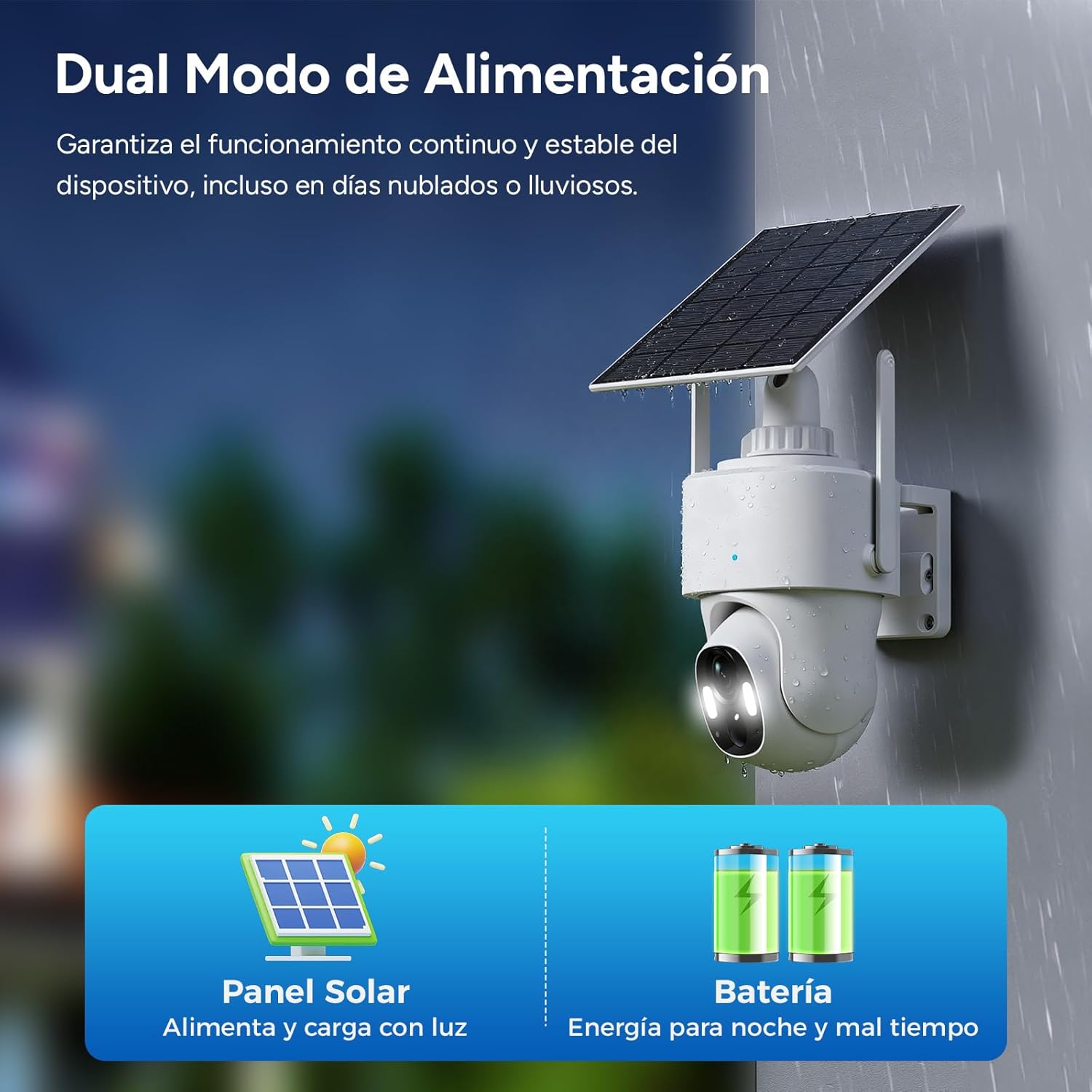
Image: Dual power mode with solar panel and battery.
Видеобайкоо
The 3-megapixel HD lens delivers sharp 2K images during the day. At night, the camera automatically switches between color night vision and infrared vision, capturing clear movements up to 10 meters away in complete darkness.
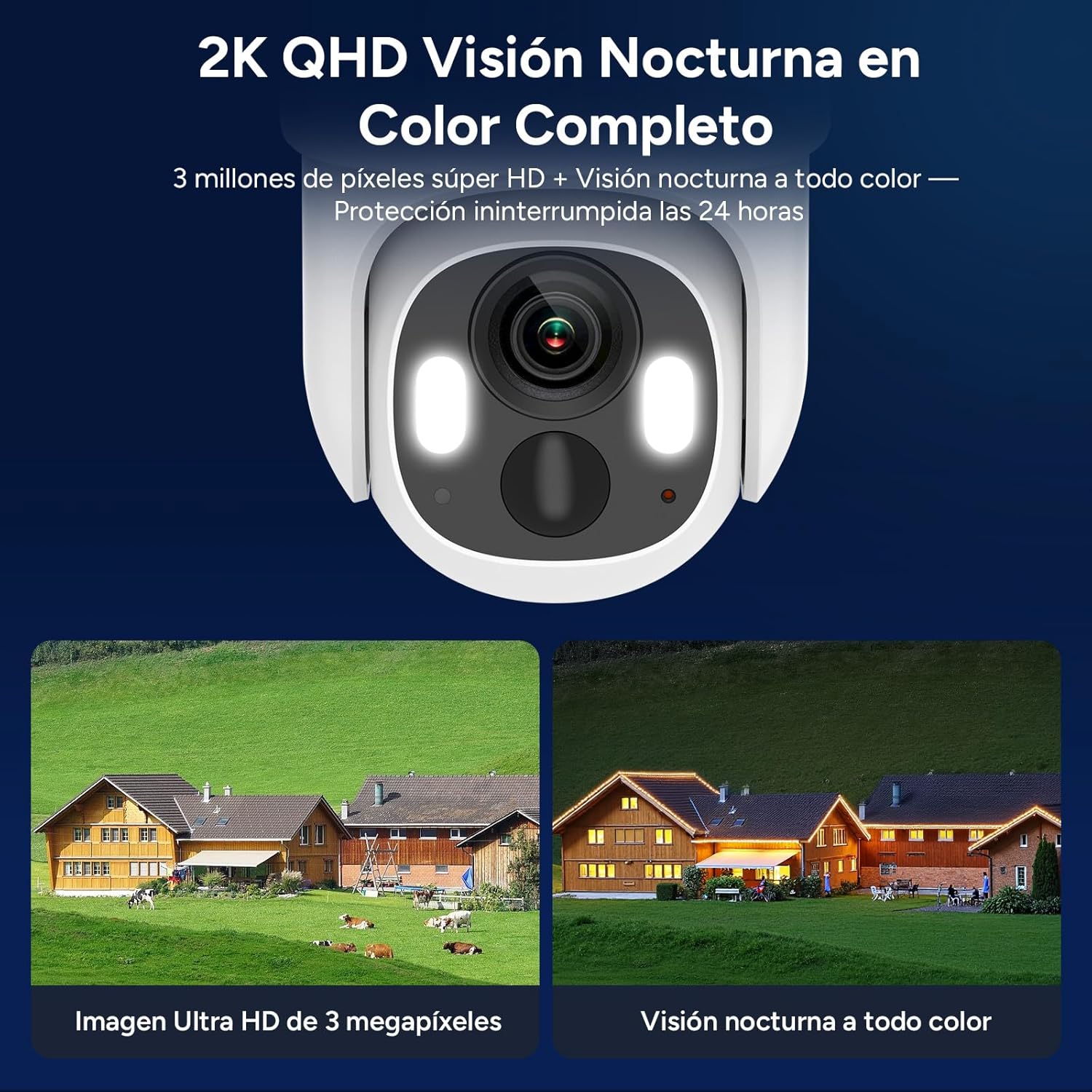
Image: 2K QHD Full Color Night Vision.
Pan-Tilt-Zoom (PTZ) Functionality
With a 350° horizontal pan and 140° vertical tilt, the camera provides 360° panoramic surveillance, eliminating blind spots. You can control the camera's movement remotely via the WOOX Home app.

Image: 360° Panoramic Surveillance and AI Recognition.
Жасалма интеллектти аныктоо жана эскертүүлөр
PIR-based AI technology accurately identifies human activity, filtering out false alarms from animals or wind-blown objects. Upon detecting an intrusion, the camera sends real-time alert notifications to your app. You can also customize priority surveillance zones.

Image: AI-powered human and vehicle detection.
Two-Way Audio and Alarms
The integrated microphone and speaker enable two-way voice communication. The camera also features a built-in sound and light alarm to deter intruders, sending instant notifications to your phone.

Image: Integrated Sound and Light Alarm.
Сактагыч параметрлери
The camera supports local storage via a microSD card up to 256 GB (not included) and offers cloud storage through the WOOX Home app (7-day free trial available). Advanced encryption technology ensures your privacy.

Image: Local and Cloud Storage Options.
Техникалык тейлөө
- Күн панели: Regularly clean the solar panel surface to ensure maximum charging efficiency. Remove any dust, dirt, or debris that may obstruct sunlight.
- Батарея: The camera's 10,000 mAh battery is designed for long-term use. For optimal battery life, ensure the solar panel receives adequate sunlight. Avoid extreme temperatures that can degrade battery performance.
- Аба ырайынын туруктуулугу: The camera has an IP65 rating, making it resistant to dust and water jets. While designed for outdoor use, avoid submerging the camera in water. Ensure all covers and seals are properly closed to maintain water resistance.
- Линзаны тазалоо: Gently clean the camera lens with a soft, lint-free cloth to maintain clear image quality. Avoid abrasive materials or harsh chemicals.

Image: IP65 Weather Resistance.
Проблемаларды чечүү
- Камера күйбөй жатат: Ensure the battery is charged. Connect the camera to a USB power source for at least 30 minutes. If using solar power, ensure the solar panel is exposed to direct sunlight.
- 4G LTE сигналы жок: Verify that the Nano SIM card is correctly inserted and activated with an active data plan. Check with your mobile operator for network coverage in the camera's location. Try restarting the camera.
- Колдонмого туташуу маселелери: Ensure your smartphone has a stable internet connection. Restart the WOOX Home app. If the issue persists, try resetting the camera and re-pairing it with the app as described in the Setup section.
- Сүрөттүн сапаты начар: Clean the camera lens. Ensure there are no obstructions in front of the lens. Check the camera's position to avoid glare or insufficient lighting.
- Жалган ойготкучтар: Adjust the AI detection sensitivity settings in the WOOX Home app. Define specific surveillance zones to minimize detection of irrelevant movements.
- Эки тараптуу аудио иштебейт: Check the microphone and speaker settings in the WOOX Home app. Ensure the volume on both the camera and your smartphone is not muted.
Техникалык шарттар
| Өзгөчөлүк | Спецификация |
|---|---|
| Модель номери | R8403 |
| Байланыш технологиясы | LTE-FDD (4G) |
| Резолюция | 2K (1296p), 3 Megapixels |
| Pan/Tilt диапазону | Пан 355°, Тилт 140° |
| Түнкү көрүнүш | Color Night Vision, Infrared Night Vision (up to 15 meters) |
| Power Source | Rechargeable Battery (10,000 mAh), Solar Panel (5W) |
| Суу каршылык | IP65 |
| Сактагыч | Micro SD (256 ГБ чейин), Cloud Storage |
| AI өзгөчөлүктөрү | Адамды аныктоо |
| Аудио | Эки тараптуу аудио |
| Башкаруу ыкмасы | WOOX Home APP |
| Өлчөмдөр | 13 x 8 x 4 см |
| Салмагы | 500 г |
| Иштөө температурасы | -20°Cден 50°Cге чейин |
Кепилдик жана колдоо
For warranty information and technical support, please refer to the documentation included with your product or visit the official Woox webсайт. Сатып алуу квитанциясын кепилдик дооматтары үчүн сатып алуунун далили катары сактаңыз.