
SPYMINNPOO S966
SPYMINNPOO S966 Electric Bike LCD Display User Manual
Mountain Cycle Computer with Smart Meter and NFC SM Connector
1. Киришүү
Thank you for choosing the SPYMINNPOO S966 Electric Bike LCD Display. This device serves as a comprehensive cycling computer for electric bikes, providing essential ride data, smart meter functions, and secure NFC-based power control. This manual provides detailed instructions for installation, operation, and maintenance to ensure optimal performance and longevity of your display.
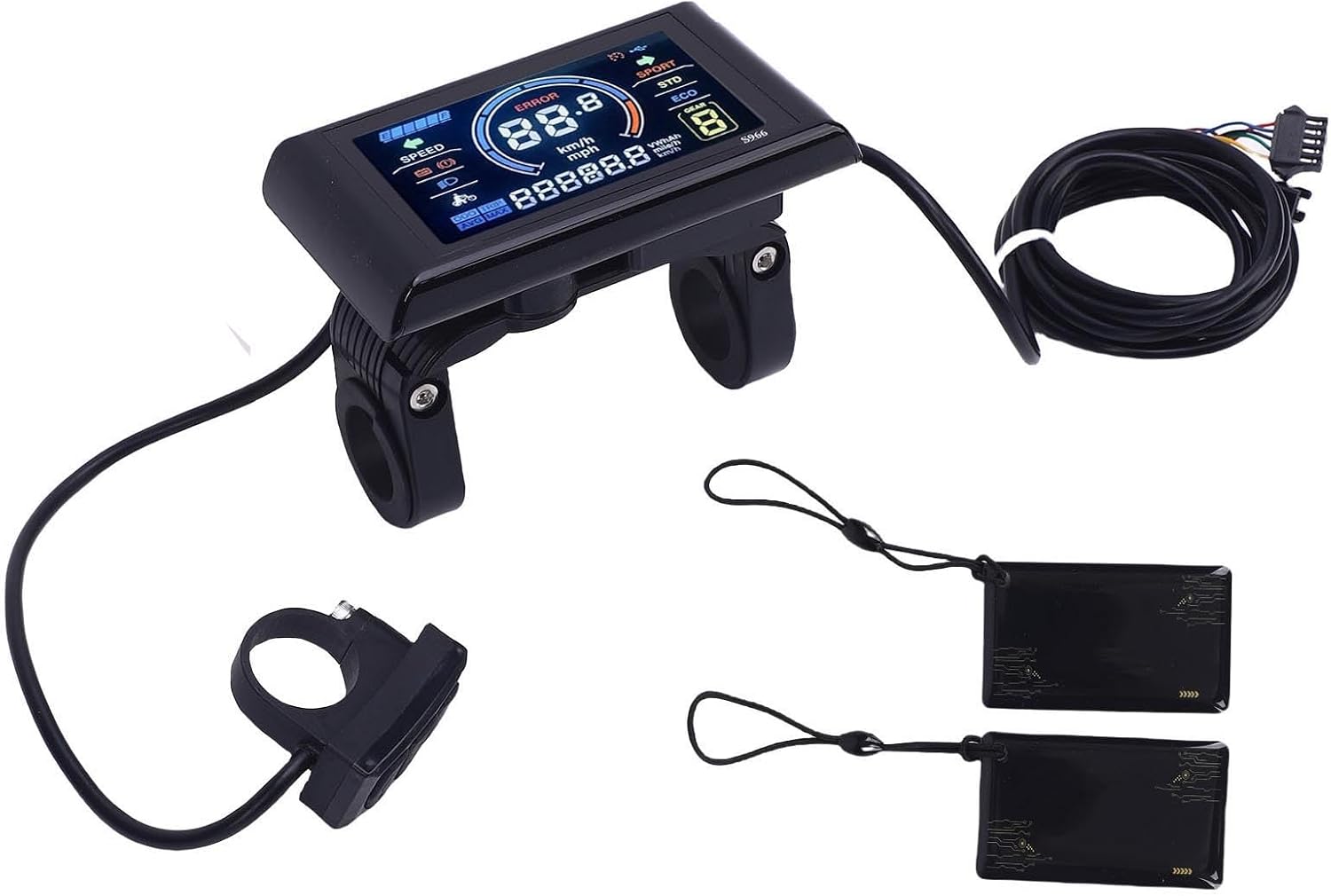
Сүрөт 1.1: Бүттүview of the SPYMINNPOO S966 Electric Bike LCD Display package contents. Shown are the main display unit, a separate control button unit, the connecting wiring harness, and two NFC cards.
2. Пакеттин мазмуну
Пакетиңизде бардык буюмдар бар экенин текшериңиз:
- 1 x SPYMINNPOO S966 Electric Bike LCD Display Unit
- 1 x Control Button Unit (integrated with wiring)
- 1 x Wiring Harness (pre-attached to display and control unit)
- 2 x NFC Cards
- 1 х Колдонуучунун колдонмосу (бул документ)
3. Техникалык шарттар
| Өзгөчөлүк | Спецификация |
|---|---|
| Модель аты | S966 |
| Тtage Шайкештик | DC24V, DC36V, DC48V |
| Материал | ABS |
| Дисплей түрү | LCD, Color Display |
| Элемент Салмагы | 275 грамм |
| Байланыш | NFC |
| Монтаж түрү | Рул монтажы |
| Адам интерфейсинин киргизүү | Buttons |
| Гидроизоляция | Designed for wet conditions |

Image 3.1: The S966 display unit with key dimensions indicated: 100mm (3.93in) length, 61.5mm (2.42in) height, and 22.2mm (0.87in) handlebar clamp диаметри.
4. Коопсуздук маалыматы
Please read and understand all safety instructions before installing and operating the display. Failure to do so may result in damage to the product or personal injury.
- Кесиптик орнотуу сунушталат: If you are unsure about the installation process, seek assistance from a qualified bicycle technician.
- Power Off Before Connection: Always ensure the e-bike's power is turned off before connecting or disconnecting any components.
- Туура томtage: Verify that your e-bike's battery voltage (24V, 36V, or 48V) matches the display's compatibility.
- Коопсуз орнотуу: Ensure the display and control unit are securely mounted to the handlebar and do not obstruct steering or braking.
- Зымдардын бүтүндүгү: Check all wiring connections for proper seating and ensure no wires are pinched or exposed.
- Суу каршылык: While the display is designed to be waterproof, avoid submerging it in water or using high-pressure washers directly on the unit.
5. Орнотуу
5.1. Орнотуу
- Монтаждоо ордун тандоо: Select a suitable position on your e-bike's handlebar for the display unit and the control button unit. Ensure they are easily accessible and do not interfere with other controls.
- Дисплейди орнотуу: Loosen the screws on the display's handlebar clamp. Position the display on the handlebar and tighten the screws until it is secure. Do not overtighten.
- Mount the Control Unit: Similarly, mount the control button unit on the handlebar in a comfortable position for your thumb.

Image 5.1: The S966 display and control unit installed on an electric bicycle handlebar, with the bike parked in the background.
5.2. Зымдарды туташтыруу
The S966 display connects to your e-bike's controller via a multi-pin SM connector. It is crucial that your controller supports the same communication protocol as the S966 display.
- Identify Controller Port: Locate the corresponding display port on your e-bike's controller.
- Зымдарды туташтыруу: Carefully align the pins of the display's wiring harness connector with the controller's port. Push firmly until the connector is fully seated and secured.
- Кабелдик башкаруу: Route the cables neatly along the bike frame, securing them with cable ties to prevent snagging or damage.
6. Иштөө нускамалары
6.1. Power On/Off with NFC Card
The S966 display utilizes NFC technology for secure power activation. To turn the display on or off:
- Күйгүзүү үчүн: Hold one of the provided NFC cards near the designated NFC sensing area on the display. The display will power on, and you may hear a 'click' sound indicating successful card sensing.
- Өчүрүү үчүн: Repeat the process by holding the NFC card near the sensing area. The display will power off.
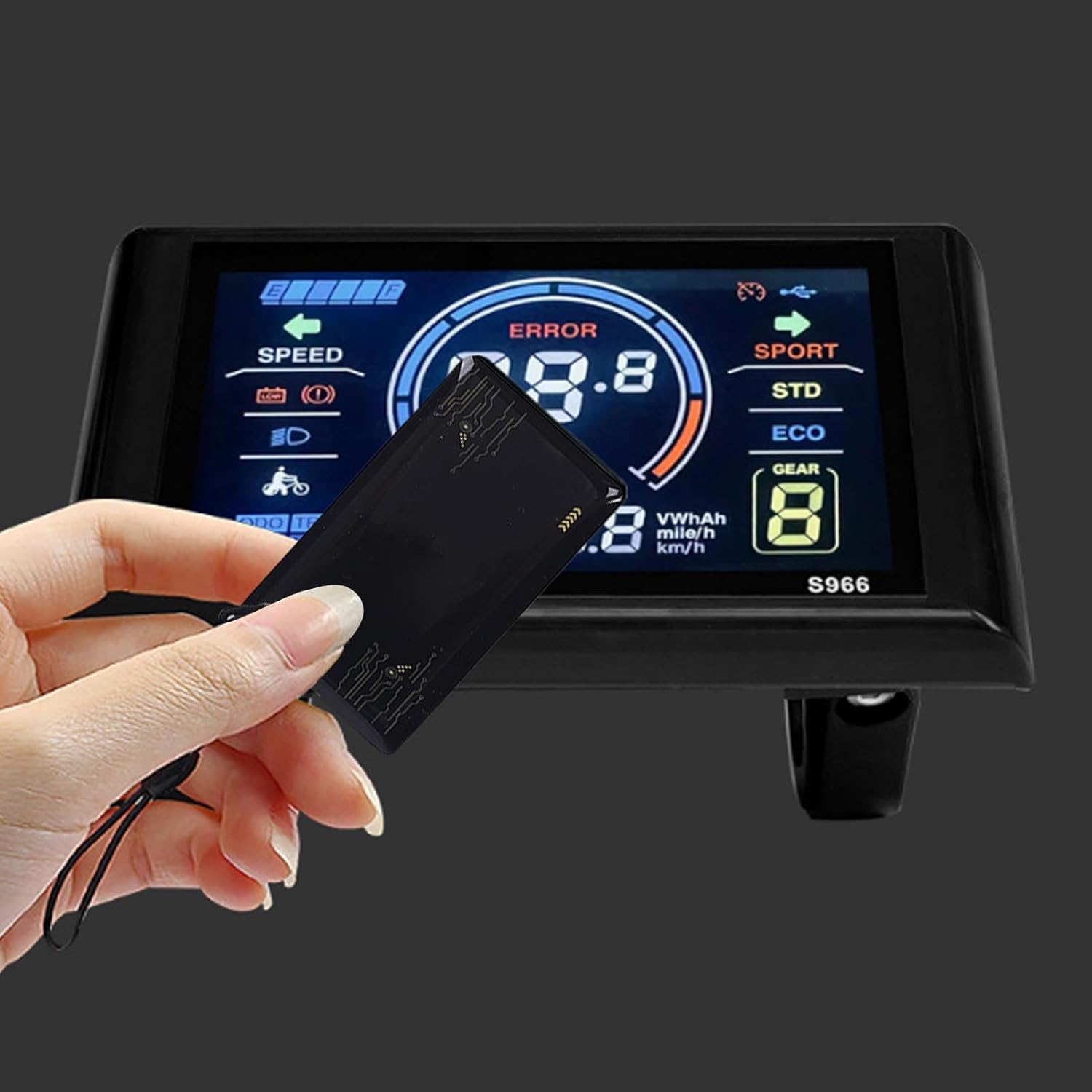
Image 6.1: A hand demonstrating the use of an NFC card to interact with the S966 display, likely for power activation.
6.2. Display Overview
The high-resolution LCD screen provides clear and comprehensive information at a glance.

Сүрөт 6.2: деталдуу view of the S966 display screen, showing various indicators such as speed, battery level, error messages, and riding modes.
Key indicators typically include:
- Ылдамдыгы: Учурдагы минүү ылдамдыгы (км/саат же миль/саат).
- Батарея деңгээли: Батареянын калган зарядынын графикалык көрсөтүлүшү.
- Ката көрсөткүчү: Displays error codes if a system fault occurs.
- Assistance Level/Gear: Current pedal assist level (e.g., ECO, STD, SPORT, or numerical gear).
- Одометр (ODO): Жалпы басып өткөн аралык.
- Сапардын аралыгы (TRIP): Учурдагы сапар учурунда басып өткөн аралык.
- Орточо ылдамдык (AVG): Average speed of the current ride.
- Maximum Speed (MAX): Maximum speed achieved during the current ride.
- Фара индикатору: Shows if the e-bike's headlights are on.
6.3. Баскыч функциялары
The separate control unit typically features three buttons for navigating the display and adjusting settings:

Image 6.3: The S966 display connected to its wired control unit, which features three buttons for operation.
- Жогору баскычы (▲): Typically used to increase pedal assist level, scroll up through menus, or increase values in settings.
- Төмөн баскычы (▼): Typically used to decrease pedal assist level, scroll down through menus, or decrease values in settings.
- Mode/Menu Button (M): Used to cycle through display information (e.g., ODO, TRIP, AVG, MAX), enter/exit settings menus, or confirm selections. A long press often activates specific functions or enters the settings menu.
6.4. Параметрлердин Орнотуулары
To access and adjust various parameters (e.g., wheel size, speed unit, backlight brightness), typically:
- Орнотууларды киргизиңиз: With the display on, press and hold the 'M' button for a few seconds until the settings menu appears.
- Чабыттоо: Use the Up (▲) and Down (▼) buttons to scroll through the available settings options.
- Select/Adjust: Press the 'M' button briefly to select a setting. Use the Up (▲) and Down (▼) buttons to adjust the value.
- Confirm/Exit: Press the 'M' button again to confirm the adjustment. To exit the settings menu, typically a long press of the 'M' button or navigating to an 'Exit' option is required.
7. Техникалык тейлөө
Proper maintenance ensures the longevity and reliability of your S966 display.
- Тазалоо: Дисплейдин экранын жана корпусун жумшак менен сүртүңүз, damp кездеме. Абразивдүү тазалоочу каражаттарды, эриткичтерди же катуу химиялык заттарды колдонуудан алыс болуңуз, анткени алар экранга жеasing.
- Суу таасири: Although designed to be waterproof, prolonged exposure to heavy rain or direct high-pressure water jets should be avoided. Ensure the connector is dry before powering on after wet conditions.
- Сактагыч: Эгерде электр велосипедин көпкө чейин колдонбосоңуз, аны кургак, салкын жерде, күндүн нуру түз тийбеген жерде сактаңыз.
- Кабелдик текшерүү: Periodically check all cables and connectors for signs of wear, fraying, or damage. Ensure connections remain secure.
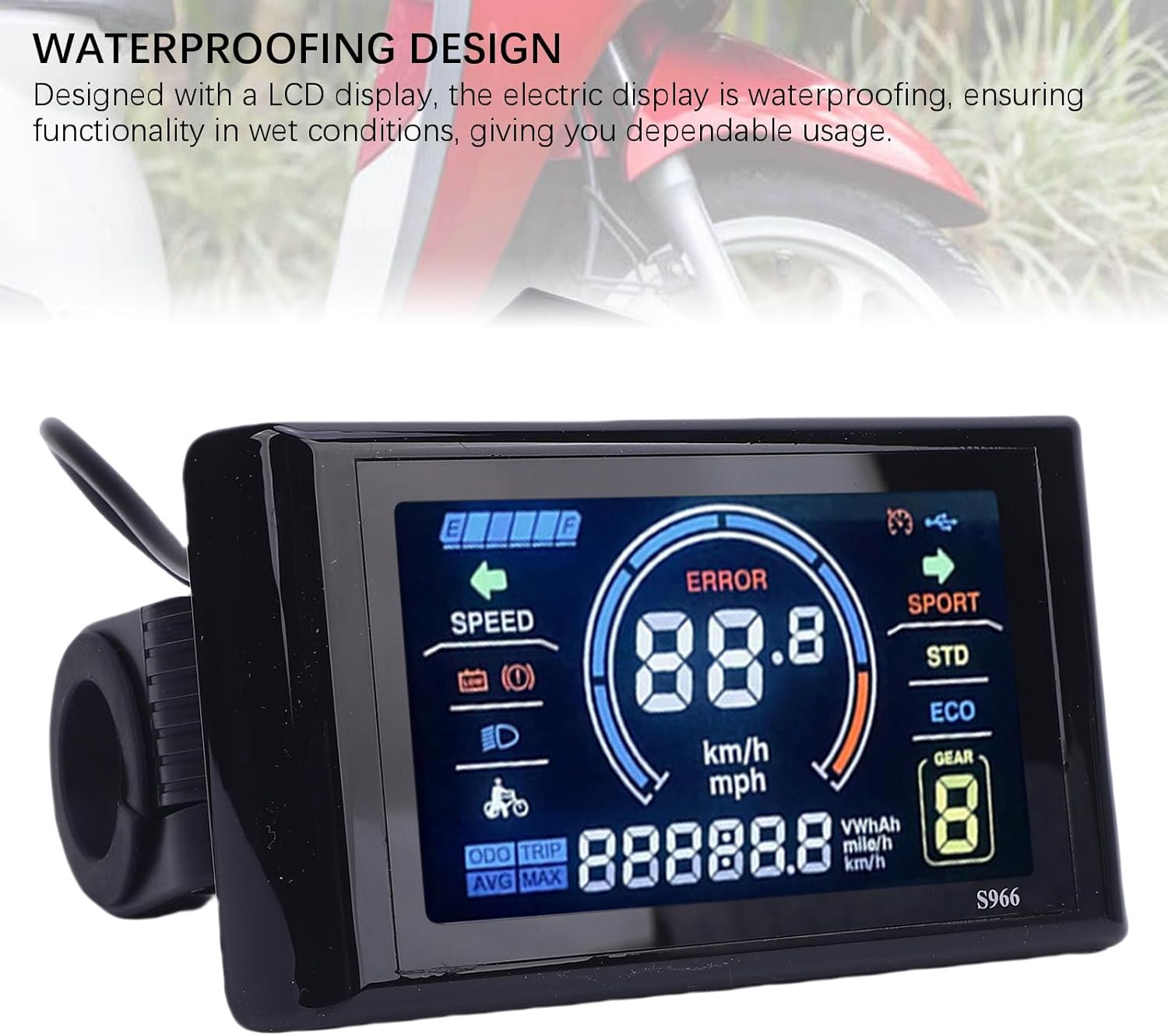
Image 7.1: The S966 display unit, highlighting its waterproof design, suitable for use in various weather conditions.
8. Кыйынчылыктарды
Эгерде сиз S966 дисплейиңизде көйгөйлөргө туш болсоңуз, төмөнкү кеңири таралган көйгөйлөрдү жана чечимдерди караңыз:
| Көйгөй | Мүмкүн себеп | Чечим |
|---|---|---|
| Дисплей күйбөйт | NFC card not detected, loose connection, no power from controller | Ensure NFC card is correctly presented. Check all wiring connections to the controller. Verify e-bike battery is charged and powered on. |
| Error Code 10 displayed | Дисплей менен контроллердин ортосундагы байланыш катасы | This error typically indicates a communication issue. First, power off the e-bike and display, then check all wiring connections between the display and the controller for looseness or damage. Ensure the controller is compatible with the display's communication protocol. If the issue persists, contact customer support. |
| Туура эмес ылдамдык/аралык көрсөткүчтөрү | Incorrect wheel size setting, faulty speed sensor | Access the settings menu to verify and adjust the wheel size parameter. Check the speed sensor for proper installation and function. |
| Баскычтар жооп бербейт | Loose connection, internal fault | Check the connection of the control button unit. If the issue persists, contact customer support. |
9. Кепилдик жана колдоо
The SPYMINNPOO S966 Electric Bike LCD Display comes with a manufacturer's warranty of 90 күн сатып алынган күндөн тартып. Бул кепилдик нормалдуу колдонуудагы материалдардагы жана жасалгадагы кемчиликтерди камтыйт.
For warranty claims, technical support, or any questions not covered in this manual, please contact your retailer or the SPYMINNPOO customer service department. Please have your purchase receipt and product model information ready when contacting support.
Ask a question about this manual
Ask about setup, troubleshooting, compatibility, parts, safety, or missing instructions. Manuals+ will review the question and use this page’s manual context to help answer it.