
Introduction
This instruction manual provides essential information for the proper use and care of your BoxWave DirectSync PD Cable. This USB-C to USB-C cable is designed for charging and data transfer with compatible devices, supporting up to 100W Power Delivery.

The BoxWave DirectSync PD Cable features a durable black braided nylon exterior and USB-C connectors on both ends.
Жайгашуу
The BoxWave DirectSync PD Cable is designed for immediate use without complex setup procedures.
- Портторду аныктоо: Ensure your charging adapter and device both have USB-C ports.
- Кубат Булагына туташуу: Insert one end of the USB-C cable into a compatible USB-C power adapter or a computer's USB-C port.
- Түзмөккө туташуу: Insert the other end of the USB-C cable into your device's USB-C port.
- Байланышты текшерүү: Confirm that your device indicates it is charging or connected for data transfer.

This cable facilitates both charging and high-speed data transfer simultaneously between compatible devices.
Иштөө нускамалары
The DirectSync PD Cable supports both power delivery and data transfer functionalities.
- Кубат жеткирүү (PD): This cable is capable of delivering up to 100 Watts of power. Connect it to a compatible USB-C PD charger and a device that supports USB-C PD for fast charging. The actual charging speed will depend on the power adapter and the device's charging capabilities.
- Маалыматтарды өткөрүү: When connected to a computer or other data-enabled device, the cable supports data transfer speeds up to 480Mbps. This allows for quick synchronization of fileс, сүрөттөр жана башка маалыматтар.
- Кеңейтилген мүмкүнчүлүк: The 10-foot length of the cable provides flexibility, allowing you to comfortably use your device while it is connected to a power source or computer, even if the outlet is not immediately adjacent.

The cable supports up to 100W Power Delivery for efficient charging of compatible devices like laptops.

The 10-foot length of the DirectSync PD Cable provides extended reach for flexible device placement while charging.
Техникалык тейлөө
To ensure the longevity and optimal performance of your DirectSync PD Cable, follow these maintenance guidelines:
- Сактагыч: Store the cable in a clean, dry place away from extreme temperatures. Avoid tightly coiling or bending the cable at sharp angles, which can damage internal wires.
- Тазалоо: If the cable becomes dirty, gently wipe it with a soft, dry cloth. Do not use harsh chemicals or abrasive cleaners.
- Колдонуу: Кабельди сайып же сууруп жатканда, кабелдин өзүнөн тартпай, ар дайым туташтыргычтын башын кармаңыз. Бул туташуу чекиттериндеги чыңалуудан сактайт.
- Текшерүү: Periodically inspect the cable and connectors for any signs of wear, fraying, or damage. Discontinue use if damage is observed.

The cable's braided nylon construction enhances durability and resistance to tangles and fraying.

Rubberized grommet strain reliefs at both connectors prevent cable fraying and ensure a secure connection.
Проблемаларды чечүү
If you encounter issues with your DirectSync PD Cable, consider the following:
- Түзмөк кубатталбай жатат:
- Ensure both ends of the cable are securely plugged into the power source and the device.
- Кубат адаптери туура иштеп жатканын жана түзмөгүңүздүн кубаттоо талаптарына шайкеш келерин текшериңиз.
- Көйгөйдү аныктоо үчүн кабелди башка шайкеш келген түзмөк же кубат булагы менен сынап көрүңүз.
- Жай кубаттоо:
- Confirm that your power adapter supports Power Delivery (PD) and provides sufficient wattage for your device (up to 100W for this cable).
- Ensure your device also supports fast charging via USB-C PD.
- Маалыматтарды өткөрүү маселелери:
- Check that the cable is connected to a data-enabled USB-C port on your computer.
- Компьютериңизди да, туташкан түзмөктү да өчүрүп-күйгүзүңүз.
- Ensure necessary drivers are installed on your computer for the connected device.
- Физикалык зыян: If the cable or connectors show signs of physical damage (e.g., fraying, bent pins), discontinue use immediately to prevent potential hazards.
Техникалык шарттар
| Өзгөчөлүк | Спецификация |
|---|---|
| Продукт аты | DirectSync PD Cable |
| Модель номери | B0F94NGPBB |
| Туташтыргыч түрү | USB-Cден USB-Cге |
| Кубат жеткирүү (PD) | 100 Вт чейин |
| Кабелдин узундугу | 10 фут (болжол менен 3 метр) |
| Маалыматтарды өткөрүү ылдамдыгы | Up to 480Mbps (USB 2.0 standard) |
| Кабель материалы | Өрүлгөн нейлон |
| Штаммды жеңилдетүү | Rubberized Grommet on both connectors |
| Элемент Салмагы | 6 унция |
| Өндүрүүчү | BoxWave |
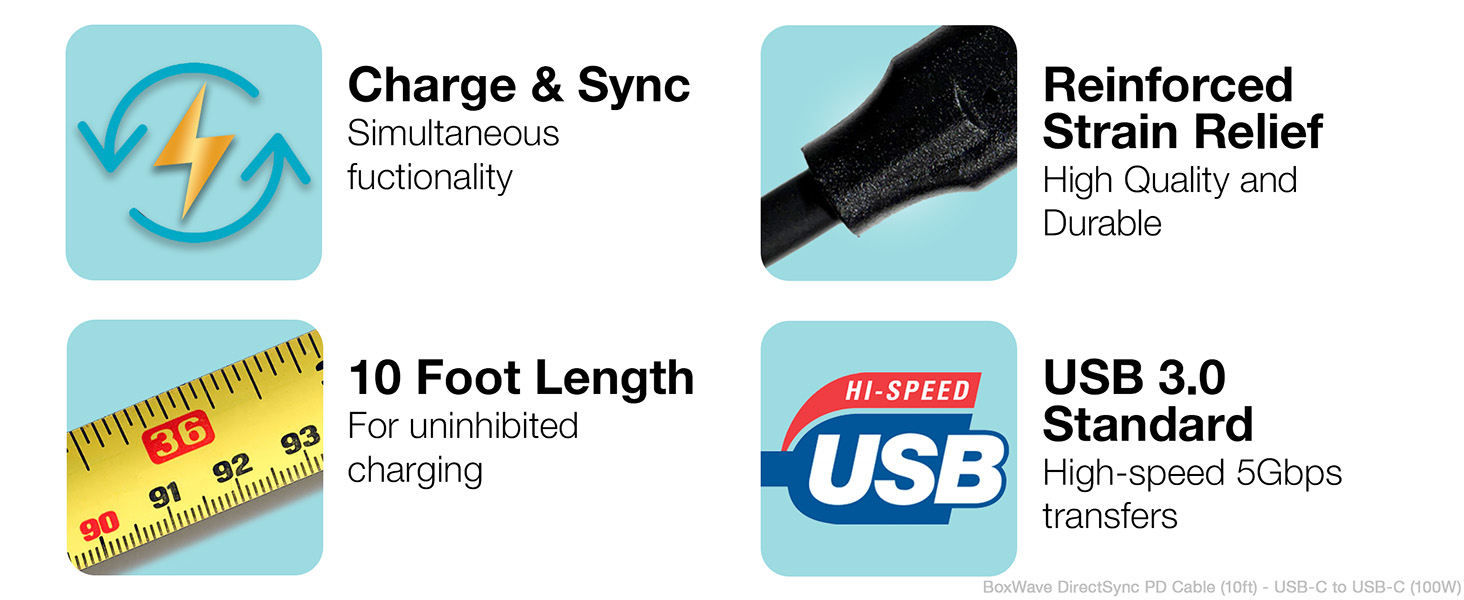
Key features of the DirectSync PD Cable include simultaneous charging and syncing, reinforced strain relief, a 10-foot length, and USB 3.0 standard for high-speed transfers.
Кепилдик жана колдоо
For warranty information or technical support regarding your BoxWave DirectSync PD Cable, please refer to the official BoxWave website or contact their customer service directly. Details are typically available on the product packaging or the manufacturer's official support channels.