
1. Киришүү
This manual provides detailed instructions for the operation and maintenance of your Bewinner Solar Powered DAB+ Radio. This versatile device combines DAB/DAB+ and FM radio reception with Bluetooth 5.0 connectivity, a 3W stereo speaker, and playback capabilities from USB drives and SD cards. Its integrated solar panel and 1200mAh battery make it suitable for home use, travel, and emergency preparedness.
2. Коопсуздук маалыматы
- Түзмөктү өтө жогорку температурага, узак убакыт бою (кубаттоодон тышкары) түз күн нуруна же жогорку нымдуулукка дуушар кылбаңыз.
- Радиону түшүрүп алуудан же катуу соккуга кабылтуудан алыс болуңуз.
- Аппаратты өзүңүз ажыратпаңыз же оңдоого аракет кылбаңыз. Бардык тейлөөлөрдү квалификациялуу кызматкерлерге тапшырыңыз.
- Аппаратты суудан жана башка суюктуктардан алыс кармаңыз.
- Use only the specified charging cable and power adapter (if applicable) to prevent damage.
- Түзмөктү кубаттап жатканда же иштетип жатканда жакшы желдетүүнү камсыз кылыңыз.
3. Пакеттин мазмуну
Сураныч, пакетте төмөнкү нерселерди текшериңиз:
- Bewinner Solar Powered DAB+ Radio
- USB заряддоо кабели
- Колдонуучунун Колдонмосу (бул документ)

Image: The Bewinner Solar Powered DAB+ Radio shown with its included USB charging cable.
4. Продукт бүтүп калдыview
Familiarize yourself with the various components and controls of your radio.

Сүрөт: Арткы view of the radio highlighting the large solar charging panel, which allows for power replenishment using sunlight.

Сүрөт: алдыңкы view of the radio, emphasizing the speaker grille and display. The internal strong magnetic speaker is designed to produce clear audio.
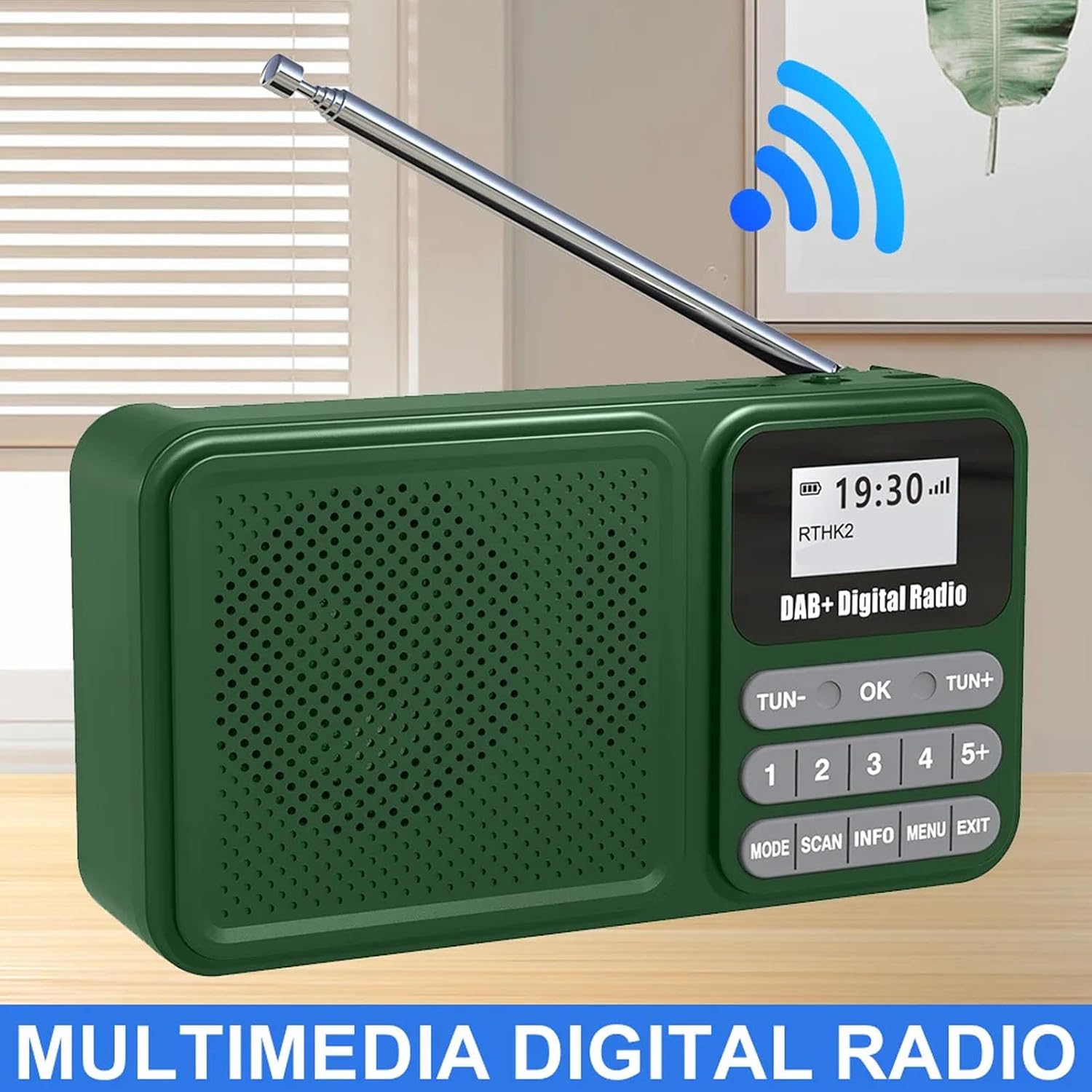
Image: A general front view of the radio with its antenna extended, showcasing анын санарип дисплейи жана башкаруу баскычтары.

Image: The radio shown wirelessly connected to a smartphone via Bluetooth, demonstrating its capability as a Bluetooth speaker.

Сүрөт: жакын план view of the radio's telescopic antenna, illustrating its 360-degree rotation for optimal signal reception.

Сүрөт: каптал view of the radio, pointing out the audio jack, USB port for playback, and the Type-C interface for charging.
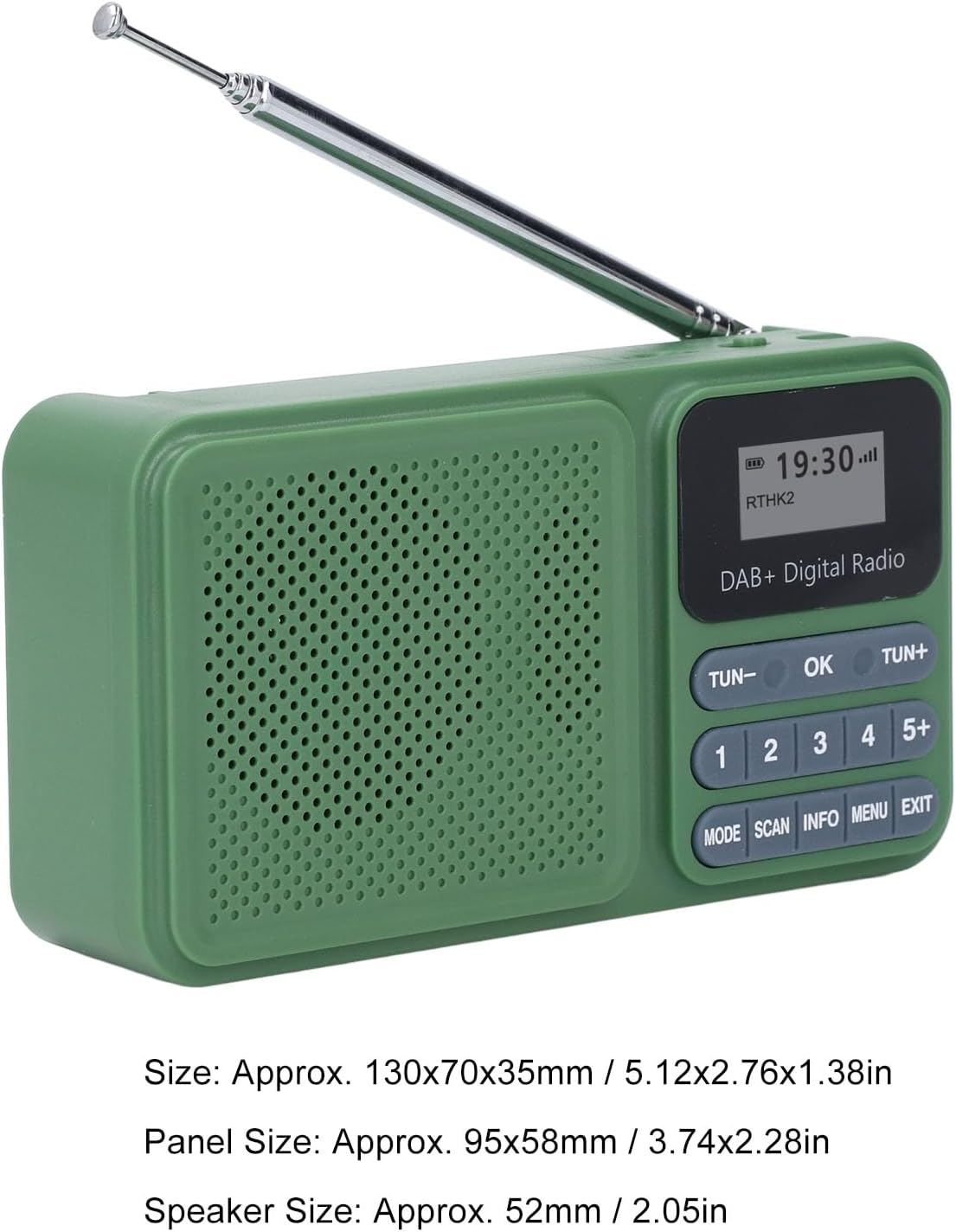
Image: The radio displayed with its approximate dimensions: 130x70x35mm (5.12x2.76x1.38 inches).
5. Орнотуу
5.1 Алгачкы заряддоо
Before first use, fully charge the radio's internal 1200mAh battery. Connect the provided USB Type-C cable to the radio's Type-C port and the other end to a standard USB power adapter (not included) or a computer's USB port. The charging indicator will show the charging status. A full charge typically takes several hours.
5.2 Күн энергиясы менен заряддоо
For solar charging, place the radio with its solar panel facing direct sunlight. Ensure no obstructions block the panel. Solar charging is slower than USB charging and is ideal for maintaining battery life or for emergency power in outdoor settings.
Video: A short clip demonstrating the radio's solar charging capability in an outdoor environment, highlighting its portability and suitability for adventures.
5.3 Антеннаны тууралоо
Extend the telescopic antenna fully for optimal radio reception. Adjust its angle and direction for the best signal clarity, especially in DAB and FM modes.
6. Иштөө нускамалары
6.1 Күйгүзүү/өчүрүү
To power on the radio, slide the КҮЙГҮЗҮҮ/ӨЧҮРҮҮ га өтүү ON position. The display will illuminate. To power off, slide the switch to the ӨЧҮРҮҮ позиция.
6.2 Режимди тандоо
басыңыз РЕЖИМ button repeatedly to cycle through available modes: DAB Radio, FM Radio, Bluetooth, USB Playback, and SD Card Playback.
6.3 DAB/DAB+ радиосунун иштеши
- Switch to DAB mode using the РЕЖИМ баскычы.
- басыңыз SCAN button to perform an automatic scan for available DAB/DAB+ stations. The radio will store all found stations.
- колдонуу ТУН- or TUN+ Жеткиликтүү станциялардын тизмеси боюнча багыт алуу үчүн баскычтарды басыңыз.
- To save a station as a preset, tune to the desired station, then press and hold one of the numbered preset buttons (1-5+). The display will confirm the preset has been saved. To recall a preset, simply press the corresponding numbered button.
- Басыңыз INFO чейин view station information (e.g., program type, signal strength).
6.4 FM радиосунун иштеши
- колдонуп FM режимине которулуңуз РЕЖИМ баскычы.
- басып, кармап туруңуз SCAN button to auto-scan and save FM stations. Alternatively, short press ТУН- or TUN+ for manual tuning, or press and hold for auto-scan to the next strong station.
- Алдын ала орнотууларды сактоо жана чакырып алуу DAB режимине окшош иштейт.
6.5 Bluetooth жупташтыруу
- колдонуп, Bluetooth режимине которулуңуз РЕЖИМ button. The radio will enter pairing mode, indicated by a flashing Bluetooth icon on the display.
- Смартфонуңузда же башка Bluetooth түзмөгүңүздө Bluetooth'ту күйгүзүп, жеткиликтүү түзмөктөрдү издеңиз.
- Select "Bewinner Radio" (or similar name) from the list to pair. Once paired, the radio will emit a confirmation sound, and the Bluetooth icon will stop flashing.
- You can now play audio from your connected device through the radio.
6.6 USB/SD картаны ойнотуу
- USB дискти USB портуна же SD картаны SD карта уячасына салыңыз.
- Switch to USB or SD mode using the РЕЖИМ button. The radio will automatically detect and begin playing compatible audio files.
- колдонуу ТУН- жана TUN+ тректерди өткөрүп жиберүү үчүн баскычтар.
6.7 Үндү башкаруу
Adjust the volume using the rotary volume knob located on the side of the radio. Rotate clockwise to increase volume (V+) and counter-clockwise to decrease volume (V-).
7. Техникалык тейлөө
- Радиону жумшак, кургак чүпүрөк менен тазалаңыз. Абразивдүү тазалагычтарды же эриткичтерди колдонбоңуз.
- Натыйжалуу кубаттоо үчүн күн панелин таза кармаңыз.
- When not in use for extended periods, store the radio in a cool, dry place and charge it periodically to maintain battery health.
8. Кыйынчылыктарды
| Көйгөй | Мүмкүн себеп | Чечим |
|---|---|---|
| Радио күйбөйт. | Батарея түгөнүп калды. | Charge the radio using the USB Type-C cable or place it in direct sunlight for solar charging. |
| Радио кабыл алуу начар. | Антенна узартылган эмес же сигналдын начар аймагы. | Fully extend and adjust the telescopic antenna. Try moving to a different location with better signal. |
| Bluetooth түзмөгү жупташа албайт. | Радио жупташтыруу режиминде эмес же түзмөк өтө алыс. | Ensure the radio is in Bluetooth mode and the Bluetooth icon is flashing. Move your device closer to the radio. Restart both devices. |
| USB/SD ойнотуусу иштебей жатат. | Шайкеш келбейт file форматтоо же карта/диск туура эмес салынган. | аудиону камсыз кылуу files are in a compatible format (e.g., MP3). Reinsert the USB drive or SD card. Check if the radio is in the correct playback mode. |
9. Техникалык шарттар
| Өзгөчөлүк | Деталь |
|---|---|
| Модель номери | Bewinner24no1gx983 |
| Радио режимдери | DAB, DAB+, FM |
| Bluetooth версиясы | 5.0 |
| Speaker Output | 3 Вт стерео |
| Ойнотуу параметрлери | USB Drive, SD Card |
| Алдын ала коюлган станциялар | 30 (DAB/FM combined) |
| Батарея сыйымдуулугу | 1200mAh |
| Батареянын иштөө мөөнөтү | 8 саатка чейин үзгүлтүксүз ойнотуу |
| Заряддоо | USB Type-C, Solar Panel |
| Продукциянын өлчөмдөрү | 5.51 x 3.14 x 1.96 дюйм (130 x 70 x 35 мм) |
| Элемент Салмагы | 10.6 унция |
10. Кепилдик жана колдоо
For warranty information and technical support, please refer to the documentation provided at the time of purchase or contact Bewinner customer service through the retailer where the product was purchased. Keep your proof of purchase for warranty claims.