
1. Киришүү
This manual provides essential information for the safe and effective use of your RunStar Digital Bathroom Scale. Designed for accurate body weight measurement, this scale features high-precision sensors, a clear LED display, and a durable tempered glass platform. Please read this manual thoroughly before use and retain it for future reference.
2. Пакеттин мазмуну
- 1x RunStar Digital Bathroom Scale (Model BG2403)
- 3x AAA батареялары
- 1x Instruction Manual
3. Орнотуу
3.1 Батареяны орнотуу
- Таразанын астыңкы жагындагы батарея отсегин ачыңыз.
- Туура полярдуулукту (+/-) камсыз кылуу менен 3 AAA батарейкасын салыңыз.
- Батарея отсегин бекем жабыңыз.
3.2 Масштабды жайгаштыруу
Place the scale on a hard, flat surface for accurate readings. Avoid carpets or uneven flooring, as this can affect precision.
3.3 Бирдикти конверсиялоо
To switch between pounds (lb) and kilograms (kg), locate the unit conversion button on the underside of the scale. Press it to toggle between the desired units.

Image: Underside of the scale, highlighting the unit conversion switch and anti-slip foot pads.
4. Операция
4.1 Ченөө
- Step onto the scale with bare feet. The scale will automatically turn on.
- Stand still on the scale until your weight is displayed and stabilized.
- Тараза бир нече секунд аракетсиз болгондон кийин автоматтык түрдө өчөт.

Image: The RunStar Digital Bathroom Scale with its LED display showing a weight reading.
4.2 Автокалибрлөө
The scale features auto-calibration. For the most accurate first reading or after moving the scale, step on it briefly to activate, then step off. Wait for the display to show "0.0" before taking your measurement.
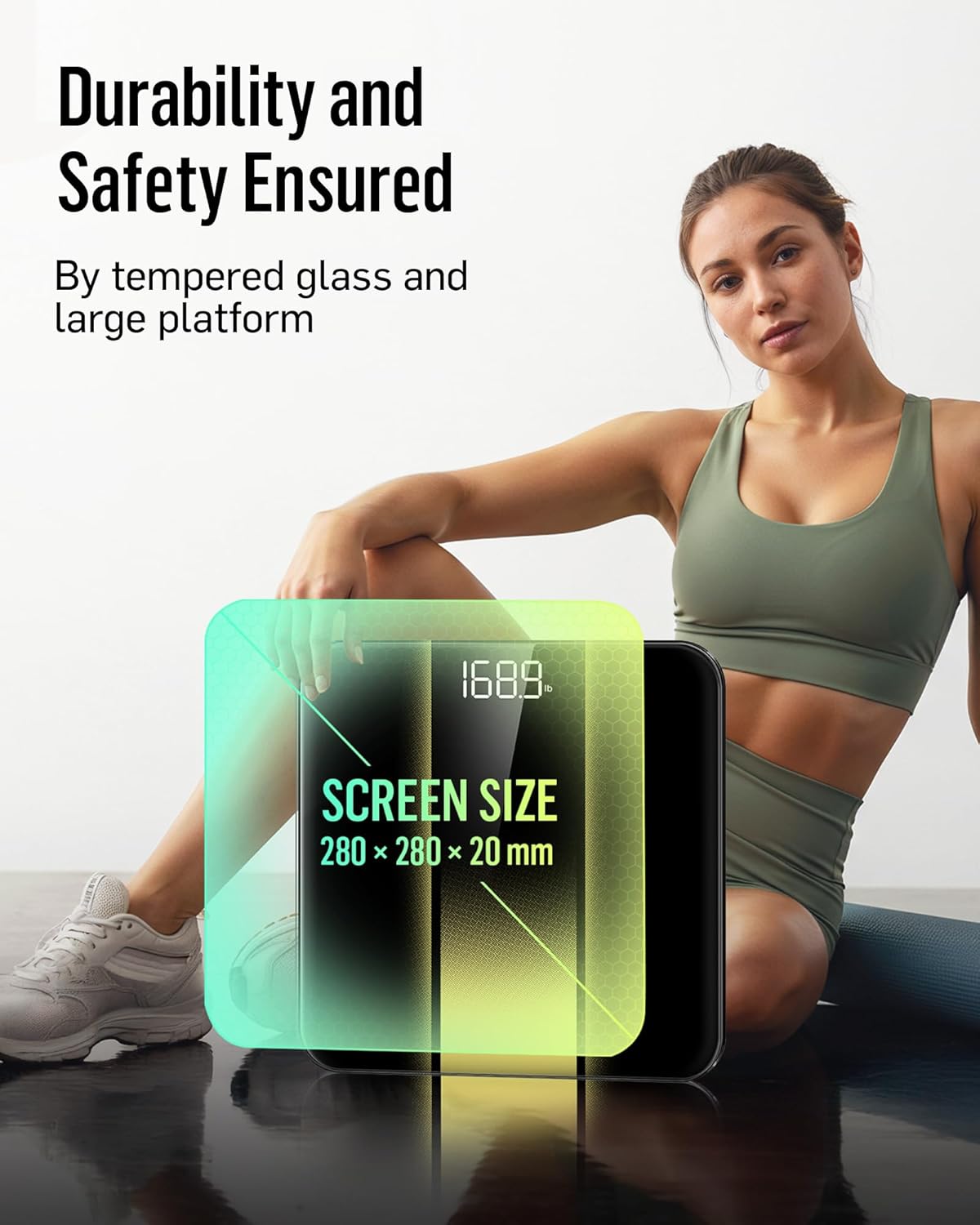
Image: Close-up of the scale's display, illustrating the auto-calibration and clear number visibility.
5. Техникалык тейлөө
5.1 Тазалоо
Таразаны d белгиси менен сүртүңүзamp кездеме жана жумшак жуугуч. Абразивдүү тазалагычтарды колдонбоңуз же таразаны сууга салбаңыз.
5.2 Сактоо
Таразаны салкын, кургак жерде сактаңыз. Ашыкча температурадан же түз күндүн нурунан сактаныңыз.
5.3 Батареяны алмаштыруу
When the low battery indicator appears on the display, replace all three AAA batteries simultaneously to ensure optimal performance.
6. Кыйынчылыктарды
| Көйгөй | Чечим |
|---|---|
| "Lo" көрсөтүлөт | Low battery. Replace all batteries. |
| "Err" көрсөтүлдү | Overload. The maximum weight capacity is 400 lb (180 kg). |
| Так эмес окуулар | Ensure the scale is on a hard, flat surface. Re-calibrate by stepping on and off the scale. Ensure feet are bare and centered. |
| Масштаб күйбөйт | Батареянын орнотулушун текшерип, батарейкалары түгөнүп калбагандыгын текшериңиз. |
7. Техникалык шарттар
| Өзгөчөлүк | Деталь |
|---|---|
| Бренд | RunStar |
| Модел | BG2403 |
| Максималдуу кубаттуулук | 400 фунт / 180 кг |
| Ченөө Артыкчылыктары | 0.1 фунт / 0.05 кг |
| Дисплей түрү | LED арткы жарык дисплей |
| Платформа материалы | 6мм Темирленген айнек |
| Power Source | 3x AAA батареялары |
| Өзгөчөлүктөр | High Precision Sensors, Auto-Calibration, Auto On/Off, Low Battery Indicator, Overload Indicator |
| Өлчөмдөр | Approximately 11 x 11 inches (platform size) |
8. Коопсуздук боюнча маанилүү маалымат
- Таразаны нымдуу же тайгак беттерде колдонбоңуз.
- Таразага секирбеңиз.
- Keep the scale away from water and heat sources.
- This scale is for household use only and not for medical diagnosis.
9. Кепилдик жана колдоо
RunStar products are manufactured to high-quality standards. For warranty information or technical support, please refer to the contact details provided on the product packaging or visit the official RunStar webсайт.
10. Продукт бүтүп калдыview Video
Видео: Бүттүview of the RunStar Digital Bathroom Scale, demonstrating its features such as the interactive screen, high precision, and app synchronization capabilities.