
Introduction
This manual provides essential information for the safe and efficient use of your SUPVAN T50M Pro Label Maker. Please read these instructions carefully before operating the device and retain them for future reference.
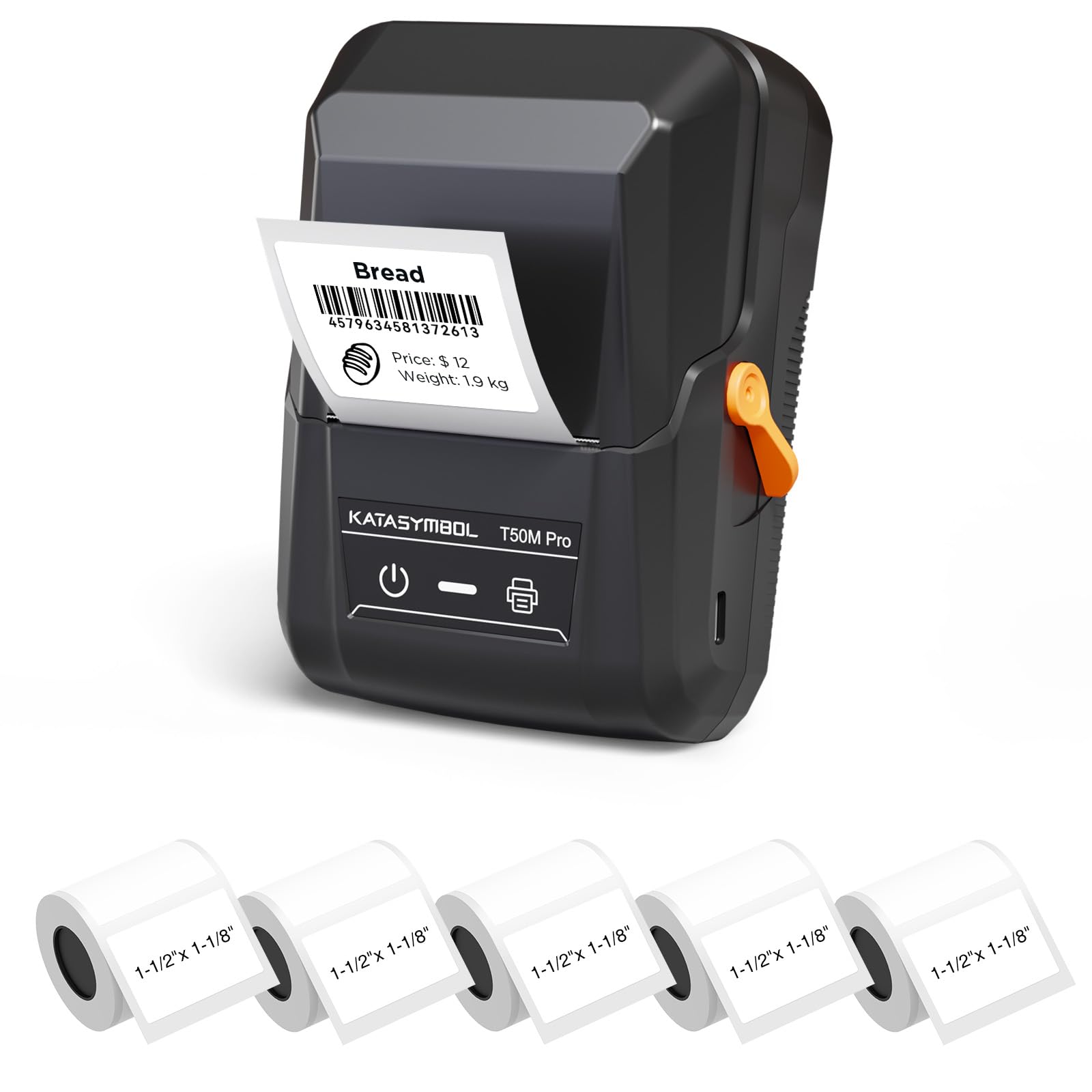
Image: The SUPVAN T50M Pro Label Maker, a compact thermal printer.
Пакеттин мазмуну
Пакетиңизде бардык буюмдар бар экенин текшериңиз:
- SUPVAN T50M Pro Label Maker
- 5 rolls of 1.57'' × 1.18'' (40mm × 30mm) white labels (250 labels/roll)
- USB Cable (for charging and connectivity)
- Колдонуучунун Колдонмосу (бул документ)
Орнотуу колдонмосу
1. Аппаратты заряддоо
Before first use, fully charge the label maker using the provided USB cable. The device features a 1200 mAh built-in rechargeable battery, offering extended use on a single charge.
2. Этикетка түрмөгүн орнотуу
The T50M Pro uses thermal paper, eliminating the need for ink or toner. Follow these steps to install a label roll:
- Этикетка бөлүмүнүн капкагын ачыңыз.
- Insert the label roll with the printing surface facing upwards.
- Ensure the label edge is aligned with the printer's feed mechanism.
- Close the cover. The device's Smart RFID Auto-Detection will recognize the label size automatically.

Image: Illustration of loading thermal paper into the label maker. The device uses thermal printing technology, requiring no ink or toner.
3. Колдонмону орнотуу жана туташуу
Download the official SUPVAN app from your device's app store. The app provides all editing functions and is free to use.
- Энбелги жасоочуну күйгүзүңүз.
- Open the SUPVAN app on your smartphone or tablet.
- Follow the in-app instructions to connect to your T50M Pro via Bluetooth or USB.
Иштөө нускамалары
1. Creating Labels with the App
The SUPVAN app offers a comprehensive suite of editing tools:
- Текстти түзөтүү: 40 ашык шрифттен тандаңыз.
- Image & Picture Integration: Add custom images and logos.
- Калыптар: Access over 140 free, constantly updated templates for various uses.
- Auto Label Size Recognition: The app automatically detects the loaded label size, reducing errors.

Image: The SUPVAN app's editing interface, demonstrating font choices, image integration, and automatic label size detection.

Image: A selection of over 140 free templates available within the SUPVAN app, suitable for diverse labeling needs.
2. Этикеткаларды басып чыгаруу
After designing your label in the app, select the "Print" option. Ensure the label maker is connected and has sufficient battery. The T50M Pro supports various label styles and sizes, printing 3/4 to 2-inch wide labels.

Сүрөт: Мисamples of labels created with the T50M Pro, including address labels, price tags, and decorative labels, demonstrating support for various styles.

Image: A visual comparison highlighting the high-quality image output from the SUPVAN T50M Pro's app compared to other label makers.
3. Жалпы колдонмолор
The SUPVAN T50M Pro is suitable for a wide range of labeling tasks:
- Чакан бизнес: Shipping addresses, product information, QR codes, brand logos.
- Кеңсе жана мектеп: аты tags, folder labels, documentation, asset tagгинг.
- Үйдү уюштуруу: Pantry labels, storage bins, personal items.

Image: Demonstrates diverse uses for the label maker, such as labeling containers in a pantry, creating product labels, printing shipping labels, and organizing school supplies.
Техникалык тейлөө
1. Басып чыгаруу башын тазалоо
Басып чыгаруунун оптималдуу сапатын камсыз кылуу үчүн, термикалык басып чыгаруу башын мезгил-мезгили менен тазалап туруңуз. Жумшак, түксүз чүпүрөктү бир аз колдонуңузampened with isopropyl alcohol. Do not use abrasive cleaners or sharp objects.
2. Батареяга кам көрүү
Recharge the device when the battery indicator is low. Avoid fully discharging the battery frequently to prolong its lifespan. Store the device in a cool, dry place when not in use for extended periods.
3. Энбелгилерди сактоо
Этикетка түрмөктөрүн салкын, кургак жерде, күн нуру түз тийбеген жана жылуулуктан алыс сактаңыз, бул жылуулук материалынын бузулушуна жол бербейт.
Проблемаларды чечүү
1. Түзмөк күйбөй жатат
- Ensure the device is fully charged. Connect it to a power source using the USB cable.
- Кубат баскычын бир нече секунд басып туруңуз.
2. Printing Issues (Blank or Faint Prints)
- Check if the label roll is installed correctly with the printing surface facing up.
- Этикетка түрмөгү бош эмес экенин текшериңиз.
- Басып чыгаруучу башты "Техникалык тейлөө" бөлүмүндө сүрөттөлгөндөй тазалаңыз.
- Verify that the label type is compatible with the T50M Pro.
3. App Connectivity Problems
- Мобилдик түзмөгүңүздө Bluetooth иштетилгенин текшериңиз.
- Make sure the label maker is turned on and within range.
- Restart both the label maker and the app.
- Эгерде көйгөйлөр чечилбесе, колдонмону кайра орнотуп көрүңүз.
4. Label Misalignment
- Ensure the label roll is properly seated and aligned in the compartment.
- The Smart RFID Auto-Detection should prevent most misalignment issues; if not, try re-seating the roll.
Техникалык шарттар
| Өзгөчөлүк | Деталь |
|---|---|
| Модель аты | T50M Pro |
| Бренд | СУПВАН |
| Басма технологиясы | Термикалык |
| Байланыш технологиясы | USB, Bluetooth |
| Аппараттык интерфейс | USB |
| Принтердин чыгышы | Monochrome (Black Ink Color) |
| Максималдуу медиа өлчөмү | 1.57'' × 1.18'' (40mm × 30mm) - 3/4 to 2-inch wide labels supported |
| Өзгөчө өзгөчөлүк | Portable, Smart RFID Auto-Detection, BPA-free labels |
| Батарея | 1200 мАч орнотулган кайра заряддалуучу батарея |
| Өлчөмдөр | Болжол менен 5" x 3.7" x 2.3" |
| Салмагы | Болжол менен. 0.6 lb |
| Камтылган компоненттер | Label Maker, Labels, USB Cable |

Image: The compact design of the T50M Pro, highlighting its portability, lightweight nature, and 1200 mAh rechargeable battery.
Кепилдик жана колдоо
Кепилдик маалымат
For detailed warranty information, please refer to the warranty card included with your product or visit the official SUPVAN webсайт. Кепилдиктин шарттары аймакка жана сатуучуга жараша өзгөрүшү мүмкүн.
Кардарларды колдоо
If you encounter any issues or have questions regarding your SUPVAN T50M Pro Label Maker, please contact SUPVAN customer support through their official webпродукт сатылып алынган сайт же сатуучу.
Сиз да зыярат кылсаңыз болот Amazon'догу SUPVAN дүкөнү кошумча продукт маалымат жана колдоо ресурстар үчүн.