
ARCCTV Q01
ARCCTV Solar Security Camera User Manual
Модели: Q01
1. Киришүү
1.1 Продукт бүттүview
The ARCCTV Solar Security Camera (Model Q01) is a wireless outdoor surveillance solution designed for comprehensive property monitoring. Featuring 4MP Ultra HD resolution, 360° pan-tilt capabilities, and dual-band Wi-Fi connectivity, this camera provides clear, wide-ranging coverage. Its solar-powered design ensures continuous operation without the need for frequent battery changes or complex wiring. Equipped with night vision, two-way audio, and PIR motion detection, it offers robust security features for both indoor and outdoor environments.
1.2 Кутуда эмне бар
Пакетти ачканда, бардык компоненттер бар экенин жана жакшы абалда экендигин текшериңиз:
- Камера корпусу (2 даана үчүн 2 даана)
- Solar Panel (2 units for 2-pack)
- Монтаждоо бурамалар жана анкерлер
- Колдонуучунун Колдонмосу (бул документ)

Image: All components included in the ARCCTV Solar Security Camera package, laid out for inspection.
2. Коопсуздук маалыматы
Please read and understand all safety instructions before installing and operating the camera. Failure to follow these instructions may result in injury, damage to the product, or voiding the warranty.
- Ensure the camera is installed securely to prevent falling.
- Do not expose the camera or solar panel to extreme temperatures outside of its operating range.
- Keep the camera and its components away from children and pets.
- Берилген же сунушталган электр жабдууларын гана колдонуңуз.
- Avoid direct exposure of the solar panel to fire or excessive heat.
- Do not attempt to disassemble or modify the camera or solar panel.
3. Продукциянын өзгөчөлүктөрү
3.1 High-Resolution Video
The camera captures video in 4MP Ultra HD resolution (2560×1440p), providing clear and detailed images, which is twice the clarity of standard 1080p cameras.

Сүрөт: деталдуу view of the camera's 4MP lens for high-definition video capture.

Image: Visual comparison illustrating the enhanced clarity of 4MP resolution over 3MP.
3.2 360° Pan-Tilt Coverage
Камераны башкарыңыз viewing angle remotely via the ARCCTV app. It supports 355° horizontal pan and 90° vertical tilt, allowing you to monitor large areas and eliminate blind spots. Note that this feature requires manual control through the application and does not support automatic tracking.

Image: The camera's pan and tilt range, demonstrating its ability to cover a wide area.
3.3 Эки тилкелүү Wi-Fi байланышы
The camera supports both 2.4GHz and 5GHz Wi-Fi bands, automatically selecting the optimal connection for faster speeds or extended range, ensuring smooth live streaming and quick alert responses. For initial setup, it is recommended to be as close as possible to your Wi-Fi router.

Image: Depiction of dual-band Wi-Fi capabilities for optimal network performance.
3.4 Solar Power & Battery
Equipped with a high-efficiency detachable solar panel, the camera operates continuously without the need for wiring or battery replacement. The solar panel can be positioned in the sunniest location for optimal charging, while the camera is mounted where surveillance is needed. This ensures reliable operation year-round, even on cloudy days.

Image: Visual representation of the solar-powered charging system for the camera.
3.5 Түнкү көрүү мүмкүнчүлүктөрү
The camera provides clear night vision up to 50 feet, utilizing both infrared and LED light sources. It also features "Night Color" technology for enhanced visibility in low-light conditions.

Image: Comparison of day and night vision, demonstrating the camera's performance in low light.

Image: Illustrates the difference between color and black & white night vision modes.
3.6 Эки тараптуу аудио
Communicate with individuals near the camera using the built-in microphone and speaker. This feature is useful for interacting with delivery personnel or deterring unwanted visitors.

Сүрөт: Мисample of two-way audio in use, showing interaction with a delivery person.
3.7 Кыймылды аныктоо жана эскертүүлөр
The camera features PIR motion detection, which is highly responsive and designed to minimize false alarms by focusing on human movement. Upon detection, it sends fast alerts to your connected device. Customizable settings allow you to define specific alarm zones.

Image: Visualizing the camera's instant alert features, including spotlight and siren.

Image: Demonstrates the precise PIR motion detection, focusing on human movement.

Image: How to set up a custom motion detection alarm zone within the app.
3.8 Сактоо параметрлери
The camera offers flexible storage solutions: local storage via a microSD card (up to 128GB, not included) for free recording, or secure cloud storage (subscription required) for advanced features and remote backup.
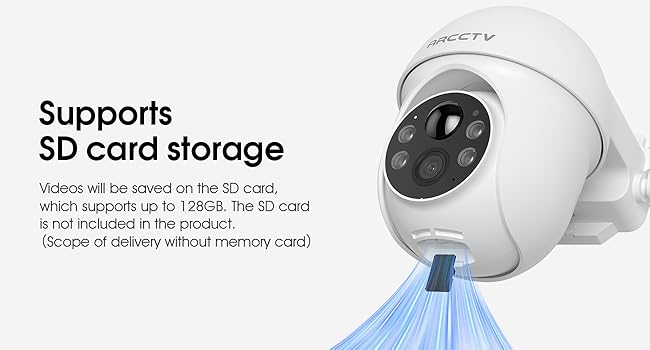
Image: The camera's microSD card slot for local video storage.
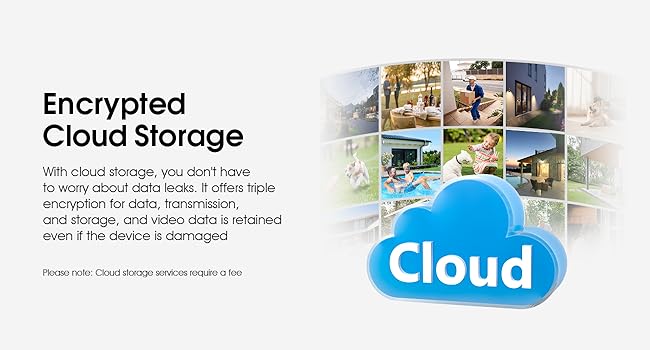
Сүрөт: бүттүview of the encrypted cloud storage option for video backup.
3.9 Smart Home интеграциясы
The camera is compatible with Alexa, allowing for voice control and integration into your smart home ecosystem for easier operation.

Image: The camera's compatibility with Alexa for voice commands and viewing.
3.10 Аба ырайына туруктуулук
Designed for outdoor use, the camera is waterproof and capable of withstanding various weather conditions without compromising performance.

Image: The camera's robust design for outdoor weather resistance.
4. Орнотуу колдонмосу
4.1 Даярдоо
- Ensure your smartphone is connected to a 2.4GHz or 5GHz Wi-Fi network.
- Download the ARCCTV app from your device's app store.
- Charge the camera fully before initial installation, if possible, although solar power will maintain charge.
4.2 Орнотуу кадамдары
The camera features a 100% wireless design for easy DIY installation in minutes.
- Жайгашкан жерди тандаңыз: Select a mounting location that provides optimal camera view and sufficient sunlight exposure for the solar panel.
- Кронштейнди орнотуу: Use the included mounting screws and anchors to securely attach the camera's mounting bracket to the desired surface.
- Камераны тиркөө: Secure the camera body to the mounted bracket.
- Күн панелин орнотуу: Mount the detachable solar panel in a sunny spot, ensuring it is connected to the camera via the provided cable. Adjust its angle for maximum sun exposure.

Image: The camera and solar panel installed on a wall, highlighting the ease of wireless setup.
4.3 Колдонмо туташуусу
Follow these steps to connect your camera to the ARCCTV app and begin monitoring:
- Download ARCCTV APP: Издөө "ARCCTV" in your app store and install the application.
- Create Account & Add Device: Open the app, create an account if you don't have one, and follow the in-app instructions to add your new camera. This typically involves scanning a QR code on the camera or entering its serial number.
- Wi-Fi'га туташуу: The app will guide you through connecting the camera to your 2.4GHz or 5GHz Wi-Fi network. Ensure the camera is within Wi-Fi range during this process.
- Мониторинг баштоо: Туташкандан кийин, сиз түз эфирге кире аласыз view, adjust settings, and manage recordings from your smartphone.

Image: Simplified steps for connecting the camera to the ARCCTV mobile application.
5. Иштөө нускамалары
5.1 Live View
Open the ARCCTV app and select your camera from the device list to access the live video feed. You can view реалдуу убакыт footagсиздин мүлкүңүздөн.
5.2 Панорама жана жантайтууну башкаруу
Түз эфирде view, use the on-screen controls within the app to manually pan the camera horizontally (355°) and tilt it vertically (90°) to adjust your viewаймак.
5.3 Жазуу жана ойнотуу
Recordings are triggered by motion detection or can be initiated manually from the live view. Access recorded footage through the app's playback section. If using a microSD card, ensure it is properly inserted and formatted within the app settings.
5.4 Кыймылды аныктоо орнотуулары
Navigate to the camera settings in the app to customize motion detection sensitivity, set up specific alarm zones, and configure alert notifications (e.g., push notifications to your phone).
5.5 Two-Way Audio Usage
Түз эфирде view, tap the microphone icon to speak through the camera's speaker. Tap it again to end communication. Ensure your phone's microphone is enabled for the app.
5.6 Сактагычты башкаруу
Manage your storage options within the app. For microSD card storage, you can view remaining space and format the card. For cloud storage, you can review your subscription status and access cloud-stored footage.
6. Техникалык тейлөө
6.1 Тазалоо
Камера линзасын жана күн батареясын жумшак, d менен үзгүлтүксүз тазалап туруңузamp Оптималдуу иштөөнү камсыз кылуу үчүн кездеме колдонуңуз. Беттерди тырмап алышы мүмкүн болгон катуу химиялык заттарды же абразивдүү материалдарды колдонуудан алыс болуңуз.
6.2 Күн панелине кам көрүү
Periodically check the solar panel for any obstructions (e.g., leaves, dirt) that might block sunlight. Ensure it remains positioned to receive maximum direct sunlight throughout the day.
6.3 Микропрограмма жаңыртуулары
Keep your camera's firmware updated to ensure the latest features, security enhancements, and bug fixes. The ARCCTV app will typically notify you when a new firmware version is available. Follow the in-app instructions carefully during the update process.
7. Кыйынчылыктарды
| Көйгөй | Мүмкүн себеп | Чечим |
|---|---|---|
| Камера Wi-Fi'га туташпай жатат. | Incorrect Wi-Fi password; Camera too far from router; Router settings (e.g., firewall). | Double-check password. Move camera closer to router. Restart router. Check router's security settings. |
| Видеонун сапаты начар. | Weak Wi-Fi signal; Dirty lens; Insufficient lighting. | Improve Wi-Fi signal strength. Clean the camera lens. Ensure adequate lighting for night vision. |
| Батарея заряддалбай жатат. | Insufficient sunlight on solar panel; Solar panel obstructed or dirty; Faulty connection. | Relocate solar panel to a sunnier spot. Clean the solar panel. Check cable connection between panel and camera. |
| No motion alerts. | Motion detection disabled; Sensitivity too low; Incorrect alarm zone settings; App notifications blocked. | Enable motion detection in app. Increase sensitivity. Adjust alarm zones. Check phone's notification settings for the ARCCTV app. |
| Эки тараптуу аудио иштебей жатат. | Колдонмодо микрофон/динамик өчүрүлгөн; Үнү өтө төмөн; Тармактын кечигүүсү. | Check audio settings in app. Adjust volume. Ensure stable Wi-Fi connection. |
8. Техникалык шарттар
| Өзгөчөлүк | Деталь |
|---|---|
| Модель аты | Q01 |
| Бренд | ARCCTV |
| Video Resolution | 4MP Ultra HD (2560x1440p) |
| Пан / жантайтуу бурчу | Горизонталдуу 355°, Вертикалдуу 90° |
| Байланыш | 2.4GHz & 5GHz Dual-Band Wi-Fi, Bluetooth |
| Power Source | Battery Powered & Solar Powered (5 Volts) |
| Түнкү көрүү диапазону | Up to 50 Feet (Infrared & LED, Night Color) |
| Аудио | 2-Way Audio (Video & Audio Recording) |
| Motion Detection | PIR Motion Sensor (Motion Only Alert Type) |
| Сактагыч параметрлери | MicroSD картасы (128 ГБ чейин), булут сактагычы (жазылуу) |
| Шайкештик | Smartphone (Android), Alexa |
| Аба ырайына каршылык | Суу өткөрбөйт |
| Өлчөмдөрү (L x W x Y) | 8 x 5 x 6 дюйм |
| Салмагы | 3.45 фунт |
| Видеону коддоо | H.265 |
| Чоңойтуу түрү | Digital Zoom (Ratio 10) |
9. Кепилдик жана колдоо
For warranty information and technical support, please refer to the official ARCCTV webсайтка же кардарларды тейлөөгө кайрылыңыз. Сатып алуу квитанциясын кепилдик дооматтары үчүн сатып алуунун далили катары сактаңыз.
Manufacturer: Shenzhen Anran Security Technology Co.,Ltd
Ask a question about this manual
Ask about setup, troubleshooting, compatibility, parts, safety, or missing instructions. Manuals+ will review the question and use this page’s manual context to help answer it.