
eKids 115
eKids Dora Karaoke Microphone with Boombox Instruction Manual
Model: 115 | Brand: eKids
1. Киришүү
Welcome to the eKids Dora Karaoke Microphone with Boombox. This device is designed to provide an interactive and engaging musical experience. It features a wired microphone, built-in music, and Bluetooth connectivity for streaming audio from compatible devices. This manual provides essential information for setup, operation, maintenance, and troubleshooting to ensure optimal performance and enjoyment.
2. Продукт бүтүп калдыview
The eKids Dora Karaoke Microphone with Boombox is a portable audio device shaped like Dora's backpack, designed for children aged 3 and up. It combines a speaker with a wired microphone, allowing users to sing along to pre-loaded songs or music streamed via Bluetooth.
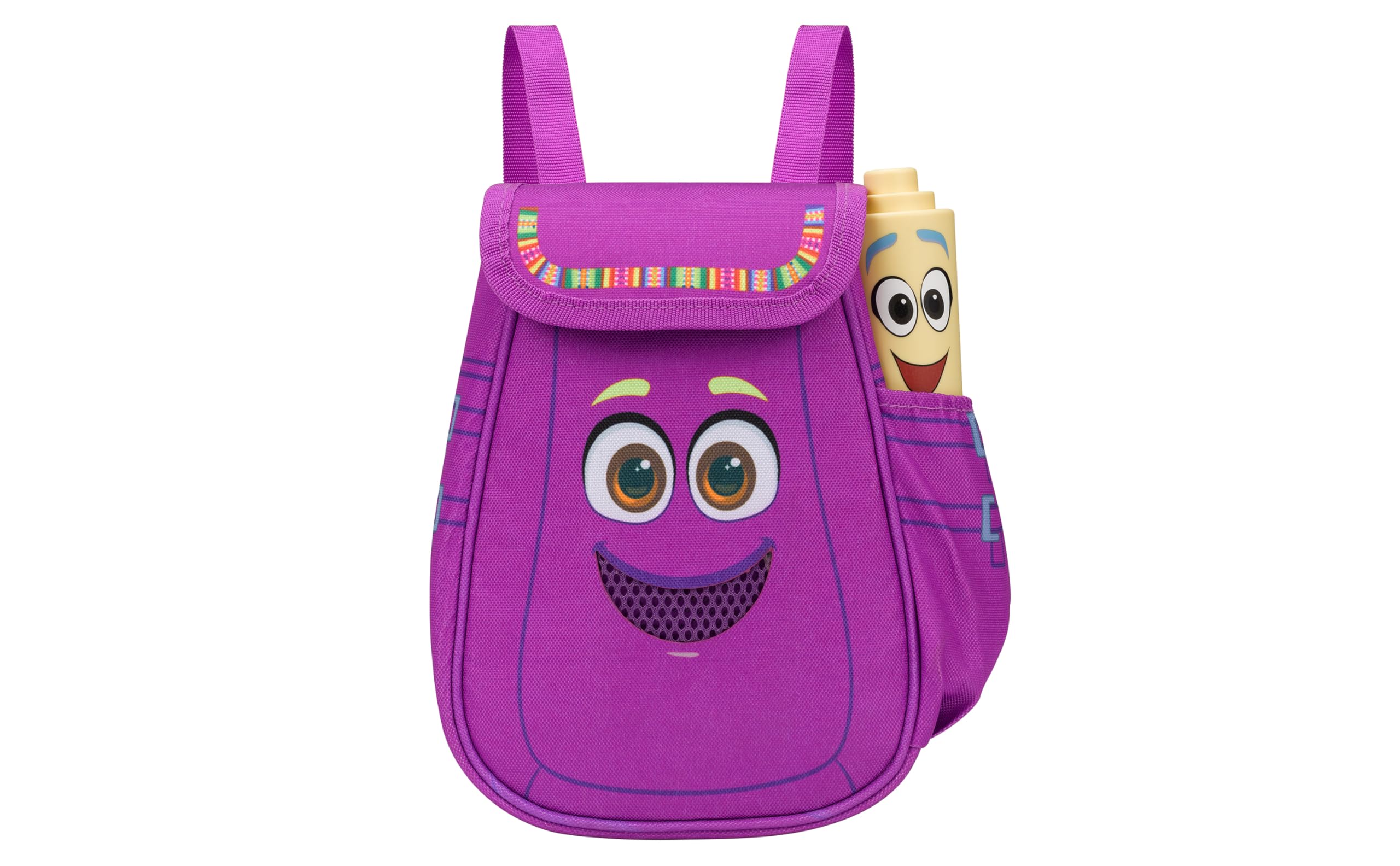
Figure 1: eKids Dora Karaoke Microphone with Boombox.
Негизги өзгөчөлүктөрү:
- Bluetooth динамиги: Connects to any music device via Bluetooth to stream popular karaoke playlists and more. Lightweight and portable, this karaoke boombox is designed for kids aged 3 and up.
- Караоке микрофону: Includes a wired microphone to amplify your voice for singing.
- Dora Backpack Design: Features cute and colorful graphics inspired by the popular Nickelodeon series.
- Камтылган музыка: Contains extended clips of the songs ‘Rainforest Ritmo’, ‘Cake’, and ‘Empanada’.
- Көчүрүү мүмкүнчүлүгү: Lightweight design with a built-in handle for easy transport.
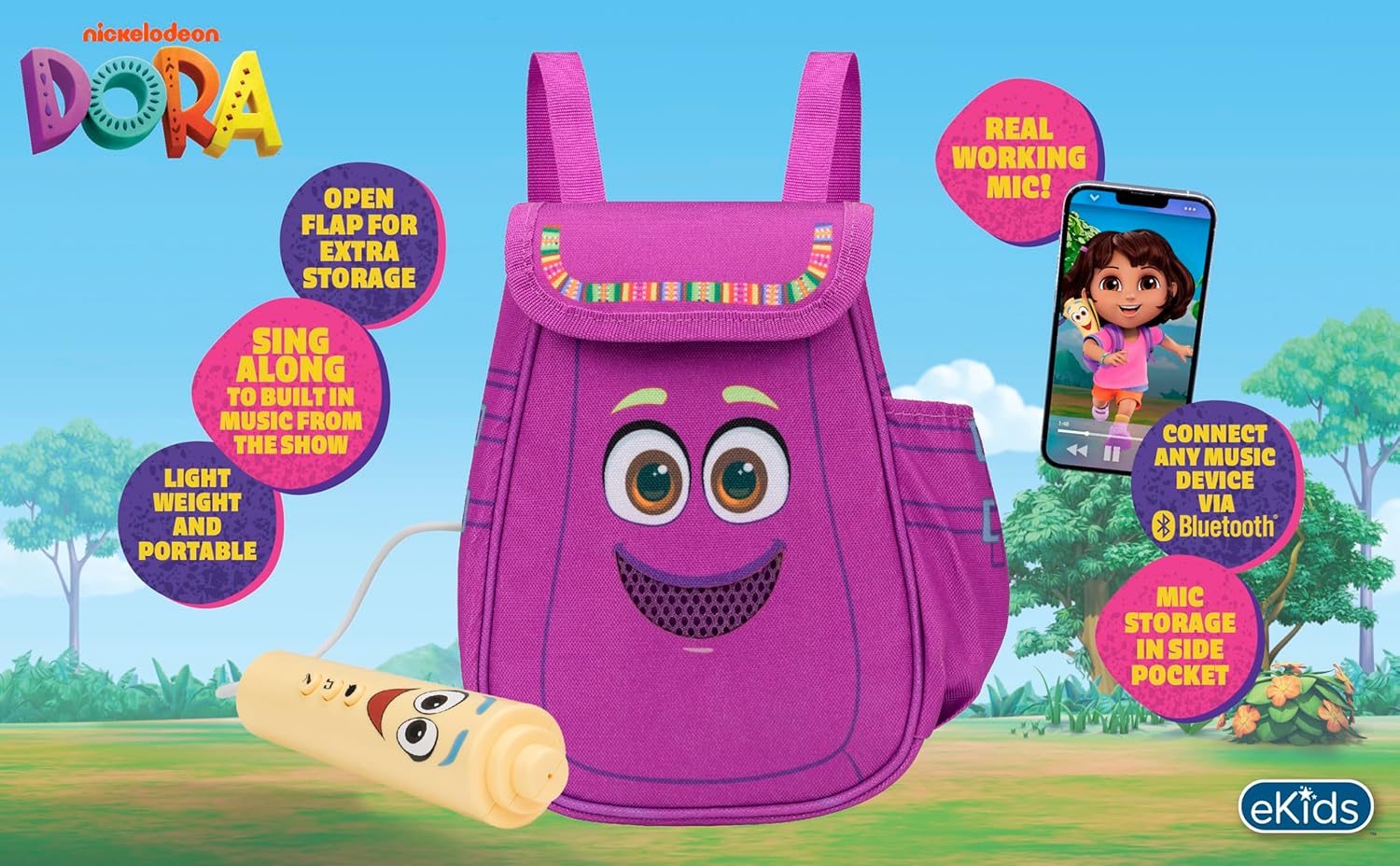
2-сүрөт: Көрүү бүттүview of the product's key features.
3. Пакеттин мазмуну
Кутудан чыгарылганда бардык буюмдар бар экенин текшериңиз:
- Dora Karaoke Microphone with Boombox (main unit)
- Зымдуу микрофон
- Көрсөтмө (бул документ)
- 3 x 'AA' Batteries (included)

Figure 3: Product as packaged, showing the boombox and microphone.
4. Орнотуу
4.1 Батареяны орнотуу
- Locate the battery compartment on the back or bottom of the boombox unit.
- Филлипс баштуу бурагычын (кошулмага кирбейт) колдонуп, батарея бөлүмүнүн капкагын ачыңыз.
- Insert 3 'AA' batteries, ensuring correct polarity (+/-).
- Батарея уясынын капкагын ордуна коюңуз жана аны бурама менен бекитиңиз.
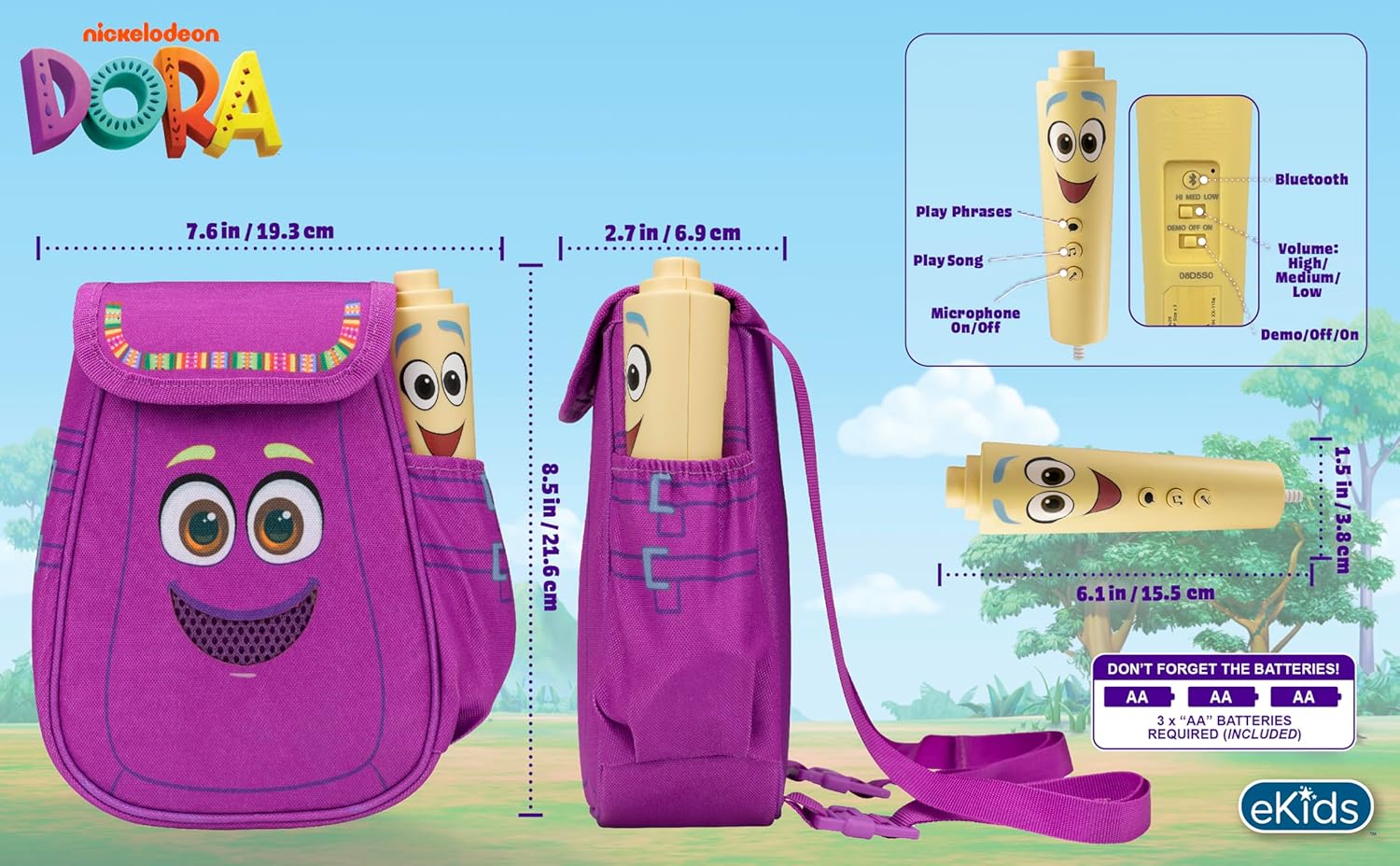
4-сүрөт: Арткы view of the boombox, indicating battery compartment and control buttons.
4.2 Микрофон туташуу
The wired microphone is typically pre-connected or plugs into a dedicated port on the boombox. Ensure the microphone cable is securely plugged in.
5. Иштөө нускамалары
5.1 Күйгүзүү/өчүрүү
Locate the Power switch (often labeled ON/OFF or with a power symbol) on the unit. Slide it to the 'ON' position to power on the device. Slide it to 'OFF' to power off.
5.2 Playing Built-in Music
Press the designated 'Play Song' button (refer to Figure 4 for button layout) to cycle through the pre-loaded songs. The unit includes extended clips of 'Rainforest Ritmo', 'Cake', and 'Empanada'.
5.3 Микрофонду колдонуу
To use the microphone, ensure the 'Microphone On/Off' switch (refer to Figure 4) is in the 'On' position. Speak or sing into the microphone to ampБумбокс колонкасы аркылуу үнүңүздү күчөтүңүз.
5.4 Bluetooth байланышы
To stream music from an external device:
- Ensure the boombox is powered on.
- Activate Bluetooth on your external music device (e.g., smartphone, tablet, computer).
- Издөө available Bluetooth devices and select "eKids Dora" or a similar name.
- Once paired, you can stream audio from your device to the boombox.

Figure 5: Bluetooth connectivity allows streaming from various compatible devices.
5.5 Үндү башкаруу
Adjust the volume using the 'Volume: High/Medium/Low' switch on the unit (refer to Figure 4).
5.6 Демо режими
The unit may include a 'Demo/Off/On' switch (refer to Figure 4). Set it to 'Demo' for a brief demonstration of features, or 'On' for full functionality.
6. Техникалык тейлөө
- Тазалоо: Аппаратты жумшак, кургак чүпүрөк менен сүртүңүз. Абразивдүү тазалоочу каражаттарды колдонбоңуз же аппаратты сууга салбаңыз.
- Батареяга кам көрүү: Агып кетүүнүн алдын алуу үчүн бирдик узак убакыт бою колдонулбай турган болсо, батарейкаларды алып салыңыз.
- Сактагыч: Аппаратты күн нурунан жана экстремалдык температурадан алыс салкын, кургак жерде сактаңыз.
7. Кыйынчылыктарды
| Көйгөй | Чечим |
|---|---|
| Күч жок | Check battery installation and ensure batteries are fresh. Confirm the power switch is in the 'ON' position. |
| Динамиктен үн жок | Increase the volume. Ensure the microphone is switched 'ON' if using it. If using Bluetooth, check device volume and connection. |
| Микрофон иштебей жатат | Ensure the microphone is securely plugged in and its 'On/Off' switch is in the 'On' position. |
| Bluetooth туташпай жатат | Ensure the boombox is in Bluetooth pairing mode (if applicable, check manual for specific instructions). Turn off and on Bluetooth on your external device. Move devices closer together. |
8. Техникалык шарттар
- Бренд: eKids
- Модель аты: 115
- Түсү: Дора
- Кубат булагы: Battery Powered (3 x 'AA' batteries)
- Спикерлердин саны: 1
- Байланыш технологиясы: Bluetooth, 3.5mm audio jack (for wired microphone)
- Элемент Салмагы: 0.52 килограмм
- Элементтин өлчөмдөрү (D x W x Y): 10.63"D x 2.24"W x 8.17"H
- UPC: 092298961934
- Өндүрүүчү: KIDdesigns
9. Кепилдик жана колдоо
Бул продукт менен келет 1 жылдык чектелген кепилдик from the manufacturer, KIDdesigns. For warranty claims or technical support, please refer to the contact information provided with your purchase documentation or visit the eKids official webсайт.
For additional product information or to explore other eKids products, visit the eKids бренд дүкөнү.
Ask a question about this manual
Ask about setup, troubleshooting, compatibility, parts, safety, or missing instructions. Manuals+ will review the question and use this page’s manual context to help answer it.