Introduction
The MIKIBY Alux60 is a high-performance 60% compact wired gaming keyboard designed for precision and speed. It features Hall Effect magnetic switches, an aluminum gasket-mounted body, 8K polling rate, and customizable RGB lighting. This manual provides essential information for setting up, operating, maintaining, and troubleshooting your Alux60 keyboard.
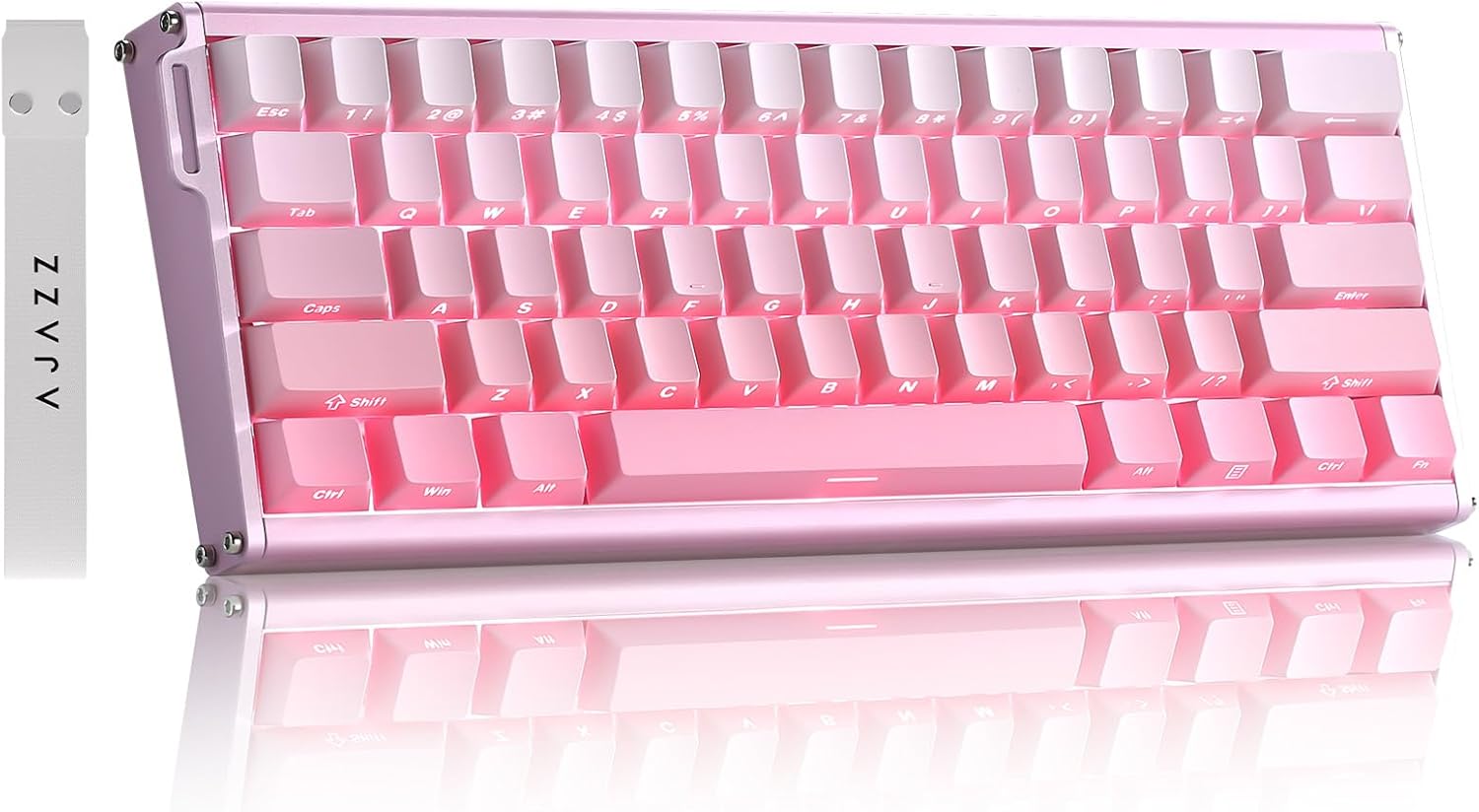
Image: The MIKIBY Alux60 Gaming Keyboard, showcasing its compact 60% layout and pink color scheme.
Кутуда эмне бар
Сураныч, пакетиңизге төмөнкү нерселердин бардыгы камтылганын текшериңиз:
- ALUX 60 Keyboard x 1
- USB Cable x 1 (Type-C)
- Тасма x 1
- Баскыч капкагын тарткыч x 1
- Колдонуучунун колдонмосу x 1

Image: All components included with the MIKIBY Alux60 keyboard: the keyboard, USB-C cable, ribbon, keycap puller, and user manual.
Жайгашуу
1. Баскычтопту туташтыруу
Connect the provided USB-C cable to the port on the keyboard and the other end to an available USB port on your computer. The keyboard is plug-and-play and should be recognized automatically by your operating system.
2. Системанын шайкештиги
The Alux60 keyboard is compatible with various operating systems. To switch between Windows and Mac modes:
- үчүн Mac: Басыңыз FN + A
- үчүн Windows: Басыңыз FN + S
3. Web Драйверди ыңгайлаштыруу
For advanced customization, including DKS, MT, TGL functions, key mapping, macro editing, and RGB lighting settings, use the professional web-based driver. No software installation is required. Access the driver via the link provided in the physical user manual or on the official MIKIBY webсайт.

Сүрөт: The web-based driver interface for the Alux60 keyboard, showing options for keyboard settings, FN layer settings, macro editing, and lighting settings.
Иштөө нускамалары
Hall Effect Magnetic Switches & Rapid Trigger
The Alux60 utilizes Hall Effect magnetic switches, which offer instantaneous actuation and an ultra-low latency of 0.125ms. The Rapid Trigger mode allows for highly customizable actuation sensitivity, enabling faster double-taps and rapid keystrokes, ideal for competitive gaming.

Сүрөт: деталдуу view of a Magnetic Powder Switch, highlighting its components and specifications such as operating force, total travel, and service life.

Image: Visual explanation of Rapid Trigger Mode, demonstrating how it provides ultra-low latency and precise actuation for gaming.
RGB жарык көзөмөлдөө
The keyboard features 16.8 million color dynamic RGB lighting with multiple effects. Adjustments can be made via the web driver or using the following FN key combinations:
- FN + X: Жарыкты күйгүзүү/өчүрүү
- FN + ": Keyboard brightness +
- FN + :: Keyboard brightness -
- FN + |: Switch lighting effect
- FN +: Toggle backlight direction
- FN + [{: Adjust keyboard light speed -
- FN + ]}: Adjust keyboard light speed +
- FN + ;: Switch lighting color
- FN + Боштук: Restore Factory Settings

Image: The Alux60 keyboard displaying its vibrant 16.8 million color RGB backlight, with a visual guide to FN key combinations for lighting control.
Ыкчам алмаштыруучу которгучтар
The Alux60 keyboard supports hot-swappable magnetic switches, allowing you to easily replace switches without soldering. This feature enables customization of your typing experience by swapping in different compatible magnetic switches.

Сүрөт: деталдуу view of the Alux60's hot-swappable design, showing how switches can be removed and replaced, along with the south-facing LEDs.
FN Жарлыктар
The keyboard features various FN key combinations for quick access to functions:
- FN + 1!: F1
- FN + 2@: F2
- FN + 3#: F3
- FN + 4$: F4
- FN + 5%: F5
- FN + 6^: F6
- FN + 7&: F7
- FN + 8*: F8
- FN + 9(: F9
- FN + 0): F10
- FN + -=: F11
- FN + =+: F12
- FN + Backspace: Жок кылуу
- FN + Enter: Меню
- FN + Оңго Shift: Right Ctrl
- FN + Оң Ctrl: Right Alt
- FN + Right Alt: Right Shift
- FN + /?: Up Arrow
- FN + Right Alt: Left Arrow
- FN + Оң Ctrl: Down Arrow
- FN + Оңго Shift: Right Arrow
- FN + Esc:~

Image: A comprehensive guide to FN key combinations for various functions on the Alux60 keyboard.
N-Key Rollover
The Alux60 supports N-Key Rollover (NKRO), which means it can accurately register every key press, even when multiple keys are pressed simultaneously. This is crucial for fast-paced gaming and ensures no input is missed.

Image: A visual representation of N-Key Rollover, showing multiple simultaneous key presses being registered without conflict.
Продукт бүттүview Video
Video: An official product video from MIKIBY showcasing the Alux60 Gaming Keyboard, its features, and typing sound.
Техникалык тейлөө
Баскычтопту тазалоо
Клавиатуранын көрүнүшүн жана функционалдуулугун сактоо үчүн:
- Тазалоодон мурун клавиатураны компьютерден ажыратыңыз.
- Бир аз жумшак, түксүз кездемени колдонуңуз dampачкыч капкактарын жана шассиди сүртүү үчүн суу же жумшак тазалоо эритмеси менен жабыңыз.
- Баскыч капкактарынын ортосундагы чаң жана таштанды үчүн кысылган абаны колдонуңуз.
- Катуу химиялык заттарды же абразивдүү материалдарды колдонуудан алыс болуңуз.
Клавиатураны жана которгучту алмаштыруу
Thanks to the hot-swappable design, keycaps and switches can be easily replaced. Use the included keycap puller to gently remove keycaps. For switches, use the switch puller to carefully extract them. Ensure replacement switches are compatible Hall Effect magnetic switches.
Проблемаларды чечүү
| Көйгөй | Мүмкүн себеп | Чечим |
|---|---|---|
| Баскычтоп жооп бербей жатат | Loose cable connection, incorrect system mode. | Ensure USB-C cable is securely connected. Try a different USB port. Verify correct system mode (FN+A for Mac, FN+S for Windows). |
| RGB жарыгы иштебейт же туура эмес | Lighting effect turned off, software glitch. | Басыңыз FN + X to toggle lighting. Use FN key combinations to adjust effects. Access the web driver for advanced lighting customization. Try FN + Боштук to restore factory lighting settings. |
| Ачкычтар катталбайт же эки жолу терилбейт | Dust/debris under switch, switch malfunction, incorrect Rapid Trigger settings. | Clean under keycaps with compressed air. If issue persists, consider replacing the switch (due to hot-swappable design). Adjust Rapid Trigger settings via the web айдоочу. |
| Custom settings not saving | Web driver issue, browser compatibility. | Ensure you are using a compatible browser. Clear browser cache. Re-apply settings in the web driver and ensure they are saved. |

Image: A visual Q&A section addressing common user queries regarding system switching and keyboard customization.
Техникалык шарттар
| Өзгөчөлүк | Деталь |
|---|---|
| Модел | Alux60 |
| Бренд | МИКИБЫ |
| Keyboard Description | Mechanical, Hall Effect Magnetic Switch |
| Байланыш технологиясы | USB-C зымдуу |
| Ачкычтардын саны | 61 |
| Добуш берүү көрсөткүчү | 8K (8000 Гц) |
| Кечигип калуу | 0.125 мс Ультра төмөн кечигүү |
| Скандоо ылдамдыгы | 128K |
| Баскыч капкактары | Side Printed PBT Keycaps |
| Арткы жарыктандыруу | 16.8 Million Color Dynamic RGB (South-facing LEDs) |
| Өзгөчөлүктөр | Ergonomic, Backlit, Low-Profile Key, Hot-Swappable, Rapid Trigger Mode, N-Key Rollover, Web-based Driver |
| Шайкеш түзмөктөр | Ноутбук, оюн консолу, компьютер, планшет, смартфон |
| Элемент Салмагы | 3.52 фунт |
| Өлчөмдөр | 14.88 x 5.91 x 2.32 дюйм (Пакет) |
| Өндүрүүчү | МИКИБЫ |
| Келип чыккан өлкө | Кытай |
Кепилдик жана колдоо
For warranty information and technical support, please refer to the documentation included with your product or visit the official MIKIBY webсайт. Кепилдик дооматтары үчүн сатып алуу дүмүрчөгүңүздү сактаңыз.
MIKIBY Store: Visit MIKIBY Store on Amazon