
1. Киришүү
Thank you for choosing the Bagotte A21 Robot Vacuum and Mop Combo. This device is designed to provide efficient and convenient cleaning for your home, combining vacuuming, sweeping, and mopping functionalities. It features powerful 5000Pa suction, intelligent navigation, and multiple control options including app, remote, and voice commands. This manual provides essential information for the safe operation, maintenance, and troubleshooting of your robot vacuum.
2. Пакеттин мазмуну
Please check the package contents carefully to ensure all items are present and in good condition. If any items are missing or damaged, please contact customer support.

Image: The Bagotte A21 Robot Vacuum and Mop Combo package includes the robot vacuum, 2-in-1 water tank, charging station, cleaning brush, remote control, mop holder, two mop cloths, HEPA filters, two side brushes, user manual, and power adapter.
- Bagotte A21 Robot Vacuum Cleaner x 1
- 2-in-1 Water Tank x 1
- Заряддоо станциясы x 1
- Тазалоочу щетка x 1
- Алыстан башкаруу x 1
- Mop Holder x 1
- Моп кездеме x 2
- HEPA Filters x 1
- Каптал щеткалар x 2
- Колдонуучунун колдонмосу x 1
- Кубат адаптери x 1
3. Продукт бүтүп калдыview
Familiarize yourself with the main components of your Bagotte A21 robot vacuum.
Робот чаң соргуч компоненттери
- Жогорку панель: Power/Clean button, Wi-Fi indicator.
- Алдыңкы бампер: Anti-collision sensors.
- Каптал щеткалар: For edge cleaning.
- Негизги щетка: For deep cleaning.
- Таштанды челек/Суу багы: Кургак жана нымдуу тазалоо үчүн интеграцияланган түзүлүш.
- Заряддоо байланыштары: Автоматтык түрдө кайра заряддоо үчүн.
- Айдоо дөңгөлөктөрү: To navigate various surfaces.
- Универсал дөңгөлөк: For directional movement.
- Тамчыга каршы сенсорлор: Located on the bottom to prevent falls.
Кубаттоочу станция
The charging station provides a home base for the robot to recharge automatically.
4. Орнотуу
4.1 Таңгактан чыгаруу жана даярдоо
- Remove all protective films and packaging materials from the robot and charging station.
- Ensure no obstacles are present around the robot's path, such as cables or small objects, that could entangle the brushes.
4.2 Заряддоо станциясын жайгаштыруу
Place the charging station on a hard, level surface against a wall. Ensure there is:
- At least 1 meter (3 feet) of clear space in front of the charging station.
- At least 0.5 meters (1.5 feet) of clear space on both sides of the charging station.
- Кубат адаптерин заряддоо станциясына туташтырыңыз жана аны розеткага сайыңыз.
4.3 Баштапкы төлөм
Before first use, fully charge the robot vacuum. You can place the robot directly onto the charging station, ensuring the charging contacts align. The indicator light on the robot will show charging status. A full charge typically takes 4-5 hours.

Image: The robot vacuum automatically returns to its charging station when its battery is low, ensuring it is always ready for the next cleaning task.
5. Иштөө нускамалары
5.1 Күйгүзүү/өчүрүү
- Күйгүзүү: Press and hold the power button on the robot for a few seconds until the indicator light illuminates.
- Өчүрүү: Индикатор жарыгы өчкөнгө чейин кубат баскычын бир нече секунд басып туруңуз.
5.2 Тазалоо режимдери
The Bagotte A21 offers four distinct cleaning modes to suit various needs:

Сүрөт: үстүнкү view of a house layout illustrating the robot vacuum performing different cleaning modes: Manual Cleaning, Spot Cleaning, Edge Cleaning, and Auto Cleaning.
- Автоматтык тазалоо: The robot automatically cleans the entire floor area, adjusting its path as needed.
- Тазалоо: Робот белгилүү бир кир аймакка көңүл буруп, спираль схемасы боюнча тазалайт.
- Четтерин тазалоо: Робот дубалдарды жана эмеректердин четтерин тазалайт.
- Кол менен тазалоо: Control the robot's movement manually using the remote control or app.
5.3 Чаң соргуч жана сүртүү
The A21 is a 3-in-1 device, capable of vacuuming, sweeping, and mopping simultaneously or separately.

Image: The Bagotte A21 Robot Vacuum demonstrates its 3-in-1 functionality, showing it vacuuming a carpet, sweeping a wooden floor, and mopping a wet spill, with indicators for water flow and suction adjustment.
- Чаң соргуч: The robot utilizes 5000Pa suction power to effectively remove dust, debris, and pet hair from hard floors and carpets.
- сүртүү: Attach the mop holder with a damp mop cloth and fill the water tank. The robot offers three adjustable water flow levels (low, medium, high) for different floor types and cleaning needs.

Image: The Bagotte A21 Robot Vacuum is shown cleaning a floor covered in dirt and debris, highlighting its 5000Pa suction power in both Standard and Maximum modes, designed for tangle-free operation.
5.4 Контролдоо ыкмалары
Control your robot vacuum using various convenient methods:
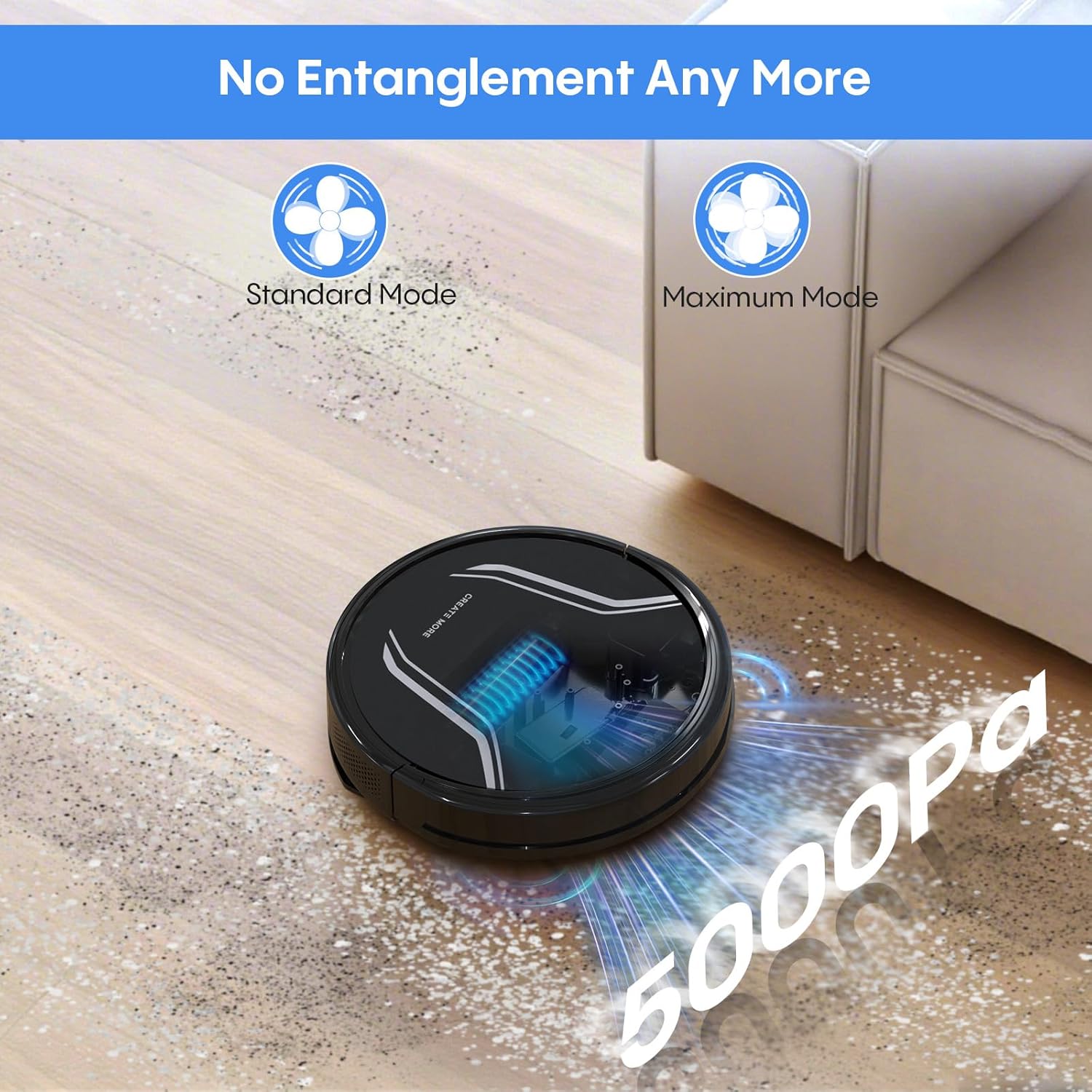
Image: A living room scene showing the Bagotte A21 Robot Vacuum being controlled via voice commands (Alexa) and a smartphone app, illustrating remote, app, and voice control options.
- Колдонмону башкаруу: Download the Bagotte app to schedule cleanings, select cleaning modes, adjust suction and water flow, and monitor the robot's status.
- Алыстан башкаруу: Use the included remote to start/stop cleaning, change modes, and direct the robot manually.
- Үн менен башкаруу: Кол менен башкаруу үчүн Amazon Alexa же Google Assistant менен интеграциялаңыз.
- Башкаруу баскычы: Use the physical button on the robot for basic start/stop functions.
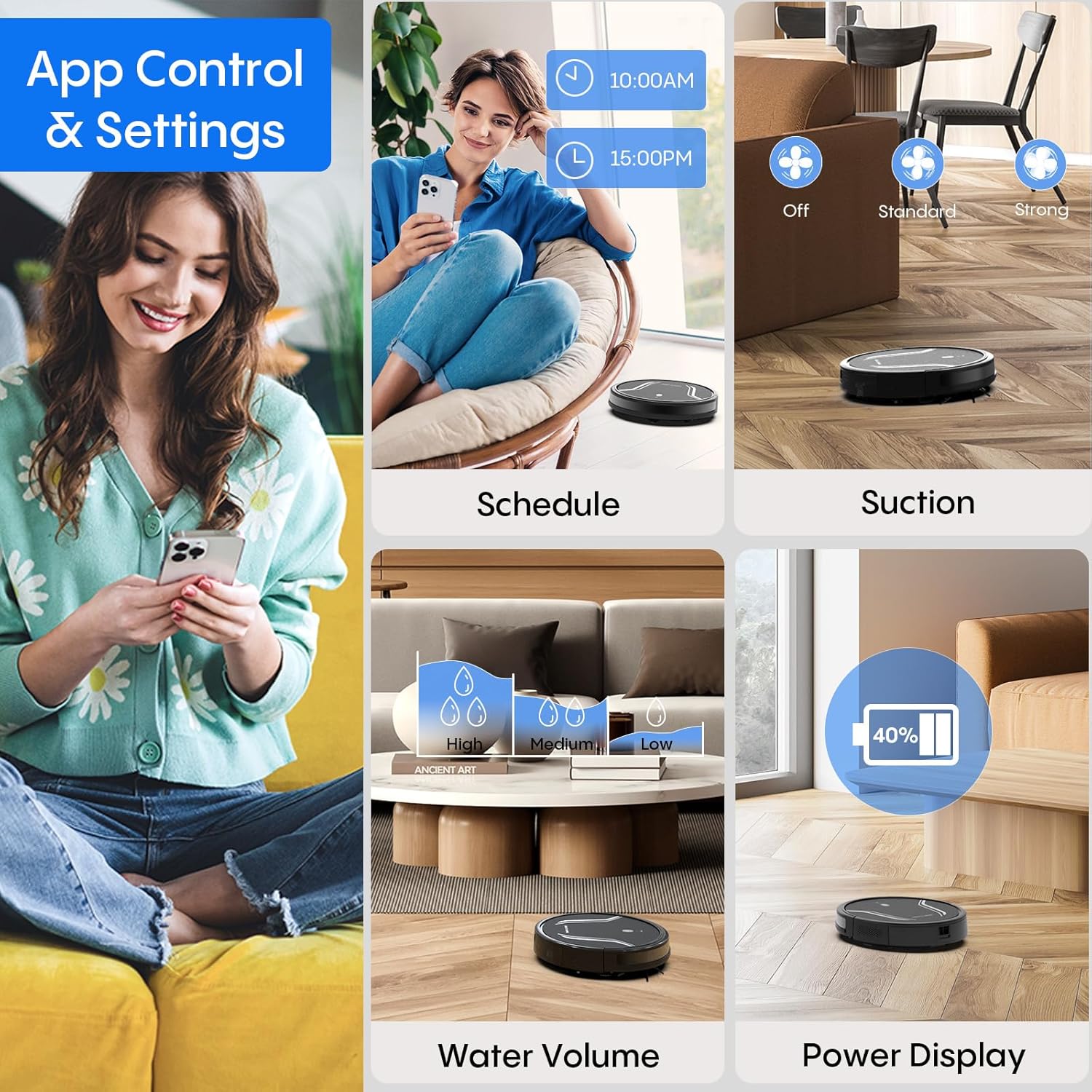
Image: A collage of images demonstrating the Bagotte A21 Robot Vacuum's app control features, including scheduling, adjusting suction power, setting water volume for mopping, and displaying battery power.
5.5 Тоскоолдуктарды болтурбоо
The robot is equipped with anti-collision and anti-drop sensors to navigate around furniture and avoid falling down stairs. Its slim 2.87-inch design allows it to clean under low-lying furniture.

Image: The Bagotte A21 Robot Vacuum is shown cleaning under a piece of furniture, highlighting its 2.87-inch slim design and features like automatic boost, 15-degree angle climbing, and 15mm height clearance for navigating obstacles.
6. Техникалык тейлөө
Үзгүлтүксүз техникалык тейлөө оптималдуу иштешин камсыздайт жана робот чаң соргучуңуздун иштөө мөөнөтүн узартат.
6.1 Таштанды челекти бошотуу
Empty the dustbin after each cleaning cycle. Press the release button to remove the dustbin, open it, and discard collected debris.
6.2 Фильтрди тазалоо/алмаштыруу
Clean the HEPA filter and sponge filter regularly using the cleaning brush. Replace the HEPA filter every 3-6 months, or as needed, to maintain suction efficiency.
6.3 Щетканы тазалоо
- Каптал щеткалар: Remove tangled hair or debris from the side brushes. Replace them if they become worn or damaged.
- Негизги щетка: Remove the main brush cover and lift out the brush. Use the cleaning tool to cut and remove tangled hair.
6.4 Суу куюлган идишке жана швабра кездемесине техникалык тейлөө
- Суу багы: After mopping, empty any remaining water from the tank and rinse it thoroughly. Allow it to air dry.
- Швабра кездемеси: Remove the mop cloth from the holder and wash it by hand or machine. Allow it to air dry completely before reattaching.
6.5 Сенсорду жана кубаттоочу контакттарды тазалоо
Wipe the anti-drop sensors, anti-collision sensors, and charging contacts on both the robot and the charging station with a clean, dry cloth to ensure proper function.
7. Кыйынчылыктарды
If your robot vacuum encounters an issue, refer to the following common problems and solutions:
| Көйгөй | Мүмкүн себеп | Чечим |
|---|---|---|
| Робот күйбөйт | Батареянын аздыгы; Кубат баскычы туура басылган жок | Charge the robot fully; Press and hold the power button for 3 seconds. |
| Робот заряддалбайт | Заряддоо контакттары кир; Заряддоо станциясы электр кубаты менен камсыз кылынбайт | Clean charging contacts; Ensure charging station is plugged in and powered. |
| Начар тазалоо көрсөткүчү | Таштанды челек толуп калган; Чыпкалар бүтөлүп калган; Щеткалар чаташып калган | Empty dustbin; Clean/replace filters; Clean main and side brushes. |
| Робот бат-баттан тыгылып калат | полдо тоскоолдуктар; Сенсорлор кир | Clear floor of cables/small objects; Clean all sensors. |
| Робот адаттан тыш ызы-чуу чыгарат | Brushes tangled; Foreign object in vacuum path | Clean/remove debris from brushes and suction inlet. |
If the problem persists, please refer to the warranty and support section for assistance.
8. Техникалык шарттар
Key technical specifications for the Bagotte A21 Robot Vacuum and Mop Combo:
| Өзгөчөлүк | Спецификация |
|---|---|
| Бренд | Багот |
| Модель аты | A21 |
| Соруу күчү | 5000Па |
| Батареянын иштөө мөөнөтү | 120 мүнөткө чейин (Стандарттык режим) |
| Батарея сыйымдуулугу | 2600 мАч |
| Таштанды кутусунун сыйымдуулугу | 250 мл |
| Суу резервуарынын сыйымдуулугу | 200 мл |
| Өлчөмдөрү (L x W x Y) | 12.59" x 12.59" x 2.86" |
| Чыпка түрү | HEPA |
| Контролдоо ыкмалары | App, Remote, Touch, Voice (Amazon Echo, Google Home) |
| Surface Recommendation | Катуу пол, килем |
| Өзгөчөлүктөр | Anti-Fall, Anti-Collision, Auto Recharging, Tangle-Free |
9. Расмий продукт видео көрсөтмөсү
Watch this official video for a visual guide on the Bagotte A21 Robot Vacuum and Mop Combo's features and operation.
Video: An official product video titled "Robot Vacuum and Mop, 5000Pa 3-in-1 Robotic Vacuum Cleaner" demonstrating the features and usage of the Bagotte A21 robot vacuum.
10. Кепилдик жана колдоо
Your Bagotte A21 Robot Vacuum and Mop Combo comes with a 2 жылдык кепилдик, providing peace of mind for your purchase. Additionally, Bagotte offers өмүр бою эксперттик колдоо сизге туш болушу мүмкүн болгон ар кандай суроолор же көйгөйлөр боюнча жардам берүү үчүн.
For warranty claims, technical assistance, or any other inquiries, please contact Bagotte customer support through the official webсайт же продукт таңгагында көрсөтүлгөн байланыш маалыматы.