
1. Киришүү
The Elitech RCW-360Plus-WG-DC is a professional WiFi+4G data logger designed for reliable real-time monitoring of temperature, humidity, and light. This device combines both WiFi and 4G connectivity to ensure continuous data transmission. It features 100,000 local storage points, automatic cloud synchronization, and provides alerts via SMS, email, or app notifications. The RCW-360Plus-WG-DC is suitable for various applications including food storage, pharmaceutical facilities, and laboratories. It supports 5 types of interchangeable probes (sold separately) and displays data on a clear color screen, with easy switching between Celsius (°C) and Fahrenheit (°F).
2. Негизги өзгөчөлүктөрү
- Dual Connectivity (WiFi & 4G): Ensures continuous data logging and cloud synchronization, even if one network fails.
- Real-time Monitoring & Alerts: Track live data via the dedicated app or web interface. Receive instant alerts through cloud alarms, SMS, email, app notifications, or the integrated signal LED/speaker.
- Көп колдонуучу мүмкүнчүлүгү: Allows multiple users to log in and receive data/alarms simultaneously, ideal for team environments.
- Large Local Storage: Stores up to 100,000 readings locally, ensuring data integrity even without an internet connection. Data automatically uploads to the cloud once connectivity is restored.
- Пробдун шайкештиги: Compatible with 5 different types of interchangeable probes (sold separately) for various customized applications.
- Тунук TFT дисплей: Features a clear TFT screen that shows current, minimum, and maximum values, along with time and date. Supports easy switching between °C and °F.
3. Продукт бүтүп калдыview
The Elitech RCW-360Plus-WG-DC data logger is designed for robust environmental monitoring. Below is an image illustrating the device.
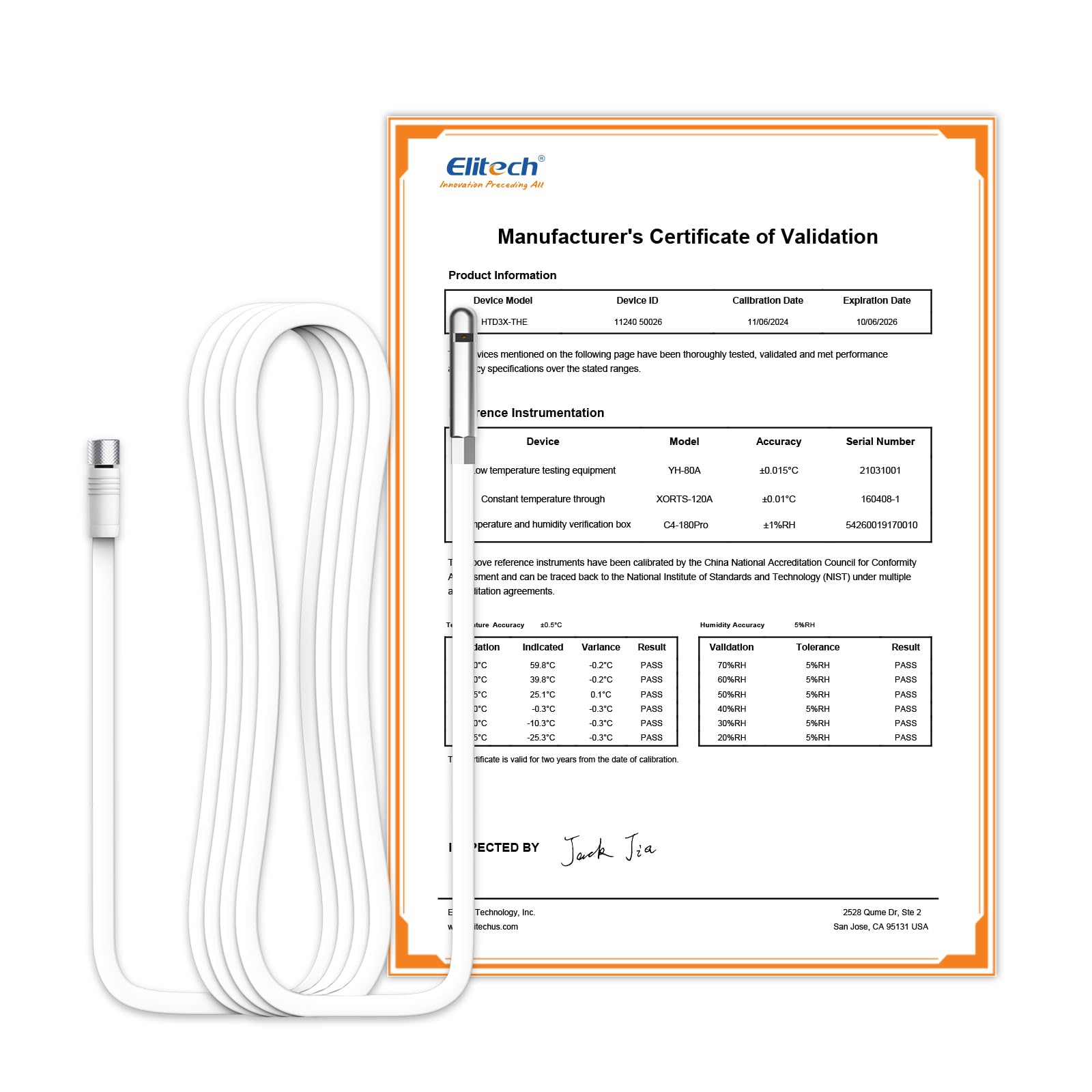
Figure 3.1: Elitech RCW-360Plus-WG-DC Data Logger. This image shows the main unit with its color display and a connected probe, illustrating its compact design and user interface.
The device typically includes the main data logger unit, a power adapter, and may come with a specific probe like the HTD3X-THE-H-5M for combined temperature and humidity measurement. Ensure all components are present upon unboxing.
4. Орнотуу нускамалары
- Аппаратты таңгактан чыгаруу: Carefully remove the RCW-360Plus-WG-DC data logger and all accessories from its packaging.
- Пробду туташтыруу: Connect the desired temperature and/or humidity probe (e.g., HTD3X-THE-H-5M) to the designated port on the data logger. Ensure a secure connection.
- Күйгүзүү: Connect the power adapter to the data logger and plug it into a suitable power outlet. The device will power on automatically.
- Баштапкы конфигурация:
- Follow the on-screen prompts to set the date, time, and preferred temperature unit (°C/°F).
- Тармакты орнотуу: Access the network settings menu.
- WiFi: Select your WiFi network from the list and enter the password.
- 4G: If using 4G, ensure a compatible SIM card is inserted (if applicable) and configured according to local network provider instructions. The device should automatically connect to the 4G network.
- Cloud Platform Registration: Download the Elitech app or visit the Elitech cloud platform website. Register an account and add your RCW-360Plus-WG-DC device using its unique ID. This enables remote monitoring and data access.
- Жайгашкан жери: Position the data logger and its probe in the desired monitoring location, ensuring the probe is exposed to the environment you wish to measure.
5. Иштөө нускамалары
5.1. Мониторинг маалыматтары
- Түзмөктөгү дисплей: The TFT screen continuously displays current temperature, humidity, min/max values, time, and date. Use the navigation buttons to cycle through different display modes or settings.
- Mobile App/Web Платформа: Log in to the Elitech app or web үчүн платформа view real-time data, historical graphs, and device status from anywhere.
5.2. Сигналдарды коюу
Configure alarm thresholds for temperature and humidity through the Elitech app or web platform. You can set upper and lower limits. When readings exceed these limits, the device will trigger alerts.
- Ойготкуч түрлөрү: Alerts can be sent via SMS, email, app push notifications, or indicated by the device's integrated LED and speaker.
- Ойготкуч кечигүү: Some settings allow for an alarm delay to prevent false alarms from brief fluctuations.
5.3. Data Export and Reporting
Тарыхый маалыматтар болушу мүмкүн viewed, analyzed, and exported from the Elitech cloud platform. Reports can typically be generated in various formats (e.g., PDF, Excel) for compliance or record-keeping purposes.
6. Техникалык тейлөө
- Тазалоо: Түзмөктү жана зонддорду жумшак, кургак чүпүрөк менен сүртүңүз. Абразивдүү тазалоочу каражаттарды колдонбоңуз же түзмөктү сууга салбаңыз.
- Зонд калибрлөө: Periodically check the accuracy of your probes. If significant drift is observed, consider recalibration or replacement of the probe as per manufacturer guidelines.
- Программалык камсыздоонун жаңыртуулары: Check the Elitech app or website for available firmware updates for your device. Keeping the firmware updated ensures optimal performance and access to new features.
- Экологиялык шарттар: Ensure the device is operated within its specified environmental limits to prevent damage and ensure accurate readings.
7. Кыйынчылыктарды
| Көйгөй | Мүмкүн себеп | Чечим |
|---|---|---|
| Түзмөк күйбөй жатат | No power supply; faulty adapter | Check power connection; try a different power outlet or adapter. |
| No data uploaded to cloud | No WiFi/4G connection; incorrect network settings | Verify WiFi password and signal strength. Check 4G SIM card and network coverage. Restart the device. |
| Так эмес окуулар | Probe not connected properly; damaged probe; probe needs calibration | Ensure probe is securely connected. Inspect probe for damage. Consider recalibrating or replacing the probe. |
| Ойготкуч эскертмелери жок | Alarm settings incorrect; app notifications disabled; network issues | Check alarm thresholds in the app/web platform. Ensure app notifications are enabled on your phone. Verify network connectivity. |
8. Техникалык шарттар
| Өзгөчөлүк | Деталь |
|---|---|
| Main Unit Model | RCW-360Plus-WG-DC |
| Compatible Probe Model | HTD3X-THE-H-5M (5m combined Temperature + Humidity probe) |
| Өндүрүүчү | Элитех |
| Байланыш | WiFi, 4G |
| Жергиликтүү сактоо сыйымдуулугу | 100,000 окуу |
| Зонддун температура диапазону | -40 ~ 85 ℃ (-40 ~ 185 °F) |
| Probe Temperature Accuracy | ±0.5 ℃ |
| Probe Humidity Range | 0 ~ 100% RH |
| Probe Humidity Accuracy | ±0.5% RH |
| Зонд кабелинин узундугу | 5 м |
| Пробдун салмагы | 10 г |
| Пакеттин өлчөмдөрү | 10 x 5 x 3 см |
| Батареялар талап кылынат | No (for main unit, typically adapter powered) |
| Биринчи жеткиликтүү күн | 28-май, 2025-жыл |
9. Кепилдик жана колдоо
For warranty information, technical support, or service inquiries regarding your Elitech RCW-360Plus-WG-DC data logger, please refer to the official Elitech webсайтына кириңиз же алардын кардарларды тейлөө кызматына түз кайрылыңыз. Тезирээк жардам алуу үчүн сатып алуу дүмүрчөгүңүздү жана продуктунун сериялык номерин жаныңызда сактап коюңуз.
You can visit the Elitech store on Amazon for more products and support information: Elitech Amazon Store