
1. Киришүү
The LONGER Ray5 Mini 2.5W is a compact and high-precision laser engraver designed for a wide range of creative and professional applications. This manual provides essential information for safe operation, setup, and maintenance of your device. Please read it thoroughly before use to ensure optimal performance and safety.
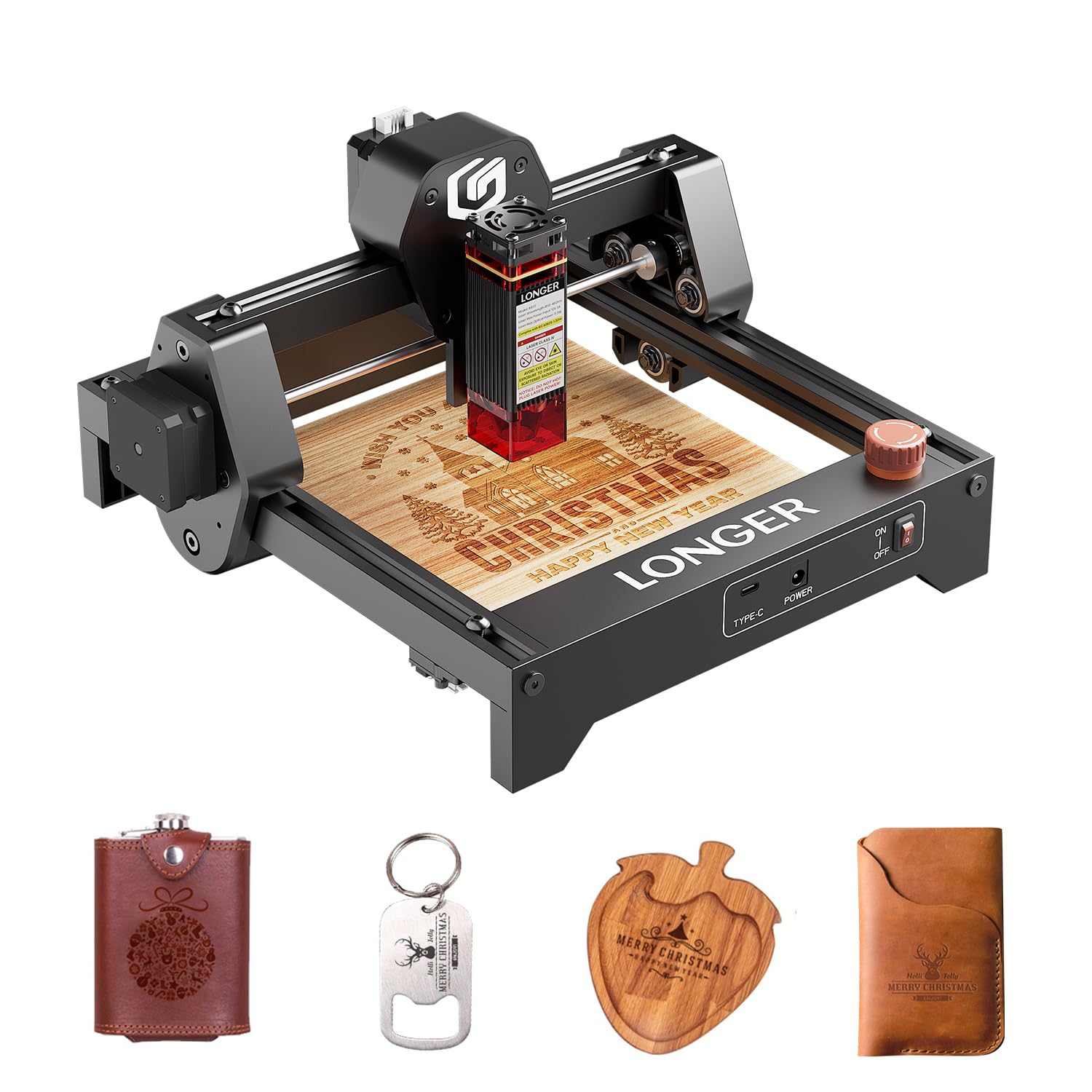
Image 1: The LONGER Ray5 Mini 2.5W Laser Engraver.
Негизги өзгөчөлүктөрү:
- High Precision Engraving: Features an ultra-fine laser spot of 0.04 × 0.04 mm for detailed designs with 0.01 mm accuracy.
- Жогорку ылдамдык: Achieves engraving speeds of up to 12,000 mm/min.
- Компакт дизайн: Lightweight (approx. 1.8 kg) and pre-assembled for easy setup and portability.
- Ар тараптуу материалдык шайкештик: Capable of engraving and cutting over 300 materials, including wood, leather, metal, and acrylic.
- Бир нече туташуу параметрлери: Supports USB, Wi-Fi, and app connections, with an offline mode available.
- Программалык шайкештик: Works with LaserGRBL (free) and LightBurn (paid).
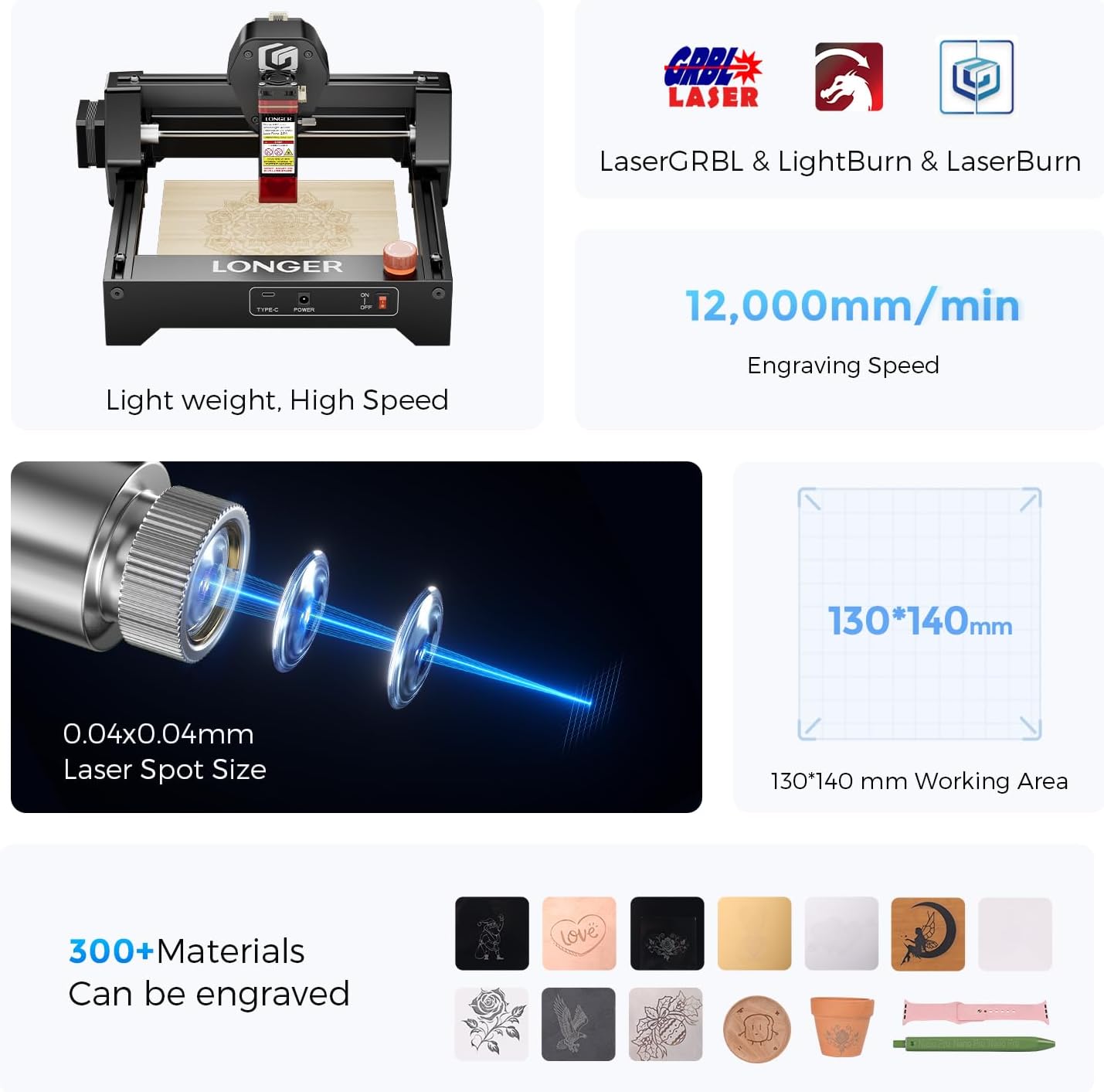
Сүрөт 2: Бүттүview of the Ray5 Mini's key features: 0.04x0.04mm laser spot, 12,000mm/min engraving speed, 130x140mm working area, and compatibility with over 300 materials.
2. Коопсуздук боюнча көрсөтмөлөр
Operating a laser engraver involves potential hazards. Adhere to all safety precautions to prevent injury or damage to property.
Жалпы коопсуздук эрежелери:
- Көздү коргоо: Always wear the provided laser safety glasses during operation. Never look directly at the laser beam.
- Шашылыш токтотуу: Familiarize yourself with the emergency stop button and its location. Use it immediately in case of any malfunction or unexpected behavior.
- Вентиляция: Operate the engraver in a well-ventilated area to dissipate fumes and smoke produced during engraving.
- Өрт коопсуздугу: Keep a fire extinguisher or water source nearby. Do not leave the machine unattended during operation.
- Материалдык коопсуздук: Ensure the material being engraved is safe for laser processing. Avoid highly reflective, flammable, or toxic materials.
- Physical Barriers: The included acrylic cover helps contain the laser and reduce eye exposure. Ensure it is properly in place.
- Чектөө которгучтары: The X-Y axis limit switches provide an additional layer of safety by preventing the laser head from moving beyond the working area.
- Балдар жана үй жаныбарлары: Балдарды жана үй жаныбарларын операциядан алыс кармаңыз.

Image 3: Multiple safety protections: Emergency Stop, X-Y Axis Limit Switches, Acrylic Cover, and Eye Protection.
3. Пакеттин мазмуну
Verify that all components are present and undamaged upon unpacking. If any items are missing or damaged, contact customer support.
- LONGER Ray5 Mini 2.5W Laser Engraver (pre-assembled)
- Лазердик Module
- Кубаттуу адаптер жана кабель
- USB кабели
- Лазердик коргоочу көз айнек
- Колдонуучунун Колдонмосу (бул документ)
- Small Material Samples (e.g., wood board)
- Tools (e.g., wrench, brush)

Image 4: All components included in the LONGER Ray5 Mini 2.5W package.
4. Орнотуу нускамалары
The Ray5 Mini comes largely pre-assembled, simplifying the setup process.
Баштапкы орнотуу:
- Таңылганын ачуу: Бардык компоненттерди таңгактан кылдаттык менен алып салыңыз.
- Жайгашкан жери: Place the engraver on a stable, level, and heat-resistant surface in a well-ventilated area.
- Туташуу кубаты: Connect the power adapter to the engraver and then plug it into a suitable power outlet.
- Компьютерге туташуу (милдеттүү эмес): If using a computer for control, connect the engraver to your computer via the provided USB cable.
- Программалык камсыздоону орнотуу: Download and install the recommended engraving software (LaserGRBL or LightBurn) from the official LONGER website or the software provider's webсайт.
- Фокусту тууралоо: Refer to the software instructions for initial laser focus adjustment. This is crucial for precise engraving.
5. Иштөө нускамалары
Follow these steps for safe and effective operation of your laser engraver.
Программалык камсыздоо жана байланыш:
- The Ray5 Mini is compatible with LaserGRBL (Windows) and LightBurn (Windows, macOS, Linux).
- Connect via USB for direct computer control, Wi-Fi for wireless operation, or use the dedicated mobile app. An offline mode is also available for pre-loaded projects.

Image 5: Multiple modes and software compatibility for easy engraving.
Engraving Process:
- Материалды даярдоо: Place your chosen material securely within the 140x130 mm working area. Ensure it is flat and stable.
- Дизайн: Create or import your design into the engraving software.
- Орнотуулар: Лазердин кубаттуулугун, ылдамдыгын жана өткөрүмдүүлүгүн материалдын түрүнө жана каалаган эффектке жараша тууралаңыз. Оптималдуу жөндөөлөр үчүн материалды сыноо боюнча көрсөтмөлөрдү караңыз.
- Preview: Программалык камсыздоонун алдын ала версиясын колдонуңузview дизайндын материалга туура жайгаштырылышын камсыз кылуу функциясы.
- Гравюра баштоо: Initiate the engraving process. Always wear safety glasses and monitor the machine during operation.
Аткаруу:
- The 0.04x0.04mm laser spot allows for intricate details and sharp edges.
- High-speed engraving at 12,000 mm/min reduces project completion time.
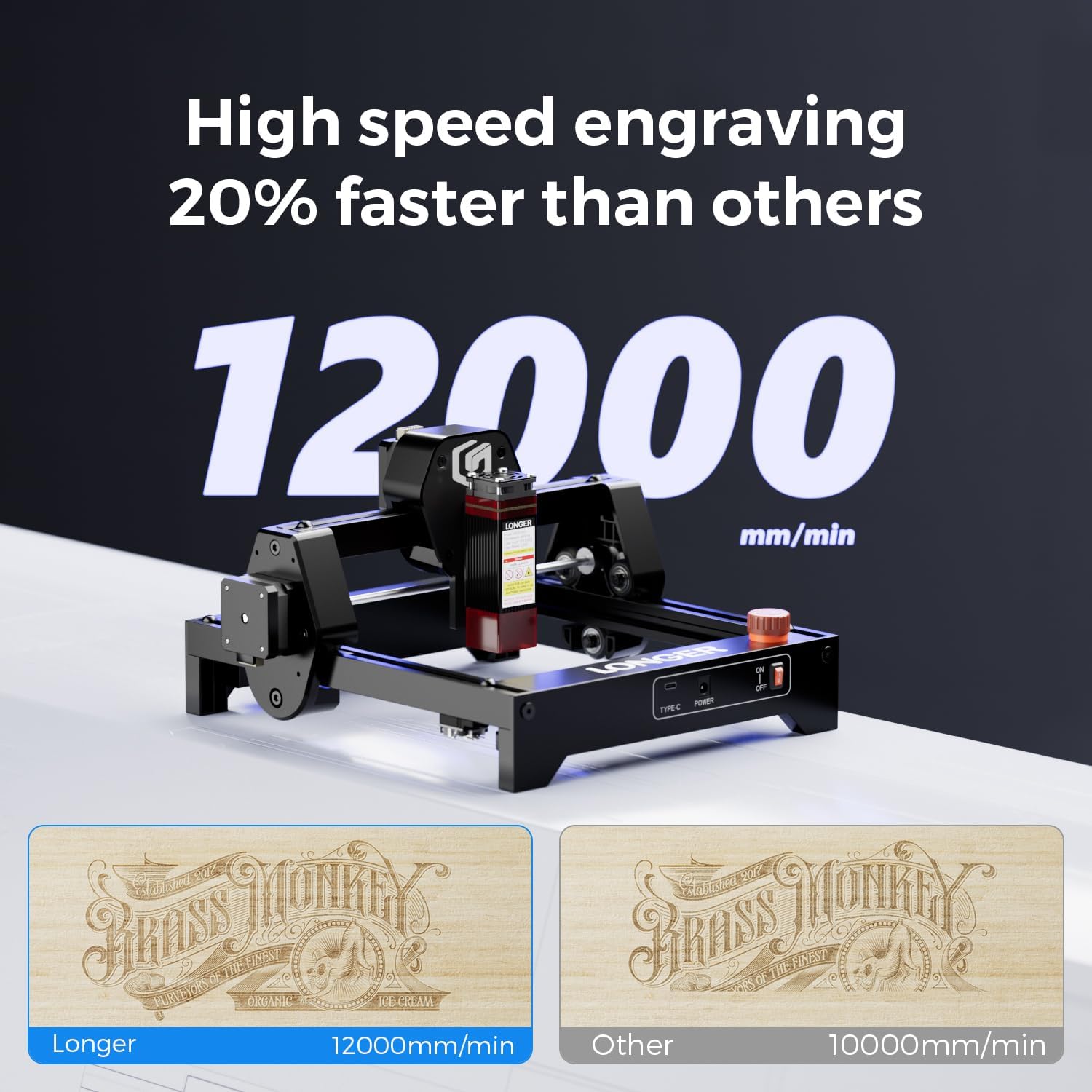
Image 6: High-speed engraving comparison.

Image 7: Outstanding engraving performance and precision.
Колдоого алынган материалдар:
The Ray5 Mini can engrave on a variety of materials. Examples камтыйт:
- Жыгач
- Тери
- Metal (with metallic paint or specific coatings)
- Акрил
- Кагаз/картон
- Кездеме
- Тамак-аш азыктары
- Glass (with specific preparation)
- Каучук

Сүрөт 8: Мисamples of materials and customized items that can be engraved.
6. Техникалык тейлөө
Үзгүлтүксүз тейлөө сиздин лазердик оюгучуңуздун узак иштөөсүн жана оптималдуу иштешин камсыздайт.
Тазалоо:
- Лазердик линза: Periodically clean the laser lens with a soft, lint-free cloth and lens cleaning solution to maintain engraving quality.
- Иштөө аймагы: Remove debris and dust from the working area after each use.
- Рельстер жана курлар: Keep the guide rails and drive belts free from dust and debris to ensure smooth movement of the laser head.
Сактагыч:
- Store the engraver in a dry, dust-free environment when not in use.
- Protect the laser module from direct sunlight and extreme temperatures.
7. Кыйынчылыктарды
Бул бөлүм сиз кабылышы мүмкүн болгон жалпы көйгөйлөрдү карайт.
Жалпы маселелер жана чечимдер:
- Лазер күйбөйт: Check power connections, USB/Wi-Fi connection, and ensure the laser module is properly seated. Verify software settings for laser power.
- Гравюранын сапаты начар: Adjust laser focus, power, and speed settings. Ensure the material is clean and flat. Clean the laser lens if necessary.
- Машина жооп бербейт: Restart the engraver and your computer/app. Check all cable connections. Ensure the software is correctly configured for the machine.
- Кыймыл маселелери: Inspect X and Y axis belts for tension and debris. Ensure guide rails are clean and lubricated if needed.
- Emergency Stop Activated: Reset the emergency stop button by twisting or pulling it, then restart the machine. Investigate the cause of activation.
If you encounter issues not covered here, please refer to the official LONGER support resources or contact customer service.
8. Техникалык шарттар
| Өзгөчөлүк | Деталь |
|---|---|
| Модел | Ray5 Mini 2.5W |
| Лазердик күч | 2.5 Вт |
| Лазердик Spot өлчөмү | 0.04 × 0.04 мм |
| Гравюра тактыгы | 0.01 мм |
| Гравюра ылдамдыгы | 12,000 мм/мин чейин |
| Жумушчу аймак | 140 × 130 мм |
| Байланыш | USB, Wi-Fi, App, Offline |
| Шайкеш программалык камсыздоо | LaserGRBL, LightBurn |
| Колдоого алынган OS | Windows, macOS, Linux (for LightBurn) |
| Материал | Металл рамка |
| Өлчөмдөрү (пакет) | 33.9 x 33.9 x 20.4 см |
| Салмагы (пакет) | 2.19 кг |
| Power Type | AC/DC адаптери |
9. Кепилдик жана колдоо
LONGER is committed to providing excellent products and customer service.
Запастык бөлүктөрдүн болушу:
Spare parts for the Ray5 Mini 2.5W are available for up to 10 years.
Техникалык колдоо:
For technical assistance, please contact LONGER customer support:
- Телефон: +1 888-575-9099
- Иштөө сааттары: Monday-Friday: 9:00 AM - 6:00 PM (EST, UTC-5)
- Электрондук почта: sales@longer.net
- Webсайт: www.longer3d.com

Image 9: LONGER provides comprehensive after-sales support.