
1. Киришүү
This manual provides detailed instructions for the setup, operation, maintenance, and troubleshooting of your Attoe B033 Foldable Wireless Keyboard with Touchpad. Please read this manual thoroughly before using the product to ensure proper function and longevity.
2. Пакеттин мазмуну
Пакетте бардык буюмдар бар экенин текшериңиз:
- Wireless Bluetooth folding keyboard
- Type-C заряддоо кабели
- Колдонмо (бул документ)
3. Орнотуу
3.1 Баскычтопту заряддоо
Before initial use, fully charge the keyboard. Connect the provided Type-C charging cable to the keyboard's charging port and a compatible USB power source. The keyboard has a built-in 140mAh battery. A full charge typically takes 2-3 hours and provides approximately 48 hours of continuous use or 560 hours of standby time.

Image: The Attoe B033 keyboard being charged via its Type-C port, demonstrating its auto-sleep and energy-saving capabilities with a 140mAh battery.
3.2 Күйгүзүү/өчүрүү
To power on the keyboard, unfold it completely. The keyboard will automatically power on. To power off, fold the keyboard. It will automatically enter sleep mode after 10 minutes of inactivity to conserve power. Press any key to wake it up.
3.3 Bluetooth жупташтыруу
The Attoe B033 keyboard supports connection with up to three devices simultaneously.
- Аны күйгүзүү үчүн баскычтопту ачыңыз.
- Press the 'Connect' button (usually located near the charging port or on the side) to activate Bluetooth pairing mode. The Bluetooth indicator light will flash.
- Түзмөгүңүздө (смартфон, планшет, ноутбук) Bluetooth жөндөөлөрүнө өтүңүз.
- Издөө available devices and select "Attoe B033" or a similar name.
- Жупташтыруу процессин аяктоо үчүн экрандагы көрсөтмөлөрдү аткарыңыз.
- To pair additional devices, repeat steps 2-5, selecting a different Bluetooth channel if available (e.g., Fn + Q, W, or E for different channels).
The keyboard maintains a stable connection and provides fast response within a 15-meter (50-foot) operating range. It is compatible with Windows, Mac OS, iOS, and Android devices.

Image: The Attoe B033 keyboard in use with a laptop, highlighting its long-range wireless connectivity up to 15 meters (50 feet).
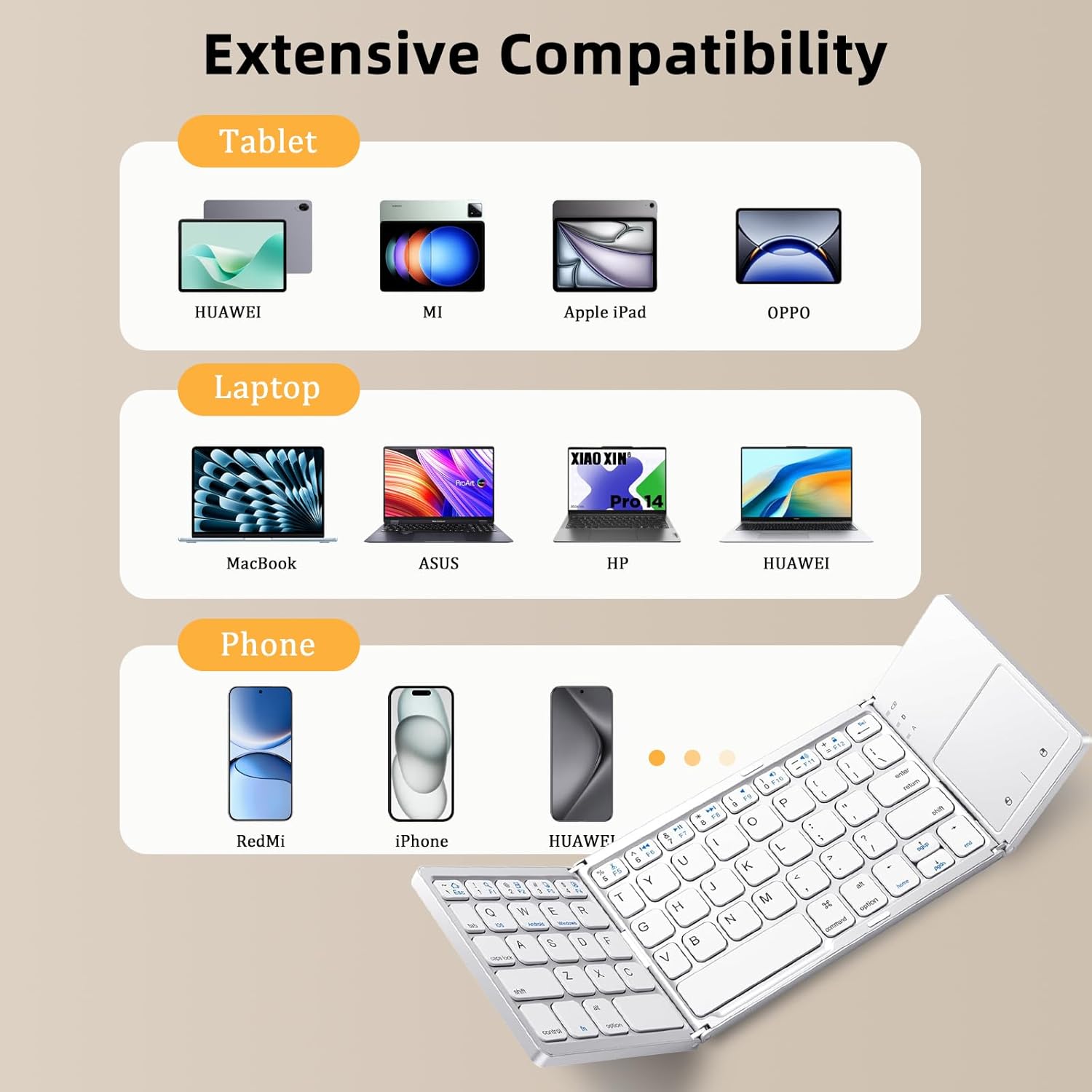
Image: A visual representation of the Attoe B033 keyboard's extensive compatibility with various tablets (Huawei, Mi, Apple iPad, OPPO), laptops (MacBook, ASUS, HP, Huawei), and phones (RedMi, iPhone, Huawei).

Image: A multi-device setup featuring the Attoe B033 keyboard connected to a laptop, tablet, and smartphone, illustrating its capability for simultaneous connection to multiple devices.
4. Иштөө нускамалары
4.1 Негизги баскычтоп функциялары
The keyboard features a 64-key layout with scissor-switch keys for comfortable and quiet typing. Standard typing functions operate as with any full-size keyboard.
4.2 Сенсордук тактаны колдонуу
The integrated touchpad supports multi-touch gestures, allowing for navigation without an external mouse. Refer to your device's operating system for specific gesture controls.
Эскертүү: The touchpad's gesture controls are not supported on iOS versions 13.4 and below, or Android versions 3.0 and below.

Сүрөт: жакын план view of the Attoe B033 keyboard's highly sensitive touchpad in use, with a tablet displaying a note regarding iOS 13.4 compatibility.
4.3 Туташкан түзмөктөрдүн ортосунда которулуу
If you have paired the keyboard with multiple devices, you can effortlessly switch between them by pressing the designated function keys (e.g., Fn + Q, Fn + W, Fn + E) corresponding to the paired Bluetooth channels.
5. Техникалык тейлөө
5.1 Тазалоо
Баскычтопту тазалоо үчүн, анын бетин жумшак, кургак, түксүз чүпүрөк менен акырын сүртүңүз. өжөр кир үчүн, бир аз гampen the cloth with water or a mild, non-abrasive cleaner. Avoid excessive moisture and do not spray cleaners directly onto the keyboard.
5.2 Сактоо жана көчмөлүүлүк
The keyboard's foldable design allows for compact storage and easy portability. When not in use, fold the keyboard to protect the keys and touchpad. Its folded dimensions are approximately 15.18 x 9.7 x 1.7 cm (5.98 x 3.8 x 0.7 inches), making it smaller than most tablets and easy to carry in a bag or pocket.

Image: The Attoe B033 keyboard, folded to a compact size of 5.98 x 3.82 x 0.7 inches, being placed into a handbag, illustrating its pocket-size portability.
6. Кыйынчылыктарды
- Баскычтоп Bluetooth аркылуу туташпай жатат: Ensure the keyboard is charged, powered on, and in pairing mode. Check your device's Bluetooth settings to ensure Bluetooth is enabled and the keyboard is selected. Try unpairing and re-pairing the device.
- Touchpad not responding or gestures not working: Verify that your device's operating system meets the minimum requirements (iOS 13.5+ or Android 3.1+). Ensure the touchpad is clean and free of obstructions.
- Ачкычтар жооп бербейт: Check the battery level. If the keyboard is charged, try restarting the keyboard by folding and unfolding it.
- Клавиатура көп учурда өчүрүлөт: Ensure the keyboard is within the 15-meter (50-foot) operating range of your device. Minimize interference from other wireless devices.
- Заряддоо маселелери: Ensure the Type-C cable is securely connected to both the keyboard and the power source. Try a different charging cable or power adapter.
7. Техникалык шарттар
| Продукт модели | B033 |
| Катталган өлчөмдөр | 15.18 x 9.7 x 1.7 см (5.98 x 3.8 x 0.7 дюйм) |
| Ачык өлчөмдөр | 30 x 9.7 x 1.7 см (11.81 x 3.85 x 0.7 дюйм) |
| Продукт Салмагы | 290g (0.63 lb) / 5.53 ounces |
| Ачкычтардын саны | 64 |
| Батарея сыйымдуулугу | 140mAh |
| Заряддоо убактысы | 2-3 саат |
| Үзгүлтүксүз колдонуу убактысы | 48 саат |
| Күтүү убактысы | 560 саат |
| Зымсыз туташуу аралык | 15 метр (50 фут) |
| Байланыш технологиясы | Bluetooth, USB-C (кубаттоо үчүн) |
| Шайкеш түзмөктөр | Ноутбук, ЖК, Планшет, Смартфон |
| Ачкыч түрү | Scissor Switch |
8. Кепилдик жана колдоо
Attoe is committed to providing excellent customer service. If you have any questions or require technical support, please feel free to contact the Attoe team. We provide email replies and technical assistance within 24 hours.