
1. Киришүү
Thank you for choosing the Pro Breeze 40L Smart Dehumidifier. This manual provides important information regarding the safe operation, installation, use, and maintenance of your appliance. Please read this manual thoroughly before use and retain it for future reference.
This dehumidifier is designed to efficiently remove excess moisture from the air, helping to prevent mold, mildew, and condensation in spaces up to 50 m².
2. Маанилүү коопсуздук нускамалары
Өрт, электр шок жана жаракат алуу коркунучун азайтуу үчүн электр шаймандарын колдонууда ар дайым негизги коопсуздук чараларын сактаңыз.
- Шайманды иштетүүдөн мурун бардык нускамаларды кылдат окуп чыгыңыз.
- VoltagРейтинг этикеткасында көрсөтүлгөн e сиздин негизги томуңузга дал келетtage.
- Шайманды, электр шнурун же сууга же башка суюктуктарды розеткага салбаңыз.
- Шайманды шнуру же сайгычы бузулган абалда, же ал иштебей калгандан кийин, түшүп кеткенден же кандайдыр бир жол менен бузулгандан кийин иштетпеңиз.
- Шайманды балдар жана үй жаныбарлары жетпеген жерде сактаңыз.
- Always unplug the appliance when not in use, before cleaning, or before moving.
- Шаймандын туруктуу, тегиз бетке коюлганын текшериңиз.
- Аба кирүүчү же чыгуучу жерлерди жаап албаңыз. Агрегаттын айланасында кеминде 20 см аралыкты сактаңыз.
- Бул шайман үй ичинде гана колдонуу үчүн.
- Do not use in bathrooms or other excessively humid environments where water may splash onto the unit.
3. Продукт бүтүп калдыview
3.1 Компоненттер
The Pro Breeze 40L Smart Dehumidifier features a compact design with integrated controls and a water tank. It includes a continuous drainage option and mobility wheels for easy placement.
Сүрөт: алдыңкы view of the Pro Breeze 40L Smart Dehumidifier, highlighting its dimensions (52cm height, 28cm depth, 35.5cm width) and key features like smart app control, laundry mode, 5.5L tank, and low energy consumption.
3.2 Башкаруу панели жана дисплей
The dehumidifier is equipped with an intuitive touch control panel and an LED display for easy operation and monitoring of humidity levels.

Image: A hand interacting with the touch control panel of the dehumidifier, showing the digital display and various function buttons.
4. Орнотуу
4.1 Пакеттен чыгаруу
- Кургаткычты анын таңгагынан кылдаттык менен алып салыңыз.
- Бардык таңгактоочу материалдарды, анын ичинде коргоочу пленкаларды же ленталарды алып салыңыз.
- Шаймандын бузулуу белгилерин текшериңиз. Эгерде бузулуп калса, иштетпеңиз жана кардарларды колдоо кызматына кайрылыңыз.
4.2 Орнотуу
Place the dehumidifier on a firm, level surface in the desired room. Ensure there is at least 20 cm of clear space around all sides of the unit to allow for proper airflow.

Image: A person easily moving the dehumidifier across a wooden floor in a living room, demonstrating its portability with four swivel wheels.
4.3 Кубат туташтыруу
Электр шнурун жерге туташтырылган розеткага сайыңыз. Розетканын "Техникалык мүнөздөмөлөр" бөлүмүндө көрсөтүлгөн кубаттуулук талаптарына жооп берерин текшериңиз.
4.4 Үзгүлтүксүз дренаж (милдеттүү эмес)
For continuous operation without needing to empty the water tank, attach the included drainage hose. Connect one end to the drainage port on the back of the unit and the other end to a suitable drain or container that is lower than the drainage port.

Сүрөт: Жакын план view of the dehumidifier's side, showing the continuous drainage hose connected and leading to a floor drain.
5. Иштөө нускамалары
5.1 Күйгүзүү/өчүрүү
басыңыз Күч башкаруу панелиндеги баскычты басып, түзмөктү күйгүзүңүз же өчүрүңүз.
5.2 Каалаган нымдуулукту орнотуу
The dehumidifier features an automatic sensor that continuously measures room humidity. Use the Нымдуулук buttons to set your desired humidity level between 30% and 80%.

Image: A family relaxing in a living room with the dehumidifier operating. An overlay illustrates the humidity indicator lights: Blue for >50% (Low), Green for 50-70% (Medium), and Red for <70% (High).
5.3 Иштөө режимдери
- Автоматтык режим: The unit will automatically adjust its operation to maintain the set humidity level.
- Үзгүлтүксүз режим: The dehumidifier will operate continuously regardless of the humidity level, ideal for very damp шарттар.
- Кир жуу режими: This mode is designed to accelerate the drying of clothes indoors by running at maximum fan speed and continuous dehumidification.
- Уйку режими: Reduces fan speed and dims the display for quiet operation during the night.

Image: A woman smiling while placing clothes on a drying rack next to the dehumidifier, illustrating the accelerated laundry drying feature.

Image: A family watching television in a dimly lit living room, with the dehumidifier operating quietly in the foreground, indicating its silent operation and night mode features.
5.4 Таймер функциясы
колдонуу Таймер button to set a 24-hour timer for automatic power on or off. This allows you to schedule operation according to your needs.

Image: A close-up of a smartphone screen displaying the Pro Breeze app's 24-hour timer function, allowing users to schedule the dehumidifier's operation.
6. Wi-Fi туташуу жана Колдонмо башкаруу
The Pro Breeze 40L Smart Dehumidifier can be controlled remotely via the free Pro Breeze app, compatible with both Alexa and Google Home.
6.1 Колдонмону орнотуу жана жупташтыруу
- Download the Pro Breeze app from your smartphone's app store.
- Follow the in-app instructions to create an account and pair your dehumidifier.
- Ensure your dehumidifier is powered on and your smartphone is connected to a 2.4GHz Wi-Fi network during the pairing process.
6.2 Алыстан башкаруу функциялары
Колдонмо аркылуу сиз:
- Нымдандыргычты күйгүзүңүз/өчүрүңүз.
- Adjust humidity settings.
- Select operating modes (Auto, Continuous, Laundry, Sleep).
- Set and manage the 24-hour timer.
- Бөлмөнүн учурдагы нымдуулугун көзөмөлдөңүз.

Image: A woman using a smartphone to control the dehumidifier, with icons for Amazon Alexa and Google Home indicating voice control compatibility.
7. Техникалык тейлөө
Үзгүлтүксүз тейлөө сиздин нымдагычыңыздын оптималдуу иштешин жана узак иштөөсүн камсыздайт.
7.1 Аба чыпкасын тазалоо
Аба чыпкасын колдонууга жана абанын сапатына жараша эки жумада же андан көп жолу тазалап туруу керек.
- Нымдандыргычты өчүрүп, сууруп алыңыз.
- Аба чыпкасын аппараттын артындагы алып салыңыз.
- Чыпканы жылуу, самындуу суу менен жууңуз. Кылдаттык менен жууп, кайра салаардан мурун аны толугу менен кургатуу керек.
- Do not operate the dehumidifier without the filter installed.
7.2 Суу резервуарын бошотуу жана тазалоо
When the water tank is full, the unit will automatically shut off and an indicator light will illuminate. Empty the tank and clean it regularly to prevent mold and bacteria growth.
- Агрегаттын алдынан суу сактагычты этияттык менен сууруп алыңыз.
- Чогулган сууну төгүңүз.
- Clean the tank with mild detergent and water. Rinse thoroughly.
- Reinsert the dry tank firmly into the dehumidifier.

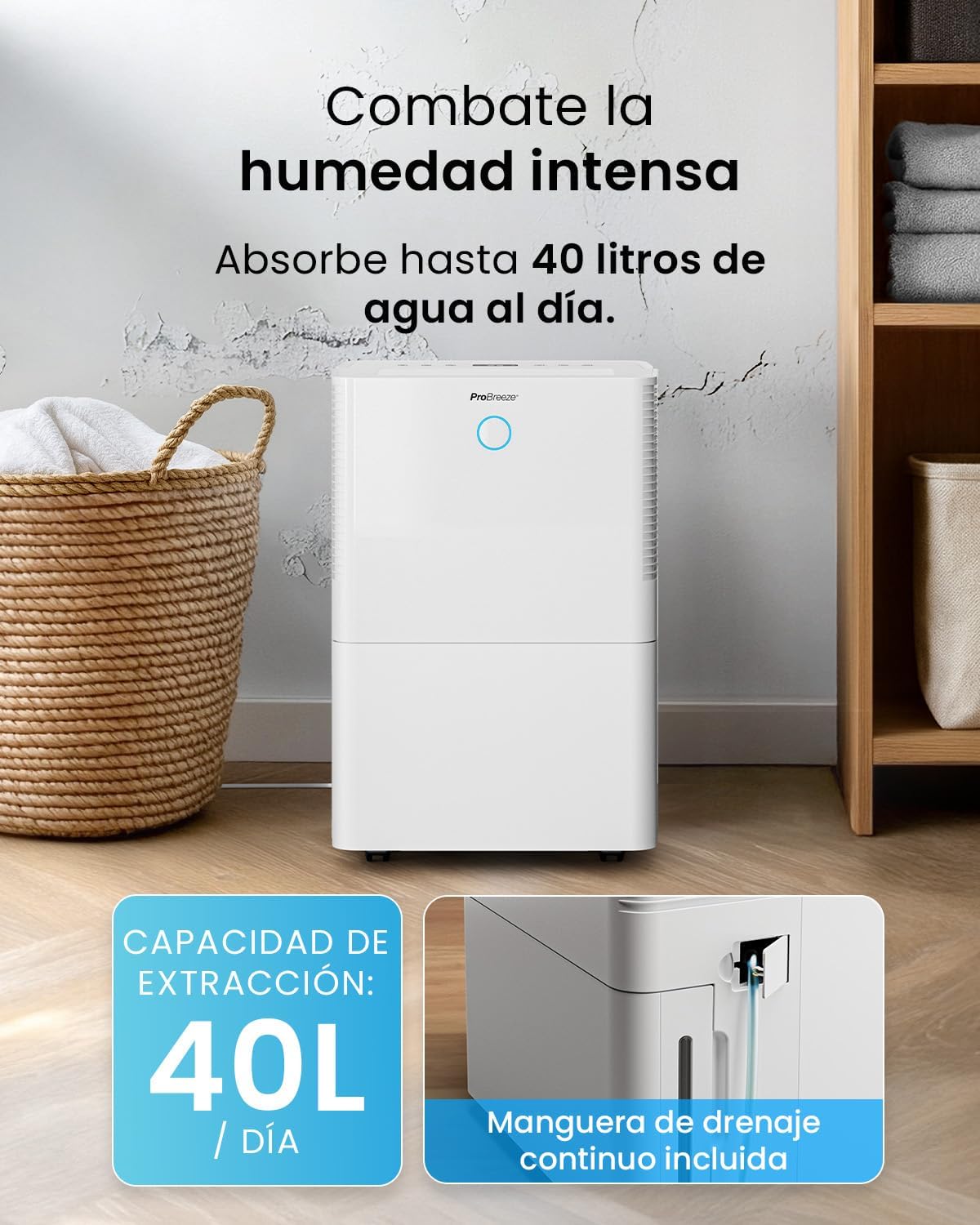
Image: The dehumidifier in operation, with an overlay indicating its 40L/day extraction capacity and the continuous drainage hose option.
7.3 Тышкы тазалоо
Кургаткычтын сыртын жумшак, г менен сүртүңүзamp кездеме. Абразивдүү тазалагычтарды же эриткичтерди колдонбоңуз.
8. Кыйынчылыктарды
If you encounter issues with your dehumidifier, refer to the following table before contacting customer support.
| Көйгөй | Мүмкүн себеп | Чечим |
|---|---|---|
| Кургаткыч күйгүзбөйт. | No power; Power cord not plugged in; Water tank full or not correctly inserted. | Check power supply; Plug in power cord; Empty and reinsert water tank correctly. |
| Суу жыйналган жок. | Room humidity too low; Temperature too low; Air filter blocked; Continuous drainage hose connected. | Increase desired humidity setting; Ensure room temperature is above 5°C; Clean air filter; Disconnect continuous drainage hose if collecting water in tank. |
| Агрегат ызы-чуу. | Unit not on a level surface; Air filter blocked; Fan obstruction. | Тегиз, туруктуу бетке коюңуз; Аба чыпкасын тазалаңыз; Вентилятор аймагында тоскоолдуктар бар-жогун текшериңиз. |
| Wi-Fi туташуу маселелери. | Туура эмес Wi-Fi сырсөзү; 2.4 ГГц тармагына туташкан эмес; Роутер өтө алыс. | Verify password; Connect to 2.4GHz Wi-Fi; Move unit closer to router or use a Wi-Fi extender. |
9. Техникалык шарттар
- Бренд: Pro Breeze
- Модель аты: PB-D-32W-W
- Moisture Extraction: Күнүнө 40 литрге чейин
- Суу резервуарынын сыйымдуулугу: 5.3 литр
- Сунушталган бөлмө көлөмү: 50 м² (538 чарчы фут) чейин
- Өлчөмдөрү (L x W x Y): 27.5 x 35.5 x 52.2 см
- Салмагы: 16.36 кг
- Ылдамдыктардын саны: 3
- Өзгөчөлүктөр: Smart App Control, Automatic Humidity Sensor, Automatic Shut-off, 24-hour Timer, Laundry Mode, Sleep Mode, Continuous Drainage
- Ызы-чуу деңгээли: <49дБ
10. Кепилдик жана колдоо
For warranty information and customer support, please refer to the documentation included with your purchase or visit the official Pro Breeze website. Ensure you have your model number (PB-D-32W-W) and proof of purchase available when contacting support.
Өндүрүүчү: Бир чекене соода тобу