
Coolhill ZH27
Coolhill USB Desk Fan User Manual
Model: ZH27
Introduction
Thank you for choosing the Coolhill USB Desk Fan. This manual provides essential information for the safe and efficient operation of your new fan. Designed for versatility and comfort, this fan offers powerful yet quiet airflow, making it ideal for various settings.

Image: The Coolhill USB Desk Fan, showcasing анын саркеч дизайн жана санариптик дисплей.
Негизги өзгөчөлүктөрү
- 100 Adjustable Speeds & Digital Display: Fine-tune airflow from 1 to 100 levels with a clear numeric screen.
- Ультра тынч иштөө: Advanced noise-reduction technology ensures whisper-quiet performance (as low as 28dB).
- Powerful Airflow & 120° Oscillation: Delivers strong, gentle airflow with a max of 6m/s and a 120° oscillation function for wide coverage.
- Портативдик жана көп тараптуу: Suitable for various occasions including bedroom, kitchen, office, or outdoor use.
- Rechargeable Battery & USB-C Powered: Built-in 4000 mAh battery for 3-10 hours of wireless operation, rechargeable via USB-C.
Жайгашуу
1. асуда
Таңгактан бардык компоненттерди этияттык менен алып салыңыз. Таңгактын курамында төмөнкүлөр болушу керек:
- Coolhill USB Desk Fan (Model ZH27)
- USB-C заряддоо кабели
- User Manual

Image: The fan, USB-C cable, and user manual as included in the package.
2. Баштапкы заряддоо
Before first use, fully charge the fan. Connect the provided USB-C cable to the charging port on the fan and plug the other end into a compatible USB power source (e.g., computer, power bank, wall adapter). The digital display will indicate the battery percentagд заряддоо учурунда.

Image: A USB-C cable connected to the fan's charging port.
3. Жайгаштыруу
The fan can be used as a desktop fan or mounted on a wall. Ensure it is placed on a stable, flat surface or securely mounted to prevent accidental falls.

Image: The fan positioned on a desk and also mounted on a wall, demonstrating its versatility.
Иштөө нускамалары
1. Күйгүзүү/өчүрүү
- Күйгүзүү үчүн: Short press the power button located on the fan's control panel.
- Өчүрүү үчүн: Кубат баскычын 2 секунд басып туруңуз.
2. Ылдамдыкты жөндөө
Вентилятор шамалдын 100 ылдамдыгын жөнгө салууну сунуштайт.
- Алдын ала коюлган ылдамдыктар: Short press the speed adjustment button (usually marked with '+' or '-') to cycle through preset levels (e.g., 1, 20, 40, 60, 80, 100).
- Үзгүлтүксүз тууралоо: Long press the speed adjustment button to continuously increase or decrease the fan speed.
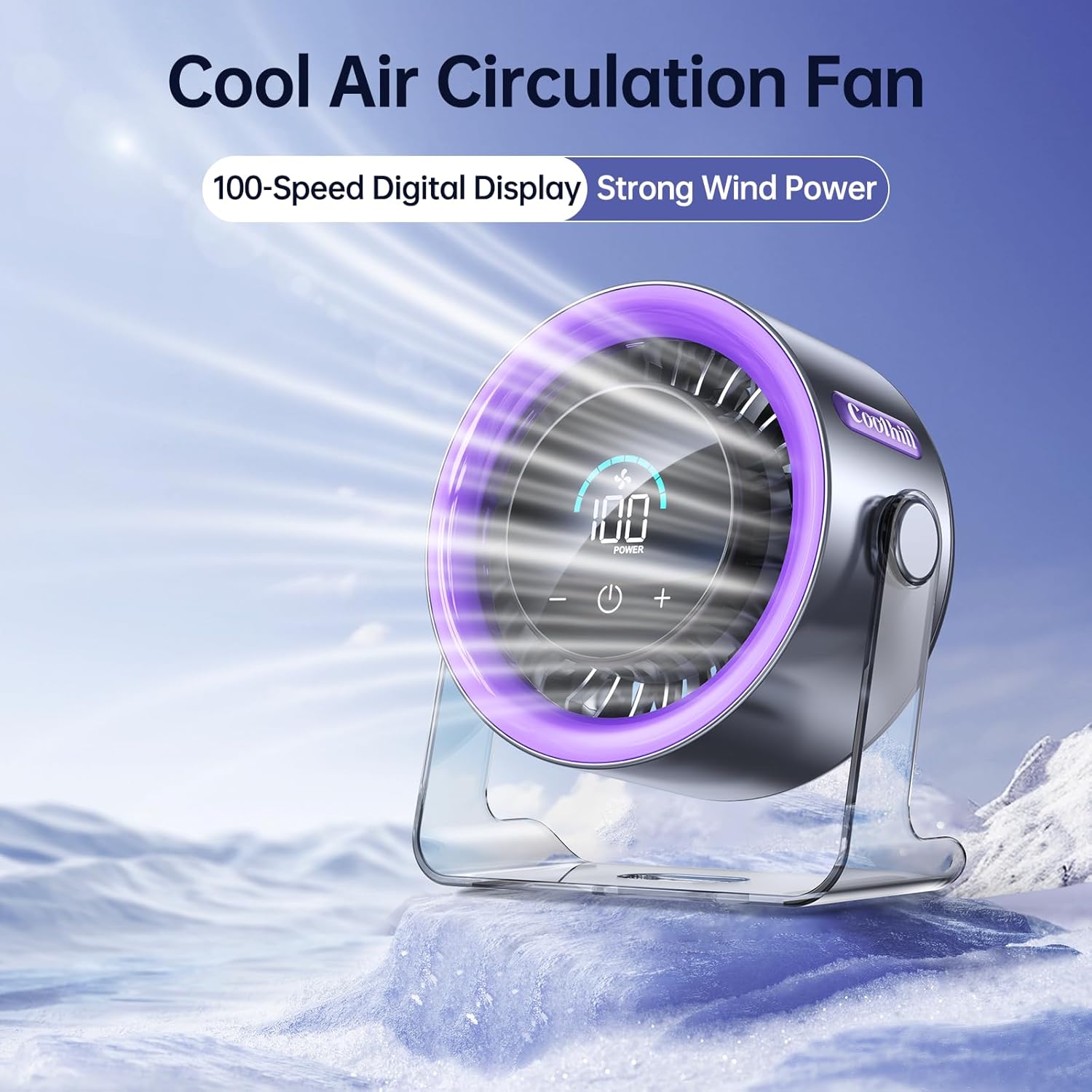
Image: The fan operating at maximum speed, illustrating its powerful airflow.
3. Санарип дисплей
The clear numeric screen displays the current fan speed and the remaining battery percentage, allowing for easy monitoring even in low light conditions.

Image: Close-up of the fan's digital display showing battery level and fan speed.
4. Термелүү
The fan features a 120° oscillation function to distribute air evenly. To activate or deactivate oscillation, refer to the specific button or touch control indicated in the quick start guide included in your package.
Техникалык тейлөө
1. Тазалоо
- Тазалоодон мурун желдеткичтин өчүрүлгөнүн жана розеткадан суурулганын текшериңиз.
- Сырткы беттерди жумшак, кургак чүпүрөк менен сүртүңүз.
- Абразивдүү тазалагычтарды колдонбоңуз же желдеткичти сууга салбаңыз.
2. Сактоо
Узак мөөнөткө колдонулбаганда, желдеткичти күн нурунан жана өтө температурадан алыс салкын, кургак жерде сактаңыз.
Проблемаларды чечүү
- желдеткич күйбөй жатат: Батарея заряддалганын текшериңиз. USB-C кабелин туташтырып, кайра аракет кылыңыз.
- Алсыз аба агымы: Increase the fan speed using the adjustment buttons.
- адаттан тыш ызы-чуу: Check for any obstructions around the fan blades. If the noise persists, contact customer support.
- Санарип дисплей иштебейт: Ensure the fan is powered on and charged. If the issue continues, contact customer support.
Техникалык шарттар
| Өзгөчөлүк | Спецификация |
|---|---|
| Бренд | Coolhill |
| Модель аты | ZH27 |
| Продукциянын өлчөмдөрү | 5.78"D x 6.37"W x 2.87"H |
| Элемент Салмагы | 1.1 фунт |
| Power Source | Батарея менен иштейт |
| Батарея сыйымдуулугу | 4000 мАч |
| Ызы-чуу деңгээли | 28 децибел |
| Жөнгө салынуучу ылдамдыктар | 100 деңгээл |
| Башкаруу ыкмасы | тийүү |
| Өзгөчөлүктөр | Quiet Operation, 120° Oscillation, Digital Display |
| UPC | 199284640382 |
Кепилдик жана колдоо
For warranty information or technical support, please refer to the contact details provided in your product packaging or visit the official Coolhill webсайт.
Ask a question about this manual
Ask about setup, troubleshooting, compatibility, parts, safety, or missing instructions. Manuals+ will review the question and use this page’s manual context to help answer it.