
Coolhill M319
Coolhill Handheld Portable Fan with Ice Cooler
User Manual
Модел: M319
Introduction
This manual provides detailed instructions for the safe and effective use of your Coolhill Handheld Portable Fan with Ice Cooler. Designed for personal cooling, this device features a powerful fan with 100 adjustable speeds and an integrated ice compress technology for enhanced cooling. Its portable and versatile design allows for handheld, desk, or neck-worn use, making it ideal for various environments.
Сураныч, аппаратты иштетүүдөн мурун бул колдонмону кылдат окуп чыгыңыз жана аны келечекте маалымат үчүн сактап коюңуз.
Продукт бүттүview

Figure 1: Coolhill Handheld Portable Fan with Ice Cooler.

Figure 2: Key components and controls of the fan.
- Ice Compress: The metallic surface at the front of the fan head, which cools down for ice therapy.
- Санариптик дисплей: Батареянын пайызын көрсөтөтtage, fan speed, and cooling mode status.
- Lanyard Port: Attachment point for the included lanyard for neck-worn use.
- Жылдыруу дөңгөлөгү: Used to adjust fan speed from 1 to 99 gears.
- Power Button (2S ON/OFF): Press and hold for 2 seconds to turn the fan on or off.
- Single Click (Power Button): Displays current power level.
- Double Click (Power Button): Activates or deactivates the ice cooling mode.
- Food Grade Silicone: Non-slip side grips for comfortable handling.
- 18W PD Fast Charge Port: Түзмөктү кубаттоо үчүн USB-C порту.
Жайгашуу
- Баштапкы төлөм: Before first use, fully charge the fan using the provided USB-C cable. Connect the cable to the 18W PD Fast Charge Port on the fan and a compatible power source (e.g., wall adapter, power bank, laptop). The digital display will show charging progress. A full charge typically takes approximately 2 hours.
- Lanyard тиркеме (кошумча): If desired, attach the included lanyard to the lanyard port for convenient neck-worn use.

Figure 3: Charging the Coolhill Portable Fan.
Иштөө нускамалары
- Күйгүзүү/өчүрүү: Press and hold the power button for 2 seconds to turn the fan on or off. The digital display will illuminate upon activation.
- Желдетүүчү ылдамдыкты жөндөө: Once powered on, use the scroll wheel to adjust the wind speed. The fan offers 1 to 99 gears, allowing for precise control over airflow. The current speed setting will be shown on the digital display.
- Батареянын деңгээлин текшерүү: Briefly single-click the power button to display the current battery percentage on the digital screen.
- Activating Ice Cooling Mode: Double-click the power button to activate the ice cooling mode. A snowflake icon will appear on the digital display, and the ice compress surface will begin to cool, providing a significant temperature drop. Double-click again to deactivate this mode.
- Ар тараптуу колдонуу: The fan's design allows for multiple modes of use:
- Колдо кармалуучу желдеткич: Hold the fan by its handle for direct personal cooling.
- Үстөлдүн желдеткичи: Fold the fan's handle to create a stable base, allowing it to stand upright on a flat surface.
- Моюн желдеткичи: Attach the lanyard and wear the fan around your neck for hands-free cooling.

Figure 4: Multiple usage modes of the fan.
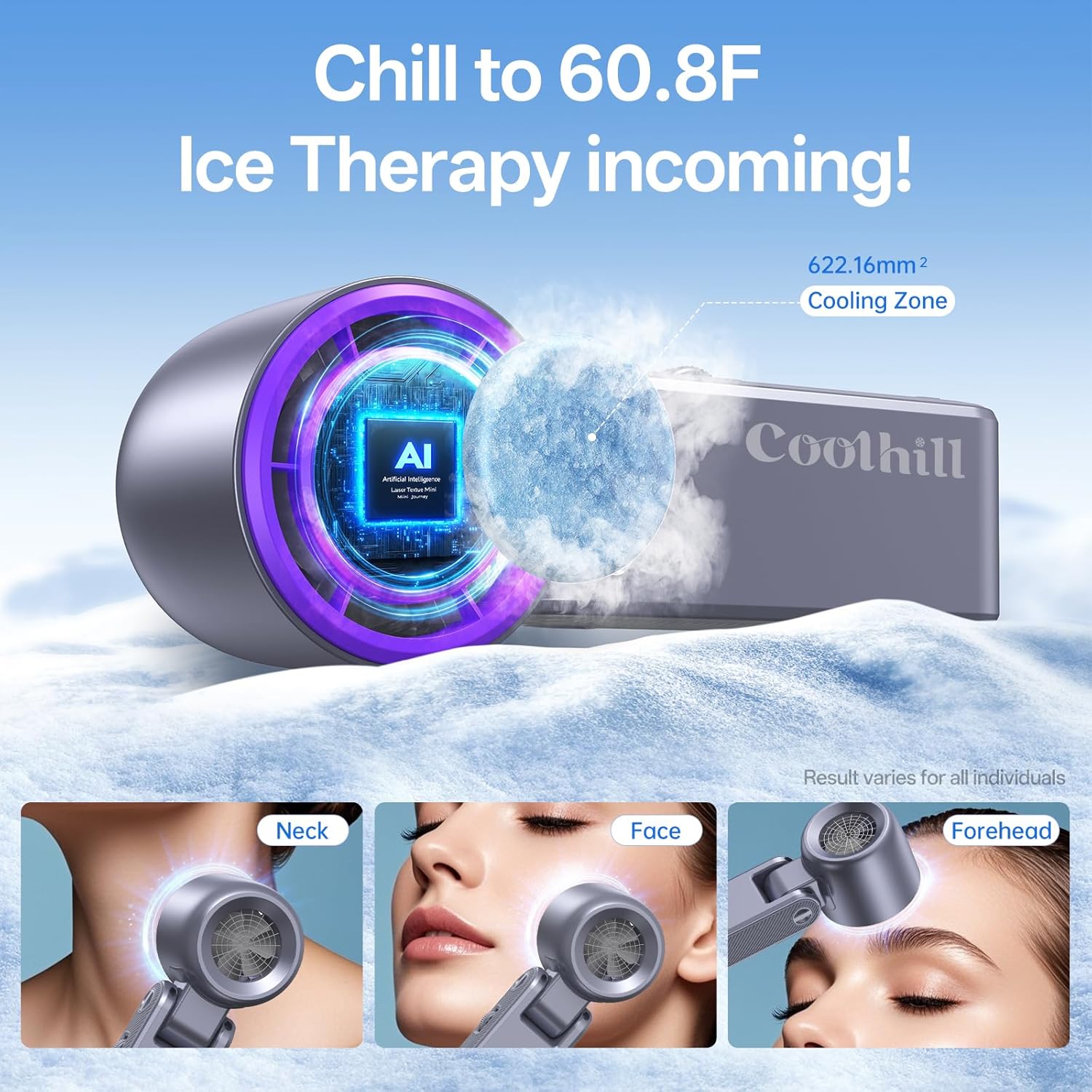
Figure 5: Utilizing the ice compress for targeted cooling.
Техникалык тейлөө
- Тазалоо: Ensure the fan is turned off and unplugged before cleaning. Use a soft, dry cloth to wipe the exterior of the fan. For the ice compress surface, a slightly damp cloth can be used, but ensure it is completely dry before next use. Do not use abrasive cleaners or immerse the fan in water.
- Сактагыч: Store the fan in a cool, dry place away from direct sunlight and extreme temperatures. If storing for an extended period, ensure the battery is partially charged (around 50%) to maintain battery health.
Проблемаларды чечүү
| Көйгөй | Мүмкүн себеп | Чечим |
|---|---|---|
| Желдеткич күйбөйт. | Батарея аз. | Желдеткичти толук заряддаңыз. |
| Желдеткич күйбөйт. | Кубат баскычы жетишерлик көпкө кармалбай калды. | Кубат баскычын 2 секунд басып туруңуз. |
| Ice cooling mode not activating. | Туура эмес баскыч басуу. | Double-click the power button to activate. |
| Алсыз аба агымы. | Желдетүүчү ылдамдык өтө төмөн коюлду. | Adjust the scroll wheel to increase fan speed. |
| Желдеткич заряддалбай жатат. | Кабель же кубат булагы туура эмес. | Try a different USB-C cable or power adapter. Ensure the connection is secure. |
Техникалык шарттар
| Өзгөчөлүк | Деталь |
|---|---|
| Бренд | Coolhill |
| Модель аты | CH-GR-M319 (M319) |
| Түс | Кызгылт көк |
| Power Source | Батарея менен иштейт |
| Батарея сыйымдуулугу | 5500mAh |
| Күйөрмандардын ылдамдыгы | 1-99 adjustable gears |
| Шамалдын максималдуу ылдамдыгы | 30 фут/сек |
| Мотор ылдамдыгы | 20000 RPM |
| Муздатуу технологиясы | Ice Compress (TEC Semiconductor Cooling) |
| Заряддоо порту | USB-C (18W PD Fast Charge) |
| Продукциянын өлчөмдөрү | 5.78"D x 6.37"W x 2.87"H |
| Элемент Салмагы | 9.1 унция |
| Өзгөчөлүктөр | Adjustable Tilt, Lightweight, Portable, Digital Display |
| UPC | 199284000704 |
Кепилдик жана колдоо
Coolhill products are manufactured to the highest quality standards. For warranty information, technical support, or any inquiries regarding your product, please contact Coolhill customer service through the retailer's platform or the official Coolhill website. Please have your model number (M319) and purchase date available when contacting support.
For the most up-to-date support information, please visit the official Coolhill webсайт.
Ask a question about this manual
Ask about setup, troubleshooting, compatibility, parts, safety, or missing instructions. Manuals+ will review the question and use this page’s manual context to help answer it.