
1. Киришүү
Thank you for choosing the OSRAM LEDSTIXX USB Light Stick. This manual provides essential information for the safe and efficient use of your new light stick. Please read these instructions carefully before installation and operation, and retain them for future reference.
The OSRAM LEDSTIXX is a versatile, rechargeable LED light stick designed for flexible illumination in various indoor environments. It features a durable aluminum body, 3-level dimming, and a rotatable design for optimal light positioning.
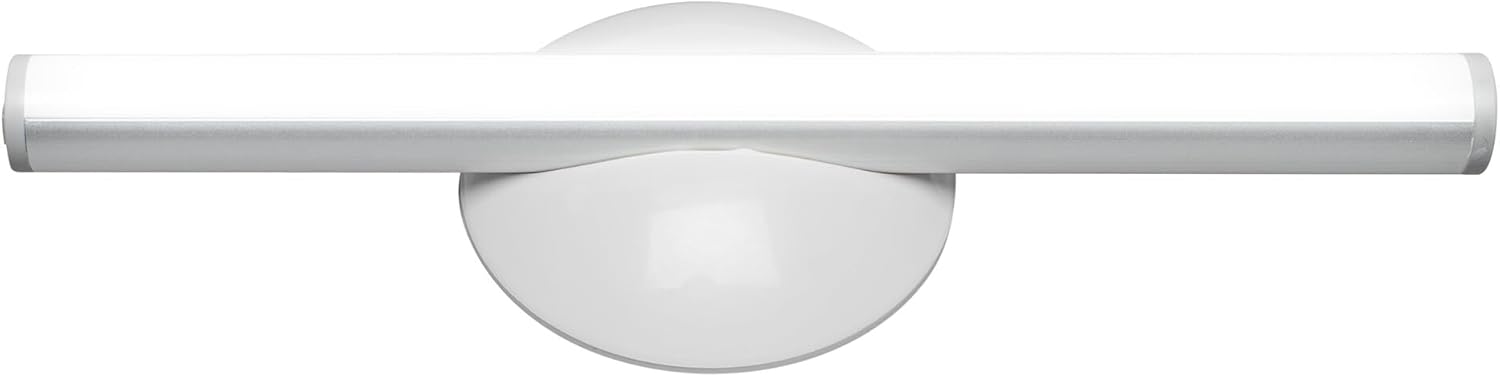
Сүрөт 1.1: Алдыңкы view of the OSRAM LEDSTIXX USB Light Stick.
2. Коопсуздук маалыматы
- Бул продукт ички колдонуу үчүн гана арналган.
- Аппаратты экстремалдык температурага, түз күндүн нуруна же жогорку нымдуулукка дуушар кылбаңыз.
- Do not attempt to open, modify, or repair the device. This may void the warranty and pose a safety risk.
- Балдар жетпеген жерде сактаңыз.
- Кубаттоо үчүн берилген USB кабелин же сертификатталган эквивалентин гана колдонуңуз.
- Орнотуудан мурун монтаждоо бетинин таза жана кургак экенин текшериңиз.
3. Пакеттин мазмуну
Пакетте бардык буюмдар бар экенин текшериңиз:
- 1x OSRAM LEDSTIXX USB Light Stick (Silver)
- Installation accessories (mounting bracket, adhesive pads)
- USB заряддоо кабели
- User Manual
4. Орнотуу жана орнотуу
The LEDSTIXX offers flexible mounting options. Follow these steps for installation:
- Жайгашкан жерди тандаңыз: Select a clean, dry, and flat surface for mounting. Common applications include under cabinets, inside wardrobes, or near mirrors.
- Бетти даярдоо: Clean the chosen surface thoroughly to ensure optimal adhesion of the mounting bracket.
- Монтаждык кронштейнди бекитиңиз: Peel the protective film from the adhesive pad on the back of the mounting bracket. Firmly press the bracket onto the desired surface for at least 30 seconds. Allow the adhesive to set for a few hours before attaching the light stick.
- Attach the Light Stick: The LEDSTIXX light stick attaches magnetically to the mounting bracket. Simply place the light stick onto the bracket. It can be rotated and oriented as needed.
- Заряддоо: Before first use, fully charge the light stick using the provided USB cable. Connect the USB cable to the charging port on the light stick and to a standard USB power source (e.g., computer, USB wall adapter). The charging indicator will show the charging status.
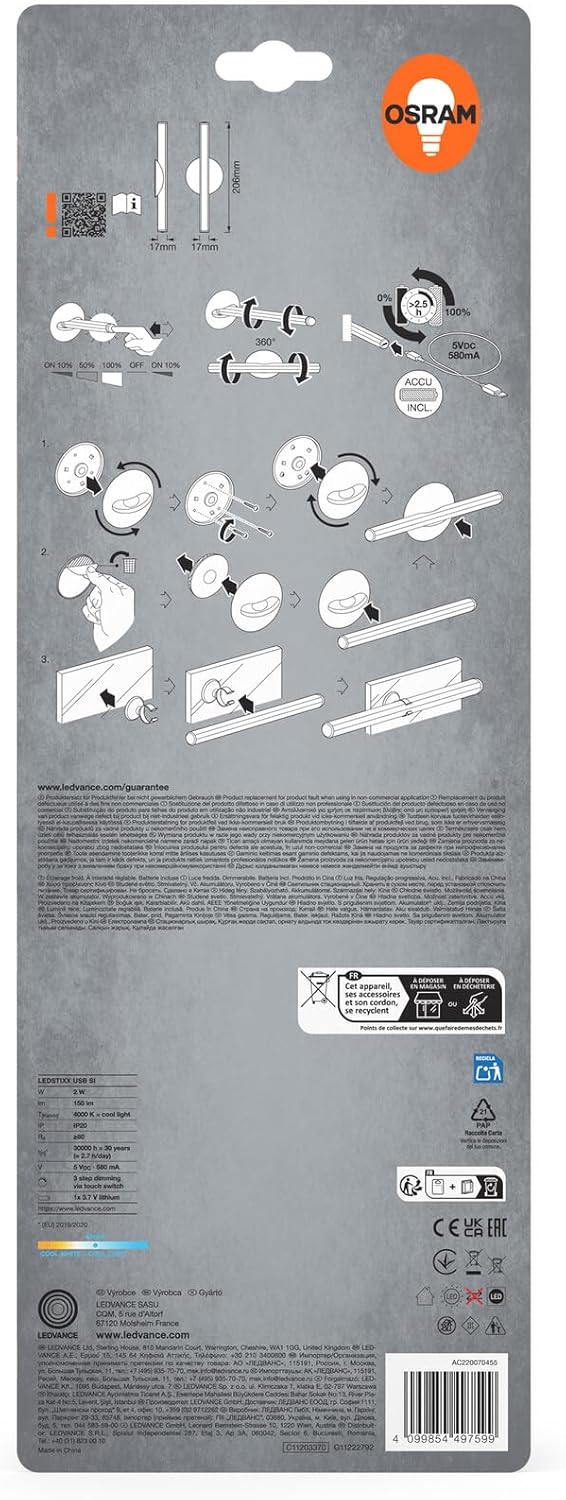
Image 4.1: Visual guide for installing the OSRAM LEDSTIXX using the adhesive mounting bracket.
5. Операция
The OSRAM LEDSTIXX features simple touch control for power and dimming.
- Күйгүзүү/өчүрүү: Briefly touch the control area on the light stick to turn it on or off.
- алсыздатуу: The light stick has 3 dimming levels. After turning it on, repeatedly touch the control area to cycle through the brightness levels (e.g., 100% > 50% > 25% > Off).
- Заряддоо көрсөткүчү: A small LED indicator will show the charging status. Typically, red indicates charging and green indicates fully charged.
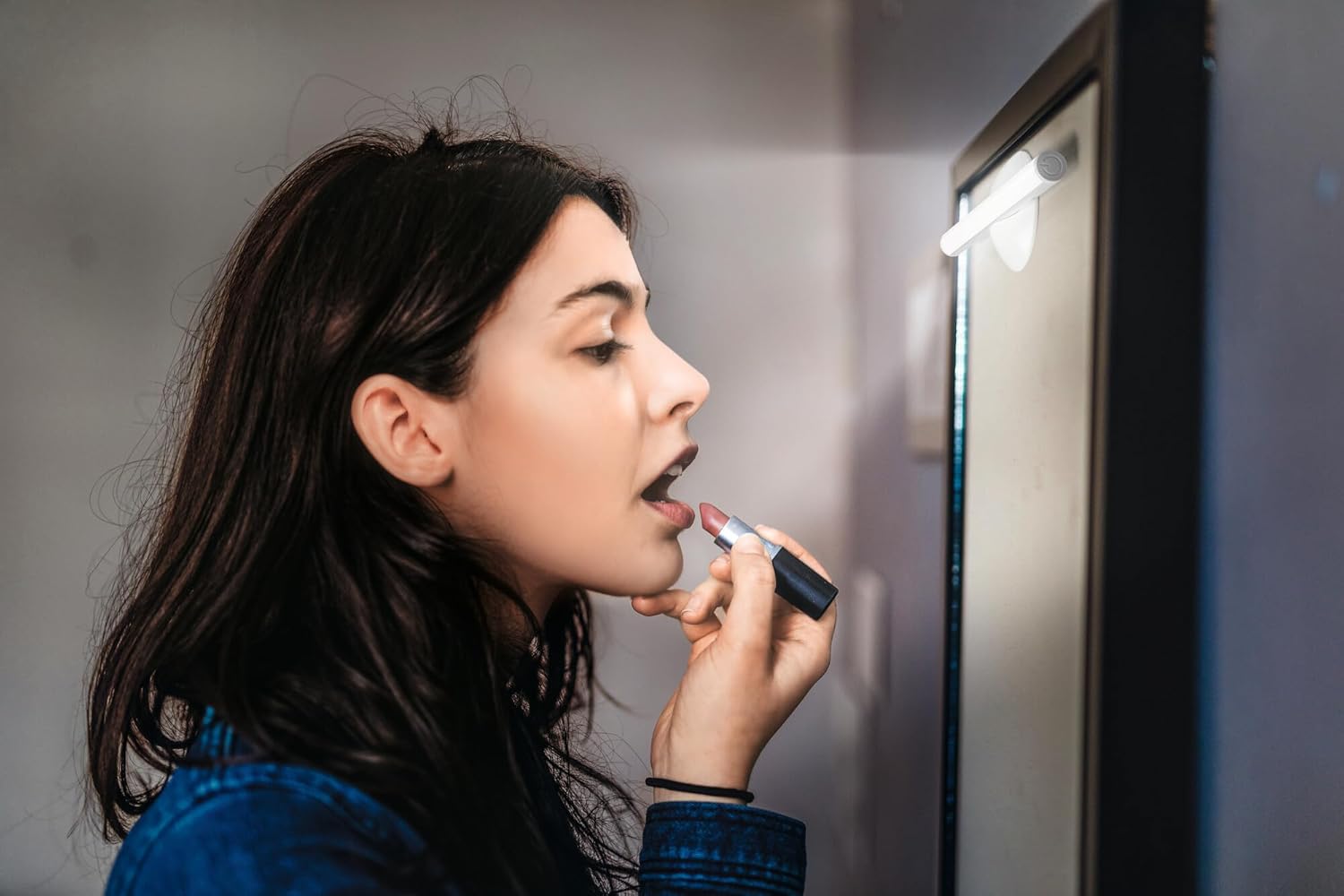
Image 5.1: The LEDSTIXX providing neutral white light for tasks such as applying makeup.
6. Техникалык тейлөө
- Тазалоо: Wipe the light stick with a soft, dry cloth. Do not use abrasive cleaners or solvents.
- Батареяга кам көрүү: To prolong battery life, avoid fully discharging the battery frequently. Recharge the device regularly, especially if it will not be used for an extended period.
- Сактагыч: Store the light stick in a cool, dry place when not in use.
7. Кыйынчылыктарды
| Көйгөй | Мүмкүн себеп | Чечим |
|---|---|---|
| Жарык күйбөйт. | Батарея заряды түгөнгөн. | Charge the light stick using the USB cable. |
| Жарык күңүрт же бүлбүлдөп турат. | Батарея аз. | Жарык таякчасын кайра заряддаңыз. |
| Light stick does not adhere to surface. | Surface is dirty or uneven. Adhesive not fully set. | Clean the surface thoroughly. Allow adhesive to set for several hours before attaching the light stick. |
| Cannot change brightness levels. | Туура эмес операция. | Ensure you are briefly touching the control area repeatedly to cycle through the 3 dimming levels. |
8. Техникалык шарттар
| Өзгөчөлүк | Деталь |
|---|---|
| Бренд | OSRAM |
| Модель аты | LEDstixx USB Silver |
| Модель номери | 4099854497599 |
| Материал | Алюминий |
| Түс | Silver |
| Жарык булагы | Интегралдык LED |
| Жарык агымы | 150 Lumen |
| Түс температурасы | 4000 Кельвин (нейтралдуу ак) |
| Ватtage | 2 Ватт |
| Тtage | 5 Volt (USB) |
| Power Source | Battery powered (Rechargeable Lithium Battery) |
| Караңгылык | 3 деңгээл |
| Суу каршылык | Сууга туруктуу (IP44) |
| Өлчөмдөрү (L x W x Y) | 20.6 см х 1.7 см х 1.7 см |
| Продукт Салмагы | 85 грамм |
| Европа Бирлигинин Энергия натыйжалуулугун камсыздоо энбелгиси | G (View ЭПРЕЛ) |
| Келип чыккан өлкө | Кытай |

Image 8.1: Dimensional drawing of the OSRAM LEDSTIXX, showing its length of 206mm and width of 17mm.
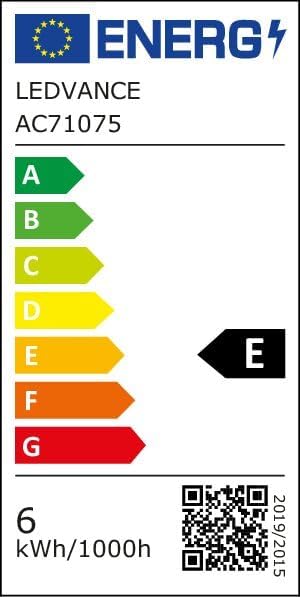
Image 8.2: EU Energy Efficiency Label for the LEDSTIXX, indicating class G and 6 kWh/1000h consumption.
9. Кепилдик жана колдоо
OSRAM products are manufactured to high-quality standards. For warranty information and customer support, please refer to the official OSRAM webсайтка же жергиликтүү сатуучуга кайрылыңыз. Ар кандай кепилдик дооматтары үчүн сатып алганыңыздын далилин сактаңыз.