
1. Киришүү
This manual provides detailed instructions for the installation, operation, and maintenance of your GNCC 2K 3MP Indoor WiFi Surveillance Camera, model P5W. Please read this manual thoroughly before using the product to ensure proper functionality and safety.
2. Продукт бүтүп калдыview
2.1 Пакеттин мазмуну
Пакетиңизде бардык буюмдар бар экенин текшериңиз:
- GNCC 2K 3MP Indoor WiFi Surveillance Camera (P5W)
- Кубаттуу адаптер
- 2 метрлик электр кабели
- Монтаждык база
- Орнотуу үчүн бурамалар
- Колдонуучунун Колдонмосу (бул документ)
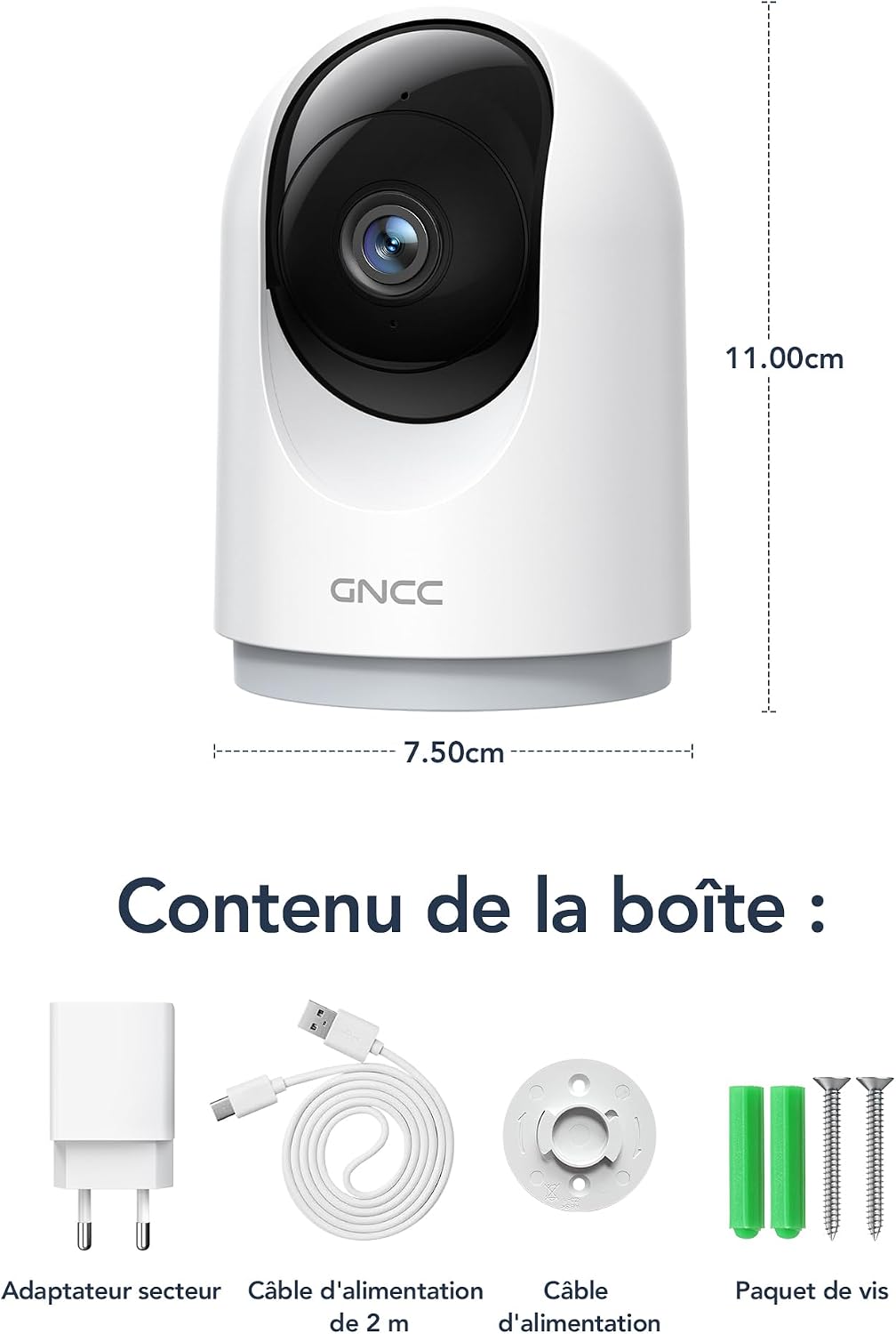
Figure 2.1: Package Contents and Camera Dimensions. The image displays the camera, power adapter, USB cable, mounting base, and screws. Dimensions are indicated as 7.50cm width and 11.00cm height.
2.2 Камеранын өзгөчөлүктөрү
- 2K 3MP чечилиши: Так жана деталдуу видео foo камсыз кылатtage.
- 360° Камтуу: Features 355° horizontal pan and 60° vertical tilt for comprehensive monitoring.
- 2.4 ГГц Wi-Fi байланышы: Connects to your home network for remote access.
- Инфракызыл түнкү көрүнүш: Automatically activates in low light, providing clear visibility up to 15 meters.
- Эки тараптуу аудио: Камера аркылуу реалдуу убакыт режиминде байланышууга мүмкүндүк берет.
- Кыймылды аныктоо жана көзөмөлдөө: Detects movement, human shapes, pets, and abnormal sounds, sending instant alerts to your phone.
- Көп түзмөк View: Monitor up to four cameras simultaneously on your mobile device.
- Smart Home интеграциясы: Үн менен башкаруу үчүн Amazon Alexa жана Google Assistant менен шайкеш келет.
- Купуялык режими: Remotely disable recording and live view колдонмо аркылуу.
- Ийкемдүү сактагыч: Supports Cloud storage (subscription required) and local storage via MicroSD card (up to 128GB, not included).

Figure 2.2: Key Features of the GNCC P5W Camera.
3. Орнотуу нускамалары
3.1 Камераны күйгүзүү
- Connect the 2-meter power cable to the camera's power input port.
- Кубат адаптерин стандарттуу электр розеткасына сайыңыз.
- Камера күйүп, анын индикатору күйүп-өчө баштайт, бул анын орнотууга даяр экенин билдирет.
3.2 Колдонмону орнотуу жана аккаунт түзүү
- Download the official GNCC app from your smartphone's app store (iOS App Store or Google Play Store).
- Колдонмону ачып, жаңы каттоо эсебин түзүү үчүн экрандагы нускамаларды аткарыңыз же сизде мурунтан эле бар болсо кириңиз.
3.3 Камераны Wi-Fi'га туташтыруу
Смартфонуңуз 2.4 ГГц Wi-Fi тармагына туташкандыгын текшериңиз. Камера 5 ГГц Wi-Fi колдобойт.
- In the GNCC app, tap the "+" icon to add a new device.
- Select your camera model (P5W) from the list of devices.
- Follow the app's prompts to connect the camera to your 2.4GHz Wi-Fi network. This typically involves scanning a QR code displayed on your phone with the camera lens.
- Once connected, the camera's indicator light will turn solid, and you will hear a confirmation sound.
3.4 Камераны орнотуу
The camera can be placed on a flat surface or mounted to a wall/ceiling using the provided mounting base and screws.
- Стол орнотуу: Place the camera on a stable, flat surface. Ensure it has a clear view сиз көзөмөлдөгүңүз келген аймак.
- Бурап орнотуу:
- Монтаждоо үчүн ылайыктуу жерди тандаңыз.
- Use the mounting base as a template to mark the screw positions on the wall or ceiling.
- Drill pilot holes and insert the wall anchors if necessary.
- Secure the mounting base with the provided screws.
- Attach the camera to the mounting base by twisting it until it locks securely.
4. Иштөө нускамалары
4.1 Live View жана панорамалоо/кыйшайтуу башкаруусу
Open the GNCC app and select your camera to access the live view. Use the on-screen controls to pan (355° horizontal) and tilt (60° vertical) the camera lens to adjust the viewбурч.

Figure 4.1: 360° Coverage of the GNCC P5W Camera.
4.2 Эки тараптуу аудио
Түз эфирден view screen, tap the microphone icon to enable two-way audio. You can speak into your phone, and your voice will be transmitted through the camera's speaker. Similarly, you can hear audio from the camera's environment.
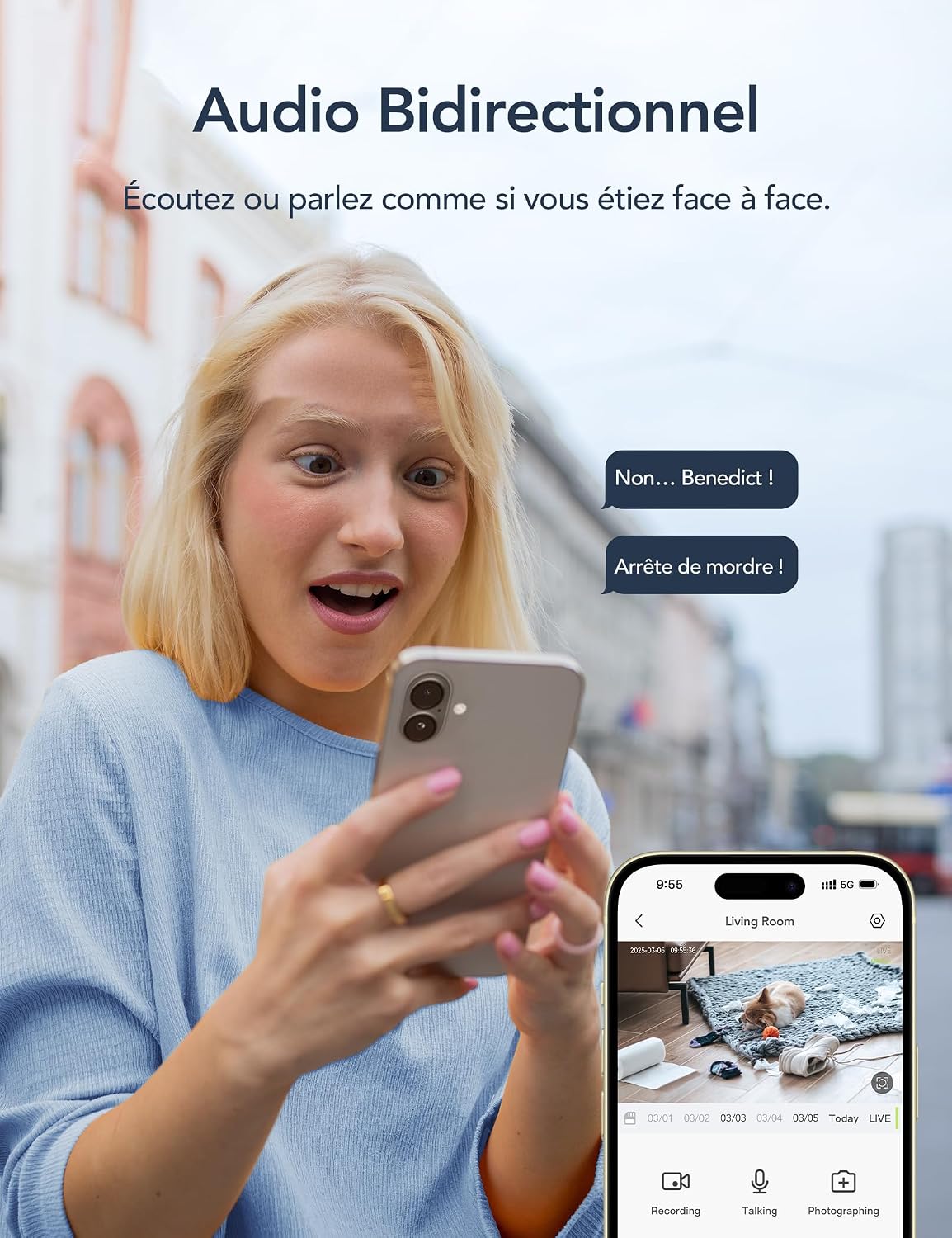
Figure 4.2: Two-Way Audio Functionality.
4.3 Кыймылды аныктоо жана эскертүүлөр
The camera is equipped with AI-powered motion detection, human shape detection, pet detection, and abnormal sound detection. When an event is detected, the camera will automatically record and send an instant notification to your smartphone.
- Enabling/Disabling Alerts: Navigate to the camera settings in the app to customize alert preferences, including sensitivity levels and detection zones.
- Motion Tracking: Кыймыл аныкталганда, камера автоматтык түрдө кыймылдап жаткан объектини өзүнүн талаасында байкай алат view.

Figure 4.3: Motion Detection and Instant Notifications.
4.4 Түнкү көрүнүш
The camera automatically switches to infrared night vision mode in low-light conditions, providing clear black-and-white video up to 15 meters. No manual intervention is required.

Figure 4.4: Night Vision in operation, showing a baby in a crib.
4.5 Сактоо параметрлери
- MicroSD карта сактагычы: Insert a MicroSD card (up to 128GB, not included) into the camera's designated slot for local recording. The camera will continuously record or record upon motion detection, depending on your settings.
- Булуттагы сактагыч: Optional cloud storage is available via subscription, offering 24/7 unlimited recording and access to past footage. A 14-day free trial for smart AI detection features may be available.

Figure 4.5: Cloud and Local Storage Options.
4.6 Smart Home Integration (Alexa & Google Assistant)
The GNCC P5W camera can be integrated with Amazon Alexa and Google Assistant for convenient voice control. Follow the instructions in your Alexa or Google Home app to link your GNCC account and devices.
- Example Voice Command: "Alexa, show me the living room camera."

Figure 4.6: Smart Home Integration and Advanced Features.
4.7 Купуялык режими
To ensure privacy, you can remotely disable the camera's recording and live view functions through the GNCC app. This feature allows you to turn off surveillance when not needed.
5. Техникалык тейлөө
- Тазалоо: Камера линзасын жана корпусун тазалоо үчүн жумшак, кургак чүпүрөктү колдонуңуз. Катуу химиялык заттарды же абразивдүү материалдарды колдонуудан алыс болуңуз.
- Программалык камсыздоонун жаңыртуулары: Regularly check the GNCC app for available firmware updates. Keeping your camera's firmware up-to-date ensures optimal performance and security.
- Power Cycle: Эгерде камерада көйгөйлөр жаралса, аны кубат булагынан 10 секундга сууруп, андан кийин кайра сайып көрүңүз.
- MicroSD картасын башкаруу: If using a MicroSD card, periodically check its status in the app and format it if necessary to maintain recording quality and prevent errors.
6. Кыйынчылыктарды
| Көйгөй | Мүмкүн себеп | Чечим |
|---|---|---|
| Камера Wi-Fi'га туташа албай жатат. | Incorrect Wi-Fi password; Camera too far from router; 5GHz Wi-Fi network used; Router firewall settings. |
|
| Жандуу эмес view or offline status. | No internet connection; Camera powered off; Weak Wi-Fi signal. |
|
| Кыймылды аныктоо эскертмелери алынган жок. | Alerts disabled in app; Incorrect detection zone/sensitivity; App notifications blocked by phone settings. |
|
| Эки тараптуу аудио иштебей жатат. | Microphone/speaker muted in app; Phone volume too low; Network latency. |
|
7. Техникалык шарттар
| Өзгөчөлүк | Деталь |
|---|---|
| Модель аты | P5W |
| Резолюция | 2K (1296 Pixels effective capture, 1440p screen capture resolution) |
| Pan/Tilt диапазону | Горизонталдуу 355°, Вертикалдуу 60° |
| Байланыш | 2.4 ГГц Wi-Fi (зымсыз) |
| Түнкү көрүү диапазону | 15 метрге чейин |
| Аудио | Эки тараптуу аудио |
| Motion Detection | AI Motion, Human, Pet, Abnormal Sound Detection |
| Сактагыч параметрлери | MicroSD картасы (128 ГБ чейин), булут сактагычы (жазылуу) |
| Power Source | Wired Electric Cable (5 Volts, 3 Watts) |
| Өлчөмдөрү (L x W x Y) | 7.5 x 7.5 x 14.9 см |
| Салмагы | 330 грамм |
| Иштөө чөйрөсү | Ичинде гана колдонуу |
| Шайкеш түзмөктөр | Смартфон (iOS/Android), Amazon Alexa, Google Жардамчысы |
| GTIN / UPC | 850070296489 |
8. Кепилдик жана колдоо
8.1 Кепилдик маалыматы
GNCC products are designed and manufactured to the highest quality standards. For specific warranty details, please refer to the warranty card included in your product packaging or visit the official GNCC webсайт. Сатып алуу квитанциясын кепилдик дооматтары үчүн сатып алуунун далили катары сактаңыз.
The product has a return policy duration of 30 days for refund/replacement, as per Amazon's policy.
8.2 Кардарларды колдоо
If you encounter any issues or have questions regarding your GNCC P5W camera, please contact GNCC customer support through the following channels:
- Официалдуу Webсайт: Visit the GNCC official webКөп берилүүчү суроолор, колдоо макалалары жана байланыш маалыматы үчүн сайт.
- Колдонмодогу колдоо: The GNCC app may offer a support section or direct contact options.
- Электрондук почта колдоо: Продукциянын таңгагына же расмий маалыматка кайрылыңыз webкардарларды колдоо электрондук почта дареги үчүн сайт.
When contacting support, please have your product model (P5W) and purchase information ready.