
Introduction
Thank you for choosing the Contixo KC4 Kids Instant Print Digital Camera. This manual provides essential information for setting up, operating, and maintaining your camera. Please read it thoroughly to ensure proper use and to maximize your child's enjoyment of this product.
Кутуда эмне бар
- 1 x Contixo KC4 Kids Instant Print Camera
- 3 x Printing Paper Rolls
- 1 x Моюн ланярд
- 1 x USB Type-C заряддоо кабели
- 5 x Markers
- 1 x User Manual
- 1 x SD карта (32 ГБ)

Image: Contents of the Contixo KC4 package, including the camera, paper rolls, lanyard, charging cable, markers, manual, and SD card.
Продукт бүттүview
The Contixo KC4 camera features a user-friendly design with a 2.4-inch IPS screen and intuitive buttons for easy navigation and operation. It includes a front-facing camera lens, a flash, and a thermal printer output slot.
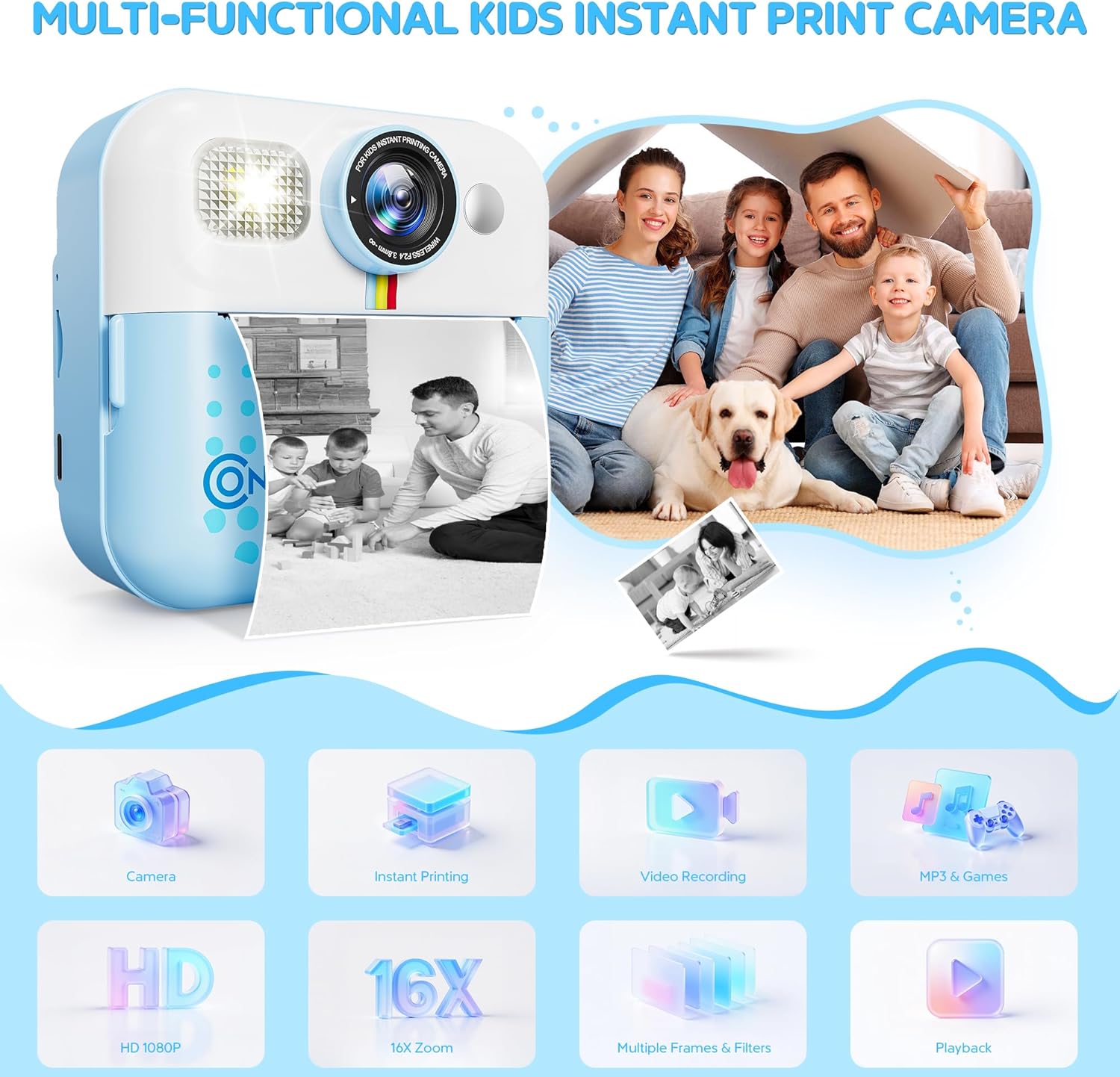
Сүрөт: алдыңкы view of the Contixo KC4 camera highlighting its camera, instant printing, video recording, MP3 & Games, HD 1080P, 16X Zoom, Multiple Frames & Filters, and Playback capabilities.
Жайгашуу
1. Батареяны заряддоо
Connect the provided USB Type-C cable to the camera's charging port and a compatible USB power adapter (not included). The charging indicator light will show the charging status. A full charge takes approximately 2 hours and provides up to 5 hours of use.
2. SD картаны салуу
Locate the SD card slot on the side of the camera. Gently insert the included 32GB SD card until it clicks into place. Ensure the camera is powered off before inserting or removing the SD card.
3. Loading Printing Paper
- Open the paper compartment by sliding the cover in the direction of the arrow.
- Insert a roll of thermal printer paper into the compartment, ensuring the paper feeds out from the top.
- Кагаз бөлүктүн капкагын бекем жабыңыз.
- After printing, gently tear the photo downward to remove it.
Image: Visual instructions for loading the thermal printing paper into the camera's designated compartment.
Иштөө нускамалары
1. Күйгүзүү/өчүрүү
Press and hold the power button (usually marked with a circle and a vertical line) to turn the camera on or off.
2. Навигация
Use the arrow buttons (left/right) to navigate through the menu options on the 2.4-inch IPS screen. The 'OK' or shutter button typically confirms selections.
3. Taking Photos and Instant Printing
From the main menu, select the camera icon. Frame your shot using the screen. Press the shutter button to take a photo. The camera will instantly print a black and white version of the photo. The color version is saved to the SD card.
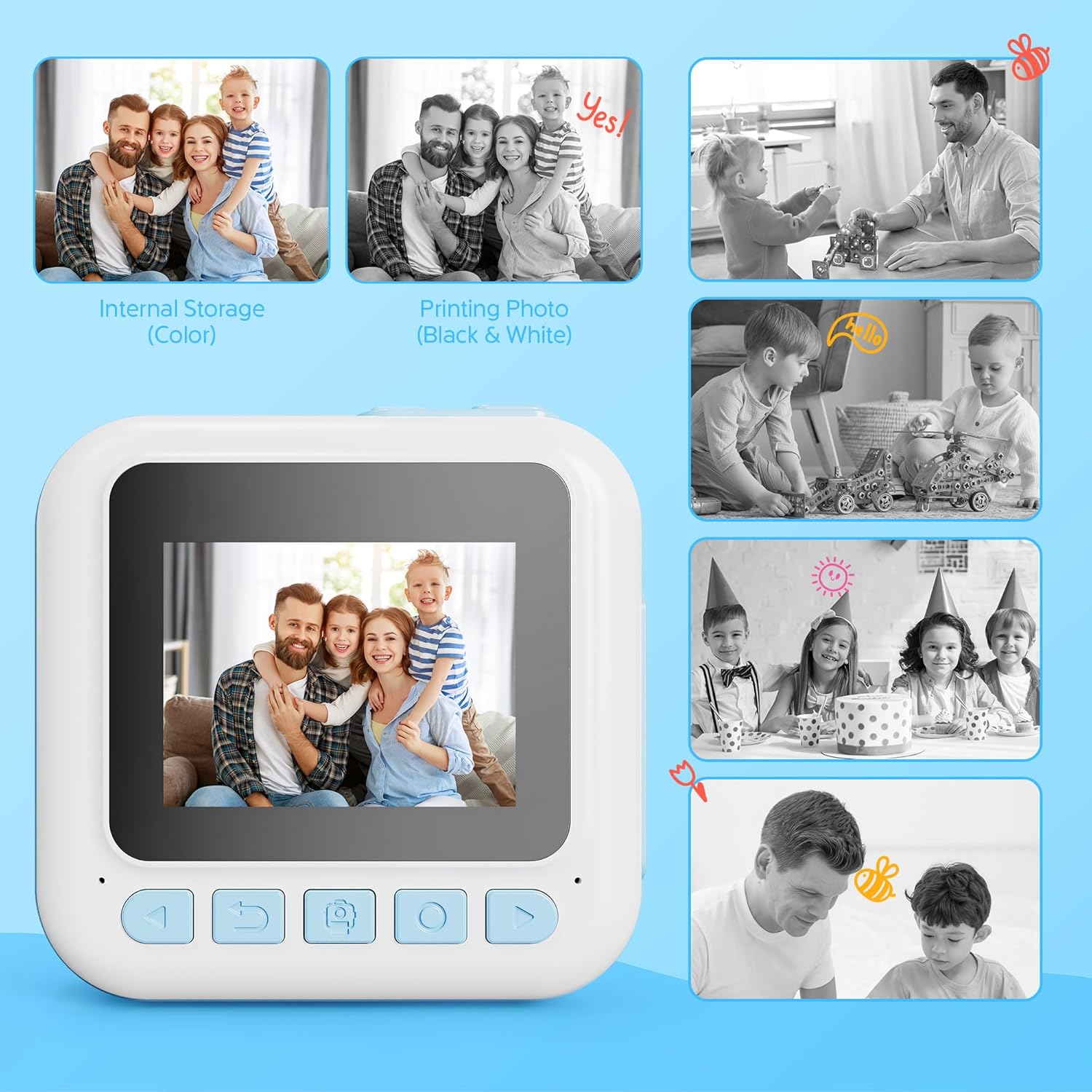
Image: Comparison of a color image stored internally and its corresponding black and white instant print from the camera.
4. Видео жаздыруу
Select the video camera icon from the main menu. Press the shutter button to start recording and press it again to stop. Videos are saved to the SD card in 1080P resolution.
5. Using Filters and Frames
Before taking a photo, navigate to the filter/frame options within the camera mode. Select from various creative filters and frames to add fun effects to your pictures.
6. Оюндарды ойноо
The camera includes 4 engaging puzzle games. Select the game controller icon from the main menu to access and play these games.
7. Музыка ойноткуч
The built-in music player supports MP3 files. Transfer MP3 files to the SD card to play music directly on the camera. Select the music note icon from the main menu to access the music player.
8. Басып чыгаруу параметрлери
The camera offers two print modes: Grayscale and Dot Matrix. You can also adjust print density (Low, Medium, High) for desired output. These settings can be found in the camera's menu.
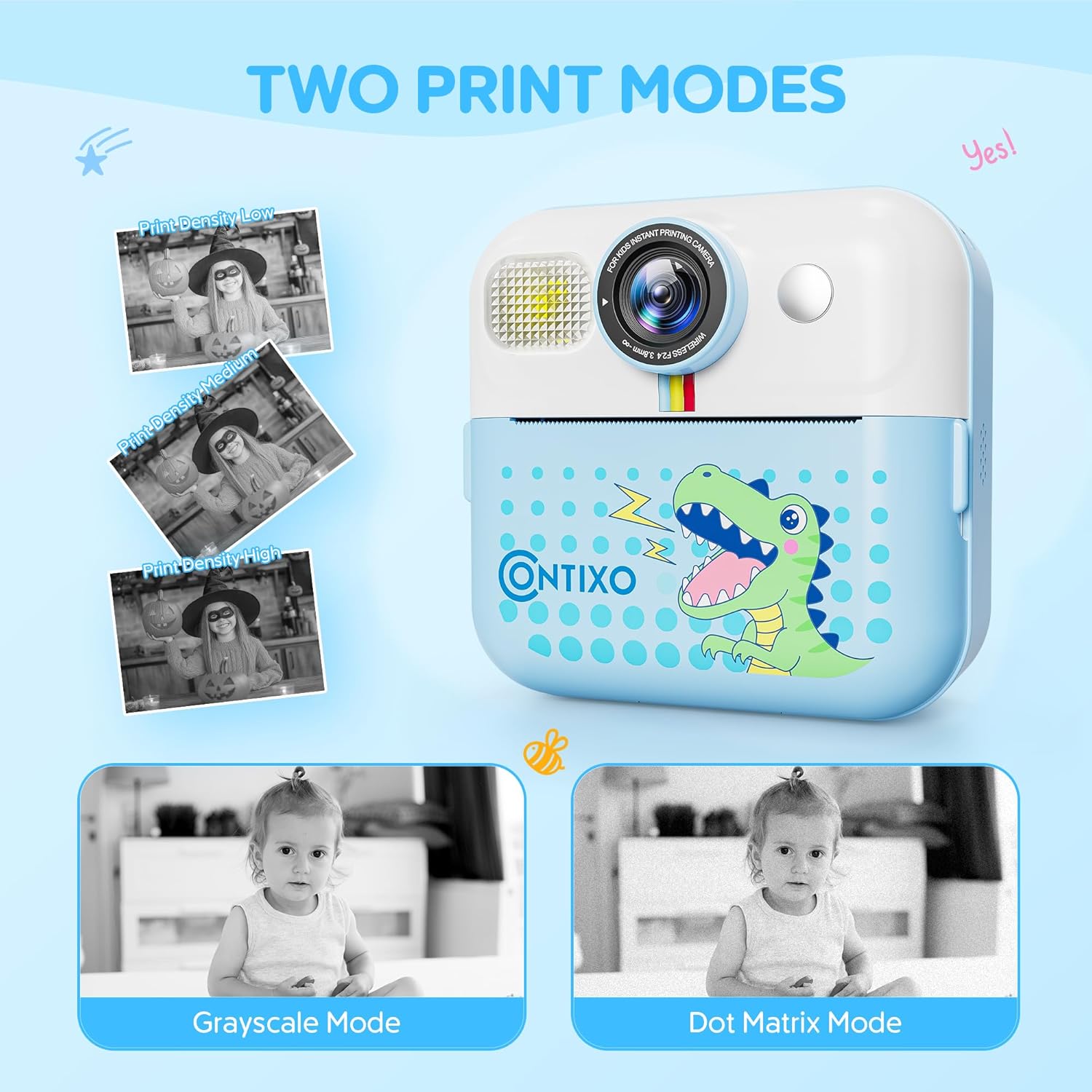
Image: The camera screen illustrating the 'Grayscale Mode' and 'Dot Matrix Mode' for printing, along with options for 'Print Density Low', 'Print Density Medium', and 'Print Density High'.
9. DIY Painting on Printed Photos
Use the included markers to color and personalize your black and white instant prints, adding a creative touch to each photo.

Image: Two children engaged in coloring a black and white instant print from the Contixo KC4 camera using colorful markers.
10. Расмий продукт Video
Video: An official product video demonstrating the features and usage of the Contixo KC4 Instant Printing Camera for Kids.
Техникалык тейлөө
- Тазалоо: Use a soft, dry cloth to clean the camera body and screen. Do not use liquid cleaners or abrasive materials.
- Сактагыч: Камераны салкын, кургак жерде күндүн тике тийген нурунан жана экстремалдык температурадан алыс сактаңыз.
- Батареяга кам көрүү: Батареянын иштөө мөөнөтүн узартуу үчүн, батареяны тез-тез толук зарядсыздандырбаңыз. Аны көпкө чейин колдонбосоңуз да, үзгүлтүксүз заряддап туруңуз.
Проблемаларды чечүү
| Көйгөй | Мүмкүн чечим |
|---|---|
| Камера күйбөйт. | Батарея заряддалганын текшериңиз. Кубат булагына туташып, кайра аракет кылыңыз. |
| Сүрөттөр басылбай жатат. | Check if printing paper is loaded correctly and if there is enough paper. Ensure the paper compartment is closed. |
| Басып чыгаруу сапаты начар. | Adjust print density settings in the camera menu. Ensure the thermal paper is not expired or damaged. |
| SD карта катасы. | Ensure the SD card is inserted correctly. Try reformatting the SD card (this will erase all data). If the issue persists, try a different SD card. |
| Камера катып калат. | Өчүрүп-күйгүзүү үчүн кубат баскычын 10 секунд басып туруңуз. |
Техникалык шарттар
| Өзгөчөлүк | Деталь |
|---|---|
| Модель аты | KC4 |
| Screen Size | 2.4 дюймдук IPS |
| Сүрөт сенсорунун чечилиши | 48 депутат |
| Video Resolution | 1080p |
| Оптикалык масштаб | 16 x (Санариптик чоңойтуу) |
| Эстутум сактоо сыйымдуулугу | 32 ГБ (SD карта кошулган) |
| Батарея түрү | Литий ион |
| Батарея сыйымдуулугу | 1500 миллионamp Саат |
| Батареянын орточо иштөө мөөнөтү | 5 саат |
| Байланыш технологиясы | USB |
| Материал | Акрилонитрил бутадиен стирол (ABS), Пластмасса |
| Элемент Салмагы | 7.34 унция |
| Жаш диапазонунун сүрөттөлүшү | Kid (3 years and up) |
Кепилдик жана колдоо
Contixo products are designed for quality and durability. For specific warranty information, please refer to the warranty card included in your product packaging or visit the official Contixo website. If you encounter any issues or require technical assistance, please contact Contixo customer support through their official channels.