
1. Продукт бүтүп калдыview
The Wellue O2Ring-S is a Bluetooth pulse oximeter designed for continuous monitoring of blood oxygen saturation (SpO2), pulse rate (PR), and perfusion index (PI). It features a comfortable ring design, a 24-hour rechargeable battery, and integrated memory for sleep monitoring. Data can be synchronized with a mobile application and PC software for detailed analysis and reporting.
- Enhanced Detection and Recording: Our improved chip samples data at a frequency of 200 Hz, providing up to 36,000 data sampling points per report, allowing for better data detection and recording. The device can store four sets of 10-hour data and automatically sync with the application for convenient monitoring.
- All-Day Monitoring: The battery life is extended to 24 hours, frequent recharging is not required, and SpO2, PR, and PI can be measured all day without interruption.
- PC Software and Mobile App: Оңой view real-time SpO2 and pulse data and automatically save it to the application. Use the ViHealth application and O2 Insight Pro software to store and manage your data for free. Provides detailed graphical reports exportable as PDF/CSV.
- Дирилдөө эскертүүсү: Thresholds can be set in the application. If the SpO2 value falls below the preset threshold, and the heart rate is below or above its preset threshold, the O2Ring will vibrate and mark this situation in the report.
- Кийгенге ыңгайлуу: The patented ring sensor prevents falling off, ensuring continuous monitoring of blood oxygen levels and comfortable wear. The small and lightweight design makes it extremely portable. Suitable for fingers with a circumference of 50-82 mm.

Image: The O2Ring-S features an advanced chip for enhanced data detection and recording, capturing up to 36,000 data points per report.

Image: The O2Ring-S offers a 24-hour battery life with typical use and supports Type-C fast charging. It is designed for fingers with a circumference of 50-82 mm.
2. Орнотуу
2.1 Аппаратты заряддоо
Before first use, fully charge the O2Ring-S. Connect the provided USB Type-C cable to the device and a compatible USB power adapter (not included). The device display will indicate charging status. A full charge typically takes approximately 3 hours.
2.2 Wearing the O2Ring-S
Place the O2Ring-S on any finger, ensuring the sensor is positioned correctly on the underside of the finger. The patented ring design helps secure the device for continuous monitoring. Ensure a comfortable fit; it should not be too tight or too loose.
2.3 Installing the ViHealth Mobile App
Download the ViHealth app from your smartphone's app store (Google Play Store for Android or Apple App Store for iOS). Издөө "ViHealth" and install the application. This app is essential for viewing real-time data, managing settings, and accessing historical reports.

Image: The ViHealth mobile application provides detailed insights into oxygen levels, pulse rate, and motion, with options for multi-user management and graphic reports.
3. Иштөө нускамалары
3.1 Powering On and Monitoring
To power on the device, simply wear it on your finger. The device will automatically detect your finger and begin monitoring. The display will show your SpO2 and pulse rate. To stop monitoring, remove the device from your finger; it will automatically power off after a short period.
3.2 Understanding Vibration Alerts
The O2Ring-S features customizable vibration alerts. You can set specific low SpO2 and abnormal heart rate thresholds within the ViHealth app. If your readings fall outside these thresholds, the device will vibrate to alert you. This feature is particularly useful for sleep monitoring.

Image: The O2Ring-S provides vibration alerts when oxygen levels or heart rate deviate from preset thresholds, gently notifying the user.
3.3 Data Synchronization and Storage
The O2Ring-S can store up to four sets of 10-hour data internally. To view and manage your data, open the ViHealth app on your smartphone and ensure Bluetooth is enabled. The device will automatically synchronize its stored data with the app. You can then review detailed graphs of your blood oxygen, heart rate, and body movement.
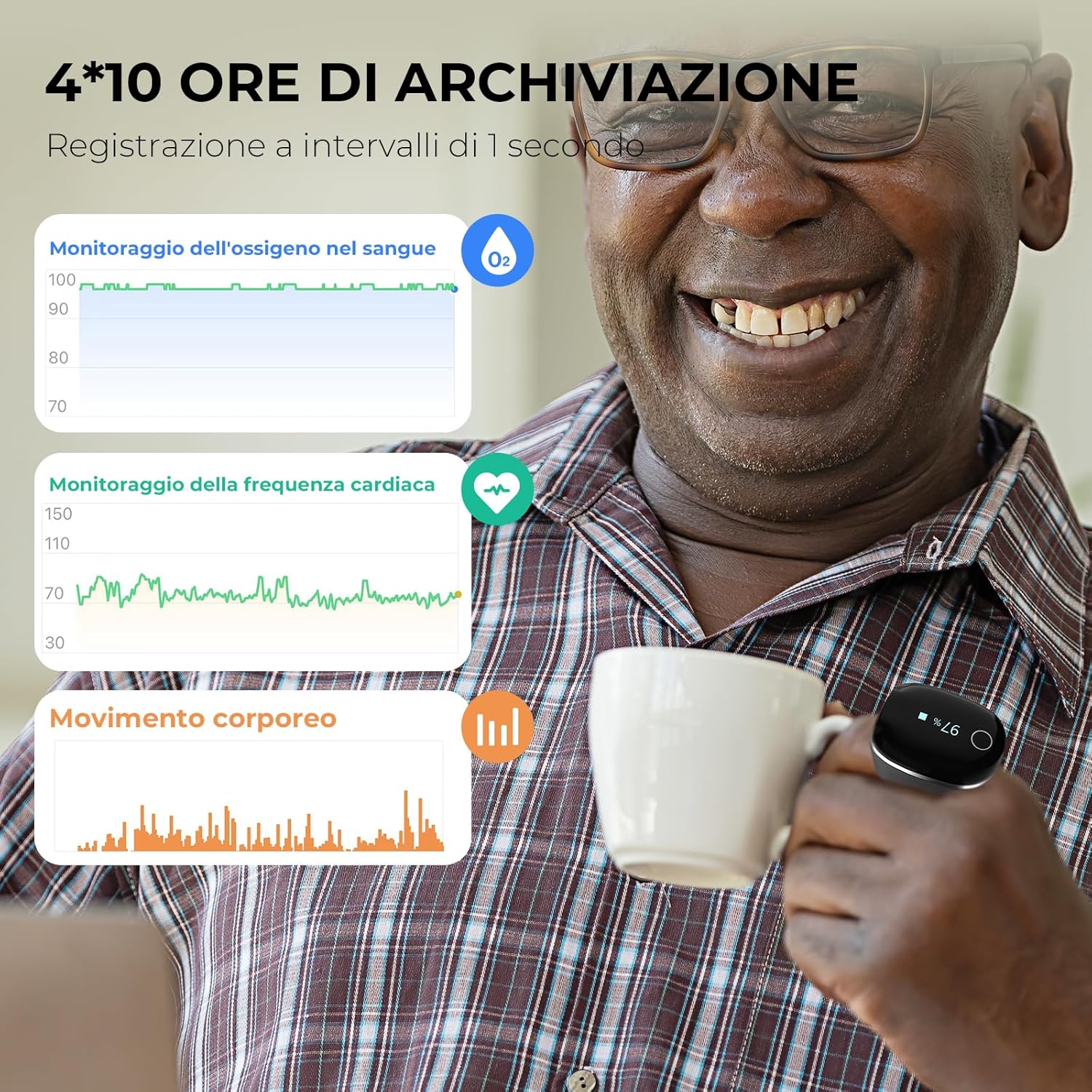
Image: The O2Ring-S stores 4x10 hours of data, recording at 1-second intervals, and displays blood oxygen, heart rate, and body movement trends.
3.4 Using O2 Insight Pro PC Software
For more comprehensive data management and detailed reports, download the O2 Insight Pro software for your PC from the Wellue website. Connect your O2Ring-S to your PC via USB, and the software will allow you to view, analyze, and export your monitoring data in PDF or CSV formats.

Image: The O2 Insight Pro PC software offers advanced report management and detailed graphical analysis of your monitoring data.
3.5 Окуу видеолору
How to Use a Bluetooth Oxygen Saturation Monitor
Video: This video demonstrates the basic operation and Bluetooth synchronization of a Wellue oxygen saturation monitor. (Duration: 0:26)
How to Use the Oximeter 20F
Video: A guide on how to properly use an oximeter, including placement and reading results. (Duration: 0:44)
4. Техникалык тейлөө
4.1 Аппаратты тазалоо
Regularly clean the O2Ring-S with a soft, dry cloth. If necessary, use a cloth lightly dampened with isopropyl alcohol (70%) to wipe the sensor area and the device surface. Do not immerse the device in water or use abrasive cleaners.
4.2 Сактоо
Store the device in a cool, dry place away from direct sunlight, extreme temperatures, and humidity. Keep it out of reach of children and pets.
4.3 Батареяга кам көрүү
To prolong battery life, avoid fully discharging the device frequently. Charge it regularly, even if not in use for extended periods. If storing for a long time, ensure the battery is partially charged (around 50%) and recharge every few months.
5. Кыйынчылыктарды
5.1 No Reading or Inaccurate Readings
- Ensure the device is worn correctly on your finger and the sensor is properly aligned.
- Keep your hand still during measurement. Movement can affect accuracy.
- Батарея жетиштүү заряддалганын текшериңиз.
- Avoid using the device in environments with strong light sources, which can interfere with the sensor.
- Ensure your finger is clean and dry. Nail polish or artificial nails may affect readings.
5.2 Bluetooth туташуу маселелери
- Смартфонуңузда Bluetooth иштетилгенин текшериңиз.
- Make sure the O2Ring-S is powered on and within range of your smartphone.
- Restart the ViHealth app and try reconnecting.
- If issues persist, try restarting your smartphone and the O2Ring-S.
5.3 Түзмөк күйбөй жатат
- Аппаратты жок эле дегенде 30 мүнөткө кубаттаңыз.
- Заряддоо кабели жана адаптер туура иштеп жатканын текшериңиз.
6. Техникалык шарттар
| Спецификация | Нарк |
|---|---|
| Бренд | Wellue |
| Модел | O2Ring-S |
| Материал | Силикон |
| Түс | Кара |
| Шайкеш түзмөктөр | Desktop Computer, Smartphone, Tablet |
| Батареянын иштөө мөөнөтү | 24 саат |
| Сенсор түрү | Оптикалык |
| Батареянын сүрөттөлүшү | Заряддалуучу литий-ион |
| Камтылган компоненттер | Oximeter, Manual |
| Finger Circumference | 50-82 мм |
7. Кепилдик жана колдоо
For warranty information, technical support, or any questions regarding your Wellue O2Ring-S, please refer to the official Wellue webсайтка же түздөн-түз кардарларды тейлөөгө кайрылыңыз. Сатып алуу квитанциясын кепилдик дооматтары үчүн сатып алуунун далили катары сактаңыз.