
Introduction
This manual provides comprehensive instructions for the safe and efficient operation of your FOHERE 30-inch Tower Fan. Please read this manual thoroughly before use and retain it for future reference. This tower fan is designed to provide customizable airflow with multiple modes and speeds, quiet operation, and wide-angle oscillation for effective air circulation in various indoor spaces.
Негизги өзгөчөлүктөрү
- 3-Mode Customization: Offers Normal, Nature, and Sleep modes with 3-speed adaptability for various cooling needs.
- Quiet & Powerful: Operates at a library-quiet 30dB while delivering robust airflow, suitable for sleeping and daytime use.
- Кең бурчтук термелүү: Features 70° oscillation for whole-room air circulation.
- Акылдуу башкаруу каражаттары: Easily operated via touch panel or included remote control for adjusting speed, oscillation, and timer.
- Мейкиндикти үнөмдөөчү дизайн: Slim profile (30×10.2×10.2 inches) with an integrated handle for easy portability and placement in various rooms.
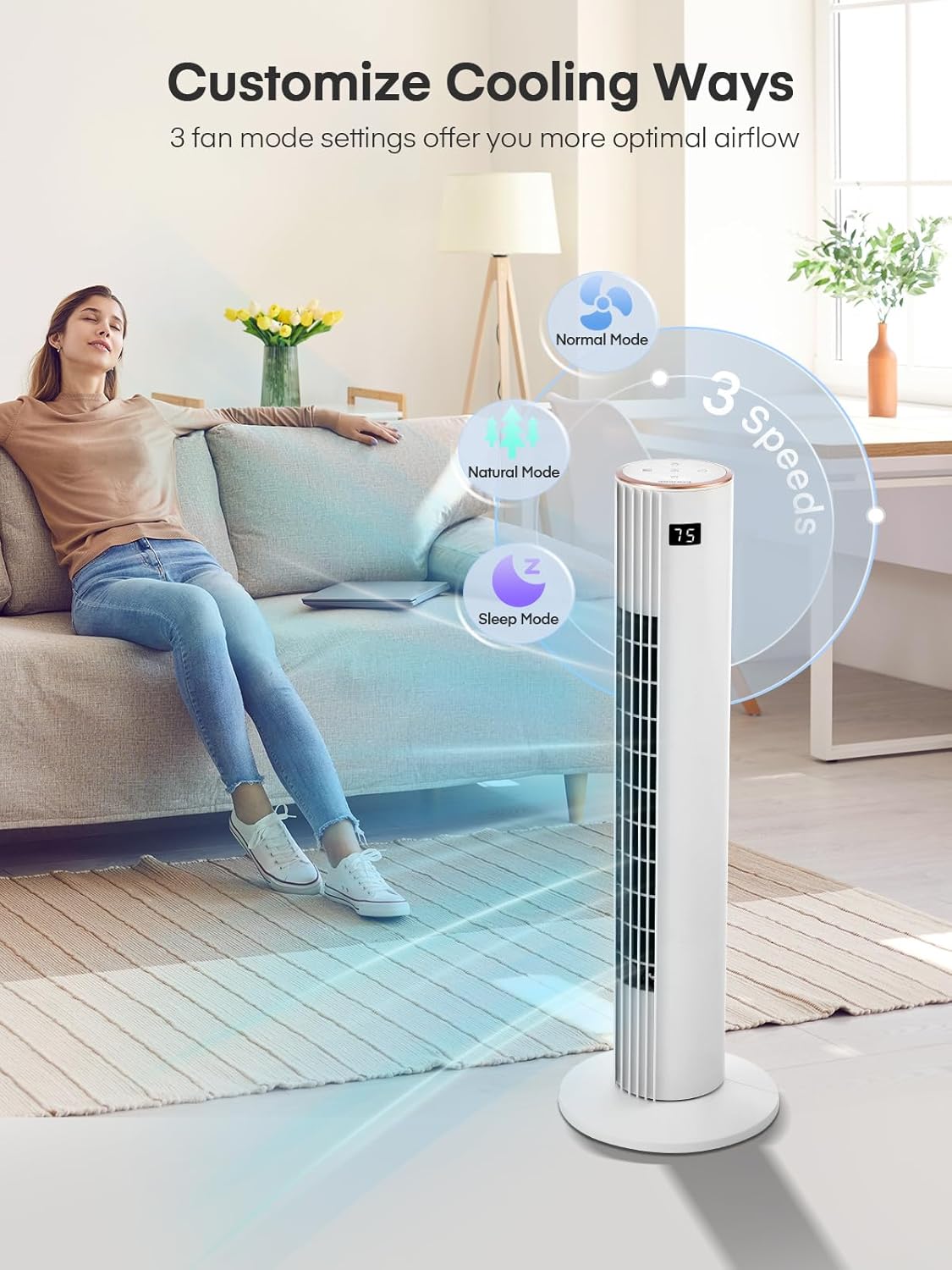
Figure 1: The FOHERE Tower Fan providing efficient cooling in a modern living space.
Орнотуу нускамалары
Follow these steps to assemble and set up your FOHERE Tower Fan:
- Таңылганын ачуу: Бардык компоненттерди таңгактан кылдаттык менен алып салыңыз. "Камтылган компоненттер" бөлүмүндө тизмеленген бардык бөлүктөрдүн бар экенин текшериңиз.
- Базаны чогултуу: Snap the two base pieces together.
- Вентиляторду негизге бекитүү: Align the footplate and the fuselage turntable.
- Коопсуз база: Tighten the large nut to secure the fan body to the base.
- Жайгашкан жери: Place the fan on a firm, level surface. Ensure there are no obstructions to airflow.
- Кубат туташуу: Электр шнурын стандарттуу 120V AC электр розеткасына сайыңыз.

Figure 2: Snapping the two base pieces together.
Figure 3: Aligning the fan body with the base.
Figure 4: Securing the fan to the base with the large nut.
Иштөө нускамалары
Your FOHERE Tower Fan can be operated using the touch control panel on top of the unit or the included remote control.
Башкаруу панели жана пульттун функциялары

Figure 5: Top control panel and LED display.
- Кубат баскычы: Желдеткичти КҮЙГҮЗҮҮ же ӨЧҮРҮҮ үчүн басыңыз.
- Ылдамдык баскычы: Желдеткичтин 3 ылдамдыгы боюнча (төмөн, орто, жогорку) цикл жасайт.
- Режим баскычы: Кадимки, Табигый жана Уйку режимдеринин ортосунда тандайт.
- Oscillation (OSC) Button: 70° термелүү функциясын иштетет же өчүрөт.
- Таймер баскычы: Автоматтык өчүрүү таймерин 12 саатка чейин орнотот.
- LED дисплей: Shows current settings and room temperature.
Режимдер түшүндүрүлдү
- Кадимки режим: Тандалган ылдамдыкта туруктуу аба агымын камсыз кылат.
- Табигый режим: Simulates a natural breeze by varying fan speed intermittently.
- Уйку режими: Operates at a lower, quieter speed with reduced LED display brightness for undisturbed sleep.

Figure 6: The fan's quiet operation in Sleep Mode, ideal for bedrooms.
Видео демонстрациялар
Video 1: Official FOHERE 30" Tower Fan demonstration, showcasing features and operation.
Техникалык тейлөө жана кам көрүү
Үзгүлтүксүз тазалоо жана техникалык тейлөө желдеткичиңиздин узак мөөнөттүү иштешин жана оптималдуу иштешин камсыздайт.
- Тазалоо: Тазалоодон мурун желдеткичти ар дайым сууруп алыңыз. Жумшак,amp Сырткы беттерди сүртүү үчүн чүпүрөк колдонуңуз. Абразивдүү тазалоочу каражаттарды колдонбоңуз же суунун ички бетине тамчылашына жол бербеңиз.
- Чаңды тазалоо: Аба кирүүчү жана чыгуучу торчолордон чаңды акырын кетирүү үчүн щетка тиркемеси бар чаң соргучту колдонуңуз.
- Сактагыч: If storing the fan for an extended period, clean it thoroughly and store it in its original packaging in a cool, dry place.
Проблемаларды чечүү
Эгер күйөрманыңызда кандайдыр бир көйгөйгө туш болсоңуз, төмөнкү жалпы көйгөйлөрдү жана чечимдерди караңыз:
| Көйгөй | Мүмкүн себеп | Чечим |
|---|---|---|
| Желдеткич күйбөйт. | Электр менен камсыздоо жок; Электр шнуру бекем сайылган эмес. | Ensure the fan is plugged into a working 120V AC outlet. Check the power button. |
| Алсыз аба агымы. | Fan speed set too low; Air intake/outlet blocked. | Increase fan speed. Clear any obstructions from the air grilles. |
| Желдетүүчү адаттан тыш үн чыгарат. | Loose parts; Obstruction inside the fan. | Turn off and unplug the fan. Check for any foreign objects. If noise persists, contact customer support. |
| Термелүү иштебейт. | Термелүү функциясы иштетилген жок. | Press the OSC button on the control panel or remote. |
Техникалык шарттар
| Өзгөчөлүк | Деталь |
|---|---|
| Бренд | FOHERE |
| Модель номери | TF1923LR |
| Продукциянын өлчөмдөрү | 10.2"D x 10.2"W x 30"H |
| Материал | Acrylonitrile бутадиен Styrene |
| Power Source | Электр зымдары |
| Тtage | 120 вольт |
| Ватtage | 45 ватт |
| Ылдамдыктын саны | 3 |
| Ызы-чуу деңгээли | 30 децибел |
| Controller Type | Алыстан башкаруу, сенсордук башкаруу |
| Өзгөчөлүктөр | Bladeless, Oscillating, Portable, Quiet Operation, Remote Controlled |
| Камтылган компоненттер | 1 x Tower Fan, 1 x User Manual, Remote |
Кепилдик жана Кардарларды колдоо
FOHERE products are designed for reliability and performance. For warranty information, please refer to the warranty card included with your product or visit the official FOHERE webсайт.
If you have any questions, require technical assistance, or need to report an issue, please contact FOHERE customer support. Contact details can typically be found on the product packaging, the official website, or by searching for "FOHERE customer support" online.