
Introduction
This manual provides essential instructions for the setup, operation, maintenance, and troubleshooting of your Insignia 32-inch 1080p HD HDR LCD Fire TV Smart TV, model NS-32F401CA26. Please read this manual thoroughly before using your television to ensure proper and safe operation.
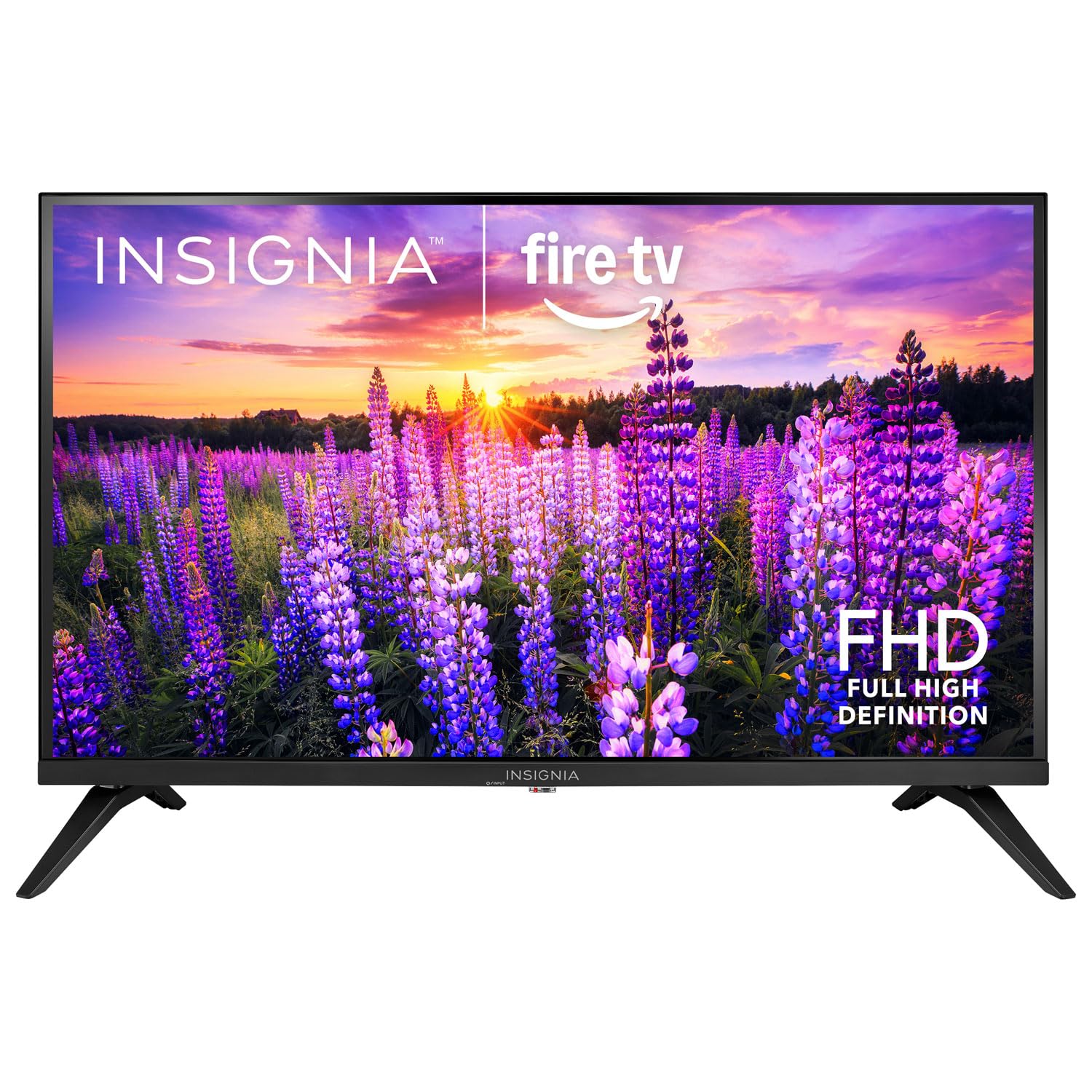
Сүрөт: алдыңкы view of the Insignia 32-inch Fire TV Smart TV, showing the screen and a remote control.
1. Орнотуу
1.1 Пакеттен чыгаруу
Телевизорду жана бардык аксессуарларды таңгактан этияттык менен алып салыңыз. Таңгактоочу материалдарды келечекте ташуу же сактоо үчүн сактап коюңуз.
1.2 Стендди же дубалга монтаждоо
Стенд орнотуу үчүн:
- Экрандын бузулуп калышына жол бербөө үчүн телевизорду бетин ылдый каратып жумшак, таза бетке коюңуз.
- Align the stand bases with the screw holes on the bottom of the TV.
- Берилген бурамалар менен стенддерди бекитиңиз.
Дубалга орнотуу үчүн:
- This TV supports a VESA Mount Standard of 200 x 200 mm.
- Use a compatible wall mount kit (sold separately) and follow its installation instructions.
- Ensure the wall can support the weight of the TV and the mount.
1.3 Кубатты туташтыруу
Plug the power cord into the TV's power input, then plug the other end into a working electrical outlet.
1.4 Тышкы түзмөктөрдү туташтыруу
Your TV includes multiple ports for external devices:
- HDMI Ports (Total 2): Blu-ray ойноткучтарын, оюн консолдорун, кабель/спутниктик кутучаларды туташтырыңыз.
- USB 3.0 Port (Total 1): Медиа ойнотуу үчүн USB сактагыч түзмөктөрдү туташтырыңыз.
- Антенна/кабель киргизүү: Эфирдик берүүлөрдү берүү үчүн антеннаны же кабелдик туташууну туташтырыңыз.
1.5 Initial Setup (Fire TV OS)
Upon first power-on, the TV will guide you through the Fire TV setup process:
- Алыстан башкарууну жупташтыруу: Insert the included 2 AAA batteries into the remote. Follow on-screen instructions to pair the remote.
- Тармак туташуусу: Wi-Fi тармагын тандап, сырсөздү киргизиңиз.
- Amazon аккаунту: Log in with your Amazon account or create a new one.
- Каналды сканерлөө: If using an antenna, the TV will scan for available channels.
- Программалык камсыздоо жаңыртуулары: The TV may download and install the latest software updates.
2. Сыналгыңызды иштетүү
2.1 Күйгүзүү/өчүрүү
басыңыз Күч телевизорду күйгүзүү же өчүрүү үчүн пульттагы баскычты басыңыз.
2.2 Fire TV интерфейсинде багыт алуу
Багыттоочу тактаны колдонуңуз жана Тандоо button on your remote to browse the Fire TV home screen, access apps, and navigate menus.
2.3 Alexa үн пультун колдонуу
басып, кармап туруңуз Alexa button on your remote and speak into the microphone to:
- Издөө фильмдер жана теле керсетуулер.
- Launch applications (e.g., "Open Netflix").
- Control playback (e.g., "Pause", "Fast forward").
- Ask questions or get information.
2.4 Тиркемелерге кирүү
Popular streaming services like Amazon Prime Video, Netflix, and YouTube are pre-installed. You can download additional apps from the Amazon Appstore.
2.5 Сүрөт жана үн орнотууларын тууралоо
кирүү Орнотуулар menu on the Fire TV home screen to adjust:
- Сүрөт: Brightness, contrast, color, aspect ratio (16:9).
- Үн: Volume, sound mode, DTS Virtual-X settings.
- Дисплей: Resolution (1080p), refresh rate (120 Hz).
2.6 Ата-эненин көзөмөлү
The TV includes parental control features. Navigate to the Орнотуулар менюну, анан тандаңыз Preferences, анан Ата-энелик көзөмөл to set restrictions on content, purchases, and app usage. A PIN is required to enable or disable these controls.
3. Техникалык тейлөө
3.1 Телевизорду тазалоо
- Экран: Экранды жумшак, түксүз чүпүрөк менен акырын сүртүңүз. өжөр белгилери үчүн, бир аз гampкездемени суу же телевизорлор үчүн атайын жасалган экран тазалагыч менен сүртүңүз. Суюктукту түз экранга чачпаңыз.
- Дене: Телевизордун алкагын сүртүп, жумшак, кургак чүпүрөк менен туруңуз.
- Тазалоодон мурун дайыма сыналгыдан ажыратыңыз.
3.2 Программалык камсыздоо жаңыртуулары
Your Fire TV Smart TV automatically checks for and installs software updates when connected to the internet. You can manually check for updates in the Орнотуулар меню астында Менин Fire TV > Жөнүндө > Жаңыртууларды текшериңиз.
3.3 Алыстан башкаруу пульту батареясын алмаштыруу
When the remote control's performance degrades, replace the two AAA batteries. Ensure correct polarity when inserting new batteries.
4. Кыйынчылыктарды
| Көйгөй | Мүмкүн себеп | Чечим |
|---|---|---|
| Күч жок | Электр зымы туташкан эмес; розетка иштебейт. | Ensure power cord is securely plugged into TV and a live outlet. Test outlet with another device. |
| Сүрөт же үн жок | Incorrect input source; external device off or disconnected. | басыңыз Киргизүү button on the remote to select the correct source. Check connections of external devices. Ensure devices are powered on. |
| Пульт иштебей жатат | Батареялар түгөнгөн; пульт жупташтырылган эмес. | Replace batteries (2 AAA). Re-pair remote by holding the Үй button for 10 seconds near the TV. |
| Wi-Fi туташуу маселелери | Туура эмес сырсөз; роутер көйгөйлөр; Сыналгы роутерден өтө алыс. | Verify Wi-Fi password. Restart your router and modem. Move TV closer to router or use a Wi-Fi extender. |
| Колдонмолор жүктөлбөй же бузулбай жатат | Temporary software glitch; insufficient memory. | Restart the TV. Clear app cache (Settings > Applications > Manage Installed Applications). Ensure sufficient storage. |
5. Техникалык шарттар
| Модель номери | NS-32F401CA26 |
| Screen Size | 32 дюйм |
| Дисплей технологиясы | LCD |
| Резолюция | 1080p (Full HD) |
| Жаңыртуу ылдамдыгы | 120 Гц |
| HDR форматы колдоого алынат | HDR10 |
| Аспект катышы | 16:9 |
| Байланыш технологиясы | Wi-Fi |
| HDMI порттору | 2 |
| USB 3.0 порттору | 1 |
| Колдоого алынган Интернет кызматтары | Amazon Prime Video, Netflix, YouTube, Alexa |
| Speaker Description | DTS Virtual-X virtual surround sound |
| Integrated Surround Sound Format | DTS Virtual-X |
| Башкаруу ыкмасы | Remote (with Alexa Voice) |
| Батареялар талап кылынат | 2 AAA (кошулган) |
| Продукциянын өлчөмдөрү (D x W x Y) | 47.3D x 17.1W x 71.9H Сантиметр |
| VESA тоо стандарты | 200 x 200 мм |
| Кошумча функциялар | Ата-энелик көзөмөл |
6. Кепилдик жана колдоо
For warranty information, please refer to the warranty card included with your product or visit the official Insignia support website. For technical assistance, product registration, or service inquiries, please contact Insignia customer support through their official channels.
Эскертүү: Кепилдиктин конкреттүү шарттары жана колдоо кызматынын байланыш маалыматтары аймакка жараша өзгөрүшү мүмкүн жана өзгөрүшү мүмкүн.