
ByteUp C80
ByteUp C80 Portable Thermal Printer User Manual
Model: C80
1. Киришүү
The ByteUp C80 Portable Thermal Printer is a compact and lightweight device designed for convenient printing on the go. It utilizes thermal printing technology, eliminating the need for ink cartridges, and supports various paper types including US Letter, A4 thermal, and tattoo transfer paper. This manual provides essential information for setting up, operating, maintaining, and troubleshooting your C80 printer.
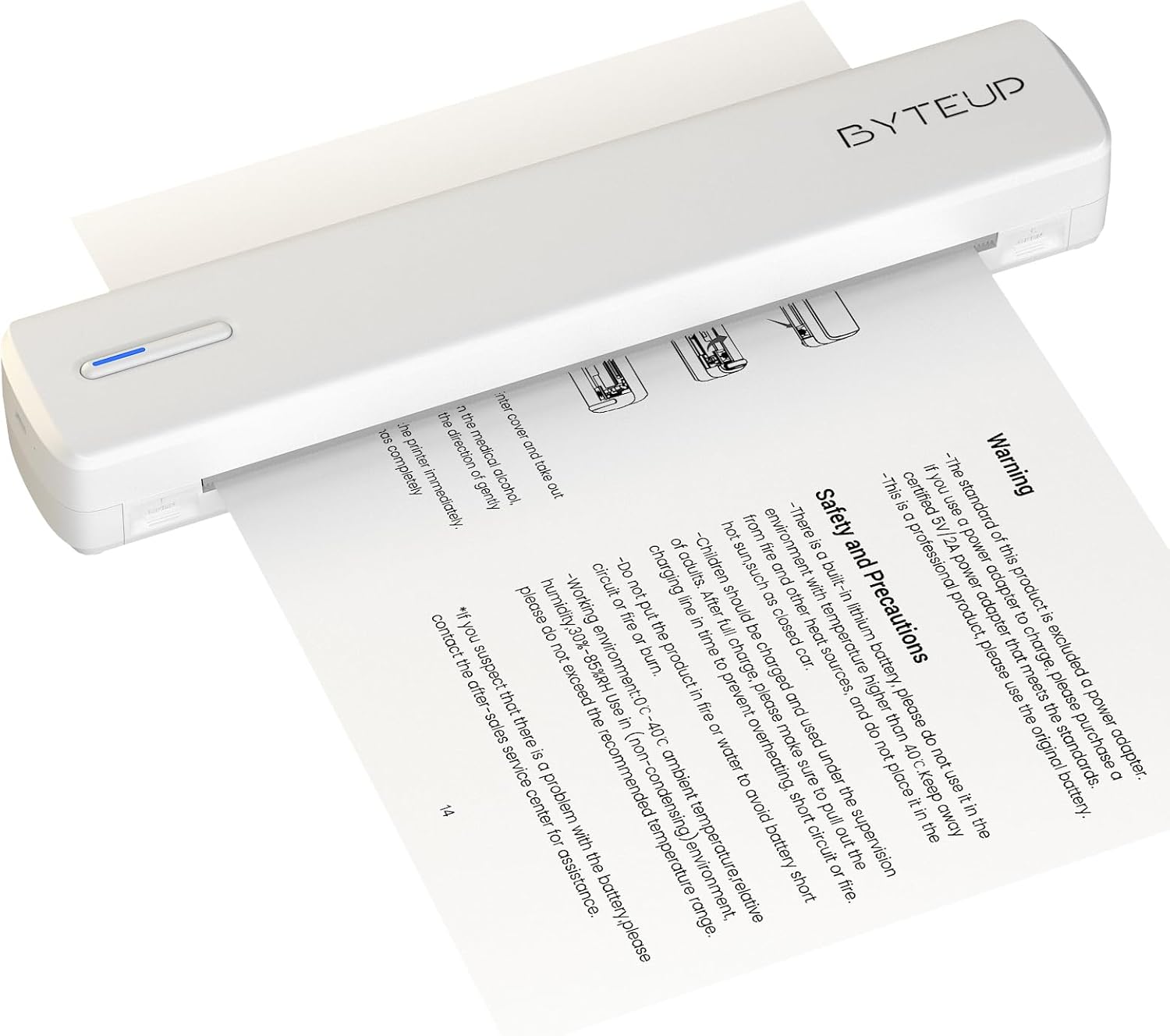
Image 1.1: The ByteUp C80 Portable Thermal Printer in operation, demonstrating paper feeding.
2. Коопсуздук чаралары
To ensure safe and proper operation of your ByteUp C80 printer, please observe the following precautions:
- The standard product package does not include a power adapter. If a power adapter is required, please purchase a certified 5V/2A power adapter that meets safety standards.
- This device contains a built-in lithium battery. Do not use it in environments with temperatures exceeding 40°C (104°F) or near open flames and other heat sources.
- The battery should be charged and used under supervision. Do not leave children unattended during charging.
- Do not put the product in fire or water to avoid battery short circuit or fire.
- Operating environment: 0°C - 40°C (32°F - 104°F) ambient temperature, relative humidity 30%-85% (non-condensing).
- If you suspect a problem with the battery, please contact the after-sales service center for assistance.
3. Кутуда эмне бар
Upon unpacking your ByteUp C80 Portable Thermal Printer, verify that all the following components are included:
- 1 x C80 Printer
- 20 x US Letter Size Thermal Paper sheets
- 1 х Колдонуучунун колдонмосу (бул документ)
- 1 x Жол көрсөткүч картасы
- 1 x U disk (containing drivers and software)
4. Орнотуу колдонмосу
4.1 Принтерди заряддоо
Before first use, fully charge the printer using a compatible 5V/2A USB-C power adapter (not included). Connect the USB-C cable to the printer's charging port and the other end to the power adapter. The indicator light will show charging status.
4.2 Кагазды жүктөө
The C80 printer uses thermal paper only. It does not support regular copy paper.
- Open the paper input cover.
- Insert the thermal paper with the printable side facing up. Ensure the paper is aligned correctly and smoothly.
- Close the paper input cover. The printer will automatically feed a small amount of paper to confirm loading.

Image 4.1: The ByteUp C80 printer supports various paper sizes including US Letter, A4 Thermal, and Tattoo Transfer Paper.
5. Иштөө нускамалары
5.1 Күйгүзүү/өчүрүү
- Күйгүзүү үчүн: Күйгүзүү баскычын индикатор жарыгы күйгөнгө чейин басып туруңуз.
- Өчүрүү үчүн: Индикатор жарыгы өчкөнгө чейин кубат баскычын басып, кармап туруңуз.
5.2 Байланыш параметрлери
The ByteUp C80 printer offers both Bluetooth and USB-C connectivity for versatile use with various devices.

Image 5.1: The ByteUp C80 printer supports both USB and Bluetooth connections for printing from laptops, smartphones, and other devices.
5.2.1 Bluetooth Connection (for iOS, Android)
- Принтер күйгүзүлүп турганын жана мобилдик түзмөгүңүзгө жетүү мүмкүнчүлүгүнүн аралыгында экенин текшериңиз.
- Мобилдик түзмөгүңүздө Bluetooth'ду иштетиңиз.
- Open the dedicated ByteUp printing application (refer to the U disk for software installation).
- Within the app, search for available Bluetooth devices and select "C80" to pair.
- Once paired, you can select documents (PDF, Word, Images, Web) from your phone to print.
5.2.2 USB-C Connection (for Laptop/PC)
- Connect the printer to your laptop or PC using the provided USB-C cable.
- Install the printer drivers from the included U disk. Follow the on-screen instructions for installation.
- Once drivers are installed, the printer will appear as an available printer in your system's print dialogue.
- Select the C80 printer and adjust print settings as needed before printing.
5.3 Документтерди басып чыгаруу
Always remember to choose the correct paper size setting on your phone or PC to match the thermal paper you are using. The printer supports monochrome (black and white) printing only.

Image 5.2: The ByteUp C80 printer is capable of high-resolution monochrome printing, suitable for various documents including tattoo stencils.
6. Техникалык тейлөө
6.1 Басып чыгаруу башын тазалоо
Басып чыгаруу башын үзгүлтүксүз тазалоо оптималдуу басып чыгаруу сапатын камсыз кылат.
- Принтердин өчүрүлгөнүн жана башка кубат булагынан ажыратылганын текшериңиз.
- Кагаз киргизүү капкагын акырын ачыңыз.
- Жумшак, түксүз кездемени жеңил колдонуңуз dampened with isopropyl alcohol to wipe the print head surface.
- Капкакты жаап, принтерди күйгүзүүдөн мурун басып чыгаруу башынын толук кургашына уруксат бериңиз.
6.2 Paper Storage
Store thermal paper in a cool, dry place away from direct sunlight and excessive heat to preserve its quality and print longevity.
7. Кыйынчылыктарды
| Көйгөй | Мүмкүн себеп | Чечим |
|---|---|---|
| Принтер күйбөй жатат | Батарея аз же заряды жок | Charge the printer fully using a 5V/2A USB-C adapter. |
| Басып чыгаруу сапаты начар / Өчүрүлгөн басып чыгаруулар | Dirty print head; Low quality thermal paper; Paper loaded incorrectly | Clean the print head (refer to Section 6.1); Use high-quality thermal paper; Ensure paper is loaded correctly with printable side up. |
| Принтер Bluetooth аркылуу туташпай жатат | Bluetooth not enabled; Printer not in pairing mode; Interference | Ensure Bluetooth is enabled on your device; Restart printer and device; Move closer to the printer; Check app for pairing instructions. |
| Принтер USB аркылуу компьютер тарабынан таанылган жок | Drivers not installed; Faulty USB cable/port | Install drivers from the U disk; Try a different USB-C cable or port. |
| Кагаз тыгылышы | Paper loaded incorrectly; Damaged paper | Power off the printer, gently remove jammed paper, reload new paper correctly. |
8. Продукттун спецификациялары
- Модель аты: C80
- Бренд: ByteUp
- Басып чыгаруу технологиясы: Термикалык
- Байланыш технологиясы: Bluetooth, USB-C
- Принтердин чыгышы: Монохром (кара жана ак)
- Кара жана ак басып чыгаруунун максималдуу чечилиши: 203 dpi (Dots Per Inch)
- Макс басып чыгаруу ылдамдыгы монохромдуу: 4 ppm (мүнөтүнө барак)
- Максималдуу медиа өлчөмү: 8.5x11 inches (US Letter)
- Supported Print Media: Thermal Paper (Roll paper, Fan-fold paper, Tattoo transfer paper)
- Киргизүү барагынын максималдуу сыйымдуулугу: 20 барак
- Дуплекстүү басып чыгаруу: Жок (Симплекс гана)
- Аппараттык интерфейс: USB түрү C
- Сыя Түсү: Black (Thermal printing, no ink required)
- Продукциянын өлчөмдөрү: 12.99"D x 3.35"W x 3.15"H (33 x 8.5 x 8 см)
- Элемент Салмагы: 1.8 фунт (0.82 кг)
- Батареялар: 1 стандарттуу эмес батарея (кошулган)
- Өндүрүүчү: shanyin
9. Кепилдик жана колдоо
For warranty information and technical support, please refer to the contact details provided on the ByteUp official website or the guide card included in your product package. If you encounter any issues not covered in this manual, or require further assistance, please do not hesitate to contact our customer service team.
Ask a question about this manual
Ask about setup, troubleshooting, compatibility, parts, safety, or missing instructions. Manuals+ will review the question and use this page’s manual context to help answer it.