
Introduction
This manual provides detailed instructions for the HAARAY Solar Lights Outdoor, Model CCP0110. These versatile lights offer both solar and USB-C charging, multiple installation options, and intelligent motion sensing capabilities. Please read this manual thoroughly before installation and use to ensure proper function and longevity of your product.
Кутуда эмне бар
Таңгактан чыгаргандан кийин, бардык компоненттер бар экенин текшериңиз:
- HAARAY Solar Light Unit(s)
- Монтаждоочу жабдуулар (буроолор, анкерлер)
- USB-C заряддоо кабели
- Көрсөтмө (бул документ)
Продукт өзгөчөлүктөрү
- Орнотуунун бир нече варианттары: Can be clipped onto fences, decks, or wall-mounted. The unit can also be disassembled for separate use, functioning as a portable light or desk lamp.
- Кыймылды аныктоо: Features a detection angle of up to 120° and a detection distance of approximately 16 feet, providing illumination when movement is detected.
- 360° Rotatable Angle: The light head can be rotated 360° horizontally and adjusted 45° vertically, allowing precise direction of light.
- Кош кубаттоо ыкмалары: Equipped with monocrystalline silicon solar panels for efficient solar charging (6-8 hours for full charge) and a USB-C port for indoor or faster charging (3-4 hours for full charge).
- Үч жарык орнотуулары: Offers one 'Stay On' mode and two 'Motion Sensor' modes to suit various lighting needs.
- IP65 Суу өткөрбөйт: Designed to withstand outdoor weather conditions, ensuring durability.
Орнотуу жана орнотуу
The HAARAY Solar Light offers flexible installation options:
1. Clip-On Installation
Attach the light unit to fences, decks, or gutters using the integrated clip. Ensure the clip is securely fastened to a stable surface. The clip mechanism allows for easy relocation.
2. Wall-Mount Installation
For a permanent fixture, use the provided mounting hardware to attach the light to a wall. Mark the desired position, drill pilot holes, insert anchors, and secure the bracket with screws.

Image: The solar light can be installed using either the clip-on method on a window frame or wall-mounted under a roof eave for outdoor illumination.
3. Бурчту жөндөө
The light features a 360° rotatable joint and a 45° vertical adjustment. This allows you to direct the light precisely where needed. You can also choose between vertical or horizontal clip orientation based on your mounting surface.

Image: The light head can be rotated 360 degrees and tilted 45 degrees. The clip can be configured for both vertical and horizontal mounting.
Заряддоо нускамалары
Your HAARAY Solar Light can be charged using two methods:
1. Күн кубаттоо
Position the solar panel in direct sunlight for 6-8 hours to achieve a full charge. The monocrystalline silicon panel is designed for efficient energy absorption.
2. USB-C заряддоо
For faster charging or when solar exposure is limited, use the provided USB-C cable to connect the light to a power source. A full charge typically takes 3-4 hours via USB-C.
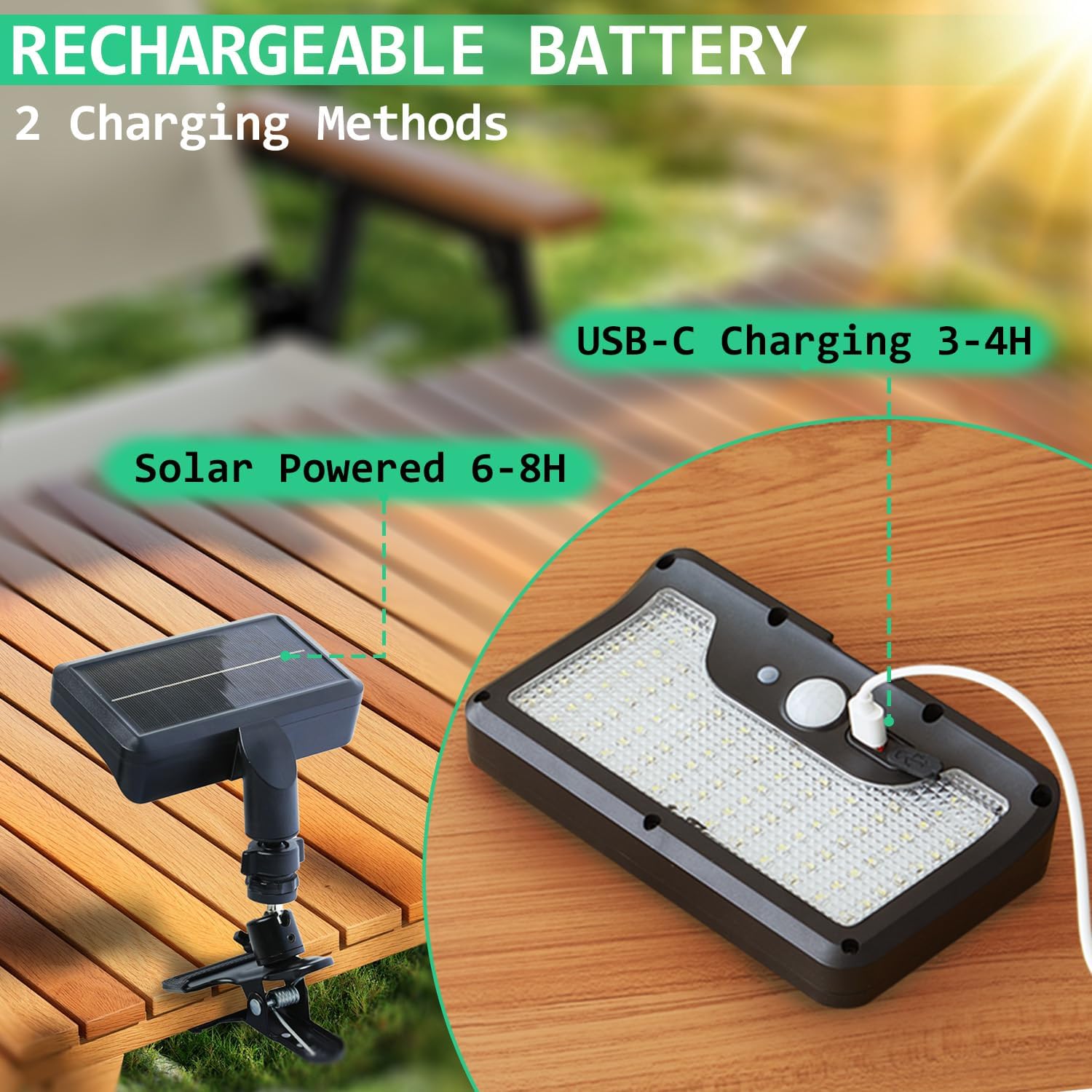
Image: The solar light can be charged via its integrated solar panel or through the USB-C port for quicker charging.
Иштөө режимдери
The HAARAY Solar Light features three distinct operating modes, selectable via a push button:
- Setting 1 (Dim + Motion Sensor): The light remains dim at night and switches to bright light when motion is detected. After approximately 15 seconds of no motion, it returns to dim mode.
- Setting 2 (Off + Motion Sensor): The light remains off at night and switches to bright light when motion is detected. After approximately 15 seconds of no motion, it turns off.
- Setting 3 (Stay On): The light stays on at a consistent dim level throughout the night. This mode provides over 10 hours of continuous illumination on a full charge.

Image: Visual representation of the three operating modes, demonstrating how the light behaves with and without motion detection.
Motion Sensor Functionality
The integrated motion sensor detects movement within a 120° angle and up to 16 feet. This feature is active in Setting 1 and Setting 2, providing security and energy efficiency.

Image: The motion sensor provides a 120-degree detection angle and a 16-foot detection distance, illuminating a wide area.
Техникалык тейлөө
To ensure optimal performance and longevity of your HAARAY Solar Light, follow these maintenance guidelines:
- Тазалоо: Мезгил-мезгили менен күн панелин жана жарык бетин жумшак, гamp чаңды, кирди же таштандыларды кетирүү үчүн кездеме. Таза күн батареясы натыйжалуу кубаттоону камсыз кылат.
- Сууну коргоо: While the light is IP65 waterproof, for outdoor use, always ensure the USB-C charging port is securely covered with its silicone cap to prevent water ingress.
- Батареяга кам көрүү: Allow the light to fully charge in direct sunlight before first use. If storing the light for an extended period, ensure it is fully charged and recharge it every few months to maintain battery health.

Image: The light is IP65 waterproof, suitable for outdoor use. Always cover the USB-C port with its silicone plug to prevent water ingress.
Проблемаларды чечүү
If you encounter issues with your HAARAY Solar Light, please refer to the following common problems and solutions:
| Көйгөй | Мүмкүн себеп | Чечим |
|---|---|---|
| Түнкүсүн жарык күйбөйт. | Күндүн заряды жетишсиз. | Ensure the solar panel is exposed to direct sunlight for 6-8 hours. Charge via USB-C if sunlight is consistently low. |
| Жарык күңүрт же батареянын иштөө мөөнөтү кыска. | Partial charge, dirty solar panel, or cold weather. | Clean the solar panel. Ensure full solar exposure or charge via USB-C. Battery performance may decrease in extreme cold. |
| Кыймыл сенсору аныкталбай жатат. | Obstruction, incorrect mode, or sensor malfunction. | Ensure the sensor is clear of obstructions. Verify the light is in Setting 1 or 2. Test in different locations. |
| Аппараттын ичиндеги суу. | USB-C port cap not sealed. | Always ensure the silicone cap on the USB-C port is tightly closed when used outdoors. |
Бул кадамдар маселени чечпесе, кардарларды колдоо кызматына кайрылыңыз.
Техникалык шарттар
| Өзгөчөлүк | Деталь |
|---|---|
| Бренд | ХААРАЙ |
| Модель номери | CCP0110 |
| Түс | Кара |
| Материал | Acrylonitrile бутадиен Styrene |
| Жарык берүүчү форма | Прожектор |
| Продукциянын өлчөмдөрү | 6"L x 3.5"W x 11"H |
| Ички/тышкы колдонуу | Ички, сырткы |
| Power Source | Күн энергиясы |
| Орнотуу түрү | Wall Mount, Clip On |
| Өзгөчөлүктөр | Adjustable Height, Cordless, Lightweight, Motion Sensor, Portable |
| Башкаруу ыкмасы | Push Button |
| Жарык булагы түрү | LED |
| Жарык булактарынын саны | 92 |
| Ачык түс | Ак |
| Камтылган компоненттер | Instruction Manual, Mounting Hardware, USB-C Cable |
| Элементтердин саны | 2 |
| Сууга туруктуулук деңгээли | Суу өткөрбөйт (IP65) |
| Ассамблея талап кылынат | Ооба |
| Түс температурасы | 7000 Келвин |
| Элемент Салмагы | 2.01 фунт |
| Батареялар | 1 D батарейка талап кылынат (кошулган) |
Кепилдик маалымат
The HAARAY Solar Lights Outdoor come with an extended warranty. For specific details regarding the warranty period and coverage, please refer to the warranty card included in your product packaging or contact HAARAY customer support.
Кардарларды колдоо
If you have any questions, require technical assistance, or need to report a problem that cannot be resolved using the troubleshooting guide, please contact HAARAY customer support. Contact information can typically be found on the product packaging, the official HAARAY webсайты же сатып алуу платформасы аркылуу.