
1. Продукт бүтүп калдыview
The Twotrees TTC 3018 Pro CNC Router Machine is an upgraded 3-axis engraving and milling machine designed for precision carving. It features a working area of 300mm x 180mm x 40mm and offers 0.1mm positioning accuracy. This machine is suitable for engraving various materials including wood, acrylic, plastic, aluminum, and brass. It supports 0.5-7mm ER11 collet bits and operates with spindle speeds ranging from 7000 to 9000 RPM.
Constructed with a robust aluminum frame, the TTC 3018 Pro ensures stability and durability. It is controlled by an MKSDLC32 V2.0 motherboard, compatible with popular software like Artcam, Fusion360, and Easel, and supports .nc/.gcode files via USB or TF card. The machine is equipped with three 42 stepper motors for precise XYZ-axis movement and achieves a maximum speed of 1500mm/min.
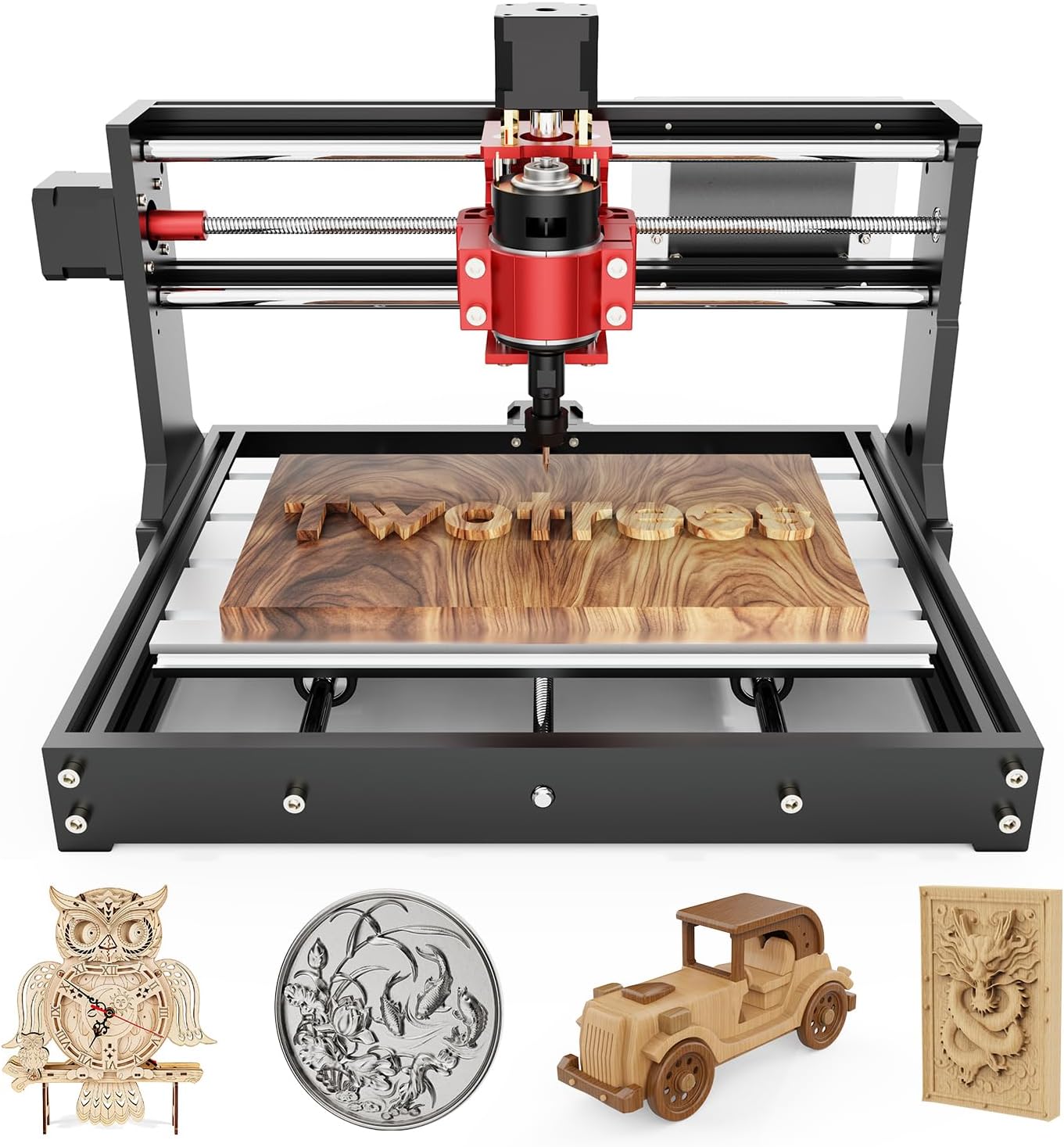
Figure 1.1: The Twotrees TTC 3018 Pro CNC Router Machine, showcasinанын компакттуу дизайны жанаample wood engraving.
2. Орнотуу жана чогултуу
The TTC 3018 Pro is provided as an assembly kit. Careful assembly is crucial for optimal performance and safety. Refer to the included physical product manual for detailed step-by-step assembly instructions.
2.1 Пакеттен чыгаруу жана компоненттерди идентификациялоо
Upon receiving your package, carefully unpack all components and verify them against the packing list. Ensure all parts are present and undamaged before proceeding with assembly.

Figure 2.1: All components included in the Twotrees TTC 3018 Pro assembly kit. This image displays the various parts such as aluminum profiles, stepper motors, spindle, control board, and power supply.
2.2 Механикалык чогултуу
Follow the instructions in the physical manual to assemble the aluminum frame, install the lead screws (GT2-6mm/T8-8mm), and mount the three 42 stepper motors (17HS3401S-15B/34) for the XYZ-axis. Ensure all connections are secure and movements are smooth.

Figure 2.2: Diagram illustrating the dimensions of the Twotrees TTC 3018 Pro CNC Router Machine, highlighting its compact aluminum industrial structure.
2.3 Электр байланыштары
Connect the stepper motors, spindle motor (775 brushed spindle motor), and other electrical components to the MKSDLC32 V2.0 motherboard. Ensure correct polarity and secure connections. Connect the 12-24V/5A power adapter to the machine and a 100-240V AC power source.
2.3-сүрөт: Детальдуу view of the compact controller box for the Twotrees TTC 3018 Pro, showing the various ports including DC24V power supply, USB, TF card slot, switch, 775 spindle, fan, and XYZ axis ports.
2.4 Программаны орнотуу жана конфигурациялоо
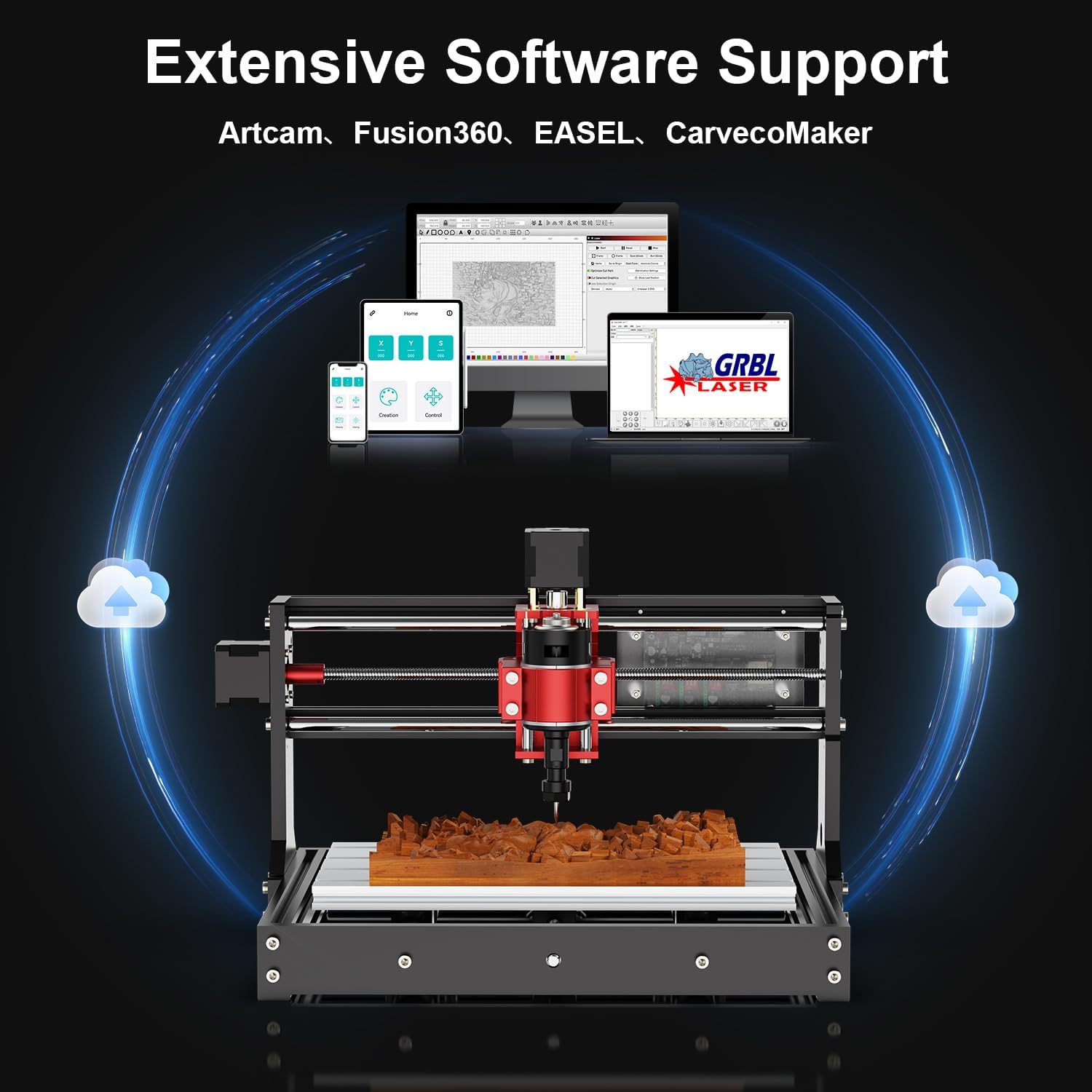
The machine utilizes the GRBL control system. Install the necessary drivers and control software on your computer (Windows XP-10 compatible). The machine is compatible with Artcam, Fusion360, and Easel. Follow the software-specific instructions for installation and initial configuration, including setting up communication with the CNC machine via USB or TF card.

Figure 2.4: Illustration of the extensive software support for the Twotrees TTC 3018 Pro, including compatibility with Artcam, Fusion360, Easel, and CarveCoMaker, all based on GRBL control.
3. Иштетүү үчүн колдонмо
3.1 Материалды даярдоо
Ensure your material (wood, acrylic, plastic, aluminum, brass) is securely fastened to the working area (300mm x 180mm x 40mm). Proper clamping prevents movement during engraving, which can affect accuracy and safety.
3.2 Tooling and Spindle Setup
Select the appropriate ER11 collet bit (0.5-7mm) for your engraving task. Insert the bit into the spindle and tighten it securely. The 775 brushed spindle motor supports speeds of 7000-9000 RPM. Adjust spindle speed according to the material and desired engraving depth.
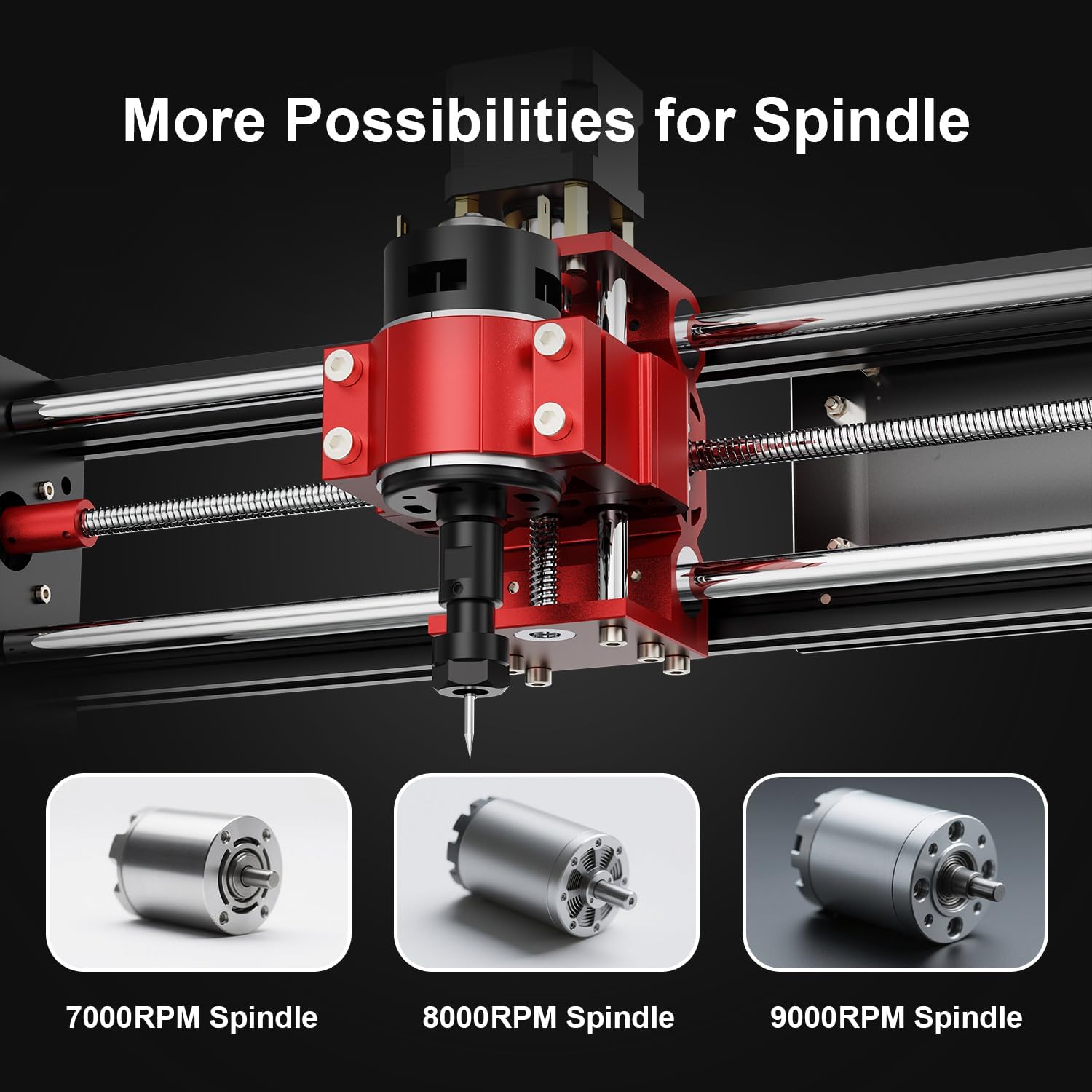
Figure 3.1: This image highlights the versatility of the Twotrees TTC 3018 Pro spindle, showing options for 7000RPM, 8000RPM, and 9000RPM spindles.
3.3 Loading G-code Files
Дизайныңызды даярдаңыз file using compatible software (Artcam, Fusion360, Easel) and export it as a .nc or .gcode file. Load the file into your GRBL control software via USB or TF card. Verify the toolpath and origin settings before starting the engraving process.
3.4 Initiating Engraving
Once the material is secured and the G-code is loaded, initiate the engraving process through the control software. Monitor the machine's operation closely. The machine offers 0.1mm positioning accuracy and a maximum speed of 1500mm/min.

Сүрөт 3.2: Жакын пландан view of the Twotrees TTC 3018 Pro's mechanical components, emphasizing the T8 8mm lead screw and GT2 6mm lead screw, which contribute to its 0.1mm engraving accuracy.
4. Техникалык тейлөө
Regular maintenance ensures the longevity and optimal performance of your TTC 3018 Pro CNC Router Machine.
4.1 Тазалоо
- After each use, clean the working area and machine components to remove dust, chips, and debris. Use a brush or vacuum cleaner.
- Ensure the lead screws and guide rails are free from obstructions.
- Do not use harsh chemicals that may damage the acrylic or aluminum components.
4.2 Майлоо
- Periodically apply a small amount of lubricant to the lead screws and linear bearings to ensure smooth movement and reduce wear.
- Consult the physical manual for recommended lubricant types and application frequency.
4.3 Текшерүү
- Regularly inspect all electrical connections for looseness or damage.
- Check the tightness of all screws and fasteners.
- Examine the ER11 collet bits for wear and replace them as needed to maintain engraving quality.
5. Кыйынчылыктарды
This section addresses common issues you might encounter with your TTC 3018 Pro CNC Router Machine.
| Көйгөй | Мүмкүн себеп | Чечим |
|---|---|---|
| Машина иштебейт. | Power adapter not connected; power outlet issue; faulty power adapter. | Ensure power adapter is securely connected to machine and a working outlet. Test outlet with another device. Replace power adapter if faulty. |
| Моторлор кыймылдабай жатат. | Loose motor connections; software not connected to machine; emergency stop engaged. | Check all motor cable connections to the control board. Verify software connection. Release emergency stop button if pressed. |
| Engraving accuracy is poor. | Loose material clamping; worn out engraving bit; loose lead screws or belts. | Ensure material is firmly clamped. Replace worn engraving bits. Check and tighten lead screws and ensure belts are properly tensioned. |
| Software connection issues. | Incorrect COM port selected; driver issues; USB cable fault. | Verify the correct COM port in device manager and software. Reinstall USB drivers. Try a different USB cable. |
| Spindle not rotating. | Spindle motor connection loose; spindle motor faulty; software command issue. | Check spindle motor connection to the control board. Ensure spindle is enabled in software. If issues persist, the spindle motor may need replacement. |
For issues not covered here, please refer to the comprehensive troubleshooting section in your physical product manual or contact customer support.
6. Техникалык шарттар
| Өзгөчөлүк | Деталь |
|---|---|
| Модель номери | TTC 3018 Pro |
| Жумушчу аймак | 300мм x 180мм x 40мм |
| Позициялоонун тактыгы | 0.1мм |
| Frame Material | Aluminum (with acrylic/electrical board components) |
| Машинанын өлчөмдөрү | 420мм x 355мм x 280мм |
| Элемент Салмагы | 16.28 фунт (болжол менен 7.38 кг) |
| Башкаруу кеңеши | MKSDLC32 V2.0 (A4988 drivers) |
| Шайкеш программалык камсыздоо | Artcam, Fusion360, Easel |
| Колдоого алынган File Форматтар | .nc, .gcode |
| Операциялык системанын шайкештиги | Windows XP-10 |
| Максималдуу ылдамдык | 1500мм/мин |
| Lead Screws | GT2-6mm / T8-8mm |
| Stepper Motors | Three 42 stepper motors (17HS3401S-15B/34) |
| Шпиндель мотору | 775 brushed spindle motor |
| Шпиндель RPM | 7000-9000 RPM |
| Collet Bits Supported | 0.5-7mm ER11 |
| Power Adapter Input | 100-240В AC |
| Power адаптеринин чыгышы | 12-24В / 5А |
| Зымсыз байланыш | 2.4GHz WiFi module |
| Сертификаттар | CE/FCC/ROHS certified |
| Иштөө температурасы | 0-40°C |
7. Кепилдик жана колдоо
For specific warranty terms and conditions, please refer to the documentation included with your product or contact the seller directly. The Twotrees TTC 3018 Pro is manufactured by Twotrees and sold by Twotrees-US Official Store.
7.1 Кардарларды колдоо
If you encounter any issues or have questions regarding the assembly, operation, or maintenance of your CNC router, please reach out to the manufacturer's or seller's customer support channels. Keep your purchase receipt and product model number handy for faster service.
Additional support resources, including FAQs and community forums, may be available on the official Twotrees webсайт.