
1. Киришүү
The TERRAMASTER D1 SSD Plus is a high-performance M.2 NVMe SSD enclosure designed for ultra-fast data transfer and reliable storage. It supports 40Gbps speeds and is compatible with a wide range of USB and Thunderbolt interfaces. This manual provides detailed instructions for setting up, operating, and maintaining your D1 SSD Plus enclosure.

Image 1.1: The TERRAMASTER D1 SSD Plus 40Gbps M.2 NVMe SSD Enclosure.
2. Пакеттин мазмуну
Пакетте бардык буюмдар бар экенин текшериңиз:
- TERRAMASTER D1 SSD Plus Enclosure
- 40Gbps USB Type-C Cable
- Quick колдонмо
- Thermal Conductive Silicone Pad
- Drawstring Fabric Bag
- Screwdriver
3. Техникалык шарттар
| Өзгөчөлүк | Description |
|---|---|
| Модел | D1 SSD Plus |
| Материал | Алюминий |
| Шайкеш түзмөктөр | Windows, Mac, Linux, Android, iOS |
| Катуу диск форма фактору | M.2 NVMe 2280 (SSD not included) |
| Маалыматтарды өткөрүү ылдамдыгы | Up to 40 Gigabits Per Second (theoretical) |
| Аппараттык интерфейс | USB Type-C (Compatible with USB 4/3.2/3.1/3.0/2.0, Thunderbolt 5/4/3) |
| Max Capacity | 8 ТБ чейин |
| Өлчөмдөр | 5.39 x 2.48 x 5.91 дюйм (болжол менен) |
| Элемент Салмагы | 10.6 унция (болжол менен) |
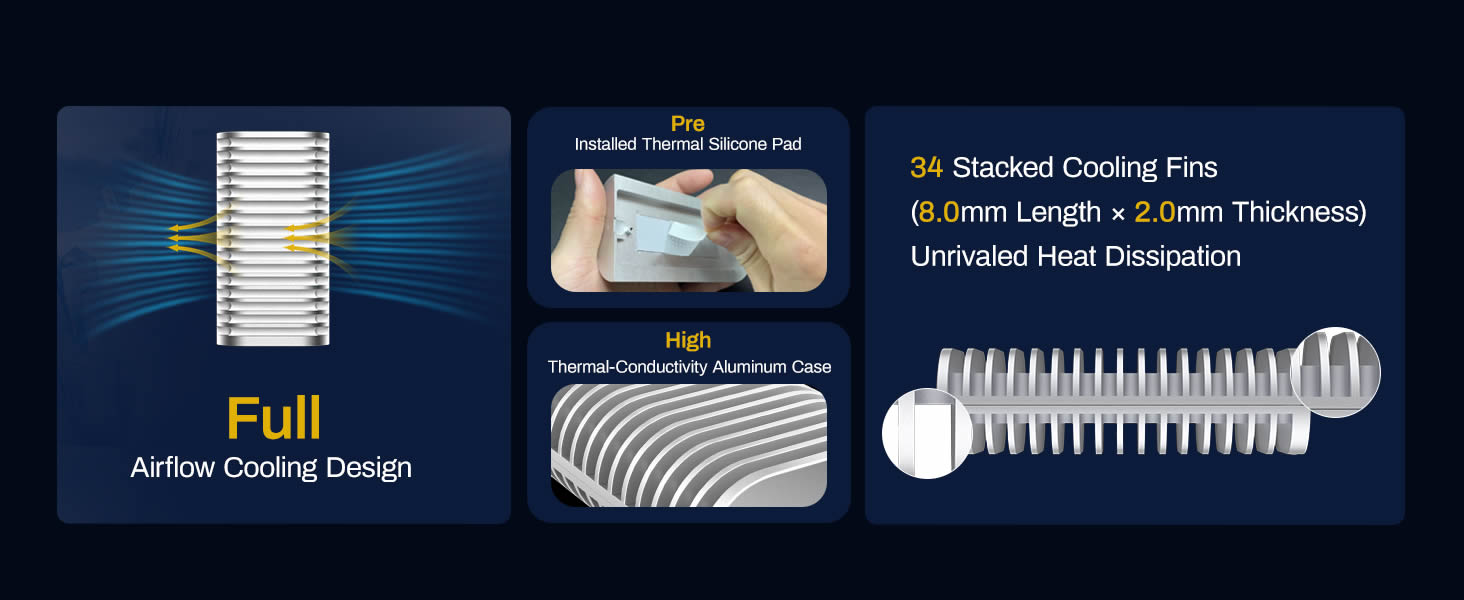
Image 3.1: The D1 SSD Plus supports only NVMe M.2 2280 SSDs. SATA M.2 SSDs are not compatible.
4. Орнотуу колдонмосу
Follow these steps to install an M.2 NVMe SSD into your TERRAMASTER D1 SSD Plus enclosure:
- Loosen the Captive Screw: Use the provided screwdriver to loosen the captive screw on the enclosure. This screw remains attached to prevent loss.
- SSD салыңыз: Carefully insert your M.2 2280 NVMe SSD into the slot. Ensure it is fully seated. Secure the SSD with the internal screw.
- Термикалык жаздыкчаны колдонуу: Remove the protective film from the pre-installed thermal conductive silicone pad on the heatsink.
- Тегиздөө жана жабуу: Note the dual locking tabs and their corresponding slots on the enclosure. Carefully fit the enclosure halves together, ensuring proper alignment.
- Tighten the Captive Screw: Tighten the captive screw to secure the enclosure.
Image 4.1: Visual guide for SSD installation.
5. Иштөө нускамалары
5.1 Түзмөгүңүзгө туташуу
Connect the D1 SSD Plus enclosure to your computer or compatible device using the provided 40Gbps USB Type-C cable. The enclosure is plug-and-play and should be recognized automatically by most operating systems.
5.2 Шайкештик
The D1 SSD Plus is compatible with a wide range of operating systems and interfaces:
- Операциялык системалар: Windows, macOS, Linux, Android, iOS
- Интерфейстер: USB 4, USB 3.2, USB 3.1, USB 3.0, USB 2.0, Thunderbolt 5, Thunderbolt 4, Thunderbolt 3
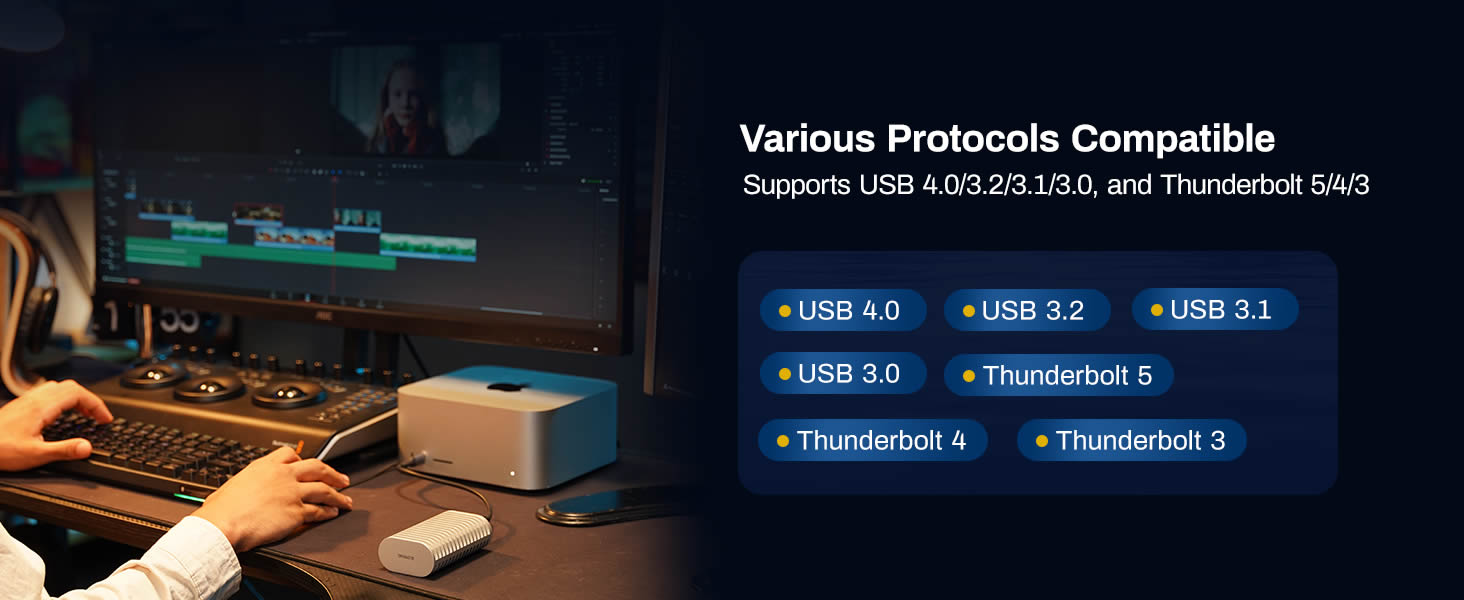
Image 5.1: The D1 SSD Plus offers broad compatibility with USB and Thunderbolt standards.
5.3 Data Transfer Performance
The D1 SSD Plus enclosure supports data transfer speeds up to 40Gbps, enabling read/write speeds of approximately 3853MB/s and 3707MB/s respectively, when paired with a compatible NVMe SSD and host interface (e.g., Thunderbolt 5). Actual speeds may vary based on your SSD, host system, and file түрлөрү.

Сүрөт 5.2: Мисample speed test results for the D1 SSD Plus.
5.4 Камдык көчүрмөнү сактоо чечимдери
The D1 SSD Plus enhances data backup capabilities:
- TDAS Mobile App: Use the included TDAS Mobile App to back up photos and videos from your iOS/Android devices directly to the SSD in the enclosure.
- TPC Backupper Software: Utilize TPC Backupper software for scheduled backups of your Windows system and data to the D1 SSD Plus.
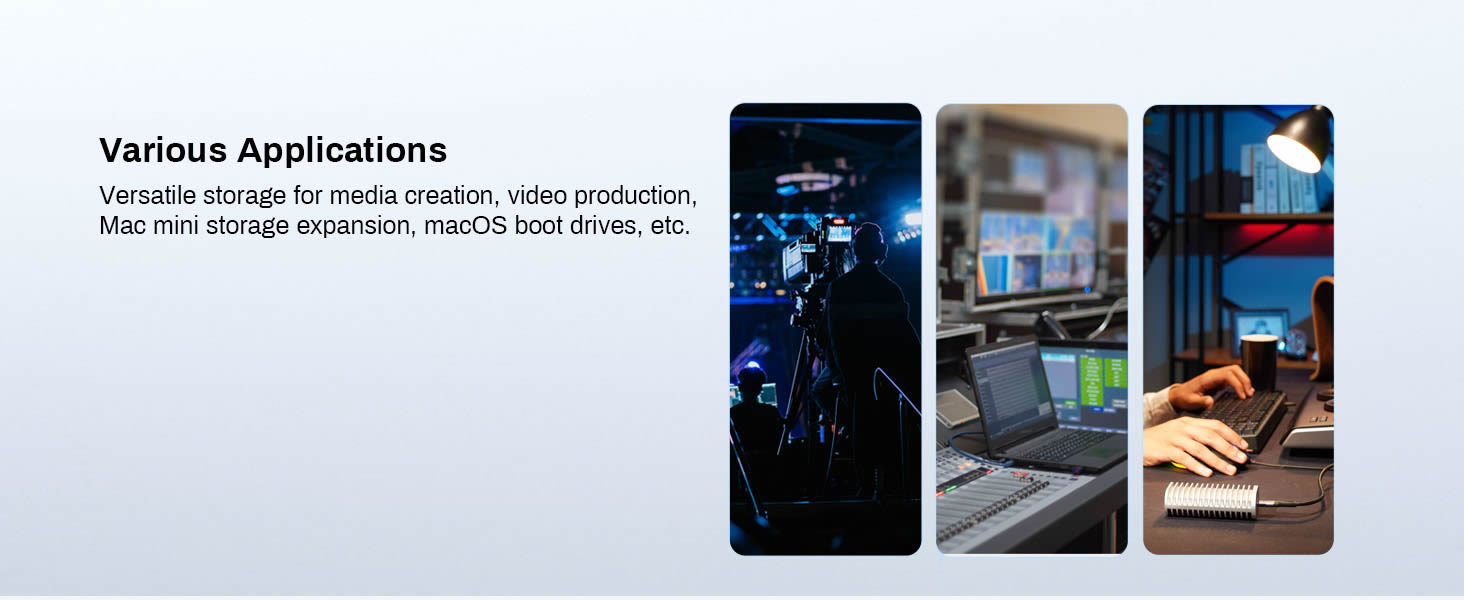
Image 5.3: Mobile photo backup using the TDAS Mobile App.
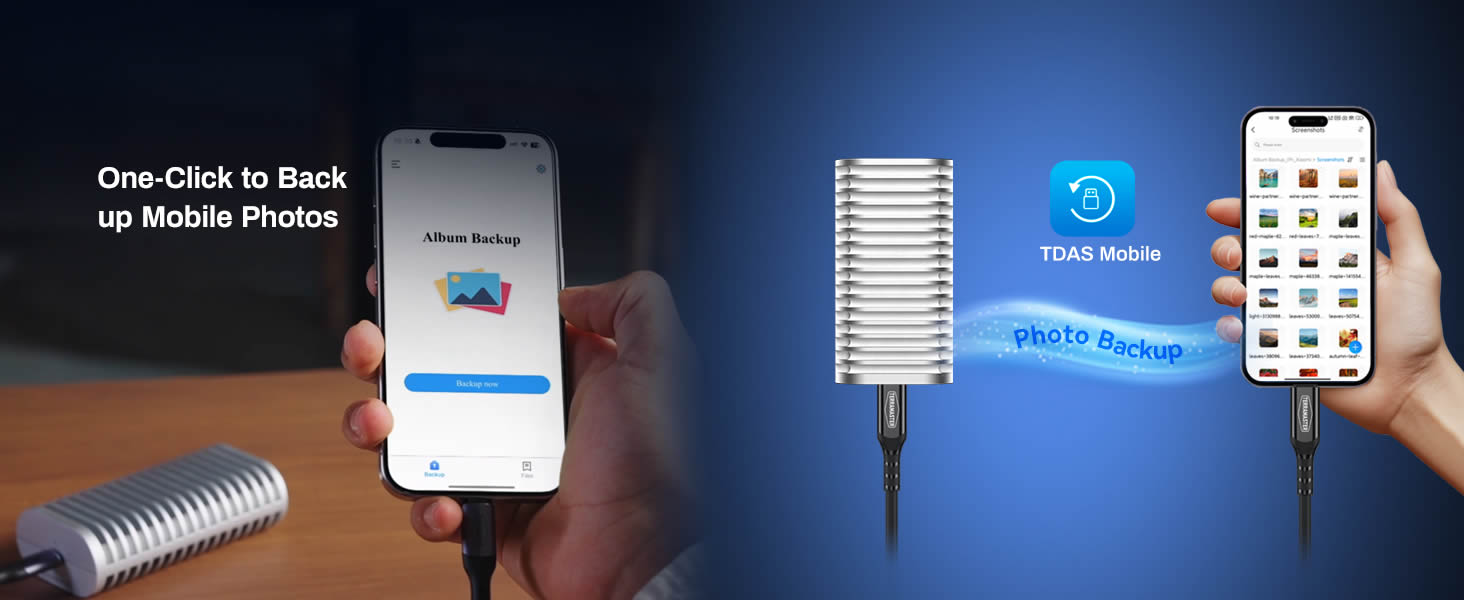
Image 5.4: Windows backup functionality with TPC Backupper.
6. Техникалык тейлөө
6.1 Жылуулук диссипациясы
The D1 SSD Plus features an all-aluminum design with 34 stacked cooling fins and a pre-installed thermal silicone pad to ensure efficient heat dissipation. This fanless design maintains optimal operating temperatures for your NVMe SSD, even during intensive workloads, contributing to its longevity and stable performance.
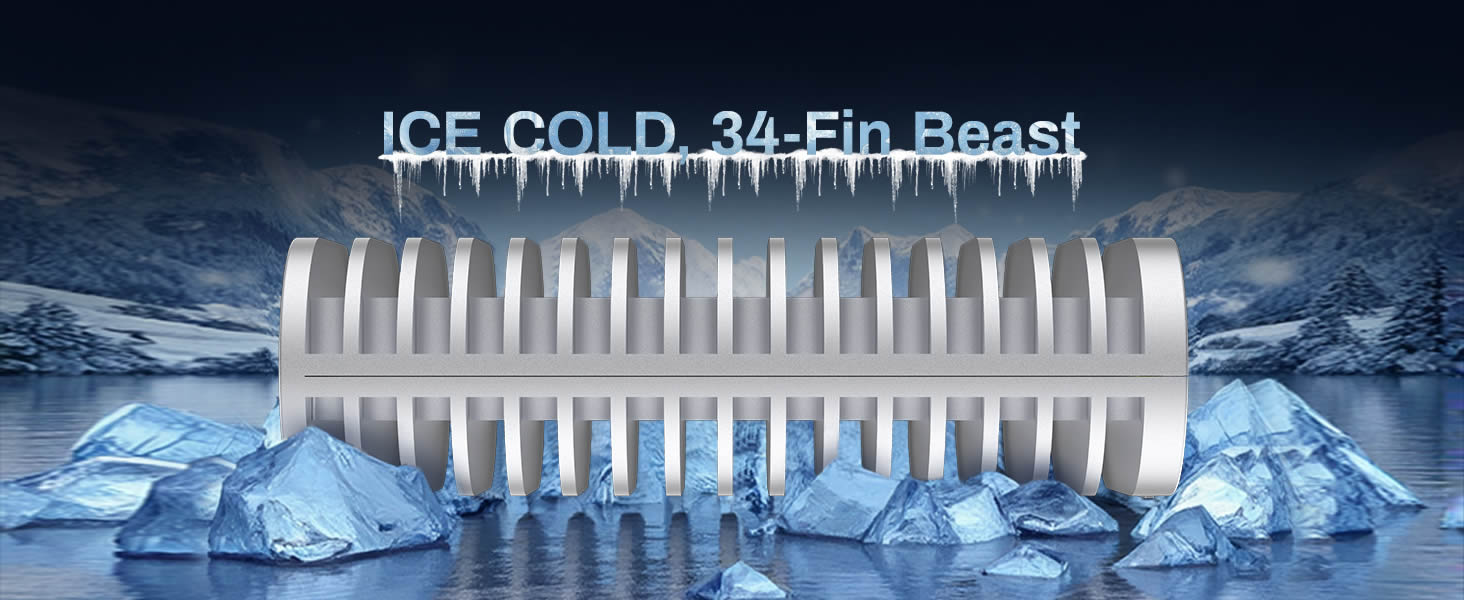
Сүрөт 6.1: Детальдуу view of the D1 SSD Plus cooling system.
6.2 Тазалоо
To clean the enclosure, use a soft, dry cloth. Avoid using liquid cleaners or solvents, as these may damage the finish or internal components.
7. Кыйынчылыктарды
Бул бөлүмдө сиз кездешиши мүмкүн болгон жалпы суроолор жана көйгөйлөр каралат.
- Q: Will the case screw come off?
A: No, it's a captive screw that stays securely attached when loosened, so you won't lose it during SSD installation. - Q: Can I use it as a bootable drive for macOS?
A: Yes! The D1 SSD Plus supports macOS boot disk functionality via USB4/Thunderbolt. Just format it as APFS and install macOS – ideal for Mac mini users needing portable system drives or backup OS. - Q: Can the D1 SSD Plus handle 8K video editing?
A: Yes! With speeds up to 3853MB/s, it easily handles 8K ProRes/DNxHR, multi-cam editing, and real-time playback. - Q: How does the D1 SSD Plus stay cool?
A: Our triple-cooling design ensures sustained performance: streamlined aluminum body with dual heat-dissipation fins, high-conductivity thermal pads (pre-installed), and optimized airflow channels. Result: just 36-44°C during continuous 8K workflows.
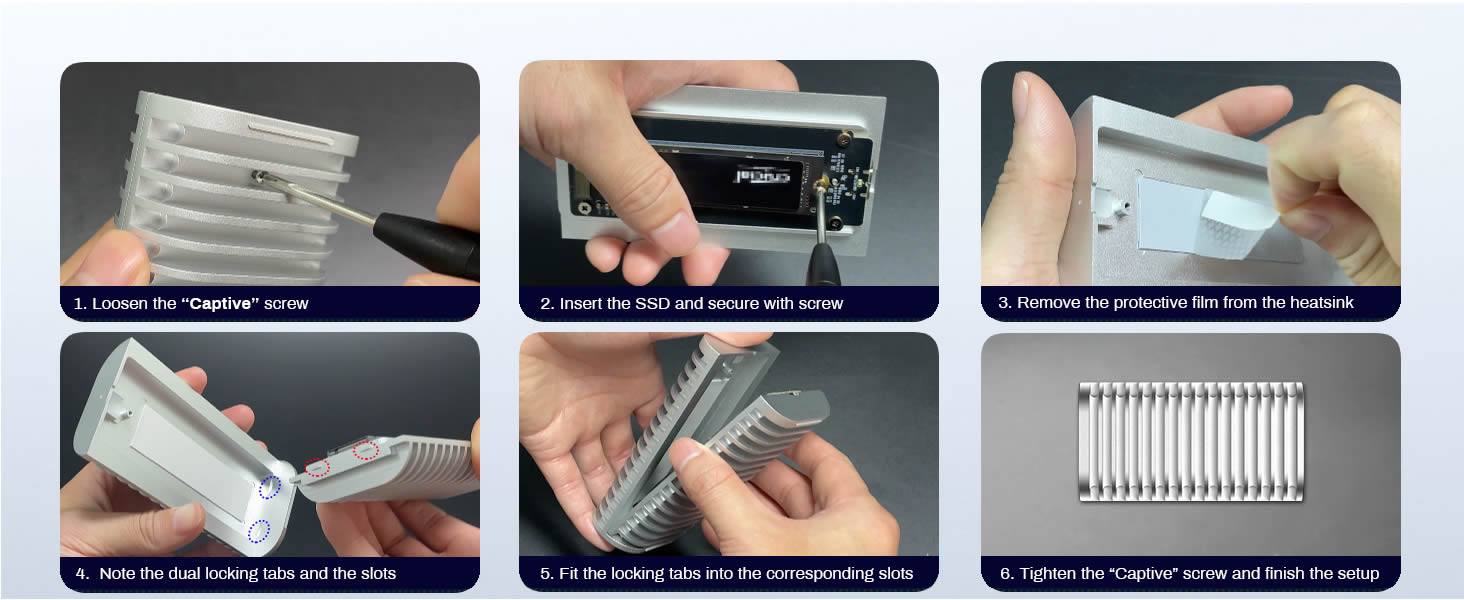
Image 7.1: Common questions and answers regarding the D1 SSD Plus.
8. Кепилдик жана колдоо
For warranty information and technical support, please refer to the official TERRAMASTER website or contact TERRAMASTER customer service directly. Keep your purchase receipt for warranty claims.