
1. Киришүү
This manual provides detailed instructions for the installation, operation, and maintenance of your PGST A519W-EU-H Wireless Home Alarm System. This system is designed to enhance your home security with real-time monitoring and alerts, offering peace of mind through its comprehensive features and smart home compatibility.
2. Пакеттин мазмуну
Сиздин пакетте бардык компоненттер бар экенин текшериңиз:
- 1 x PGST A519W-EU-H Alarm Host (Siren)
- 8 х эшик/терезе сенсорлору
- 2 x Кыймыл детекторлору
- 2 x Алыстан башкаруу
- Mounting Accessories (adhesive tape, screws)
- Сигнализация хосту үчүн кубат адаптери

Сүрөт: бүттүview of the PGST A519W-EU-H Wireless Home Alarm System components, including the siren, motion sensors, door/window sensors, and remote controls.
3. Системанын компоненттери
3.1 Alarm Host (Siren)
The alarm host serves as the central unit of your security system. It connects to your Wi-Fi network, emits a loud siren when triggered, and sends notifications to your mobile application. It features a built-in backup battery for continuous operation during power outages.

Image: Close-up of the PGST siren with icons indicating its features: >100dB volume, real-time alarm, quick response, built-in backup battery.

Image: Diagram showing the internal structure of the siren with its backup battery, emphasizing 24-hour protection during power cuts.
3.2 Эшик/Терезе сенсорлору
These two-part sensors detect when a door or window is opened. When the two parts separate by more than 1 cm, an alarm is triggered, and a notification is sent to your phone.
3.3 Motion Detectors
Motion detectors use infrared technology to sense movement within their detection range. They are ideal for securing larger areas or entry points.
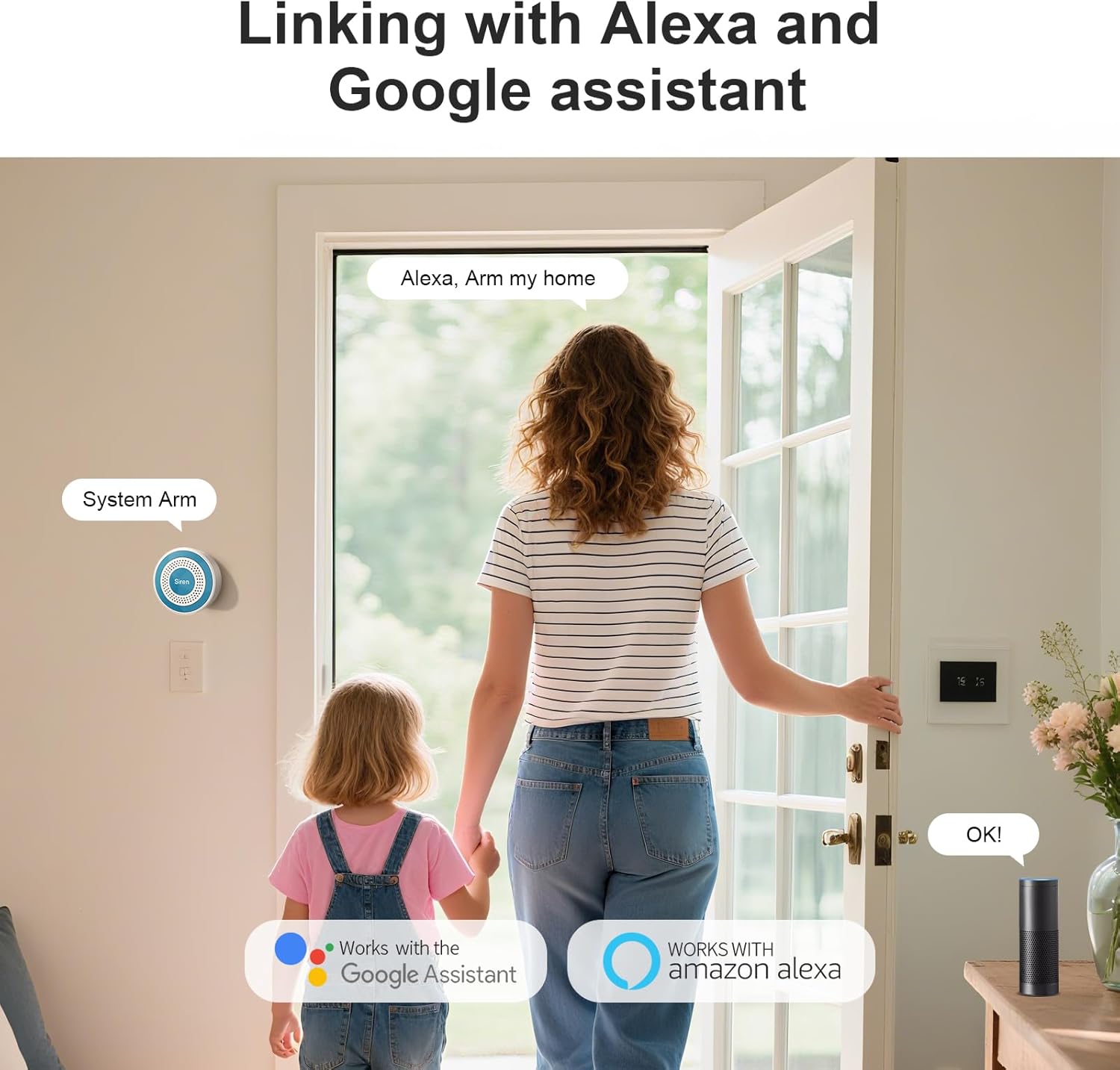
Image: A motion detector mounted in a hallway, detecting a person, illustrating its wide-range detection capability.
3.4 Алыстан башкаруу
The remote controls allow for convenient arming, disarming, and an emergency SOS function with a single press.
4. Орнотуу колдонмосу
4.1 Powering the Alarm Host
- Connect the provided power adapter to the alarm host.
- Plug the adapter into a standard wall outlet. The host will power on automatically.
4.2 Wi-Fi жана колдонмого туташуу
- жүктөп алыңыз Smart Life or Туя Смарт app from your mobile app store (iOS or Android).
- Каттоо же өз эсебиңизге кирүү.
- Жаңы түзмөк кошуу үчүн колдонмодогу көрсөтмөлөрдү аткарыңыз. 'Коопсуздук жана сенсор' > 'Сигнализация (Wi-Fi)' тандаңыз.
- Ensure your mobile device is connected to a 2.4 GHz Wi-Fi network. The alarm host only supports 2.4 GHz Wi-Fi.
- Суралганда Wi-Fi сырсөзүңүздү киргизиңиз.
- The app will guide you through the pairing process. Once connected, the host's indicator light will confirm successful pairing.

Image: The PGST siren mounted on a wall next to a Wi-Fi router, indicating instant Wi-Fi connectivity for remote access.
4.3 Pairing Sensors and Remotes
Sensors and remote controls are typically pre-paired with the alarm host. If re-pairing is needed or if you add new accessories:
- Open the Smart Life/Tuya Smart app and navigate to your alarm system.
- Select the option to 'Add Accessory' or 'Add Sensor'.
- Follow the on-screen prompts, which usually involve triggering the sensor (e.g., separating door sensor parts, waving in front of motion detector) or pressing a button on the remote control.
4.4 Mounting Sensors
Use the provided adhesive tape or screws for installation.
- Эшик/терезе сенсорлору: Mount the two parts on the door/window frame and the moving part, ensuring they are aligned and within 1 cm of each other when closed.
- Кыймыл детекторлору: Install in a corner or on a wall where it can cover the desired area without obstructions. Avoid direct sunlight or heat sources.

Image: Three images demonstrating multi-scenario installation of door/window sensors on a door, a store entrance, and drawers.
5. Иштөө нускамалары
5.1 Куралдануу жана куралсыздандыруу
You can arm or disarm your system using the mobile app or the remote controls.
- Кол: Activates all sensors. Any triggered sensor will sound the siren and send an alert.
- Куралсыздандыруу: Deactivates all sensors, allowing free movement without triggering the alarm.
- Үй курал: Activates perimeter sensors (e.g., door/window sensors) while allowing movement within the home (motion detectors may be excluded, depending on configuration).
5.2 Шашылыш SOS функциясы
In an emergency, press the SOS button on your remote control. This will immediately trigger the siren and send emergency notifications to linked contacts via the app.
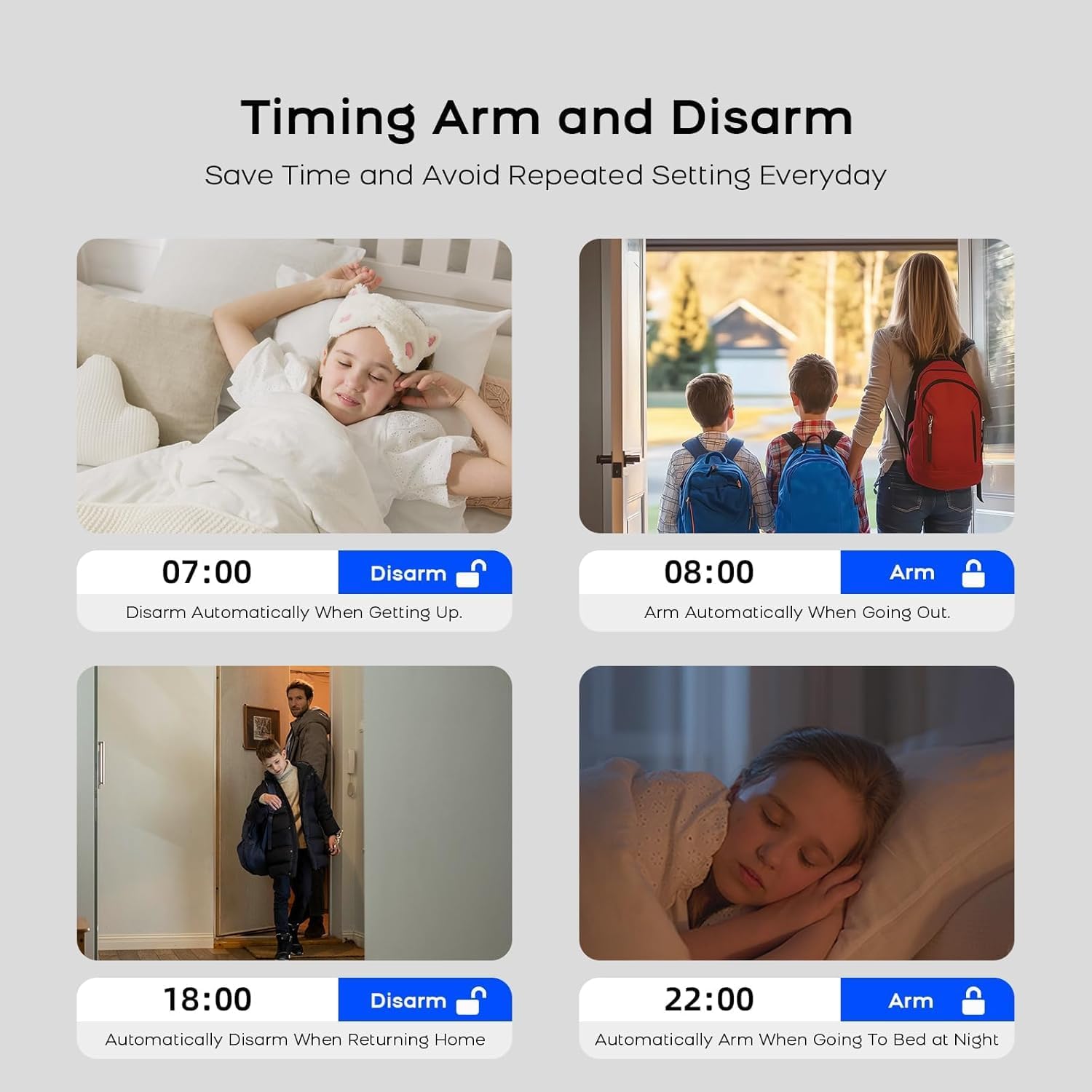
Image: An elderly person holding a remote control with a prominent SOS button, demonstrating the one-button emergency function.
5.3 Реалдуу убакыттагы эскертмелер
When a sensor is triggered, the system sends instant notifications to your smartphone via the Smart Life/Tuya Smart app, providing details about the triggered sensor and its location.

Image: A smartphone displaying the Smart Life app with real-time alarm notifications, showing the exact location of triggered sensors.
5.4 Smart Home интеграциясы
The PGST A519W-EU-H system is compatible with Amazon Alexa and Google Assistant. You can integrate your alarm system into your smart home routines for voice control and automation.
- Enable the Smart Life/Tuya Smart skill/action in your Alexa or Google Home app.
- Link your Smart Life/Tuya Smart account.
- Use voice commands such as "Alexa, arm my home" or "Hey Google, disarm the alarm."
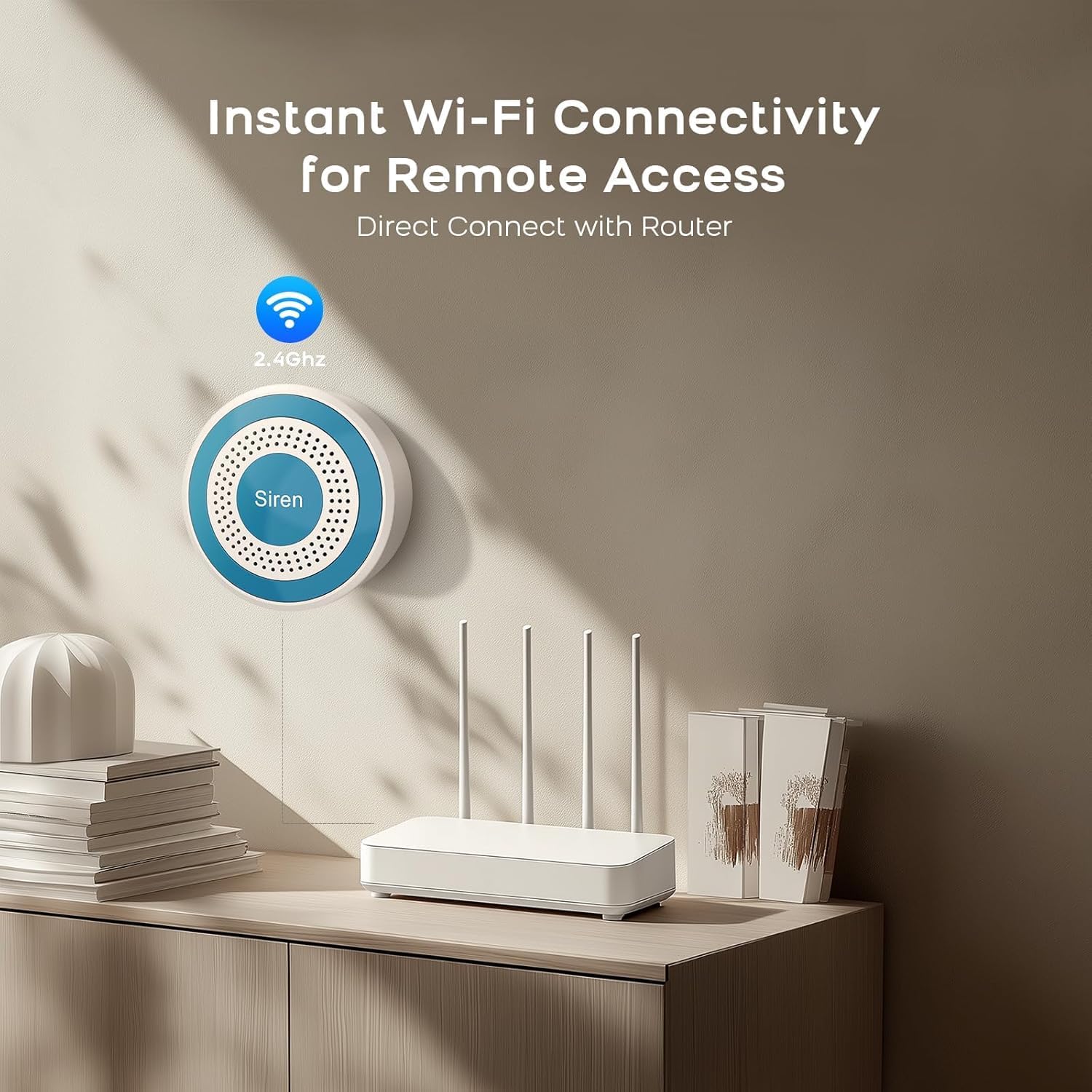
Image: A woman and child entering a home, with smart speakers (Alexa and Google Assistant) visible, illustrating compatibility and voice control.
5.5 Пландалган куралдануу/куралсыздандыруу
Set up schedules within the Smart Life/Tuya Smart app to automatically arm or disarm your system at specific times, optimizing convenience and security.

Image: Four images depicting scheduled arming and disarming scenarios: disarming upon waking, arming when going out, disarming upon returning home, and arming at night.
6. Техникалык тейлөө
6.1 Батареяны алмаштыруу
- Siren (Alarm Host): The host has a built-in backup battery that automatically charges when connected to power. It provides continuous operation for up to 24 hours during power cuts. No user replacement is typically required for this internal battery.
- Door/Window Sensors & Motion Detectors: These accessories are battery-powered. When the battery is low, the app will notify you. Replace batteries with the specified type (e.g., CR2032 for sensors, AA for motion detectors, refer to individual sensor manuals for exact type).
- Алыстан башкаруу каражаттары: These also use small button-cell batteries. Replace when the indicator light fails to illuminate or range decreases.
6.2 Тазалоо
Wipe all components with a soft, dry cloth. Avoid using liquid cleaners or abrasive materials.
7. Кыйынчылыктарды
- Alarm Host not connecting to Wi-Fi:
Ensure your Wi-Fi network is 2.4 GHz. Check Wi-Fi password. Move the host closer to the router. Restart the host and your router. - Сенсорлор сигнализацияны иштетпейт:
Check sensor battery levels in the app. Ensure sensors are properly paired. For door/window sensors, verify the two parts are aligned and separate by more than 1 cm when opened. For motion detectors, ensure no obstructions are blocking its field of view. - Колдонмо эскертмелери жок:
Check your phone's notification settings for the Smart Life/Tuya Smart app. Ensure the app has permission to send notifications. Verify your phone has an active internet connection. - Siren not sounding:
Ensure the alarm host is powered on and connected. Check the volume settings in the app.
8. Техникалык шарттар
| Өзгөчөлүк | Спецификация |
|---|---|
| Модель номери | A519W-EU-H |
| Бренд | PGST |
| Байланыш | 2.4 ГГц Wi-Fi |
| Power Source (Host) | AC Powered with Backup Battery |
| Камдык Батарея түрү | Alkaline (1 D cell included) |
| Шайкеш колдонмолор | Smart Life / Tuya Smart |
| Smart Home шайкештиги | Amazon Alexa, Google Жардамчысы |
| Орнотуу ыкмасы | Self-adhesive / Screws |
| Продукциянын өлчөмдөрү | 15.2 x 9.7 x 18.2 см |
| Элемент Салмагы | 600 грамм |
9. Кепилдик жана колдоо
Your PGST A519W-EU-H Wireless Home Alarm System comes with a 1 жылдык кепилдик сатып алынган күндөн тартып.
For technical assistance, troubleshooting, or warranty claims, please contact PGST customer support. We aim to provide a response within 24 hours.
Please refer to the contact information provided with your purchase or visit the official PGST webколдоо чоо-жайы үчүн сайт.