
NORTH EDGE X-Trek 2 Outdoor Adventure GPS Smartwatch User Manual
Model: X-Trek 2
Introduction
Welcome to the NORTH EDGE X-Trek 2 Outdoor Adventure GPS Smartwatch user manual. This guide provides detailed instructions on how to set up, operate, and maintain your new smartwatch. The X-Trek 2 is engineered for explorers and athletes, offering advanced features like built-in GPS, Bluetooth calling, and comprehensive health monitoring to support your active lifestyle.
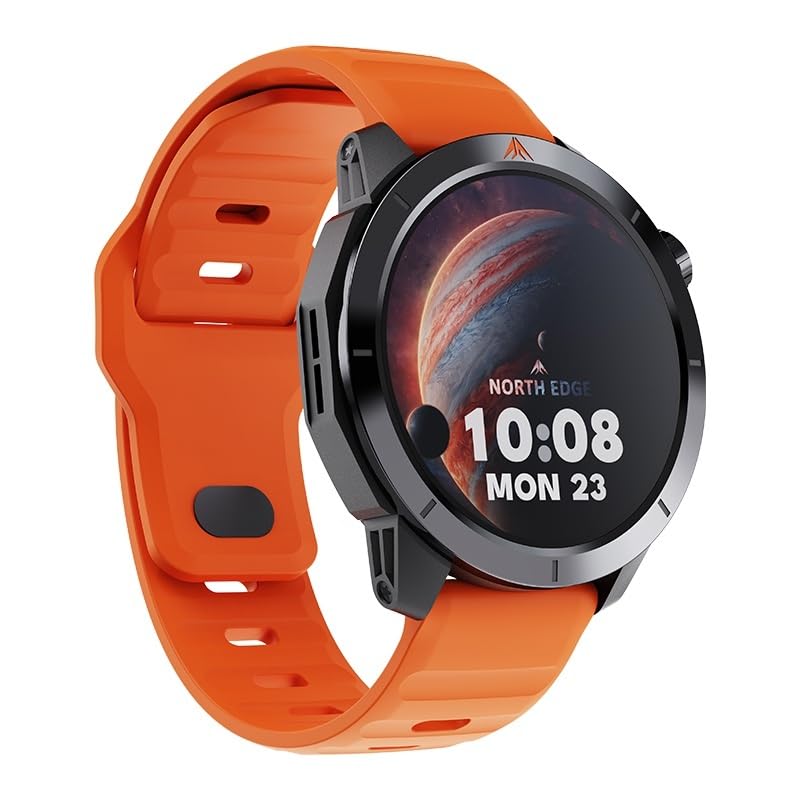
Image: The NORTH EDGE X-Trek 2 Smartwatch, featuring a robust design and an orange silicone strap.
Пакеттин мазмуну
Баштоодон мурун, пакетиңизде бардык элементтер бар экенин текшериңиз:
- NORTH EDGE X-Trek 2 Smartwatch
- Магниттик кубаттоочу кабель
- Колдонуучунун Колдонмосу (бул документ)
Баштоо: Орнотуу
1. Акылдуу саатты заряддоо
Before first use, fully charge your X-Trek 2 smartwatch. Connect the magnetic charging cable to the charging points on the back of the watch. Plug the USB end into a power adapter (not included) or a computer's USB port. The watch will indicate charging status on its screen.

Image: Magnetic Charging. The connector automatically attaches to the contact points for easy and secure charging.
2. Күйгүзүү / Өчүрүү
To power on, press and hold the power button (typically the top right button) until the screen illuminates. To power off, navigate to the settings menu on the watch, select "Power Off," and confirm your selection.
3. Смартфонуңуз менен жупташуу
Download the official companion app (refer to the watch screen or quick start guide for the app name) from your smartphone's app store. Enable Bluetooth on your phone. Open the app, create an account, and follow the on-screen instructions to search for and pair with your X-Trek 2 smartwatch. Ensure the watch is discoverable during this process.
Акылдуу саатыңызды иштетүү
Негизги навигация
- Сенсордук экран: Swipe left, right, up, or down to navigate through menus and widgets. Tap to select items or confirm actions.
- Баскычтар: The X-Trek 2 features physical buttons for quick access to functions and an optical rotary button for smooth scrolling through lists and menus.
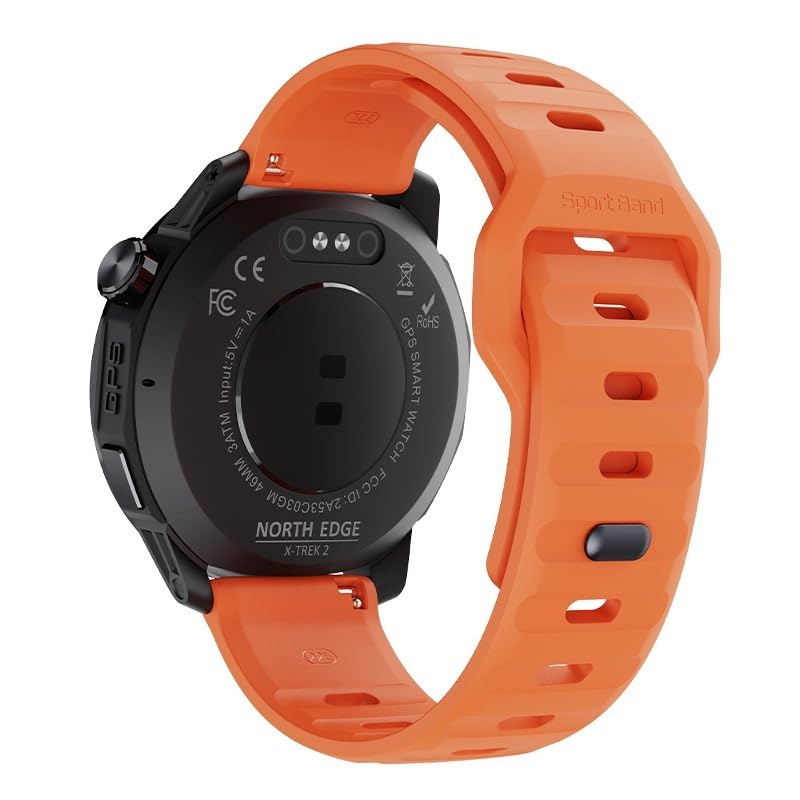
Сүрөт: Арткы view of the smartwatch. This shows the optical sensors for health monitoring and the physical buttons for navigation.
Bluetooth чалуу
Once successfully paired with your smartphone, you can make and receive calls directly from your wrist. The watch features a built-in microphone and speaker for clear communication. To answer an incoming call, tap the green icon on the watch screen. To initiate a call, access the dialer or contacts list from the watch menu.
GPS көзөмөлдөө
The integrated high-precision GPS module provides real-time location tracking for outdoor activities. Activate GPS in your chosen sports mode (e.g., Running, Cycling, Hiking) to accurately record your route, distance, pace, and other relevant metrics.
Over Over Featuresview
Ден соолук мониторинги
The X-Trek 2 monitors various health metrics to help you stay informed about your well-being:
- Жүрөктүн кагышы: Provides continuous heart rate monitoring throughout the day.
- Кандагы кычкылтек (SpO2): Сиздин кандын кычкылтек менен каныккандыгын өлчөйт.
- Стресс деңгээли: Tracks and helps manage your stress with integrated monitoring.

Image: Health Monitoring. The high-precision PPG biosensor continuously monitors heart rate, SpO2, and stress levels.
Outdoor Navigation Tools
Equipped with a compass, altimeter, and barometer, the X-Trek 2 provides essential environmental data for your outdoor adventures:
- Altimeter: Measures current altitude and records daily data, useful for hiking and climbing.
- Барометр: Measures atmospheric pressure and can provide severe weather alerts.
- Компас: Offers directional guidance for navigation.

Image: Altimeter and Barometer. Automatically measure current altitude and atmospheric pressure, record daily data, and receive weather alerts.
Спорт режимдери
Choose from over 60+ sports modes to track your specific activities. Each mode provides tailored metrics and data analysis for optimized performance monitoring, whether you're running, cycling, or engaging in other fitness pursuits.
Суу каршылык
The X-Trek 2 is 3ATM water resistant (up to 50 meters), making it suitable for splashes, rain, and brief immersion. It is designed to withstand wet conditions but is not recommended for swimming, diving, or high-pressure water activities.
Техникалык тейлөө
Акылдуу саатыңызды тазалоо
Regularly clean your smartwatch and strap to prevent skin irritation and maintain optimal functionality. Use a soft, damp, lint-free cloth. Avoid harsh chemicals, abrasive materials, or ultrasonic cleaners. Ensure the watch is completely dry before charging.
Боону багуу
The silicone strap is durable and comfortable. Clean it with mild soap and water, then rinse thoroughly and dry completely before wearing. Avoid prolonged exposure to direct sunlight or extreme temperatures to preserve its material integrity.

Image: Soft Silicone Strap. The comfortable and durable silicone strap is designed for all-day wear and easy cleaning.
Проблемаларды чечүү
Саат күйбөй жатат
- Ensure the watch is fully charged using the provided magnetic charging cable.
- Press and hold the power button for at least 10-15 seconds to attempt a forced restart.
Cannot Pair with Phone
- Verify that Bluetooth is enabled on both your phone and the smartwatch.
- Ensure the companion app is installed, updated, and running in the foreground or background.
- Restart both your phone and the smartwatch, then attempt pairing again.
- If previously paired, forget the device in your phone's Bluetooth settings and try pairing from scratch.
Inaccurate GPS Readings
- Ачык мейкиндикте экениңизди текшериңиз view бийик имараттардан же жыш жалбырактардан алыс жерде.
- Wait for the watch to acquire a stable GPS signal before starting your activity. This may take a few moments.
Техникалык шарттар
| Өзгөчөлүк | Деталь |
|---|---|
| Модель аты | X-Trek 2 |
| Дисплей түрү | Digital, 1.43-inch AMOLED (466x466 pixels, 326 PPI) |
| Байланыш | Bluetooth, орнотулган GPS |
| Суу каршылык | 3ATM (50 Metres) |
| Сенсорлор | Heart Rate Monitor, Blood Oxygen Monitor, Altimeter, Barometer, Compass |
| Спорт режимдери | 60+ |
| Топтун материалы | Силикон |
| Иштин материалы | Металл |
| Элемент Салмагы | 68 грамм |
| Шайкеш түзмөктөр | iOS жана Android смартфондору |

Image: Large AMOLED Display. The 1.43-inch AMOLED screen with 466x466 pixels provides a clear and bold vision for all data and metrics.
Кепилдик жана колдоо
Кепилдик маалымат
The NORTH EDGE X-Trek 2 Smartwatch comes with a limited warranty. Please refer to the warranty card included in your package or contact customer support for specific details regarding coverage and terms. Keep your proof of purchase for warranty claims.
Кардарларды колдоо
For further assistance, technical support, or warranty claims, please contact NORTH EDGE customer service. Contact details can typically be found on the official NORTH EDGE website or on the product packaging. Please have your model number and purchase date ready when contacting support.