
Introduction
This manual provides instructions for the NORTH EDGE ET482 Outdoor Sports Smartwatch. It covers device setup, operation, maintenance, and troubleshooting. Please read this manual thoroughly before using your smartwatch to ensure proper function and to maximize its features.
Пакеттин мазмуну
The NORTH EDGE ET482 Smartwatch package includes the following items:
- NORTH EDGE ET482 Smartwatch
- User Manual
- Магниттик кубаттоочу кабель
Продукт бүттүview
Familiarize yourself with the physical components of your ET482 smartwatch.
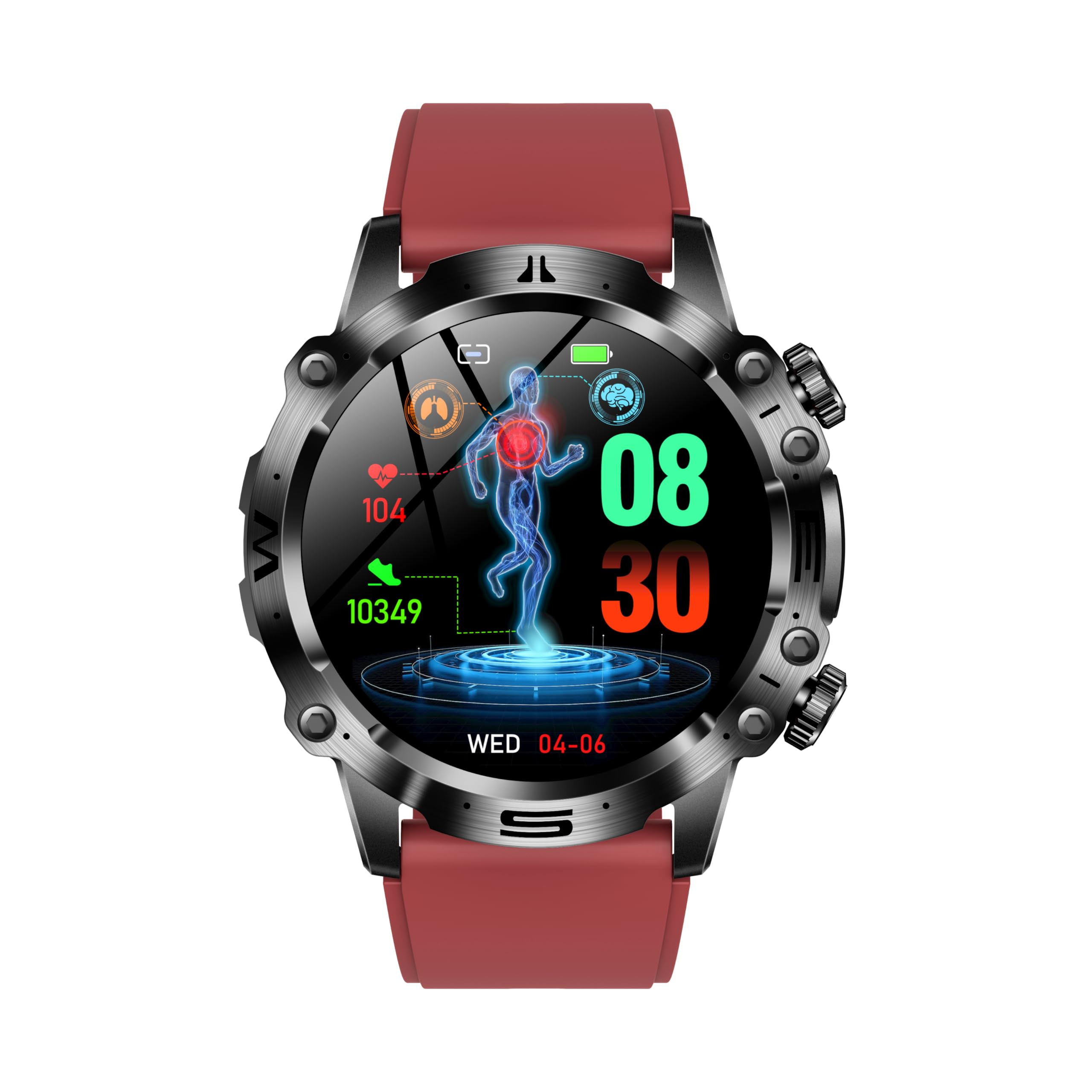
1-сүрөт: Фронт view of the NORTH EDGE ET482 Smartwatch, showcasing анын AMOLED дисплейи жана физикалык баскычтары.

2-сүрөт: Арткы view of the NORTH EDGE ET482 Smartwatch, highlighting the optical heart rate sensor and magnetic charging contacts.
The smartwatch features an AMOLED HD display, physical buttons on the side for navigation, and advanced sensors on the rear for health monitoring.
Жайгашуу
1. Акылдуу саатты заряддоо
Before first use, fully charge your ET482 smartwatch. Connect the magnetic charging cable to the charging contacts on the back of the watch and plug the USB end into a power adapter (not included) or a computer's USB port. The watch will display a charging indicator. A full charge typically takes approximately 2 hours.
3-сүрөт: Illustrates the magnetic charging connection on the back of the smartwatch.
2. Күйгүзүү/өчүрүү
- Күйгүзүү: Press and hold the power button (usually the top right button) for a few seconds until the NORTH EDGE logo appears.
- Өчүрүү: From the watch face, swipe down to access quick settings, or navigate to the 'Settings' menu. Select 'Power Off' and confirm. Alternatively, press and hold the power button until the power off option appears.
3. Колдонмону орнотуу жана жупташтыруу
To unlock the full functionality of your ET482 smartwatch, you need to install the companion application on your smartphone.
- Колдонмону жүктөп алыңыз: Издөө the official NORTH EDGE companion app in the Apple App Store (for iOS 8.2 and above) or Google Play Store (for Android 4.4 and above).
- Каттоо эсебин түзүү: Колдонмону ачып, жаңы колдонуучу каттоо эсебин түзүү үчүн экрандагы нускамаларды аткарыңыз же сизде мурунтан эле бар болсо кириңиз.
- Bluetooth иштетүү: Смартфонуңузда Bluetooth иштетилгенин текшериңиз.
- Түзмөктү жупташтыруу: In the app, navigate to the 'Device' or 'Add Device' section. The app will search for nearby smartwatches. Select "ET482" from the list of available devices. Follow any pairing prompts on both your phone and the smartwatch to complete the connection.
Жупташтырылгандан кийин, саат маалыматтар телефонуңуз менен шайкештештирилет жана сиз жөндөөлөрдү колдонмо аркылуу ыңгайлаштыра аласыз.
Иштөө нускамалары
1. Негизги навигация
- Сенсордук экран: Менюлар, эскертмелер жана виджеттер арасында жылдыруу үчүн солго, оңго, өйдө же ылдый серпиңиз. Элементтерди тандоо үчүн таптаңыз.
- Физикалык баскычтар:
- Кубат баскычы (жогорку оң): Press to wake/sleep the screen, return to the watch face, or long-press for power options.
- Function Button (Bottom Right): Customizable, often used to quickly access sports modes or a specific health feature.
2. Bluetooth чалуу
The ET482 supports Bluetooth calling, allowing you to make and receive calls directly from your wrist when connected to your smartphone.
- Ensure your smartwatch is successfully paired with your phone via Bluetooth.
- To make a call, access the 'Dialer' or 'Contacts' app on your watch.
- To answer an incoming call, tap the green answer icon on the watch screen.

4-сүрөт: The Bluetooth call interface on the ET482 smartwatch, showing options for dialing, contacts, and call history.
3. Ден соолук мониторингинин өзгөчөлүктөрү
The ET482 smartwatch offers comprehensive health tracking capabilities.

5-сүрөт: Бүттүview of various health monitoring features accessible on the smartwatch, including ECG, blood glucose, and comprehensive health data.
- ЭКГ мониторинги: Access the ECG function from the app list. Follow on-screen instructions to place your finger on the designated sensor for an electrocardiogram reading.

6-сүрөт: ECG monitoring interface showing real-time heart activity and risk screening for arrhythmia.
- Heart Rate, Blood Pressure, Blood Oxygen (SpO2): These metrics are continuously monitored or can be measured on demand. Access their respective apps on the watch. Ensure the watch is snug on your wrist for accurate readings.

7-сүрөт: Blood oxygen and blood pressure monitoring screens on the ET482.
- Non-Invasive Blood Glucose Monitoring: This feature provides an estimate of blood glucose levels. Consult the app for detailed instructions on how to take a reading and interpret results. Note: This feature is for reference only and should not replace professional medical advice or equipment.
- Дене курамынын анализи: The watch can estimate metrics like BMI, body fat percentage, uric acid, and lipid levels. Follow the app's guidance for performing these measurements.
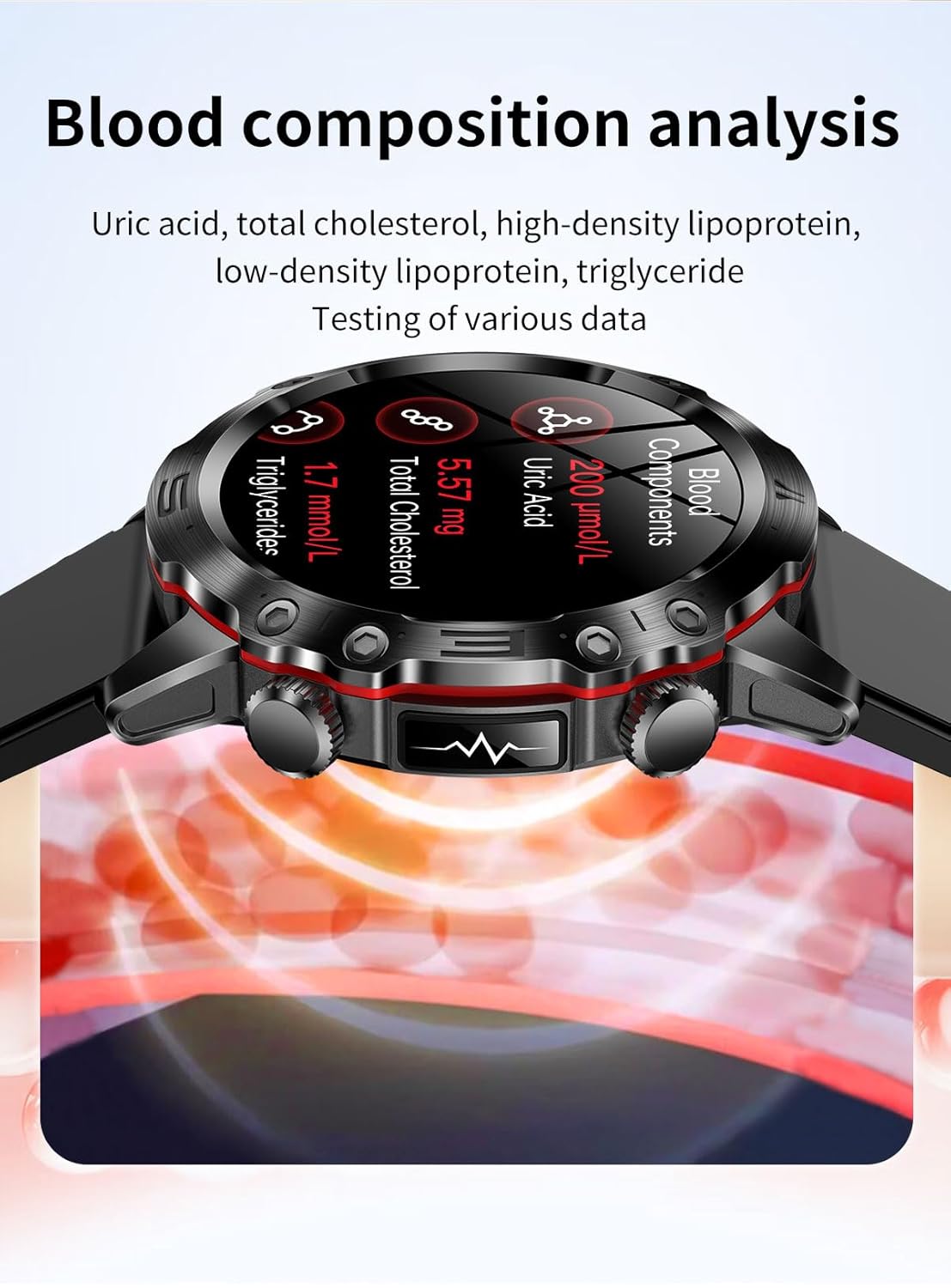
8-сүрөт: Blood composition analysis screen showing uric acid, total cholesterol, and triglyceride levels.
- Аялдардын ден соолугуна көз салуу: Track menstrual cycles and predict fertile windows through the dedicated feature in the companion app.
- HRV (Heart Rate Variability) & Stress Monitoring: The watch monitors HRV to assess stress levels. View trends and insights in the app.
4. Спорт режимдери
The ET482 supports multiple sports modes to track your workouts. Access the 'Sports' app on your watch, select your activity (e.g., running, cycling, walking), and start tracking. The watch will record data such as duration, distance, calories burned, and heart rate.

9-сүрөт: The smartwatch interface showing active sports tracking with real-time data.
5. Уйкуга көз салуу
Wear your smartwatch to bed to automatically track your sleep patterns, including deep sleep, light sleep, and awake times. View коштоочу тиркемеде уйкунун деталдуу анализи.
6. SOS шашылыш чалуу
Configure emergency contacts in the companion app. In an emergency, you can activate the SOS function (e.g., by long-pressing a specific button) to send an alert with your location to your designated contacts.
7. Башка өзгөчөлүктөр
- Музыкалык башкаруу: Смартфонуңуздагы музыканы ойнотууну түз саатыңыздан башкарыңыз.
- Үн жардамчысы: Access your phone's voice assistant through the smartwatch.
- Оюндар: The watch includes some pre-installed games.
- Кол чырак: Use the watch screen as a temporary flashlight.
Техникалык тейлөө
1. Тазалоо
Теринин кыжырданышын алдын алуу жана түзмөктүн иштешин сактоо үчүн акылдуу саатыңызды жана боону үзгүлтүксүз тазалап туруңуз. Жумшак, түксүз кездемени колдонуңуз. Зарыл болсо,ampкездемени аз өлчөмдөгү суу менен жууп салыңыз. Катуу химиялык заттарды же абразивдүү материалдарды колдонбоңуз.
2. Сууга туруктуулук (IP68)
The ET482 smartwatch has an IP68 water resistance rating. This means it is protected against dust ingress and can withstand immersion in water up to 1.5 meters for up to 30 minutes. It is suitable for daily use, such as washing hands, rain, and shallow swimming. However, it is not recommended for hot showers, saunas, or diving, as steam and high water pressure can compromise the seals.
3. Заряддоо мыкты тажрыйбалары
- Берилген магниттик кубаттоочу кабелди гана колдонуңуз.
- Заряддоодон мурун сааттын жана кабельдеги заряддоо контакттары таза жана кургак экенин текшериңиз.
- Заряддоо учурунда саатты экстремалдык температурага кабылуудан сактаңыз.
Проблемаларды чечүү
If you encounter issues with your ET482 smartwatch, refer to the following common solutions:
| Көйгөй | Мүмкүн чечим |
|---|---|
| Саат күйбөй жатат | Ensure the watch is fully charged. Connect to the charger for at least 30 minutes. If still unresponsive, try a forced restart (refer to Power On/Off section). |
| Смартфон менен жупташтыруу мүмкүн эмес |
|
| Туура эмес ден соолук көрсөткүчтөрү |
|
| Батарея бат эле түгөнөт |
|
Техникалык шарттар
| Өзгөчөлүк | Деталь |
|---|---|
| Модел | ET482 |
| Дисплей | AMOLED HD Display |
| Батарея сыйымдуулугу | 300 мАч |
| Заряддоо ыкмасы | Магниттик заряддоо |
| Суу каршылык | IP68 |
| Байланыш | Bluetooth |
| Шайкеш OS | Android 4.4 жана андан жогору, iOS 8.2 жана андан жогору |
| Продукциянын өлчөмдөрү | 16 x 10 x 5 см |
| Элемент Салмагы | 133 г |
| Өзгөчөлүктөр | ECG, Bluetooth Calling, Heart Rate Monitor, Blood Pressure, Blood Oxygen, Non-invasive Blood Glucose, HRV, Female Health Tracking, SOS Emergency Call |
Кепилдик жана колдоо
For warranty information and customer support, please refer to the official NORTH EDGE webсайтка же сатуучуга кайрылыңыз. Сатып алуу квитанциясын кепилдик дооматтары үчүн сатып алуунун далили катары сактаңыз.
Кошумча жардам алуу үчүн, сиз иш сапары менен болот NORTH EDGE brand store on Amazon.