
Продукт бүттүview
The ASTRO Gaming A20 Gen 2 Wireless Headset provides a high-quality audio experience for gaming across multiple platforms. Designed for comfort and performance, it features low-latency wireless connectivity and a convenient flip-to-mute microphone.
Негизги өзгөчөлүктөрү:
- Кийинки муундагы шайкештик: Seamlessly works with PlayStation 5, PlayStation 4, Windows, and Mac OS.
- Lag-Free Wireless Audio: 2.4GHz USB wireless transmitter ensures low-latency, high-quality sound.
- Узак мөөнөттүү батарея: Up to 15 hours of wireless gaming on a single charge.
- Үнсүз кылуучу микрофон: Flexible boom mic with an intuitive flip-to-mute function for instant control.
- Күн бою комфорт: Lightweight design with padded headband and ear cushions for extended wear.
Кутуда эмне бар
- A20 Зымсыз гарнитура
- USB өткөргүч
- USB-Cден USB-Aга кубаттоо кабели
Орнотуу нускамалары
Follow these steps to set up your ASTRO Gaming A20 Gen 2 Wireless Headset:
- Гарнитураны заряддоо: Connect the headset to a power source using the provided USB-C to USB-A charging cable. Ensure the headset is fully charged before first use for optimal battery life.
- Connect the USB Transmitter: Plug the USB transmitter into an available USB port on your PlayStation console (PS5 or PS4) or your Windows/Mac computer. The transmitter facilitates the 2.4GHz wireless connection.
- Күйгүзүү: Turn on your ASTRO Gaming A20 Gen 2 Wireless Headset. The headset should automatically pair with the USB transmitter. Refer to your device's audio settings to ensure the headset is selected as the input and output device.
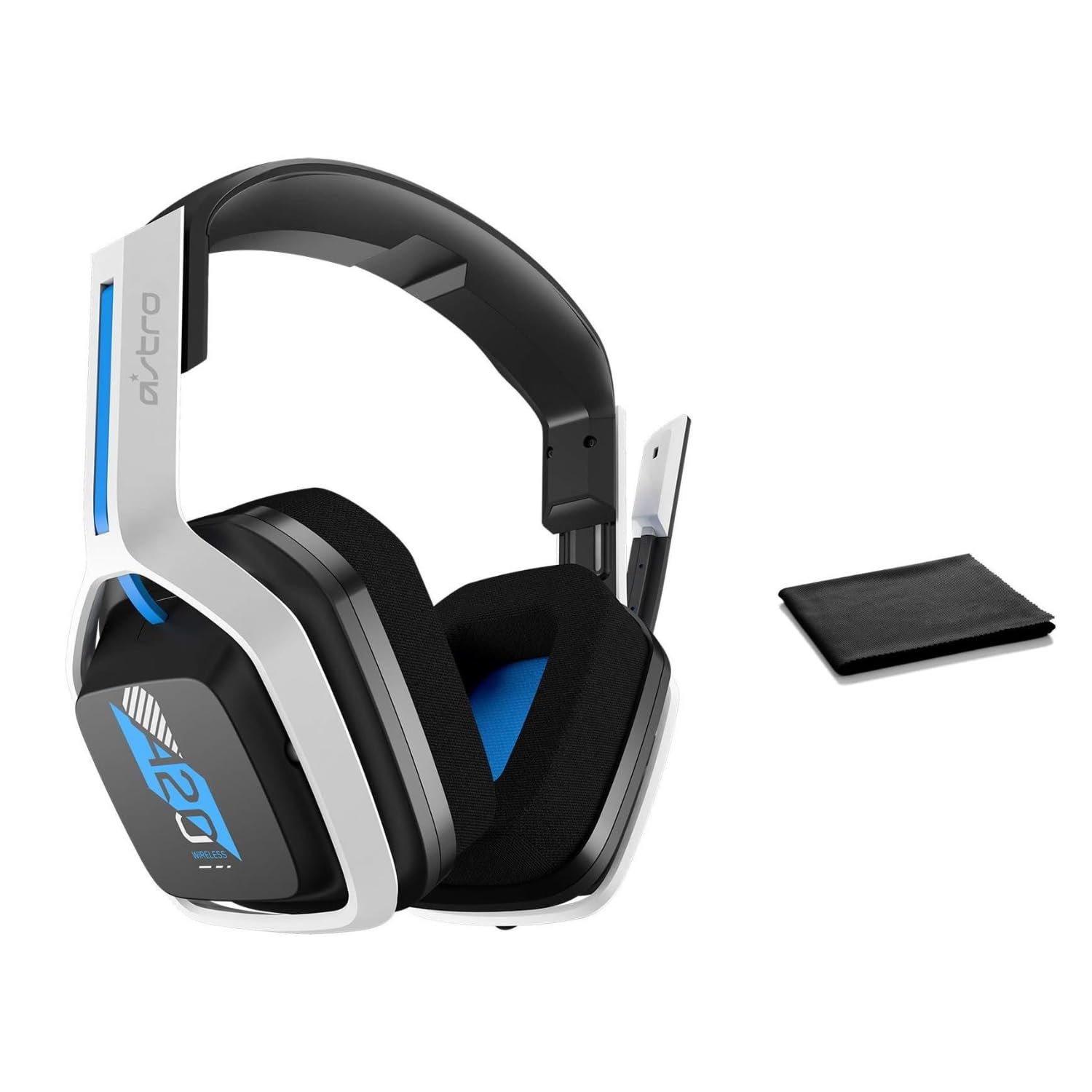
Image: The ASTRO Gaming A20 Gen 2 Wireless Headset, ready for use.
Иштөө нускамалары
Микрофондун иштеши
The headset features a flexible boom microphone with a flip-to-mute function. To mute your microphone, simply flip the boom arm upwards. To unmute and activate the microphone, flip the boom arm back down to its original position.
Үндү көзөмөлдөө
Adjust the audio volume using the dedicated volume control located on the headset. Rotate the dial or press the buttons (depending on the specific model variant) to increase or decrease the sound output.
Техникалык тейлөө
Гарнитураңыздын узак мөөнөттүү иштешин жана оптималдуу иштешин камсыз кылуу үчүн:
- Тазалоо: Use the included premium microfiber cloth to gently wipe down the headset and accessories. This helps keep your headset dust-free and smudge-free.
- Сактагыч: Колдонулбаган учурда гарнитураны таза, кургак жерде, өтө жогорку температурадан жана күн нуру түз тийбеген жерде сактаңыз.
- Батареяга кам көрүү: For best battery health, avoid fully discharging the headset frequently. Charge it regularly.
Проблемаларды чечүү
If you encounter issues with your ASTRO Gaming A20 Gen 2 Wireless Headset, consider the following:
- Аудио жок/микрофон иштебей жатат: Ensure the USB transmitter is securely plugged into your device and the headset is powered on and paired. Check your device's audio settings to confirm the headset is selected as the default input/output. For the microphone, ensure it is not in the 'flipped-up' (muted) position.
- Туташуу маселелери: Try unplugging and re-plugging the USB transmitter. If issues persist, try connecting to a different USB port.
- Батарея заряддалбай жатат: Verify the charging cable is properly connected to both the headset and the power source. Try a different USB port or power adapter.
- Орнотулган программаны жаңыртуу: Visit the official ASTRO Gaming support website for any available firmware updates for your headset, as these can resolve various performance issues.
Техникалык шарттар
| Өзгөчөлүк | Деталь |
|---|---|
| Модель аты | 939-001876 |
| Бренд | ASTRO Gaming |
| Байланыш технологиясы | Зымсыз |
| Зымсыз байланыш | 2.4GHz Зымсыз |
| Шайкеш түзмөктөр | Mac OS, PlayStation 4, Playstation 5, Windows |
| Батареянын иштөө мөөнөтү | 15 саат |
| Заряддоо убактысы | 15 саат |
| Микрофон | Үнсүз кылуу |
| Кулак жайгаштыруу | Кулак үстүндө |
| Элемент Салмагы | 11.2 унция (318 грамм) |
| Материал | Пластик |
| Камтылган компоненттер | A20 Wireless Headset, USB transmitter, USB-C to USB-A charging cable |
Кепилдик жана колдоо
For detailed warranty information and technical support, please refer to the official ASTRO Gaming webсайтка же кардарларды тейлөөгө кайрылыңыз. Кепилдик дооматтар үчүн сатып алганыңыздын далилин сактаңыз.