
1. Киришүү
Thank you for choosing the Docreate 2500W Handheld Steam Cleaner. This device is designed for effective and chemical-free cleaning across various surfaces using high-temperature, high-pressure steam. Please read this manual thoroughly before operation to ensure safe and optimal use of your steam cleaner.

Image 1.1: The Docreate 2500W Handheld Steam Cleaner with its various attachments, including the main unit, steam hose, power cord, and different brush heads.
2. Маанилүү коопсуздук нускамалары
To reduce the risk of fire, electric shock, or injury, always follow basic safety precautions when using an electrical appliance. Read all instructions before using this steam cleaner.
- Электр коопсуздугу: Электр розеткасын камсыз кылыңызtage matches the cleaner's requirements (110V). Do not immerse the unit, power cord, or plug in water or other liquids. Always unplug the appliance when not in use and before servicing.
- Steam коркунучу: The steam produced is extremely hot (up to 221°F / 105°C). Never direct steam at people, pets, or electrical appliances. Keep hands and face away from the steam nozzle during operation.
- Суу багы: Only fill the water tank with clean tap water. Do not add detergents, perfumes, or other chemicals to the water tank, as this can damage the unit or create hazardous fumes.
- Балдар жана үй жаныбарлары: Keep the appliance out of reach of children and pets. Do not allow children to operate the steam cleaner.
- Колдонуу: Always use the provided handle to carry the unit. Do not pull or carry by the cord.
- Тейлөө: Allow the unit to cool completely and depressurize before performing any maintenance or cleaning.
3. Пакеттин мазмуну
Пакетте бардык буюмдар бар экенин текшериңиз:
- 1 x Docreate Steam Cleaner Unit
- 1 x 2-meter Steam Outlet Hose
- 1 x 1.5-meter Power Cord
- 1 x Extended Spray Rod
- 1 x Болот щетка
- 1 x Nylon Brush
- 1 x Large Nylon Brush
- 2 x Silicone Seal Rings
- 1 x User Manual
- 1 x тегерек щетка
- 1 x Узартуу сопло
- 1 x Floor Cleaning Brush
- 1 x Cleaning Cloth Cover

Сүрөт 3.1: Жарылып кеткен view of the Docreate Steam Cleaner showing the main unit and all included accessories such as various brushes, nozzles, and hoses.
4. Продукт бүтүп калдыview
The Docreate 2500W Handheld Steam Cleaner features a robust design for efficient cleaning. Key components include:
- Негизги блок: Houses the heating element, water tank, and control panel.
- Сенсордук экран башкаруу панели: Allows for easy adjustment of steam intensity with 6 levels and displays current settings.
- Semi-Transparent Water Tank: For easy monitoring of water levels.
- Steam Outlet Hose: Connects to various attachments for directed steam application.
- Variety of Nozzles and Brushes: Designed for different cleaning tasks and surfaces.

Сүрөт 4.1: деталдуу view of the intelligent touch screen control panel, showing the power button and steam level adjustment controls.
5. Орнотуу нускамалары
Follow these steps to prepare your steam cleaner for first use:
- Суу резервуарын толтуруңуз: Open the top cover of the main unit and carefully add clean tap water to the semi-transparent tank. Do not overfill. The tank capacity is 800ml.
- Аксессуарларды тиркөө: Select the appropriate brush head or nozzle for your cleaning task. Connect it securely to the steam outlet hose. Ensure the silicone seal ring is properly seated to prevent leaks.
- Туташуу кубаты: Кубат шнурын жерге туташтырылган 110 В электр розеткасына сайыңыз.

Image 5.1: Visual guide for initial setup, including filling the water tank, attaching a brush head, and plugging in the power cord.

Image 5.2: Instructions for installing various brush heads and ensuring the sealing ring is correctly connected to prevent water leakage.
6. Иштөө нускамалары
Once set up, operate your steam cleaner as follows:
- Күйгүзүү: Press the power button on the touch screen control panel. The unit will begin heating up. This typically takes 9-15 seconds to reach operating temperature (up to 221°F / 105°C).
- Буунун интенсивдүүлүгүн тууралоо: Use the '+' and '-' buttons on the touch screen to select one of the 6 available steam intensity levels. The current level will be displayed.
- Тазалоону баштоо: Direct the steam nozzle towards the surface to be cleaned. Hold the nozzle a few inches away from the surface and move it slowly to allow the steam to penetrate and loosen dirt. For stubborn stains, use the appropriate brush attachment.
- Үзгүлтүксүз иштөө: The 1100ml water tank allows for approximately 40-50 minutes of continuous operation, depending on the steam intensity level selected.
- Өчүрүү: When finished cleaning, press the power button to turn off the unit. Unplug the power cord from the outlet.
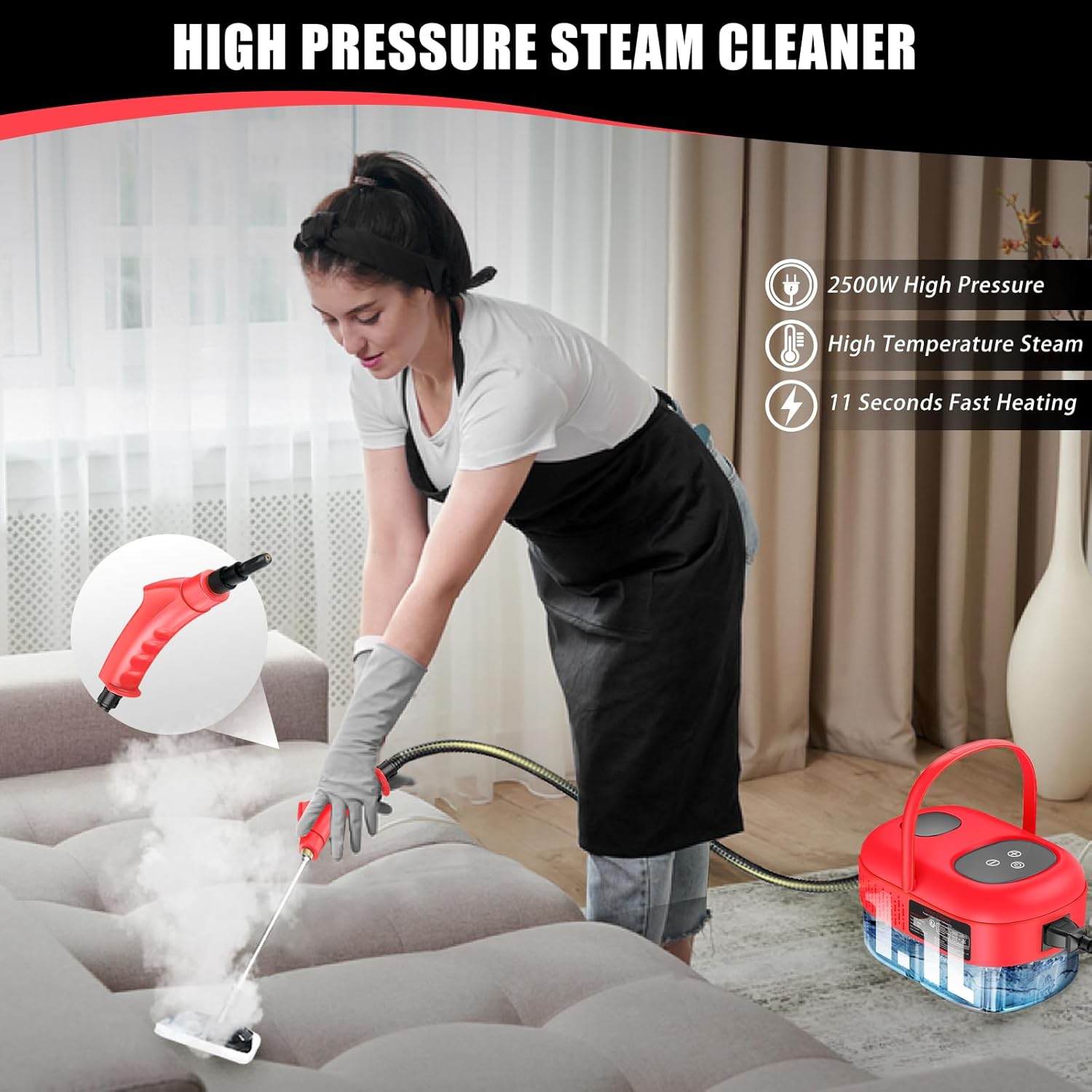
Image 6.1: An individual demonstrating the use of the steam cleaner on a couch, highlighting its application for upholstery cleaning.

Сүрөт 6.2: Мисamples of the steam cleaner's versatility, showing its use in kitchens, for car detailing, and on various household surfaces.
7. Техникалык тейлөө жана кам көрүү
Туура техникалык тейлөө буу тазалагычыңыздын узак мөөнөттүү иштешин жана иштешин камсыз кылат:
- Калган сууну төгүңүз: After each use, ensure the unit has cooled down. Carefully drain any remaining water from the tank. This prevents mineral buildup.
- Таза тиркемелер: Rinse brush heads and nozzles with clean water after use. Allow them to air dry completely before storing.
- Өчүрүү бирдиги: Негизги блоктун сыртын жарнама менен сүртүңүзamp кездеме. Абразивдүү тазалагычтарды же эриткичтерди колдонбоңуз.
- Тактарды кетирүү (мезгил-мезгили менен): Эгерде сиз буу чыгаруунун азайганын же минералдардын топтолушун байкасаңыз, кебектерди тазалоо зарыл болушу мүмкүн. Өндүрүүчүнүн website or customer support for recommended descaling procedures.
- Сактагыч: Буу тазалагычты жана анын кошумча жабдууларын салкын, кургак жерде, күн нуру түз тийбеген жана өтө жогорку температурадан алыс сактаңыз.
8. Кыйынчылыктарды
Жалпы маселелер жана аларды чечүү үчүн бул бөлүмдү караңыз:
| Көйгөй | Мүмкүн себеп | Чечим |
|---|---|---|
| Буу жок же буу аз чыгат | Water tank empty; Unit not heated; Mineral buildup | Refill water tank; Allow adequate heating time (9-15 seconds); Perform descaling procedure. |
| Water leakage from nozzle/hose connection | Seal ring improperly seated or damaged; Attachment not securely fastened | Ensure seal ring is correctly placed; Tighten attachment securely; Replace seal ring if damaged. |
| Түзмөк күйбөйт | No power to outlet; Power cord not fully plugged in; Unit malfunction | Check power outlet; Ensure power cord is securely plugged in; Contact customer support. |
If the problem persists after attempting these solutions, please contact Docreate customer support.
9. Техникалык шарттар
Key technical specifications for the Docreate 2500W Handheld Steam Cleaner:
| Өзгөчөлүк | Спецификация |
|---|---|
| Бренд | Docreate |
| Модель аты | red steamer for cleaning |
| Ватtage | 2500 ватт |
| Тtage | 110 вольт |
| Танк көлөмү | 800 Milliliters (1100ml mentioned in A+ content, using 800ml from specifications) |
| Жылуулук убактысы | 10 Seconds (9-15 seconds in A+ content) |
| Максималдуу Температура | 221 градус Фаренгейт (105°C) |
| Элемент Салмагы | 1.93 килограмм (4.24 фунт) |
| Форма фактору | Колдук |
| Түс | Кызыл |

Image 9.1: A feature comparison table highlighting the Docreate steam cleaner's specifications against other models, including tank capacity, steam pressure, and usage time.
10. Кепилдик жана колдоо
For warranty information, product support, or to purchase replacement parts, please refer to the contact information provided with your product packaging or visit the official Docreate webсайт. Сатып алуу квитанциясын кепилдик дооматтары үчүн сатып алуунун далили катары сактаңыз.