
1. Киришүү
This manual provides comprehensive instructions for the installation, operation, and maintenance of your Real HD 8 Port 2.5G Managed Ethernet Network Switch (Model SW8-25G-MGV2). This device is designed to enhance your network's speed and efficiency with its multi-gigabit capabilities. Please read this manual thoroughly before using the product to ensure proper functionality and safety.
2. Продукт бүтүп калдыview
The Real HD SW8-25G-MGV2 is a managed Ethernet network switch featuring 8x 2.5 Gigabit RJ45 ports and 1x 10G SFP+ port. It supports a 60G bandwidth and is designed for plug-and-play operation. The fanless metal housing ensures quiet operation and efficient heat dissipation.
2.1 Негизги өзгөчөлүктөрү
- 8x 2.5G RJ45 Ports: Provides high-speed connectivity for 2.5G Ethernet devices.
- 1x 10G SFP+ Port: Offers ultra-fast uplink or downlink capabilities.
- 60G Bandwidth: Ensures high data throughput for demanding network environments.
- Managed Control: Web-based interface for VLAN, QoS, security, multicast, and MAC address table configurations.
- желдеткичсиз дизайн: Silent operation suitable for various environments.
- Узак металл корпус: Compact and sturdy design with 4KV lightning protection.
- 10Gb SFP+ to RJ45 Module Included: Supports 10GB/5GB/2.5GB/1GB data rates up to 98ft (30m) with CAT6A/CAT7 cable.
2.2 Front and Rear Panel Layout

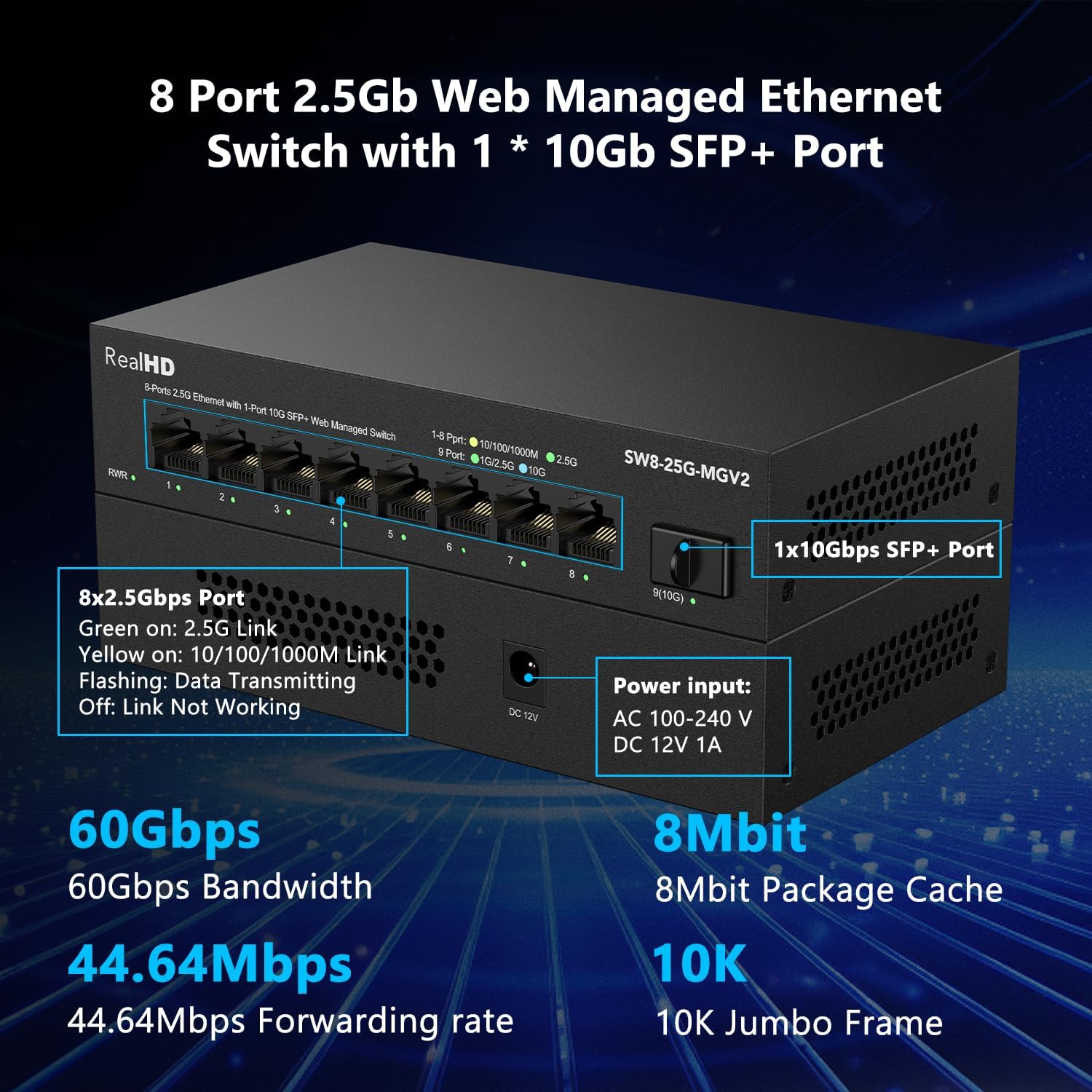
Сүрөт: алдыңкы жана арткы view of the Real HD 8 Port 2.5G Managed Ethernet Network Switch. The front panel displays 8x 2.5G RJ45 ports and status LEDs. The rear panel shows the 1x 10G SFP+ port and the DC 12V 1A power input.

Image: Diagram illustrating the 2.5G network speed capability, which is 2.5 times faster than a regular 1G network. It highlights compatibility with CAT6, CAT6a, and CAT7 cables for optimal performance. The image also shows the included 10Gb SFP+ to RJ45 module and its specifications.
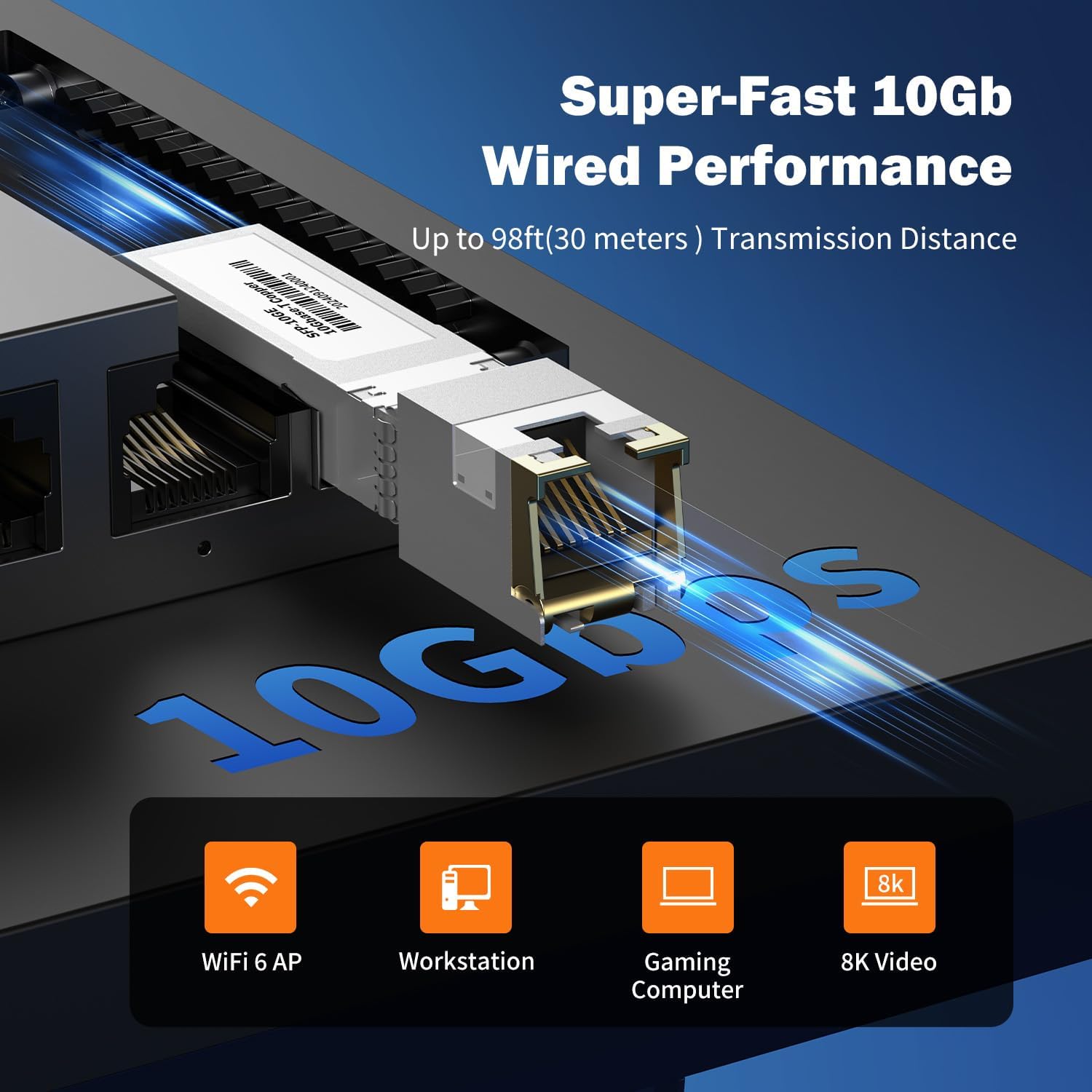
Сүрөт: Жакын план view of the 10Gb SFP+ module and port, illustrating its capability for super-fast 10Gb wired performance with a transmission distance of up to 98ft (30 meters).
3. Орнотуу жана орнотуу
3.1 Пакеттин мазмуну
Пакетиңизде төмөнкү заттар бар экенин текшериңиз:
- Real HD 8 Port 2.5G Managed Ethernet Network Switch (SW8-25G-MGV2)
- Кубат адаптери (DC 12V 1A)
- 10Gb SFP+ to RJ45 Module
- Колдонуучунун Колдонмосу (бул документ)
3.2 Которгучту туташтыруу
- Кубат туташуу: Connect the provided power adapter to the DC 12V 1A power input port on the switch and then plug it into a standard electrical outlet.
- Тармактык түзмөктүн туташуусу:
- Connect your 2.5G compatible devices (e.g., PCs with 2.5G Ethernet adapters, Wi-Fi 6 routers/APs, NAS) to the 8x 2.5G RJ45 ports using CAT6 or higher-level pure copper Ethernet cables.
- For 10G connectivity, insert the included 10Gb SFP+ to RJ45 module into the SFP+ port. Connect a CAT6A or CAT7 cable from the module to your 10G compatible device.
- Текшерүү: Observe the LED indicators on the front panel. A green light indicates a 2.5G link, while a yellow light indicates a 10/100/1000Mbps link. A flashing light indicates data transmission.
NOTE: To achieve 2.5Gbps or 10Gbps network speeds, ensure all connected network products (network cards, cables, routers) are compatible with these speeds. The network speed will be determined by the slowest component in the chain.
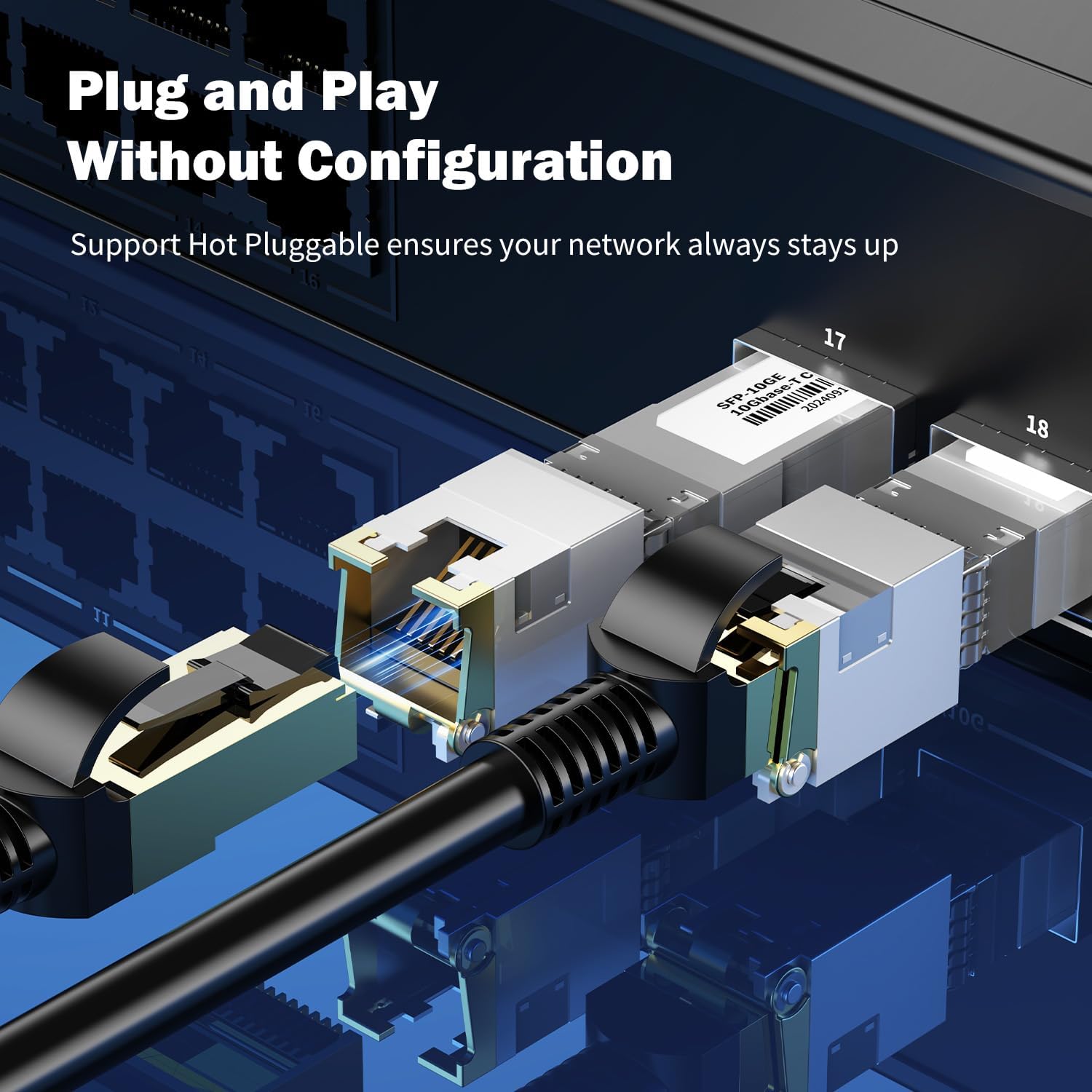
Сүрөт: Жакын план view of an SFP+ module being inserted into the switch, demonstrating the plug-and-play and hot-pluggable nature of the device, ensuring continuous network operation.
4. Иштөө нускамалары
4.1 Basic Operation (Plug & Play)
The Real HD switch is designed for plug-and-play operation. Once powered on and connected to your network devices, it will automatically detect and configure the appropriate speeds for connected devices. No initial configuration is required for basic network extension.
4.2 Web Башкаруу интерфейси
For advanced configurations, the switch features a web- негизделген башкаруу интерфейси.
- Компьютериңиздин коммутаторго туташтырылганын текшериңиз.
- ачуу а web браузер жана демейки IP дарегин киргизиңиз: 192.168.2.1
- Демейки кирүү маалыматын киргизиңиз:
- Колдонуучунун аты: админ
- Купуя сөз: админ
- Upon successful login, you can access various settings such as VLAN, QoS, security, multicast, and MAC address table configurations.
NOTE: It is highly recommended to change the default password immediately after the first login for security purposes.
Сүрөт: бүттүview of the switch's basic management features accessible via the web interface. These include VLAN, QoS, Jumbo Frame, Static Aggregation, LACP, Loop, and Spanning Tree Setting. The default IP address (192.168.2.1) and login credentials (User Name: admin, Password: admin) are also displayed.
4.3 Колдонуу сценарийлери
The switch is suitable for various high-bandwidth applications:
- 4K/8K Video Streaming: Provides stable bandwidth for high-resolution media.
- Gaming PCs: Reduces latency and improves online gaming experience.
- NAS (Тармакка туташкан сактагыч): Facilitates fast data transfer for backups and file бөлүшүү.
- Wi-Fi 6 Routers/APs: Maximizes the performance of high-speed wireless networks.
- Жумуш станциялары: Supports demanding professional applications requiring high network throughput.

Image: Illustration of various 2.5G compatible devices that can benefit from the switch, such as 4K video devices, laptops with 2.5G Ethernet adapters, Wi-Fi 6 routers and access points, 2.5G gaming PCs, and 2.5G NAS systems.

Image: Four panels illustrating diverse application scenarios for the 2.5G network switch, including small and home offices, home entertainment setups, instant data transfer for workstations, and enhanced online gaming experiences.
5. Техникалык тейлөө
- Тазалоо: Которгучтун сыртын тазалоо үчүн жумшак, кургак чүпүрөктү колдонуңуз. Суюктук же аэрозолдук тазалоочу каражаттарды колдонбоңуз.
- Вентиляция: Ашыкча ысып кетпеши үчүн өчүргүч жакшы желдетилген жерге коюлганын текшериңиз. Желдетүүчү тешиктерди жаппаңыз.
- Программалык камсыздоонун жаңыртуулары: Мезгил-мезгили менен өндүрүүчүнүн текшерүү webоптималдуу аткарууну жана коопсуздукту камсыз кылуу үчүн микропрограммаларды жаңыртуу үчүн сайт.
- Кабелдик башкаруу: Keep network cables organized and free from kinks or excessive bends to maintain signal integrity.
6. Кыйынчылыктарды
- Кубат жок:
- Кубат адаптери өчүргүчкө жана иштеген электр розеткасына бекем туташып турганын текшериңиз.
- Башка аспапка сайып, розетка иштеп жатканын текшериңиз.
- Шилтеме жарыгы жок:
- Ethernet кабелинин коммутатордун портуна жана тармак түзмөгүнө бекем туташтырылганын текшериңиз.
- Башка Ethernet кабелин колдонуп көрүңүз.
- Туташкан аппараттын күйгүзүлгөнүн жана туура иштегенин текшериңиз.
- Verify the cable type is appropriate for the desired speed (CAT6 or higher for 2.5G, CAT6A/CAT7 for 10G SFP+ module).
- Жай тармак ылдамдыгы:
- Confirm that all devices in the network path (network cards, cables, routers) support 2.5G or 10G speeds. The network will operate at the speed of the slowest component.
- Ensure you are using CAT6 or higher-level pure copper Ethernet cables for 2.5G, and CAT6A/CAT7 for 10G SFP+ connections.
- Тармактын тыгынын же өткөрүү жөндөмдүүлүгүн олуттуу керектеген башка түзмөктөрдү текшериңиз.
- Кирүү мүмкүн эмес Web Башкаруу интерфейси:
- Ensure your computer is directly connected to the switch or on the same network segment.
- Verify your computer's IP address is in the same subnet as the switch (e.g., if switch is 192.168.2.1, your computer could be 192.168.2.x).
- Confirm you are using the correct default IP address (192.168.2.1) and credentials (admin/admin).
- If the password was changed and forgotten, a factory reset might be necessary (refer to advanced management documentation if available, or contact support).
7. Техникалык шарттар
| Модел | SW8-25G-MGV2 |
| Порттар | 8x 2.5G RJ45 Ports, 1x 10G SFP+ Port |
| өткөрүү жөндөмдүүлүгү | 60 Гбит/сек |
| Багыттоо баасы | 44.64 Mpps |
| Jumbo Frame | 10K |
| Package Cache | 8 Мбит |
| Power Input | AC 100-240 V, DC 12V 1A |
| Иштөө температурасы | -20дан 50 ℃ге чейин |
| Lightning Protection | 4КВ |
| Башкаруу | Web Managed (VLAN, QoS, Security, Multicast, MAC Address Table) |
| Included Module | 10Gb SFP+ to RJ45 Copper Module (up to 98ft/30m) |
Сүрөт: деталдуу view of the Real HD 8 Port 2.5G Managed Ethernet Switch, highlighting its physical ports, power input specifications, and key performance metrics such as 60Gbps bandwidth, 8Mbit package cache, 44.64Mpps forwarding rate, and 10K Jumbo Frame support.
8. Коопсуздук маалыматы
- Аппаратты сууга же ашыкча нымдуулукка дуушар кылбаңыз.
- Аппаратты өзүңүз ачууга же оңдоого аракет кылбаңыз. Бардык тейлөөлөрдү квалификациялуу кызматкерлерге тапшырыңыз.
- Берилген кубат адаптерин гана колдонуңуз. Туура эмес адаптерди колдонуу түзмөккө зыян келтирип, кепилдикти жокко чыгарышы мүмкүн.
- Place the device on a stable, flat surface away from direct sunlight, heat sources, and strong electromagnetic fields.
- Жергиликтүү электр эрежелерине ылайык талап кылынса, жерге туура туташтырууну камсыз кылыңыз.
9. Кепилдик жана колдоо
For warranty information and technical support, please refer to the official Real HD webсайтына кириңиз же жергиликтүү дистрибьюторуңузга кайрылыңыз. Кепилдик талаптары үчүн сатып алуу дүмүрчөгүңүздү сактап коюңуз.
Байланыш маалыматы: Сураныч, кириңиз Real HD Store on Amazon for further support or product information.