
1. Киришүү
Thank you for choosing the KOFIRE UG-09 Wireless Gaming Headset. This manual provides essential information for setting up, operating, and maintaining your headset to ensure optimal performance. The UG-09 offers versatile connectivity, high-quality audio, and comfortable design for extended use across various gaming platforms and devices.
2. Кутуда эмне бар
- 1 x KOFIRE Wireless Gaming Headset
- 1 x Detachable ENC Noise-Canceling Microphone
- 1 x 2.4GHz USB-A & Type-C 2-in-1 Dongle
- 1 x 3.5 мм аудио кабель
- 1 x USB Charging Cable (USB-A to USB-C)
- 1 x User Manual

Image: All components included in the KOFIRE UG-09 Wireless Gaming Headset package.
Video: An unboxing of the Kofire UG-09 headset, showing the contents of the package.
3. Продукциянын өзгөчөлүктөрү
- 53MM Dynamic Drivers: Equipped with large 53mm speakers for immersive 3D stereo sound, enhancing environmental audio and directional cues in games.
- Detachable ENC Noise-Canceling Microphone: A 360° omnidirectional microphone with Environmental Noise Cancellation (ENC) to ensure clear voice transmission by filtering background noise. It can be easily removed when not in use.
- Көп режимдүү байланыш: Supports 2.4GHz wireless (ultra-low latency ≤20ms), Bluetooth 5.4, and 3.5mm wired connections for broad compatibility.
- Узартылган батареянын иштөө мөөнөтү: Up to 65 hours of playtime in Bluetooth mode (mic off) or 50 hours in 2.4GHz mode (mic on). Fully recharges in 2-2.5 hours and supports use while charging.
- Жеңил жана эргономикалык дизайн: Weighs 9.5 ounces with rotatable and foldable ear cups, an adjustable headband, and soft memory sponge cushions for comfortable long-term wear.
- Пассивдүү ызы-чууну жокко чыгаруу: Ear cups designed to envelop the ears, effectively isolating environmental noise without active noise-canceling technology.
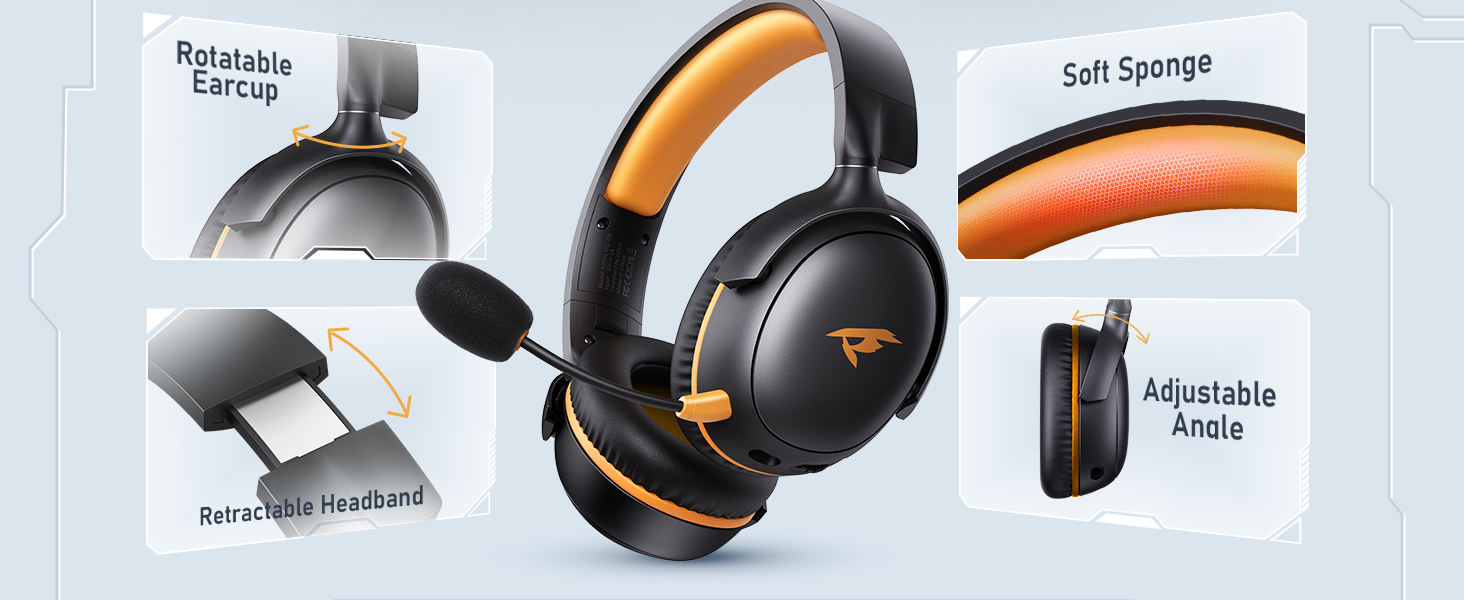
Image: The KOFIRE UG-09 headset emphasizing its 3D Spatial Audio capabilities.
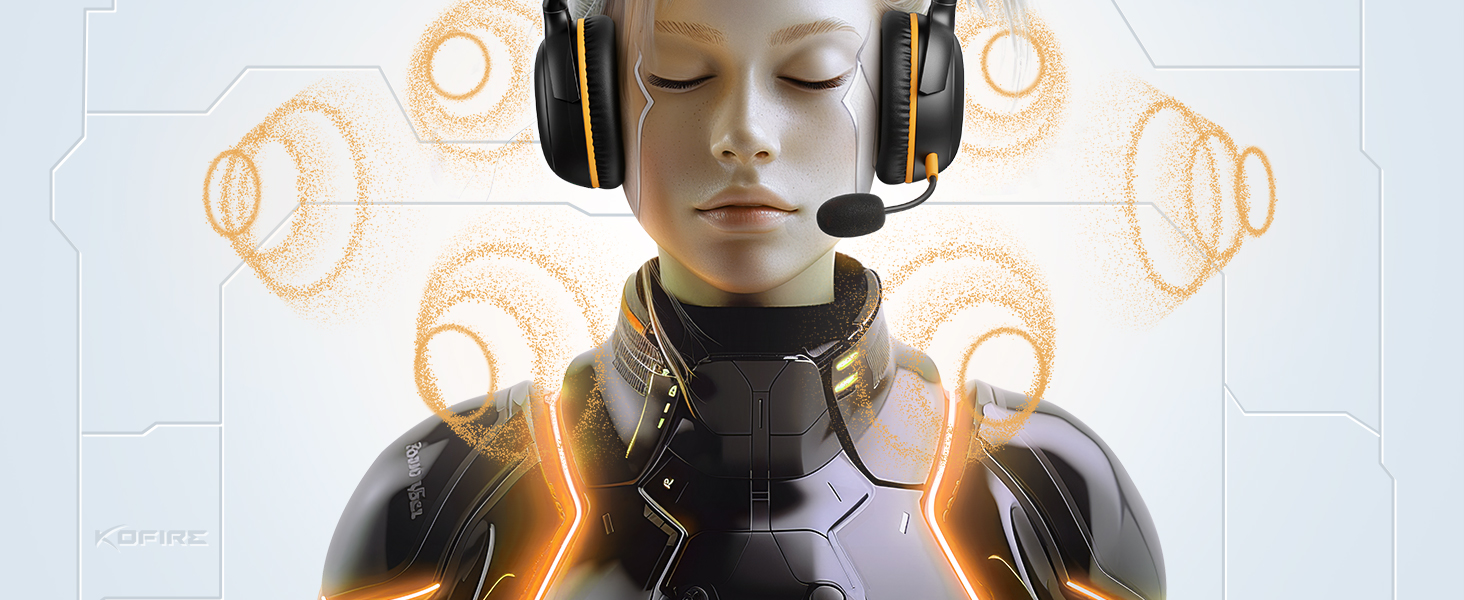
Image: The KOFIRE UG-09 headset illustrating its dual wireless connectivity modes: Bluetooth 5.4 and 2.4GHz.
4. Орнотуу жана туташуу
4.1. 2.4 ГГц зымсыз режим
- Insert the 2.4GHz USB dongle into an available USB port on your device (PS5, PS4, PC, Mac, etc.).
- On the headset, press and hold the microphone button to switch to 2.4G mode. You will hear an audio prompt "dongle mode."
- On your connected device, select "Kofire UG-09" from the audio output settings to complete pairing.

Image: Demonstrating how to connect the 2.4GHz USB dongle to a laptop.
4.2. Bluetooth режими
- On the headset, press and hold the microphone button for 3 seconds to switch to Bluetooth mode.
- On your mobile device (phone, tablet, Nintendo Switch), search for "Kofire UG-09" in your Bluetooth settings.
- Select "Kofire UG-09" to complete the pairing process.
4.3. 3.5 мм зымдуу режим
- Connect one end of the included 3.5mm audio cable to the headset's 3.5mm jack.
- Connect the other end of the 3.5mm audio cable to your gaming device (e.g., Xbox controller, Nintendo Switch).
- Note: Microphone functionality is not supported on Nintendo Switch in wired mode. Xbox Wireless Mode is not supported; only wired mode is available for Xbox.
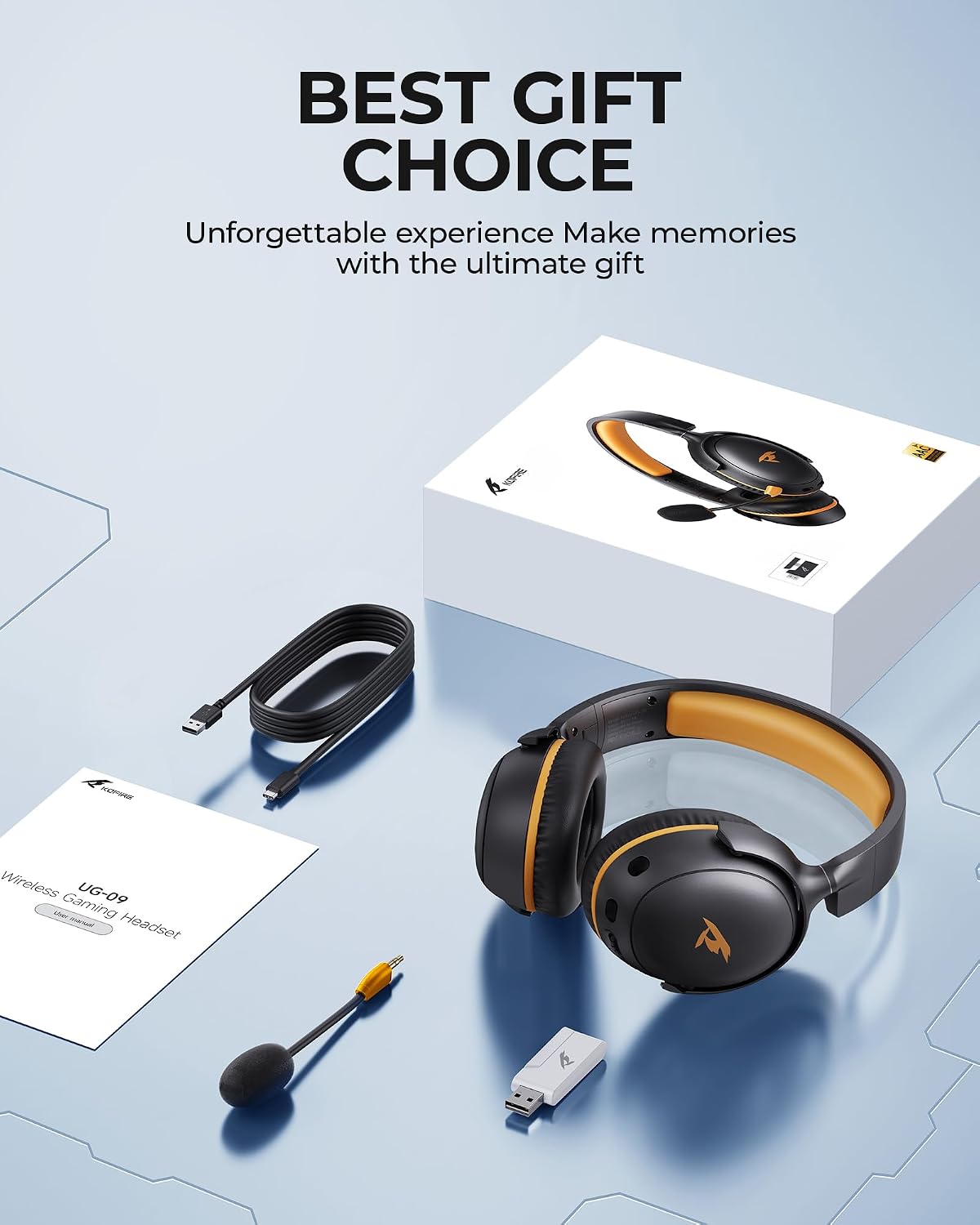
Image: Illustrating the connection of the 3.5mm audio cable for wired use.
5. Иштөө нускамалары
5.1. Күйгүзүү/өчүрүү
Locate the power button on the headset. Press and hold to power on or off.
5.2. Үндү башкаруу
Use the volume roller/buttons located on the earcup to adjust the audio volume up or down.
5.3. Микрофонду өчүрүү
Press the one-touch mute button on the headset to quickly mute or unmute the microphone.
5.4. Алынып туруучу микрофон
The microphone can be plugged into or unplugged from the dedicated port on the earcup as needed.

Сүрөт: деталдуу view of the control buttons and ports on the headset earcup.
6. Техникалык тейлөө
- Гарнитураны жумшак, кургак чүпүрөк менен сүртүп, таза кармаңыз.
- Гарнитураны экстремалдык температурага, нымдуулукка же тике күн нуруна тийгизүүдөн сактаңыз.
- Store the headset in a safe place when not in use to prevent damage. The foldable design allows for compact storage.
- Ensure charging ports and audio jacks are free from dust and debris.
7. Кыйынчылыктарды
7.1. No Sound/Poor Audio Quality
- Гарнитура күйгүзүлгөнүн жана толук заряддалганын текшериңиз.
- Verify the correct connection mode (2.4GHz, Bluetooth, or wired) is selected and properly paired/connected.
- Гарнитурадагы жана туташкан түзмөгүңүздүн үнүнүн деңгээлин текшериңиз.
- If using 2.4GHz, ensure the USB dongle is securely inserted.
- If using Bluetooth, ensure the headset is within the 10-meter range of your device.
7.2. Микрофон иштебей жатат
- Микрофон гарнитурага бекем сайылганын текшериңиз.
- Check if the microphone is muted (one-touch mute button).
- Verify microphone input settings on your connected device.
- Note: Microphone is not supported on Nintendo Switch.
7.3. Байланыш маселелери
- For 2.4GHz, ensure the dongle is correctly recognized by your device.
- Bluetooth үчүн, гарнитураны түзмөгүңүз менен жупташтырбай, кайра жупташтырып көрүңүз.
- Move closer to your device to rule out range issues.
8. Техникалык шарттар
| Өзгөчөлүк | Деталь |
|---|---|
| Модель аты | УГ-09 |
| Байланыш технологиясы | 2.4GHz USB-A & Type-C 2-in-1 Dongle, Bluetooth 5.4, 3.5mm Wired |
| Аудио драйвер түрү | Динамикалык драйвер (53 мм) |
| Батареянын иштөө мөөнөтү | Up to 65 hours (Bluetooth, mic off), 50 hours (2.4GHz, mic on) |
| Заряддоо убактысы | 2-2.5 саат |
| Аудио кечигүүсү (2.4 ГГц) | ≤20 Milliseconds |
| Bluetooth диапазону | 10 метр |
| Noise Control | Sound Isolation (Passive Noise Cancellation), ENC Microphone |
| Салмагы | 9.5 унция (болжол менен 270 г) |
| Шайкеш түзмөктөр | PS5, PS4, PC, Mac, Laptop, Desktop, Phone, Pad, Tablet, Gaming Consoles, Switch (mic invalid), Xbox (wired mode only) |
Video: A short clip highlighting the battery capacity of the Kofire UG-09 headset.
9. Кепилдик жана колдоо
KOFIRE provides professional services and expert support for your wireless gaming headset. If you encounter any issues or have questions, please feel free to contact our support team. We are committed to helping you solve problems until you are satisfied, ensuring responses within 0-24 hours and providing comprehensive assistance for all your gaming needs.
For support, please visit the official KOFIRE store or contact customer service through your purchase platform.