
ARENTI Baby 3TM*2+3M
ARENTI Baby Monitor with 2 Cameras (Model Baby 3TM*2+3M)
Instruction Manual
Introduction
This manual provides detailed instructions for the safe and effective use of your ARENTI Baby Monitor with 2 Cameras. This system is designed to help you monitor your baby with advanced features such as 2K video resolution, cry and motion detection, two-way audio, super night vision, lullabies, breathing light, and temperature and humidity sensing. Please read this manual thoroughly before operating the device and retain it for future reference.
Кутуда эмне бар
Сиздин пакетте бардык компоненттер бар экенин текшериңиз:
- 2 x Baby Cameras (with optional bunny ears)
- 1 x 5 дюймдук зымсыз дисплей монитору
- 3 х Power адаптерлери
- 3 x USB-C кубат кабелдери
- 2 x Camera Mounting Brackets
- Монтаждоо бурамдары жана дубал анкерлери
- 1 х кадимки абалга келтирүү
- Колдонуучунун Колдонмосу (бул документ)

Сүрөт: бүттүview of the ARENTI Baby Monitor system, showing two cameras and the handheld monitor.
Жайгашуу
1. Камераны жайгаштыруу
Position the baby cameras in locations that provide a clear view of your baby's crib or play area. Ensure the cameras are placed at a safe distance from the baby, out of reach, and with cables securely fastened to prevent entanglement hazards. The cameras offer a 360° pan and 60° tilt view ар тараптуу камтуу үчүн.

Image: A single ARENTI baby camera with optional bunny ears, illustrating its compact design suitable for various placements.
2. Power Connection
Connect each camera and the monitor to a power outlet using the provided USB-C cables and power adapters. The monitor has a built-in rechargeable battery for portable use.
3. Initial Pairing (No Wi-Fi Required for Direct Use)
The cameras and monitor are pre-paired at the factory for direct plug-and-play use. Simply power on both devices, and the video feed should appear automatically on the monitor. The system uses hopping and digital encryption technology for secure, local connection up to 1000ft.

Image: The ARENTI baby monitor and camera, highlighting the secure, direct connection without requiring Wi-Fi for local monitoring.
4. Mobile App Connection (Optional)
For remote monitoring and additional features, download the free ARENTI mobile app. The camera needs to be connected to a 2.4G Wi-Fi network during the first-time setup with the app. This allows you to view and control the cameras from your smartphone or other compatible devices.

Image: Illustration of the ARENTI system's multi-device connectivity, showing the monitor, mobile app, computer interface, and smart home integration.
Setup Video: How to Distribute Two Cameras
Video: This video demonstrates the process of setting up and positioning two ARENTI baby cameras for optimal monitoring.
Иштөө нускамалары
1. Monitor Navigation
Use the buttons on the 5-inch wireless display to navigate menus, adjust settings, and control camera functions. The intuitive interface allows for easy access to all features.
2. Камераны башкаруу (панорамалоо, эңкейтүү, масштабдоо)
Камераны алыстан тууралоо viewing angle using the monitor or mobile app. The cameras offer 355° horizontal rotation and 60° vertical rotation, along with a 4x magnification function on the monitor and 2K resolution via the app.
3. Бөлүнгөн экран View
When using two cameras, activate the split-screen mode on the monitor to view both camera feeds simultaneously. This is ideal for monitoring multiple children or different areas of a room.

Image: The 5-inch monitor displaying a split-screen view, allowing simultaneous monitoring of two separate camera feeds.
4. Эки тараптуу аудио
Utilize the built-in microphone and speaker to communicate with your baby. Press and hold the microphone button on the monitor to speak, and release to listen.

Image: A parent using the two-way audio feature of the ARENTI monitor to speak to their baby, providing comfort from another room.
5. Түнкү көрүнүш
The cameras automatically switch to super night vision mode in low-light conditions, providing clear black and white video of your baby.
6. Lullabies and Breathing Light
Select from a variety of soothing lullabies to help your baby sleep. The integrated breathing light can be activated and customized for a calming ambiance in the nursery.

Image: The ARENTI baby camera providing a colorful night light and playing lullabies in a baby's room, creating a peaceful environment.
7. Температура жана нымдуулук мониторинги
The monitor displays real-time temperature and humidity readings from the nursery, helping you maintain a comfortable environment for your baby. Alerts can be set for abnormal readings.
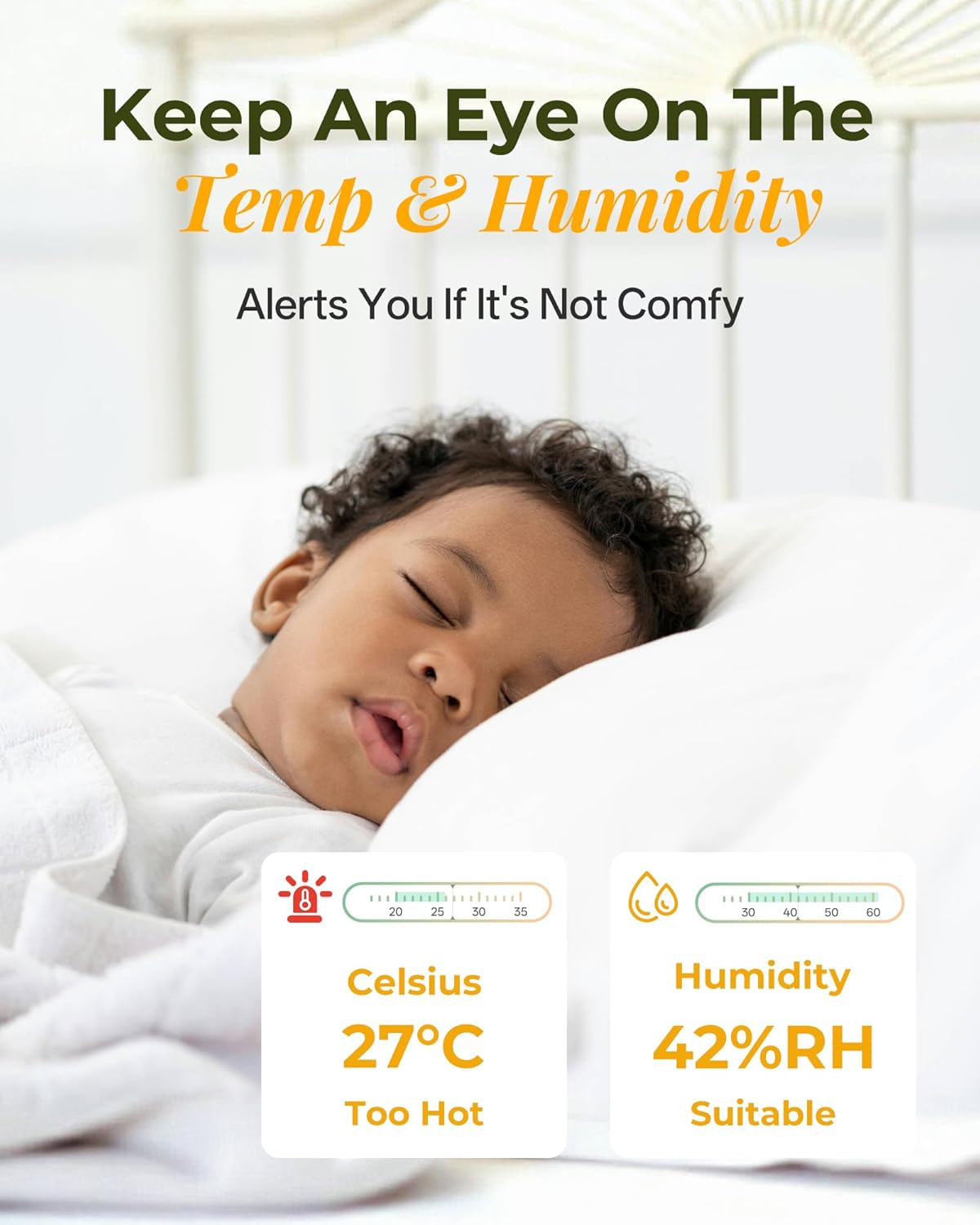
Image: The ARENTI monitor screen showing current temperature and humidity, indicating whether conditions are comfortable for the baby.
8. Cry and Motion Detection (AINanny)
The AINanny feature detects crying and motion, sending alerts to your mobile app. Sensitivity levels can be adjusted to suit your preferences. It also supports danger zone detection.
9. VOX Mode (Voice Activated)
Activate VOX mode to conserve battery life. The monitor screen will turn off when it's quiet and automatically reactivate when sound or motion is detected, ensuring you don't miss anything important.

Image: A visual representation of VOX mode, demonstrating how the monitor screen activates upon detecting a baby's cry and remains off during quiet periods.
10. Feeding Reminders
Set up nursing reminders on the monitor to help maintain your baby's feeding schedule.

Image: The ARENTI monitor screen showing a feeding reminder alarm, assisting parents in keeping track of their baby's feeding times.
Операциялык видеолор
Video: This video provides an introduction to the various functions of the ARENTI Baby Monitor and includes user feedback on its performance.
Video: Learn how to use the split-screen feature to monitor two babies simultaneously with this instructional video.
Video: A demonstration of the key features and functionalities of the ARENTI Baby Monitor.
Техникалык тейлөө
1. Тазалоо
Wipe the camera lenses and monitor screen with a soft, dry cloth. Avoid using abrasive cleaners or solvents that could damage the surfaces. Ensure devices are powered off before cleaning.
2. Батареяга кам көрүү
To prolong the life of the monitor's rechargeable battery, avoid extreme temperatures and fully charge it before extended periods of non-use. Do not attempt to replace the internal battery yourself.
3. Сактоо
Store the baby monitor system in a cool, dry place away from direct sunlight and moisture when not in use. Keep all components and cables neatly organized.
Проблемаларды чечүү
No Video/Audio on Monitor
- Ensure both the camera(s) and monitor are powered on and fully charged or connected to power.
- Check that the camera(s) and monitor are within range (up to 1000ft in open space).
- Verify that the monitor's volume is not muted or set too low.
- If using the mobile app, ensure your phone is connected to the internet and the camera is connected to a 2.4G Wi-Fi network.
Видеонун сапаты начар
- Move the camera closer to the monitor or Wi-Fi router (if using the app).
- Remove any obstructions between the camera and monitor that might interfere with the signal.
- Камера линзасын жумшак чүпүрөк менен тазалаңыз.
Monitor Freezes or Becomes Unresponsive
- Power off the monitor, then power it back on.
- If the issue persists, use the provided reset pin to perform a factory reset (refer to the monitor's menu for the reset option).
Техникалык шарттар
| Өзгөчөлүк | Деталь |
|---|---|
| Модель номери | Baby 3TM*2+3M |
| Дисплей өлчөмү | 5 дюймдук LCD |
| Камеранын чечилиши | 2K (via mobile app) / 720p (on monitor) |
| Байланыш | Wireless (direct to monitor), Wi-Fi (2.4G for app) |
| Pan/Tilt диапазону | 355° Горизонталдык, 60° Вертикалдуу |
| Өзгөчөлүктөр | Cry & Motion Detection, Two-Way Audio, Super Night Vision, Lullabies, Breathing Light, Temperature & Humidity Sensor, Feeding Reminders, VOX Mode, Split Screen |
| Power Source | Corded Electric (cameras), Rechargeable Battery (monitor) |
| Элемент Салмагы | 2.55 фунт |
| Өлчөмдөрү (L x W x Y) | 2.76 x 2.48 x 4.72 дюйм |
Кепилдик жана колдоо
Your ARENTI Baby Monitor comes with a 2 жылдык сапат кепилдиги. For technical support, warranty claims, or any questions regarding your product, please contact ARENTI customer service.
- Кардарларды тейлөө: Refer to the contact information provided in your product packaging or visit the official ARENTI webсайт.
- Иштөө сааттары: Monday - Friday, 9 AM - 5 PM (PT)
- Жооп убактысы: Адатта 24 сааттын ичинде жооп берет.

Image: Information about ARENTI's professional support team, including operating hours and response time.
Ask a question about this manual
Ask about setup, troubleshooting, compatibility, parts, safety, or missing instructions. Manuals+ will review the question and use this page’s manual context to help answer it.