
1. Киришүү
This manual provides detailed instructions for the proper use and maintenance of your KAPEYDESI Captain 400 Wireless Gaming Headset. Please read this manual thoroughly before using the product to ensure optimal performance and longevity.

Figure 1: KAPEYDESI Captain 400 Wireless Gaming Headset in Midnight Blue.
2. Пакеттин мазмуну
Пакетте бардык буюмдар бар экенин текшериңиз:
- 1x Captain 400 Wireless Gaming Headset
- 1x Detachable Noise-canceling Microphone
- 1x USB Transmitter (2.4GHz dongle)
- 1x Type-C заряддоо кабели
- 1x 3.5 мм Aux кабели
- 1x Колдонуучунун колдонмосу (бул документ)
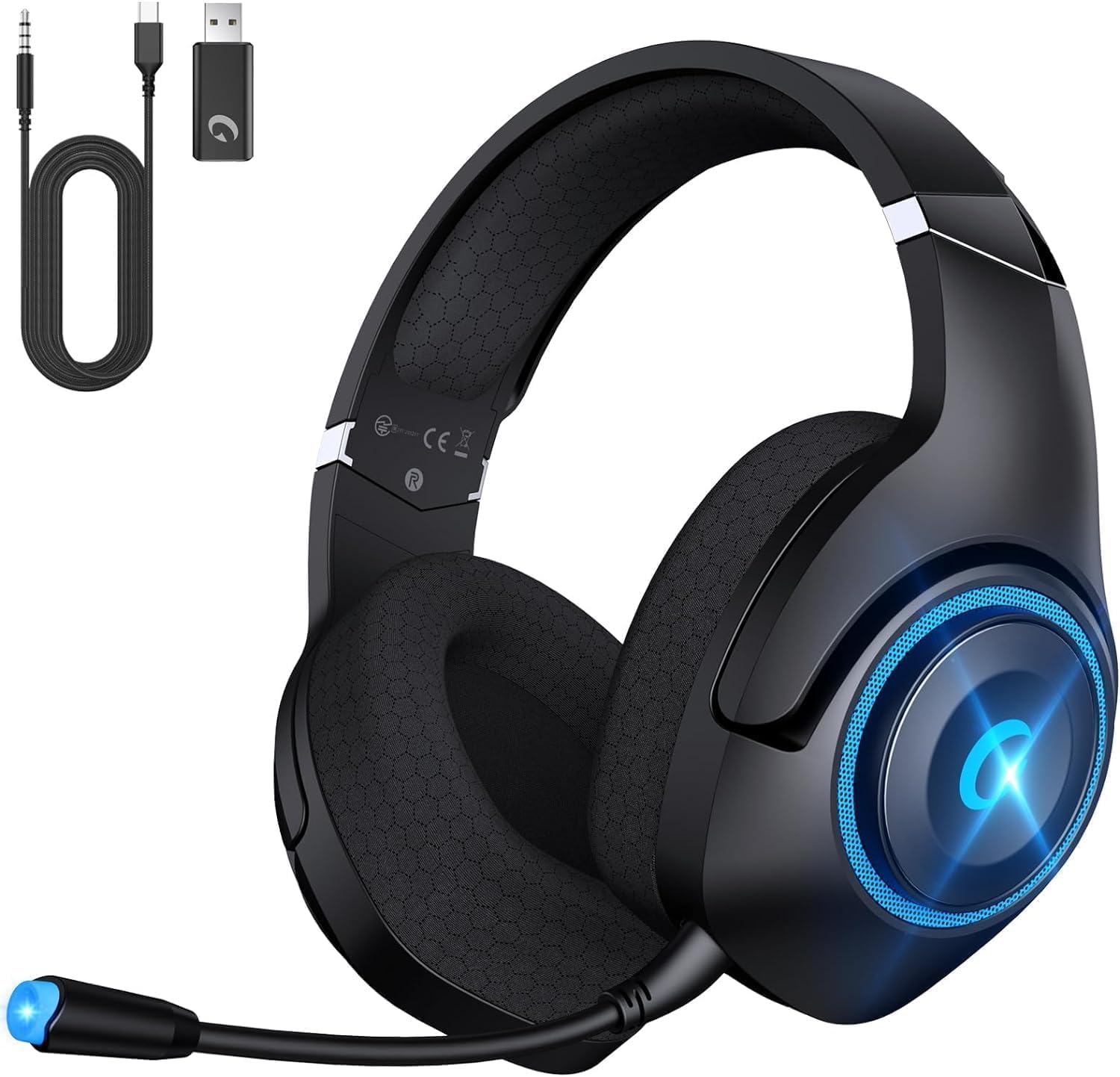
Figure 2: Headset with included USB transmitter, Type-C charging cable, and 3.5mm Aux cable.
3. Продукт бүтүп калдыview
3.1 Гарнитуранын өзгөчөлүктөрү
- Аудио драйверлери: 50mm PET dynamic drivers for precise sound reproduction.
- Микрофон: Detachable, omni-directional, with Environmental Noise Canceling (ENC) technology.
- Комфорт: Breathable mesh earmuffs, wide head beam protection, adaptive ear shell design, ultra-light construction.
- Байланыш: 2.4GHz Wireless, Bluetooth 5.2, 3.5mm Wired.
- Батареянын иштөө мөөнөтү: Up to 40 hours (25 hours with LED lights active).
- Заряддоо: USB Type-C, approximately 2.5 hours for a full charge. Supports use while charging.
3.2 Башкаруу каражаттары жана порттор
Гарнитурада оңой иштөө үчүн интуитивдик башкаруу элементтери бар:
- Үндүн сыдырмасы: Аудио чыгаруу деңгээлин тууралайт.
- Кубат баскычы: Гарнитураны күйгүзөт/өчүрөт.
- Үнсүз баскычы: Микрофондун үнүн өчүрөт/ачат.
- Режим которуу: Toggles between 2.4GHz wireless and Bluetooth modes.
- USB Type-C порту: Гарнитураны заряддоо үчүн.
- 3.5 мм аудио уячасы: Зымдуу туташуу үчүн.
- Микрофон порту: Алынуучу микрофонду орнотуу үчүн.

Figure 3: Detachable microphone and control layout on the headset.
4. Орнотуу жана туташуу
4.1 2.4GHz Wireless Connection (PC, PS4, PS5, Nintendo Switch)
- Plug the USB Transmitter into an available USB port on your device (PC, PS4, PS5, or Nintendo Switch dock).
- Power on the Captain 400 headset by pressing and holding the Power button.
- Ensure the headset is in 2.4GHz mode (indicated by a specific LED color or voice prompt).
- The headset will automatically pair with the USB Transmitter. A successful connection will be indicated by a steady LED light on the headset.
Video 1: Instructions on connecting the CT400 Gaming Headphones with Nintendo Switch.
Video 2: Instructions on connecting the Captain 400 Gaming Headset with PC.
Video 3: Instructions on connecting the CT400 Gaming Headset with PS5.
4.2 Bluetooth 5.2 Connection (Phones, Tablets, Nintendo Switch)
- Power on the Captain 400 headset.
- Double-click the Mode Switch button to enter Bluetooth pairing mode. The LED indicator will flash, signifying it's ready to pair.
- On your mobile device or Nintendo Switch, go to Bluetooth settings and select "Captain 400" from the list of available devices.
- Once connected, the LED indicator on the headset will become steady.
4.3 Wired Connection (Devices with 3.5mm Jack, Xbox Series)
- Ensure the headset is powered off for wired mode.
- Connect one end of the 3.5mm Aux Cable to the 3.5mm audio jack on the headset.
- Connect the other end of the 3.5mm Aux Cable to your device's 3.5mm audio port.
- Note for Xbox: An adapter (not included) may be required to connect the 3.5mm cable directly to an Xbox controller.

Figure 4: Visual representation of the three available connection modes.
5. Иштөө нускамалары
5.1 Күйгүзүү/өчүрүү
- Күйгүзүү үчүн, LED индикатору күйгөнгө чейин Кубат баскычын басып, кармап туруңуз.
- Өчүрүү үчүн, LED индикатору өчкөнчө Кубат баскычын басып, кармап туруңуз.
5.2 Үндү башкаруу
- Use the Volume Slider on the headset to increase or decrease the audio volume.
5.3 Микрофонду колдонуу
- Attach the detachable microphone to the microphone port on the headset.
- To mute the microphone, press the Mute button. Press again to unmute.
- Adjust the flexible microphone boom for optimal voice pickup.
- Эскертүү: The microphone may not function with Nintendo Switch in certain modes. Contact customer support if microphone issues persist with PS5.
Видео 4: Бүттүview of the Captain 400 Gaming Headset Wireless with Mic.
5.4 LED жарыктандыруу
- The headset features LED lighting. You can disable the lights at any time to conserve battery life. Refer to the specific button on your headset for LED control.
6. Заряддоо
To charge the Captain 400 headset:
- Connect the Type-C Charging Cable to the USB Type-C port on the headset.
- Connect the other end of the charging cable to a compatible USB power source (e.g., PC, wall adapter).
- LED индикатору кубаттоо абалын көрсөтөт. Толук кубаттоо болжол менен 2.5 саатты талап кылат.
- The headset provides voice prompts when the battery level falls below 3%.
- The headset can be used while charging.

Figure 5: Battery life and charging information for the headset.
7. Техникалык тейлөө жана кам көрүү
- Гарнитураны дайыма жумшак, кургак чүпүрөк менен тазалаңыз.
- Гарнитураны экстремалдык температурага, нымдуулукка же тике күн нуруна тийгизүүдөн сактаңыз.
- Do not attempt to disassemble or repair the headset yourself. This may void the warranty.
- Store the headset in a cool, dry place when not in use. The foldable design allows for compact storage.
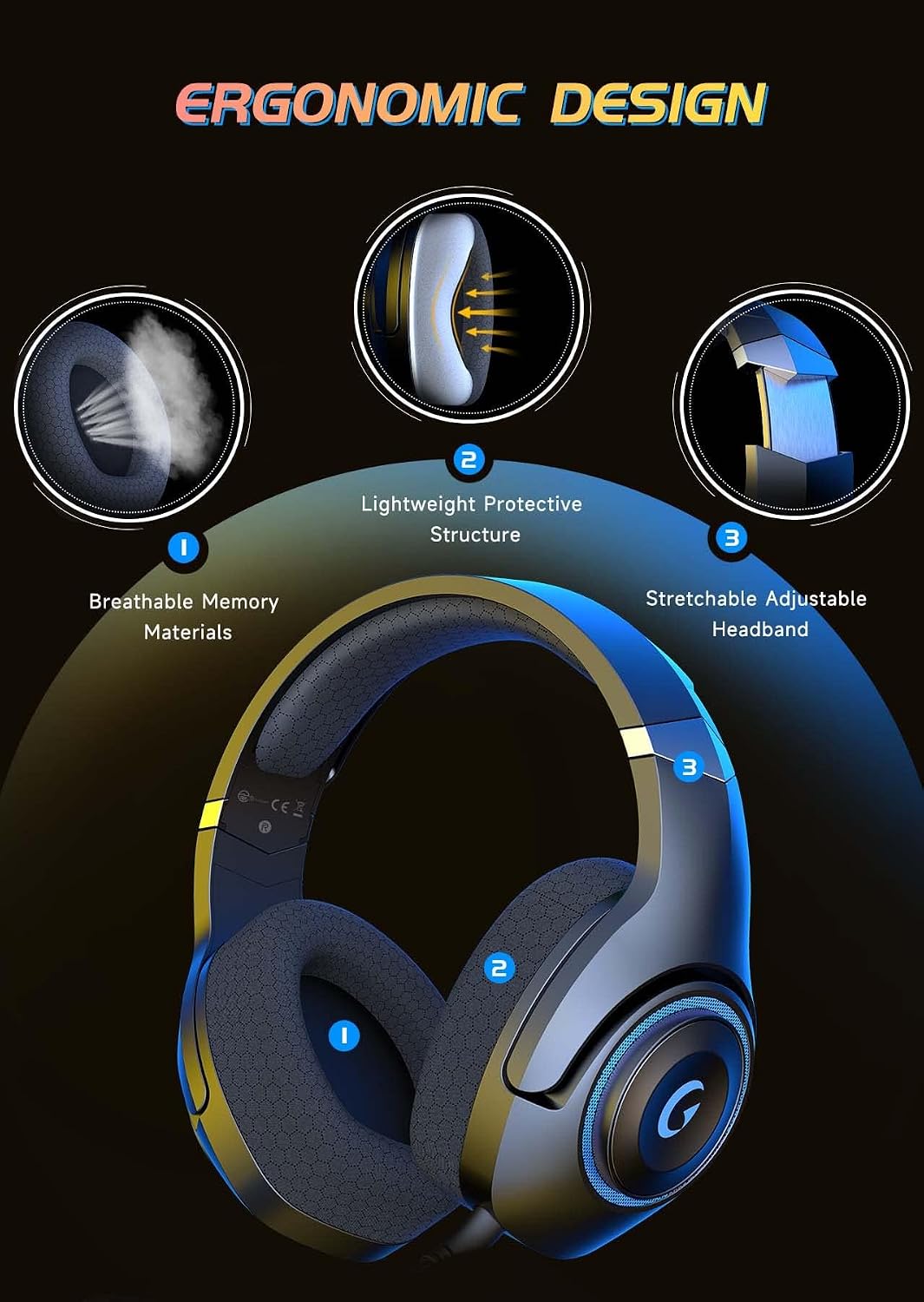
Figure 6: Ergonomic design features contributing to headset comfort and durability.
8. Кыйынчылыктарды
| Көйгөй | Мүмкүн чечим |
|---|---|
| Гарнитурадан үн жок | Check volume levels on both headset and device. Ensure correct connection mode (2.4GHz, Bluetooth, or wired). Verify headset is powered on and charged. |
| Микрофон иштебей жатат | Ensure microphone is securely attached and not muted. Check device's audio input settings. Note: Microphone may not work with Nintendo Switch in some modes. |
| Headset not pairing (2.4GHz) | Ensure USB Transmitter is correctly plugged in. Verify headset is in 2.4GHz mode. Try unplugging and re-plugging the transmitter. |
| Headset not pairing (Bluetooth) | Ensure headset is in Bluetooth pairing mode (flashing LED). Make sure Bluetooth is enabled on your device and select "Captain 400". |
| Батареянын иштөө мөөнөтү кыска | Ensure LED lights are off if not needed. Fully charge the headset before use. Battery life is up to 25 hours with LEDs on. |
9. Техникалык шарттар
- Модель аты: Капитан 400
- Байланыш технологиясы: Wired (3.5mm jack), Wireless (2.4GHz USB dongle, Bluetooth V5.2)
- Аудио драйвер түрү: Динамикалык драйвер
- Аудио драйверинин өлчөмү: 50 миллиметр
- Ызы-чууну көзөмөлдөө: Sound Isolation (ENC Microphone)
- Батареянын иштөө мөөнөтү: 40 Hours (without LED), 25 Hours (with LED)
- Заряддоо убактысы: 2.5 саат
- Bluetooth версиясы: 5.2
- Bluetooth диапазону: 49 Фут
- Импеданс: 20 Ом
- Материал: Acrylonitrile Butadiene Styrene (ABS), Mesh Earmuffs, Plastic
- Элемент Салмагы: 1.1 фунт
10. Кепилдик жана колдоо
KAPEYDESI is committed to providing comprehensive assistance to all users. For any product-related inquiries or support, please contact our expert customer support team. We ensure responses within 12-24 hours.
For contact information, please refer to the packaging or the official KAPEYDESI webсайт.