
1. Киришүү
Thank you for choosing the Onforu 32W 2 Head Smart LED Security Light. This manual provides essential information for the safe installation, effective operation, and proper maintenance of your new security light. Please read these instructions thoroughly before installation and retain them for future reference.
2. Продукт бүтүп калдыview
Негизги өзгөчөлүктөрү
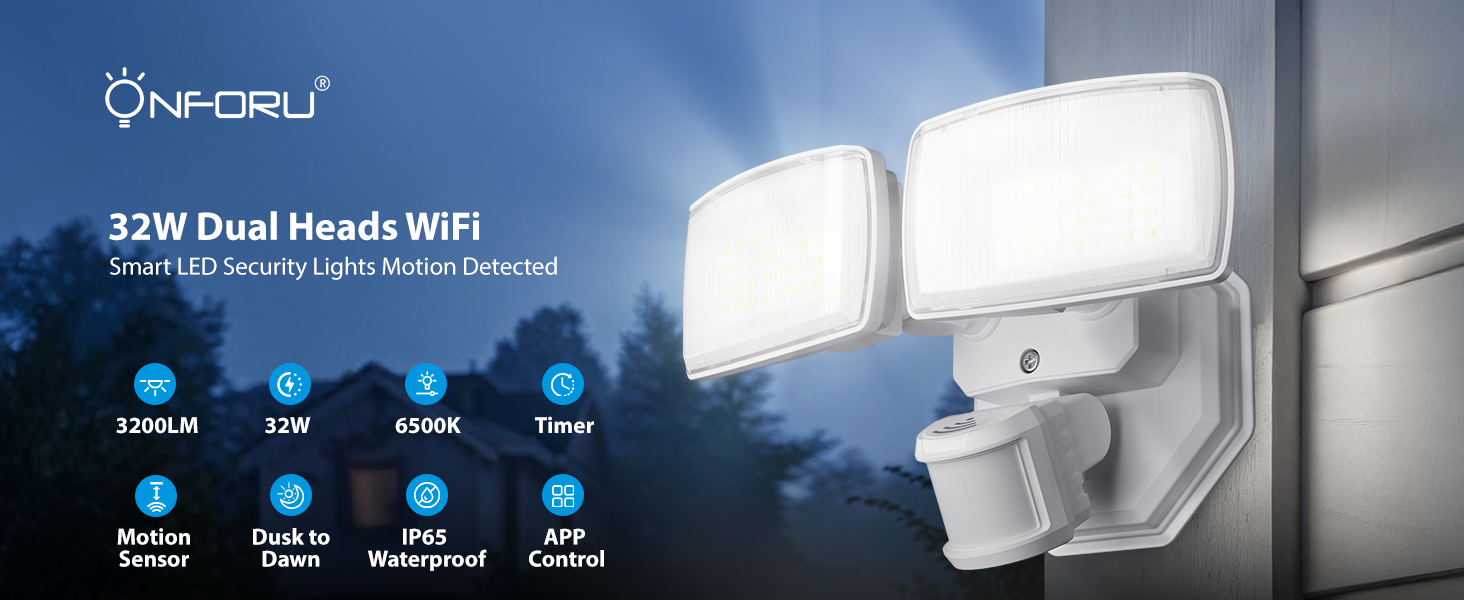
- WiFi App & Voice Control: Supports 2.4GHz WiFi for control via the 'Onforu' App, Alexa, or Google Assistant. Features include color temperature adjustment, motion sensor distance setting, motion-off delay, stepless dimming, dim light brightness control, and group control.
- Өркүндөтүлгөн кыймылды аныктоо: 180° detection angle with a range of 19–72 ft, covering up to 1,150 sq ft.
- Жөнгө салынуучу түс температурасы жана жарыктыгы: Stepless dimming with 3 basic color temperatures (warm white, daylight, cold white) and 5-level brightness settings (2700K-6500K). Includes a memory function.
- Smart Timing: Two timing options for automatic on/off schedules and varied light settings.
- IP65 аба ырайы: Designed to withstand harsh outdoor weather conditions.

Бүттүview of the Onforu Smart LED Security Light's key features and capabilities.
Кутуда эмне бар
- 1 x WiFi Motion Sensor Light
3. Коопсуздук маалыматы
Please observe the following safety precautions before installing or operating the light fixture:
- Электр коопсуздугу: Always turn off power at the circuit breaker before installation or servicing. Consult a qualified electrician if you are unsure about wiring.
- Негиздөө: Электр тогуна урунбоо үчүн шаймандын жерге туура туташтырылганын текшериңиз.
- Орнотуу орду: Install the light in a location suitable for outdoor use, away from flammable materials. Ensure the mounting surface is sturdy enough to support the fixture.
- Зымдар: Use appropriate wire connectors and ensure all connections are secure and insulated.
- Иштөө температурасы: Жабдууну көрсөтүлгөн температура диапазонунан тышкары иштетпеңиз.
4. Орнотуу жана орнотуу
This security light is designed for hardwired installation. It is not solar or battery powered and does not include a camera.
Монтаждоо параметрлери
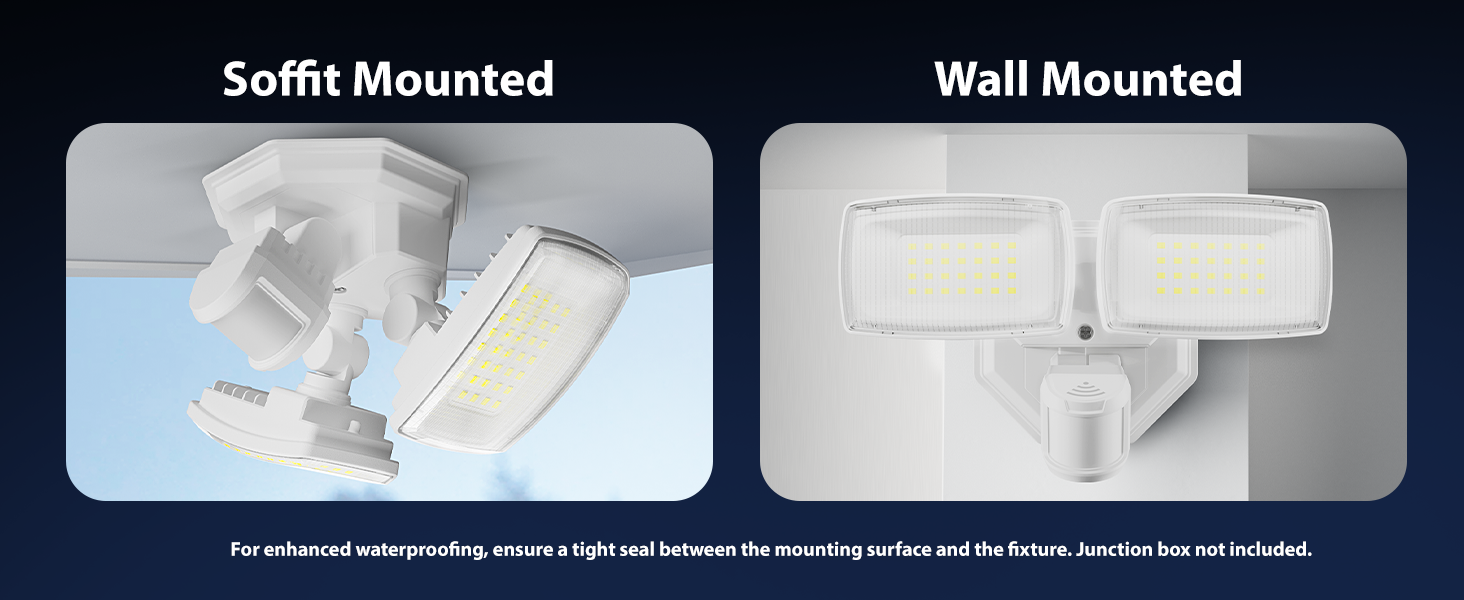
The fixture can be mounted on a wall or soffit. For enhanced waterproofing, ensure a tight seal between the mounting surface and the fixture. A junction box is not included.

Illustration of soffit and wall mounting configurations.
Wiring Instructions
Follow these steps for hardwired installation:
- Кубатты өчүрүү: Баштоодон мурун, орнотуу аймагына берилүүчү электр кубаты автоматтык өчүргүчтөн өчүрүлгөнүн текшериңиз.
- Зымдарды даярдоо: Connect the Live Wire (L), Neutral Wire (N), and Ground Wire to the corresponding wires from your electrical supply. Refer to the wiring diagram below.
- Коопсуз арматура: Mount the fixture securely to the desired surface using appropriate hardware.
- Мөөр байланыштары: Бардык электр туташууларынын коопсуз жана нымдуулуктан корголгондугун текшериңиз.
- Күчтү калыбына келтирүү: Орнотуу аяктагандан жана текшерилгенден кийин автоматтык өчүргүчтөгү кубаттуулукту калыбына келтириңиз.
Деталдаштырылган view of the hardwired installation process and wiring connections.
Dimensions of the light fixture and wiring color codes.
5. Иштөө нускамалары
5.1 App Control and WiFi Connection
To unlock the full smart features of your Onforu security light, download the 'Onforu' App from your smartphone's app store. Follow the in-app instructions to pair the light with your 2.4GHz WiFi network (5GHz WiFi is not supported).
5.2 Үн менен башкаруу
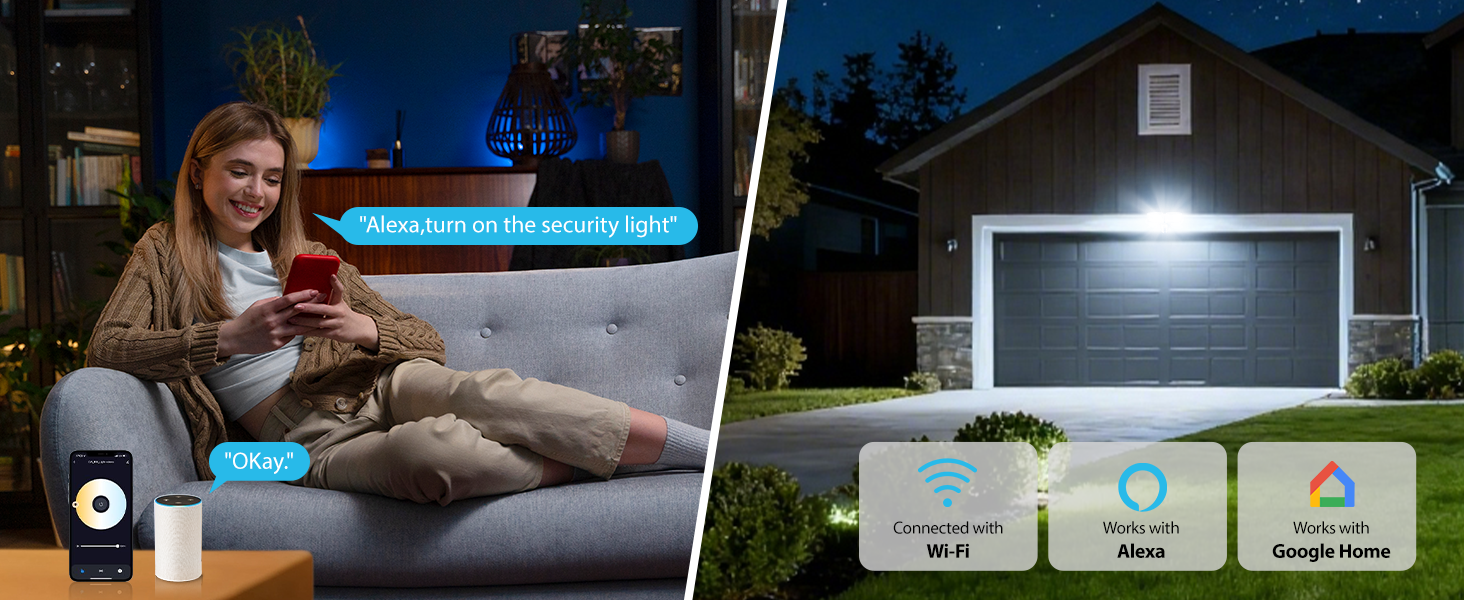
Once connected to the 'Onforu' App, you can link your light to Alexa or Google Assistant for convenient voice control. Use commands such as "Alexa, turn on the security light" to operate your device.

Voice control functionality with smart home assistants.
5.3 Кыймылды аныктоо
The integrated motion sensor offers a 180° detection angle and a range of 19–72 feet. You can adjust the sensitivity and detection area within the 'Onforu' App. The app also provides activity records of detected motion.

Motion detection in action, showing detection angle and activity logs.
5.4 Adjustable Color Temperature & Brightness
Customize your lighting with stepless dimming and a broad range of color temperatures from 2700K (warm white) to 6500K (cold white). Brightness can be adjusted from 1% to 100%. The light retains your last settings with its memory function.
Adjusting color temperature and brightness via the app.
5.5 Smart Timing and Dusk to Dawn Mode
Set specific schedules for your light to turn on/off automatically. You can also configure different color temperatures or brightness levels for specific hours. The Dusk to Dawn mode allows the light to automatically turn on at dusk and off at dawn.

Dusk to Dawn mode operation.
Бүттүview of smart lighting modes including motion sensor, dimmed light, time schedule, and adjustable color temperature.
5.6 Networking (Group Control)
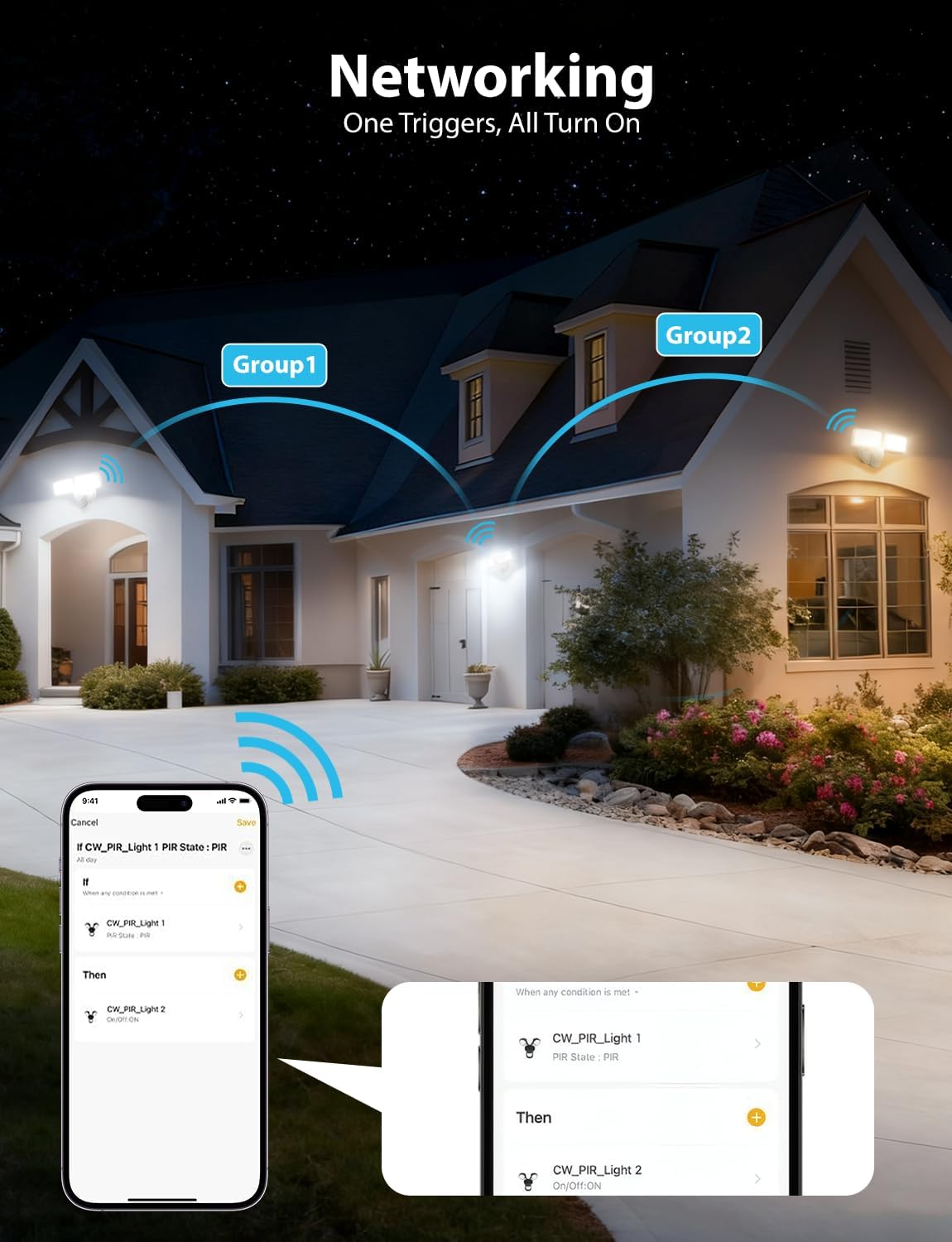
Utilize the networking feature to group multiple Onforu smart lights. When one light in a group triggers, all linked lights can be set to turn on, providing broader coverage and enhanced security.

Networking multiple lights for group control.
6. Техникалык тейлөө
Regular maintenance ensures optimal performance and longevity of your security light.
- Тазалоо: Жарык берүүчү лампаны мезгил-мезгили менен жумшак,amp кездеме. Абразивдүү тазалоочу каражаттарды же эриткичтерди колдонбоңуз. Тазалоодон мурун электр кубаты өчүрүлгөндүгүн текшериңиз.
- Текшерүү: Annually inspect the wiring and mounting hardware for any signs of wear, damage, or loosening. Tighten connections as needed.
- Сенсор линзасы: Keep the motion sensor lens clean and free from obstructions (e.g., dirt, spiderwebs) to ensure accurate detection.
7. Кыйынчылыктарды
If you encounter issues with your Onforu security light, refer to the following common troubleshooting steps:
| Көйгөй | Мүмкүн себеп | Чечим |
|---|---|---|
| Жарык күйбөйт. | No power, loose wiring, faulty sensor, incorrect settings. | Check circuit breaker. Verify wiring connections. Check app settings for schedules or motion sensor mode. |
| Кыймыл сенсору аныкталбай жатат. | Sensor obstructed, incorrect sensitivity setting, outside detection range. | Clear sensor lens. Adjust sensitivity in the app. Ensure motion occurs within the 19-72 ft range. |
| WiFi'га туташа албай жатат. | Туура эмес WiFi диапазону (5 ГГц), алсыз сигнал, туура эмес сырсөз. | Ensure you are connecting to a 2.4GHz WiFi network. Move router closer or use a WiFi extender. Double-check WiFi password. |
| Жарык күтүлбөгөн жерден бүлбүлдөп же өчүп калат. | Unstable power supply, loose connection, faulty unit. | Check power supply stability. Inspect wiring connections. If problem persists, contact customer support. |
If these steps do not resolve the issue, please contact Onforu customer support for further assistance.
8. Техникалык шарттар
| Өзгөчөлүк | Деталь |
|---|---|
| Бренд | Onforu |
| Модель номери | BDR32WF-2 |
| Power Source | Электр зымдары |
| Ватtage | 32 ватт |
| Жарыктык | 3200 Lumens |
| Түс температурасы | 2700K-6500K (жөнгө салынуучу) |
| Motion Detection Angle | 180° |
| Кыймылды аныктоо диапазону | 19-72 фут |
| Байланыш | Wi-Fi (2.4 ГГц гана) |
| Башкаруу ыкмасы | Колдонмо, Үн (Alexa, Google Жардамчысы) |
| Сууга туруктуулук деңгээли | IP65 суу өткөрбөйт |
| Материал | Пластик |
| Өлчөмдөрү (L x W x Y) | 8.77"L x 5.27"W x 4.96"H |
| Монтаж түрү | Дубалга орнотуу, үстүнкү монтаж |
9. Кепилдик жана колдоо
Кепилдик маалымат
This Onforu product comes with a 2-year manufacturer's warranty. Please retain your proof of purchase for warranty claims.
Кардарларды колдоо
For technical assistance, troubleshooting, or warranty inquiries, please contact Onforu customer support. Refer to the product packaging or the official Onforu webакыркы байланыш маалыматы үчүн сайт.