
1. Киришүү
Thank you for choosing the Cillso H97 Wireless Earbuds. This manual provides detailed instructions on how to set up, operate, and maintain your earbuds to ensure optimal performance and longevity. Please read this manual carefully before using the product.

Image: The Cillso H97 Wireless Earbuds in their charging case, displaying the LED battery indicator.
2. Кутуда эмне бар
Таңгактан чыгарганда, төмөндө көрсөтүлгөн бардык буюмдардын бар экенине ынаныңыз:
- Cillso H97 Wireless Earbuds (L/R)
- Заряддоо кутусу
- USB-C заряддоо кабели
- Колдонуучунун колдонмосу (бул документ)

Image: A visual representation of the items included in the product packaging: earbuds, user manual, charging case, and USB-C charging cable.
3. Продукт бүтүп калдыview
The Cillso H97 Wireless Earbuds are designed for comfort and high-quality audio. Key features include:
- Bluetooth 5.4 технологиясы: Provides a stable connection, longer transmission range, lower power consumption, and reduced latency.
- Иммерсивдүү Hi-Fi стерео үн: Equipped with 13mm dynamic drivers for deep bass, clear mids, and crisp highs.
- ENC Noise Cancelling Microphones: Four built-in microphones enhance call clarity by reducing background noise.
- Узартылган батареянын иштөө мөөнөтү: Up to 8 hours of playback per charge, with a total of 40 hours using the charging case.
- LED санарип дисплей: The charging case features an independent LED display to show battery levels for both the case and individual earbuds.
- IPX7 суу өткөрбөйт рейтинги: Protects against sweat, rain, and splashes, making them suitable for various activities.
- Sensitive Touch Controls: Manage playback, calls, and voice assistants with simple taps.
- Эргономикалык жана жеңил дизайн: Each earbud weighs 3.5 grams, and the case weighs 32 grams, ensuring comfortable wear and portability.
3.1 Components and Indicators
Familiarize yourself with the main components and indicators:
- Кулакчындар: Left (L) and Right (R) earbuds with touch control areas and earbud lights.
- Заряддоо кутусу: Houses and charges the earbuds, features a USB-C charging port and an LED digital display.
- LED санарип дисплей: Shows the charging case's battery percentage and individual earbud charging status (L/R battery bars).

Сүрөт: An overview of the Cillso H97 Wireless Earbuds highlighting key features like Bluetooth 5.4, clear calls, Hi-Fi sound, comfort, IPX7 waterproof, 40H playtime, USB-C charging, and LED display.

Image: The earbuds and charging case with their dimensions and weight, illustrating their compact and lightweight design.
4. Орнотуу
4.1 Алгачкы заряддоо
Биринчи колдонуудан мурун, кулакчындарды жана заряддоо кутучасын толук заряддаңыз.
- Кулакчындардын экөөнү тең зарядкага салыңыз.
- Connect the USB-C charging cable to the charging port on the case and a standard 5V/1A or 5V/2A USB power adapter.
- The LED display on the case will show the charging progress. A full charge for the case takes approximately 1.5 hours.
- The earbud battery indicators on the LED display will show charging status for each earbud.
Note: Please use a standard 5V/1A or 5V/2A charger. Using non-standard chargers may cause charging issues or damage.
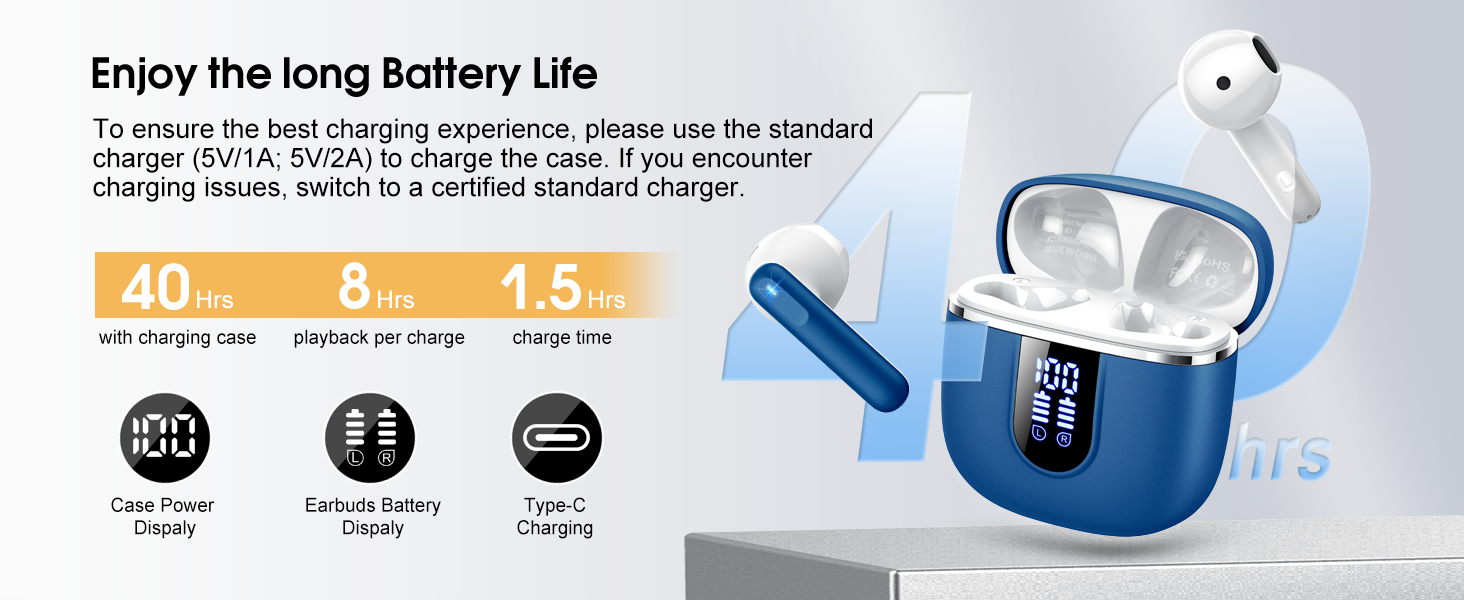
Image: Details on battery life (40 hours with case, 8 hours per charge) and charging time (1.5 hours), along with the LED display for battery status.
4.2 Bluetooth жупташтыруу
The earbuds feature a Hall sensor for automatic pairing.
- Биринчи жолу жупташтыруу: Заряддоо кутучасын ачыңыз. Кулакчындар автоматтык түрдө күйүп, жупташтыруу режимине өтөт.
- Түзмөгүңүздө (смартфон, планшет, ноутбук) Bluetooth иштетиңиз жана жеткиликтүү түзмөктөрдү издеңиз.
- Select "H97" from the list of devices to connect. Once connected, you will hear a confirmation tone.
- Автоматтык кайра туташуу: After the initial pairing, the earbuds will automatically connect to the last paired device when the charging case is opened (within 15 meters).
- Жалгыз кулакчын режими: You can use either the left or right earbud independently. Simply take one earbud out of the case, and it will connect. If you take out the other earbud, they will automatically switch to binaural mode. To use a single earbud, place the other back into the charging case.

Image: An illustration explaining how to use the earbuds in single earbud mode or binaural (stereo) mode, and how they automatically switch.
5. Иштөө нускамалары
5.1 Сенсордук башкаруу
The Cillso H97 earbuds feature sensitive touch controls on each earbud. The functions are as follows:
| Акция | Функция |
|---|---|
| Эки жолу таптоо (сол/оң) | Музыканы ойнотуу/тындыруу |
| One Tap (L/R) | Чалууга жооп берүү/аяктоо |
| Узак басуу 2сек (сол/оң) | Чакырууну четке кагуу |
| Long Tap 2s (R) | Кийинки ыр |
| Long Tap 2s (L) | Мурунку ыр |
| One Tap (R) | Үндү көтөрүү |
| One Tap (L) | Үндү төмөндөтүү |
| Үч жолу таптоо (R) | Үн жардамчысын жандырыңыз |

Image: A diagram illustrating the various touch control gestures for managing music playback, calls, and voice assistant functions.
5.2 Кулакчындарды тагынуу
Үндүн сапатын жана ыңгайлуулугун оптималдаштыруу үчүн, кулакчындарды кулагыңызга туура орнотуңуз.
- Сол (L) жана Оң (R) кулакчындарды аныктаңыз.
- Ар бир кулакчынды кулак каналыңызга акырын киргизиңиз.
- Adjust the angle until it feels secure and comfortable. The ergonomic design is intended to fit the contours of most ear canals.

Image: Diagrams showing the ergonomic design and recommended angles for wearing the earbuds for a secure and comfortable fit.
5.3 Кең шайкештик
The Cillso H97 Wireless Earbuds are compatible with a broad range of Bluetooth-enabled devices.
- Операциялык системалар: Android 4.4+ жана iOS 8.0+
- Bluetooth версиясы: Bluetooth 4.0 же андан кийинкиси
- Түзмөктөр: Smartphones (iPhone, Samsung Galaxy, Huawei, Xiaomi, etc.), tablets, and laptops.

Image: Icons representing compatibility with phones, tablets, laptops, and desktops, showing the earbuds connected to a smartphone.
6. Техникалык тейлөө жана кам көрүү
6.1 Тазалоо
- Кулакчындарды жана заряддоо кутусун жумшак, кургак, түксүз чүпүрөк менен дайыма тазалап туруңуз.
- Абразивдүү тазалагычтарды, спиртти же химиялык спрейлерди колдонбоңуз.
- Туура кубаттоо үчүн кулакчындардын жана кутучанын заряддоочу контакттары таза жана кургак экенин текшериңиз.
6.2 Сактоо
- Колдонулбаганда, кулакчындарды коргоо жана кубаттоо үчүн кубаттоочу кутучага сактаңыз.
- Салкын, кургак жерде, экстремалдык температурадан жана түз күндүн нурунан алыс сактаңыз.
6.3 Сууга туруктуулук (IPX7)
The earbuds are rated IPX7 waterproof, meaning they can withstand immersion in water up to 1 meter for 30 minutes. This protects them from sweat, rain, and splashes.
- Кубаттоочу кутучаны атайылап сууга салбаңыз, анткени ал суу өткөрбөйт.
- Кулакчындарды кубаттоочу кутуга кайра салуудан мурун, кубаттоочу контакттарга зыян келтирбөө үчүн, алардын толугу менен кургак экенин текшериңиз.
- Avoid using the earbuds in saunas, steam rooms, or during diving.

Image: An earbud with water splashing on it, illustrating its IPX7 waterproof capability.
6.4 Ашыкча ток коргоо (OCP)
The charging case is equipped with Over Current Protection technology to prevent issues such as overheating, melting, or fire caused by prolonged high current from an external power source. When the current exceeds the power limit, the power source will immediately cut off output to protect the circuitry and device.
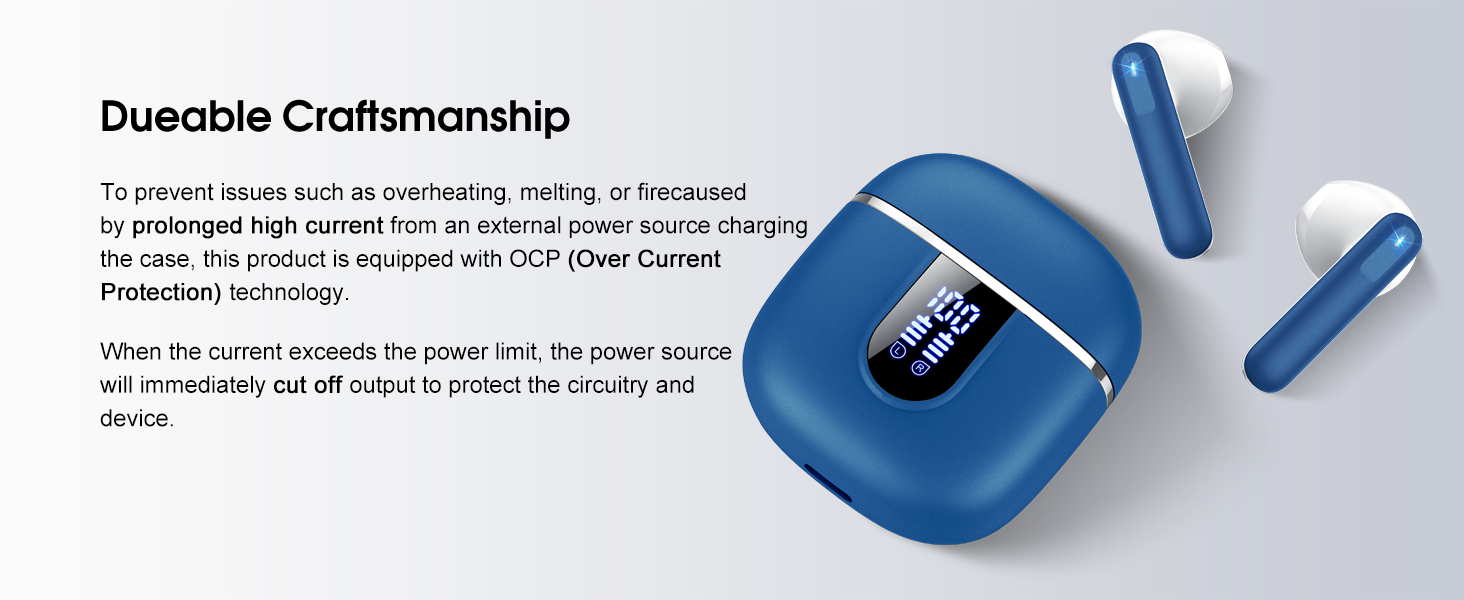
Image: The charging case and earbuds, highlighting the durable craftsmanship and Over Current Protection (OCP) technology.
7. Кыйынчылыктарды
If you encounter any issues with your Cillso H97 Wireless Earbuds, please refer to the following common problems and solutions:
- Үн жок / ажыратуу:
- Кулакчындардын кубатталганын текшериңиз.
- Check if Bluetooth is enabled on your device and if "H97" is selected.
- Bluetooth байланышынын 15 метрлик диапазонунда экениңизди текшерүү үчүн түзмөгүңүзгө жакындаңыз.
- Кулакчындарды түзмөгүңүз менен ажыратып, кайра жупташып көрүңүз.
- Кулакчындар кубатталбай жатат:
- Заряддоо кутучасы заряддалганын текшериңиз.
- Check that the earbuds are correctly seated in the charging case and the charging contacts are clean.
- Verify the USB-C cable and power adapter are working correctly and meet the 5V/1A or 5V/2A standard.
- Бир гана кулакчын иштейт:
- Эки кулакчынды тең кубаттоочу кутуга кайра салып, капкагын жаап, бир нече секунд күтө туруңуз, андан кийин капкакты ачып, чогуу алып чыгыңыз.
- Эки кулакчындын тең кубатталганын текшериңиз.
- If the issue persists, try resetting the earbuds (refer to the full user manual if a specific reset procedure is available, otherwise, unpair and re-pair).
- Тийүү башкаруулары жооп бербейт:
- Манжаларыңыздын таза жана кургак экенине ынаныңыз.
- Кулакчындарды кутуга салып, кайра чыгарып, өчүрүп-күйгүзүп көрүңүз.
Эгер бул кадамдар көйгөйүңүздү чечпесе, кардарларды колдоо кызматына кайрылыңыз.
8. Техникалык шарттар
| Өзгөчөлүк | Деталь |
|---|---|
| Модель аты | H97 |
| Бренд | Силлсо |
| Байланыш технологиясы | Зымсыз (Bluetooth) |
| Bluetooth версиясы | 5.4 |
| Bluetooth диапазону | 15 метр |
| Аудио драйверинин өлчөмү | 13mm (from description, spec says 14.2mm, using 13mm as it's consistent with marketing) |
| Frequency Response | 20Гц - 20кГц (сүрөттөмөдөн) |
| Сезимталдуулук | 110 дБ |
| Импеданс | 32 Ом |
| Наушниктин батареясынын иштөө мөөнөтү | 8 саатка чейин |
| Жалпы ойнотуу убактысы (кеп менен) | 40 саатка чейин |
| Заряддоо убактысы (капка) | Болжол менен 1.5 саат |
| Заряддоо порту | USB-C |
| Сууга туруктуулук рейтинги | IPX7 (Кулакчындар) |
| Кулакчынын салмагы | 3.5 грамм (ар бири) |
| Заряддоо кутусунун салмагы | 32 грамм |
| Шайкеш түзмөктөр | iOS 9.0+/Android 5.0+ with Bluetooth 4.0+ |
| Башкаруу ыкмасы | тийүү |
9. Кепилдик жана колдоо
Cillso products are designed for reliability and performance. For warranty information and customer support, please refer to the warranty card included in your product packaging or visit the official Cillso webсайт.
If you have any questions or require assistance, please do not hesitate to contact our customer service team.