
ThermoPro TP110
ThermoPro TP110 Refrigerator Thermometer User Manual
Модель: TP110 | Бренд: ThermoPro
Introduction
Сатып алганыңыз үчүн рахматasing the ThermoPro TP110 Refrigerator Thermometer. This device is designed to accurately monitor temperatures in refrigerators, freezers, and other environments, ensuring optimal conditions for food storage and other applications. Please read this manual thoroughly before use to ensure proper operation and longevity of your device.
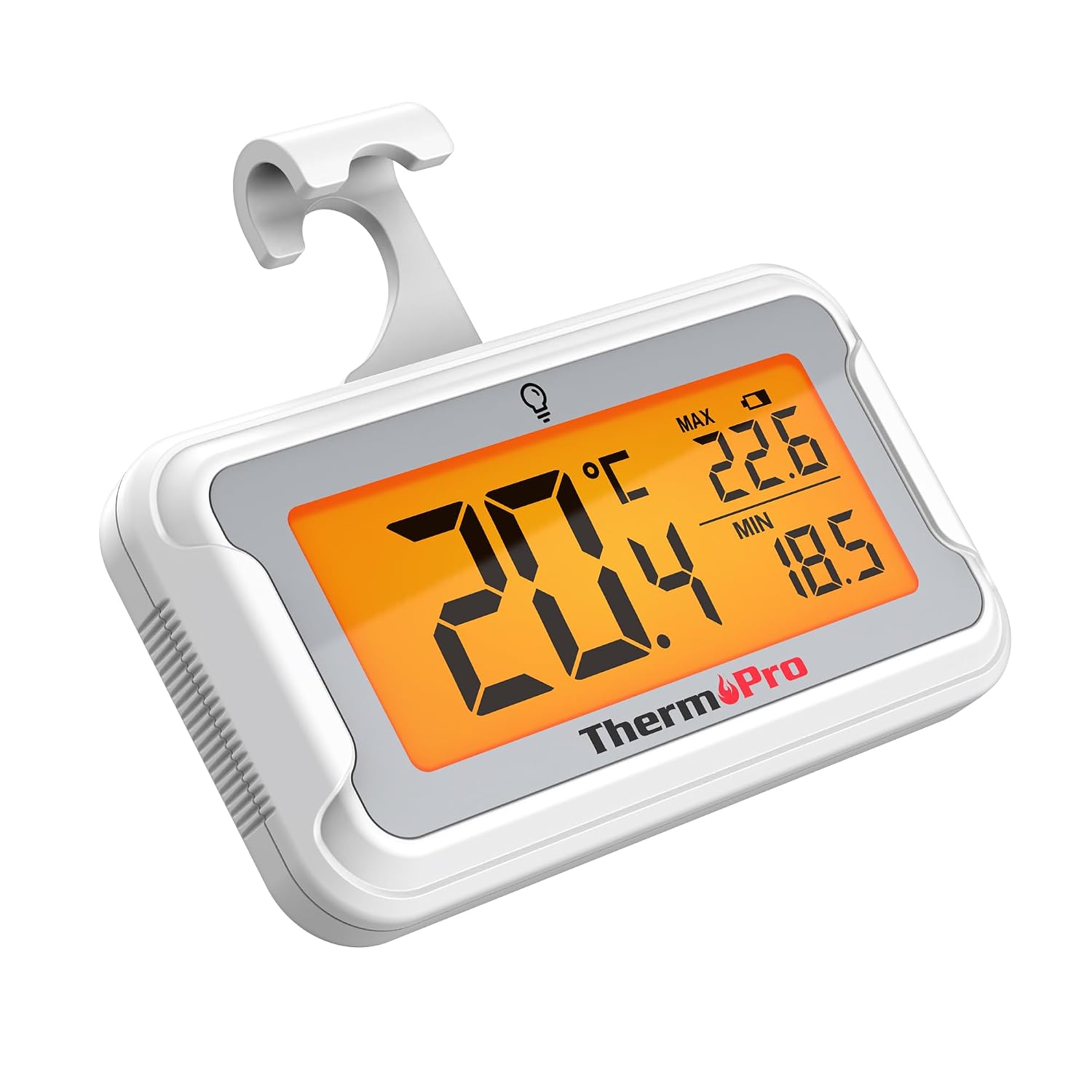
Image: The ThermoPro TP110 Refrigerator Thermometer, a compact white device with a large digital display showing temperature readings.
Негизги өзгөчөлүктөрү
- Wide Temperature Range & High Accuracy: Measures from -30°C to 50°C (-22°F to 122°F) with an accuracy of ±0.5°C (±1°F).
- Оптималдуу окуу мүмкүнчүлүгү: Features an oversized LCD screen with a bright backlight for easy reading, even in low-light conditions.
- Жогорку сапаттагы суу өткөрбөөчү каражаттар: IPX6 rated design ensures reliable operation in humid and cold environments.
- Макс/Мин Температура Жаздыруу: Tracks and displays the maximum and minimum temperatures over the last 24 hours, allowing you to monitor temperature fluctuations.
- Бир нече жайгаштыруу параметрлери: Equipped with a magnet, a hanging hook, and a kickstand for versatile placement.
- Батареяны оңой алмаштыруу: Designed with a rotating battery compartment for quick and tool-free battery changes.

Image: A comparison chart highlighting the ThermoPro TP110's features such as backlight, easy battery change, ±0.5°C precision, full screen, waterproof design, and MAX/MIN temperature tracking, contrasting it with other thermometers.
Пакеттин мазмуну
- 1 x ThermoPro TP110 Refrigerator Thermometer
- 1 x CR2032 Батареясы (алдын ала орнотулган)
- 1 x User Manual
Жайгашуу
1. Батареяны орнотуу
The ThermoPro TP110 comes with a CR2032 battery pre-installed. If the display is not active or shows a low battery indicator, please replace the battery:
- Термометрдин артындагы батарея бөлүкчөсүн табыңыз.
- Rotate the battery cover counter-clockwise to the "OPEN" position.
- Эски CR2032 батареясын алып салыңыз.
- Жаңы CR2032 батареясын оң (+) тарабын өйдө каратып салыңыз.
- Rotate the battery cover clockwise to the "LOCK" position to secure it.

Image: A three-step visual guide demonstrating how to easily replace the battery by rotating the cover to open, inserting a new battery, and rotating to lock.
2. Жайгаштыруу параметрлери
The thermometer offers three convenient placement options:
- Магниттик арткы: Attach the thermometer to any metallic surface, such as a refrigerator door.
- Асма илгич: Use the integrated hook to hang the thermometer from a shelf or rack.
- Бүктөлүүчү стенд: Utilize the stand on the back to place the thermometer upright on a flat surface.

Image: Illustrations showing the thermometer used in different environments: a domestic refrigerator, a portable cooler, a car refrigerator, a refrigerated truck, and a wine cellar, demonstrating its versatility.
Иштөө нускамалары
1. Күйгүзүү/өчүрүү
The thermometer automatically powers on when the battery is installed. To turn it off, press and hold the power button (if available, otherwise it's always on). It features an automatic shutdown after 10 seconds of inactivity to conserve battery life, but will reactivate upon temperature change or button press.
2. Температура бирдигин тандоо
Press the "°C/°F" button to switch between Celsius and Fahrenheit temperature displays.
3. Арткы жарыкты активдештирүү
Touch the light bulb icon on the screen to activate the backlight for 10 seconds, improving visibility in dark conditions.
4. Max/Min Temperature Records
The thermometer automatically records the maximum and minimum temperatures over a 24-hour period. These values are displayed on the screen alongside the current temperature. The records reset every 24 hours or when the battery is replaced.

Image: The thermometer placed near raw meat in a refrigerator, showing current, maximum, and minimum temperatures. An accompanying graph illustrates the 24-hour temperature history, highlighting the highest and lowest points.
Техникалык тейлөө
- Тазалоо: Жарнама менен термометрди сүртүңүзamp кездеме. Аны сууга салбаңыз же абразивдүү тазалагычтарды колдонбоңуз.
- Батареяны алмаштыруу: Replace the CR2032 battery when the low battery indicator appears on the display. Refer to the "Battery Installation" section for instructions.
- Сактагыч: If storing for an extended period, remove the battery to prevent leakage. Store in a dry place away from extreme temperatures.

Image: The ThermoPro TP110 thermometer partially submerged in water, with water droplets splashing around it, illustrating its IPX6 waterproof rating.
Проблемаларды чечүү
| Көйгөй | Мүмкүн себеп | Чечим |
|---|---|---|
| Эч кандай дисплей же начар дисплей | Low or dead battery; battery inserted incorrectly. | Туура полярдуулукту камсыз кылуу менен CR2032 батареясын алмаштырыңыз. |
| Температураны туура эмес көрсөткүчтөр | Thermometer placed too close to a heat source or vent; sensor obstruction. | Relocate the thermometer to a central area of the refrigerator/freezer, away from direct airflow or heat sources. |
| Арткы жарык иштебейт | Battery low; temporary malfunction. | Батареяны алмаштырыңыз. Эгерде көйгөй чечилбесе, кардарларды колдоо кызматына кайрылыңыз. |
Техникалык шарттар
| Өзгөчөлүк | Деталь |
|---|---|
| Температура диапазону | -30°Cден 50°Cге чейин (-22°Fтен 122°Fге чейин) |
| Тактык | ±0.5°C (±1°F) |
| Дисплей түрү | Арткы жарыгы бар санариптик LCD |
| Суу өткөрбөйт рейтинги | IPX6 |
| Power Source | 1 x CR2032 Батарея (кошулган) |
| Материал | Пластик |
| Өлчөмдөрү (болжол менен) | 8 см (Length) |
| Өзгөчөлүктөр | Large screen, High precision, Low battery indicator, Backlit, Waterproof, Max/Min record |

Image: A visual representation of the ThermoPro TP110's large LCD screen, showing its approximate dimensions of 8cm by 6cm, and highlighting the backlight feature.
Кепилдик жана колдоо
ThermoPro provides a warranty for this product against defects in materials and workmanship. For detailed warranty information, product registration, or technical support, please visit the official ThermoPro webсайтка же кардарларды тейлөөгө кайрылыңыз. Сатып алганыңыздын далили катары сатып алуу дүмүрчөгүңүздү сактаңыз.
Өндүрүүчү: ThermoPro
Келип чыккан өлкө: Кытай
For further assistance, please refer to the contact information provided on the ThermoPro official webсайт.
Ask a question about this manual
Ask about setup, troubleshooting, compatibility, parts, safety, or missing instructions. Manuals+ will review the question and use this page’s manual context to help answer it.