
1. Киришүү
This manual provides detailed instructions for the Xmenha SK40 Single Mini Invisible Earbud. Please read this guide thoroughly before using the product to ensure proper operation and to maximize its lifespan. This earbud is designed for discreet audio and communication, featuring a compact size and wireless Bluetooth connectivity.
2. Продукт бүтүп калдыview
The Xmenha SK40 is a single, mini, invisible earbud designed for comfort and discreet use. It features Bluetooth 5.4 for stable connectivity and touch controls for easy operation.

Figure 1: Xmenha SK40 Single Mini Invisible Earbud and Charging Case.
Негизги өзгөчөлүктөр төмөнкүлөрдү камтыйт:
- Single Earbud Design: For hands-free convenience and situational awareness.
- Discreet & Invisible Fit: Ultra-small design for minimal visibility.
- Өркүндөтүлгөн Bluetooth 5.4 туташуусу: Ensures stable and fast pairing.
- Күн бою комфорт: Ergonomically shaped and lightweight for extended wear.
- Батареянын узак иштөө мөөнөтү: Up to 4 hours of playtime, extended with the charging case.
- Сууга чыдамдуу: Ар кандай иш-чаралар үчүн ылайыктуу.

Figure 2: ашыкview of the Xmenha Mini Single Earbud and its charging case.
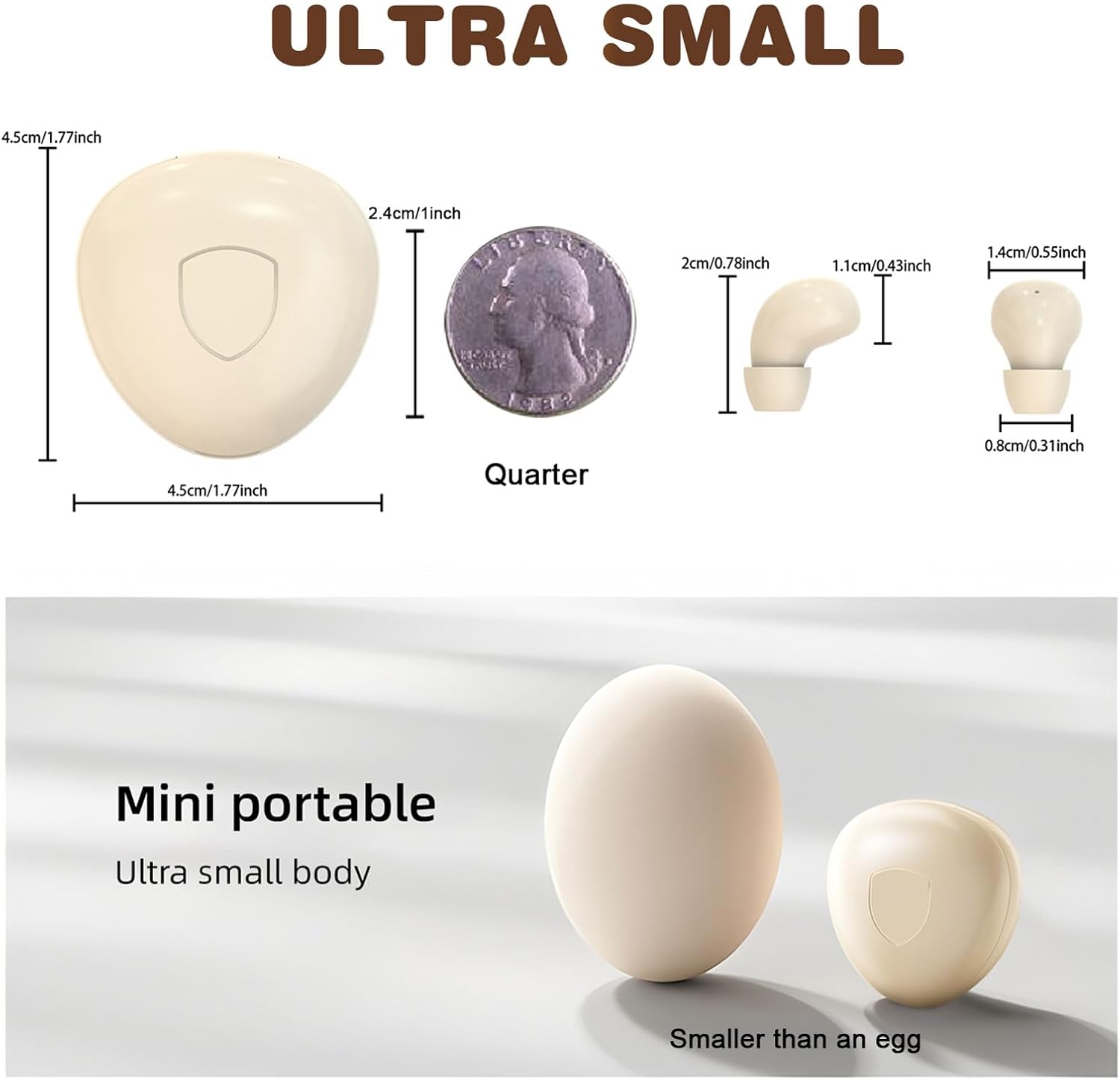
Figure 3: Size comparison of the earbud and charging case.
3. Пакеттин мазмуну
Пакетте бардык буюмдар бар экенин текшериңиз:
- 1 x Xmenha SK40 Single Mini Invisible Earbud
- 1 х заряддоо кутусу
- 1 x USB заряддоо кабели
- 1 x Кулак жаздыктары
- 1 х Колдонуучунун колдонмосу (бул документ)
4. Орнотуу
4.1 Charging the Earbud and Case
Before first use, fully charge the earbud and its charging case. The charging case acts as a portable power bank for the earbud.
- USB кубаттоо кабелин корпустагы кубаттоо портуна жана шайкеш келген USB кубат булагына туташтырыңыз.
- Корпустагы индикатор кубаттоо абалын көрсөтөт. Корпусту толук кубаттоо үчүн, адатта, болжол менен 4 саат талап кылынат.
- Place the earbud into the charging case. The earbud will automatically begin charging.
Ensure the charging contacts on both the earbud and the case are clean and dry for efficient charging.
4.2 Bluetooth жупташтыруу
The earbud is designed for quick and stable pairing with your device.
- Күйгүзүү: Take the earbud out of the charging case. It will automatically power on and enter pairing mode. You may hear an audible prompt.
- Bluetooth иштетүү: On your smartphone, tablet, or other Bluetooth-enabled device, go to the Bluetooth settings and turn on Bluetooth.
- Түзмөктү тандоо: Look for "SK40" (or similar name) in the list of available devices and select it to connect.
- Ырастоо: Once connected, you will hear a confirmation sound from the earbud. The earbud is now ready for use.
The earbud will automatically reconnect to the last paired device when taken out of the case, provided Bluetooth is active on the device.

Figure 4: Discreet fit of the earbud for work or daily use.

Figure 5: Comfortable wearing for various ear sizes.
5. Иштөө нускамалары
5.1 Сенсордук башкаруу
The Xmenha SK40 earbud features intuitive touch controls on its surface:
- Ойнотуу/тындыруу: Double-click the function key.
- Чалууга жооп берүү/түп коюу: Double-click the function key during an incoming or active call.
- Телефон чалуудан баш тартуу: Long press the function key for 1.5 seconds during an incoming call.
- Үн жардамчысы: Press the function key four times.
- Кийинки ыр: Triple press the function key.
- Language Conversion (Chinese/English): Five presses of the function key.

Figure 6: Earbud Touch Control Functions.
5.2 Audio and Call Quality
The earbud provides clear audio for listening to content and making calls. It is equipped with an HD microphone for clear communication.

Figure 7: High-definition call and immersive listening experience.
6. Техникалык тейлөө
To ensure the longevity and optimal performance of your Xmenha SK40 earbud, follow these maintenance guidelines:
- Тазалоо: Regularly wipe the earbud and charging case with a soft, dry, lint-free cloth. Avoid using abrasive materials or harsh chemicals.
- Заряддоо байланыштары: Periodically clean the charging contacts on both the earbud and the case with a dry cotton swab to ensure a good connection.
- Сактагыч: When not in use, store the earbud in its charging case to protect it from dust and damage.
- Суу таасири: While the earbud is water resistant, avoid prolonged submersion in water. Dry the earbud thoroughly if it gets wet before placing it back in the charging case.
7. Кыйынчылыктарды
If you encounter issues with your Xmenha SK40 earbud, refer to the following common solutions:
| Көйгөй | Чечим |
|---|---|
| Earbud does not power on. | Ensure the earbud is charged. Place it in the charging case and check the charging indicator. |
| Түзмөк менен жупташтыруу мүмкүн эмес. |
|
| Үн жок же үнү төмөн. |
|
| Earbud not charging in case. |
|
8. Техникалык шарттар
| Өзгөчөлүк | Деталь |
|---|---|
| Бренд | Xmenha |
| Модель номери | SK40 |
| Байланыш технологиясы | Зымсыз (Bluetooth) |
| Bluetooth версиясы | 5.4 |
| Кулак жайгаштыруу | Кулакта |
| Башкаруу ыкмасы | тийүү |
| Battery Average Life (Earbud) | 4 саат |
| Battery Charge Time (Case) | 4 саат |
| Жалпы ойноо убактысы (капка менен) | 24+ саатка чейин |
| Элемент Салмагы | 0.64 унция (болжол менен 18г) |
| Сууга туруктуулук деңгээли | Сууга чыдамдуу |
| Шайкеш түзмөктөр | Smartphones, Tablets, Laptops, Desktops, Gaming Consoles, Televisions |
| Материал | Пластик |
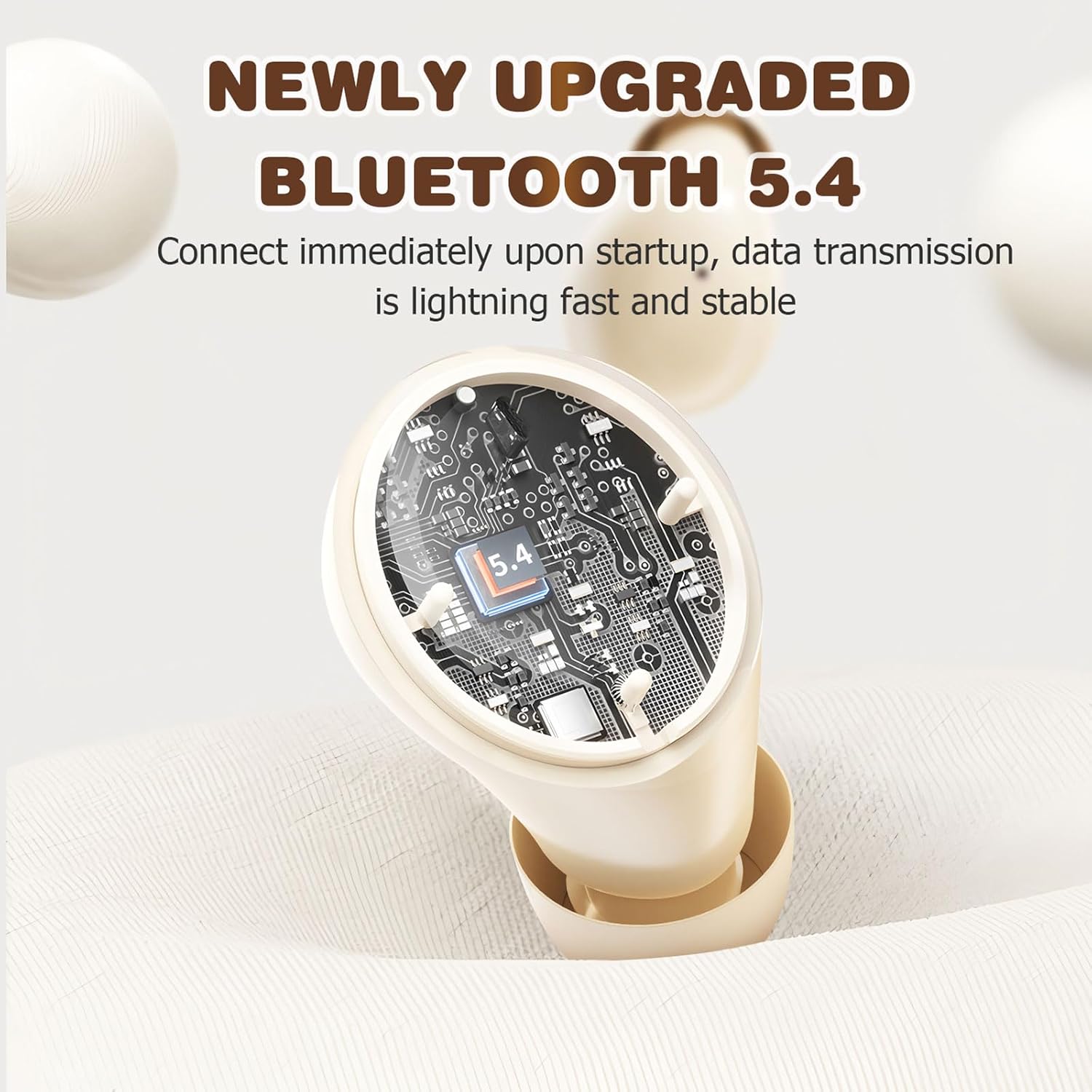
Figure 8: Bluetooth 5.4 Technology for stable connection.
9. Кепилдик жана колдоо
For warranty information or technical support, please refer to the retailer where the product was purchased or visit the official Xmenha store online. Keep your proof of purchase for any warranty claims.
Xmenha Store: https://www.amazon.com/stores/Xmenha/page/4E0E0BD2-8E21-4F83-81EB-7F717D07D829