
NIMO Nimo N155
NIMO 15.6-inch FHD Laptop Nimo N155 User Manual
Model: Nimo N155
1. Киришүү
This manual provides essential information for setting up, operating, and maintaining your NIMO 15.6-inch FHD Laptop Nimo N155. Please read this manual thoroughly before using your device to ensure proper function and longevity.

Figure 1: NIMO 15.6-inch FHD Laptop Nimo N155 Overview
The NIMO N155 laptop is equipped with an AMD Ryzen 7 6800H processor, 32GB DDR5 RAM, and a 1TB PCIe 4.0 SSD, designed for efficient performance in various computing tasks. It features a 15.6-inch Full HD IPS anti-glare display, a backlit keyboard, and an integrated fingerprint sensor for enhanced security and user experience.
2. Кутуда эмне бар
Пакетте бардык буюмдар бар экенин текшериңиз:
- 1 x Nimo N155 Laptop
- 1 x Type-C 100W PD Fast Charger
- 1 х Колдонуучунун колдонмосу (бул документ)
- Windows 11 Home Operating System (pre-installed)
3. Баштапкы орнотуу
3.1. Charging the Laptop
Before first use, connect the laptop to the power adapter and charge it fully. The Type-C 100W PD Fast Charger provides rapid charging capabilities.
- Connect the Type-C charger to a power outlet.
- Plug the Type-C connector into one of the Type-C ports on your laptop.
- The charge LED indicator will illuminate, indicating that the laptop is charging.

Figure 2: Connecting the Type-C 100W PD Fast Charger
3.2. Күйгүзүү
Press the power button located on the keyboard to turn on the laptop. Follow the on-screen instructions to complete the initial Windows 11 setup, including language selection, network connection, and user account creation.
4. Ноутбуктун компоненттери жана порттору
Familiarize yourself with the various components and ports of your NIMO N155 laptop.

Сүрөт 3: Ноутбук порттору жана туташтыргычтары
4.1. Сол жактагы порттор
- USB 2.0 порт: Эски USB түзмөктөрүн туташтыруу үчүн.
- USB 3.0 порт: Жогорку ылдамдыктагы USB түзмөктөрүн туташтыруу үчүн.
- Микро SD карта слоту: For reading and writing to Micro SD cards.
- Гарнитура уячасы: Наушниктерди же тышкы динамиктерди туташтыруу үчүн.
- Kensington Lock Slot: Ноутбугуңузду шайкеш кулпу менен камсыз кылуу үчүн.
4.2. Оң тараптагы порттор
- Кубат LED: Заряддоо абалын көрсөтөт.
- Type-C (PD/Charging) Port: Primarily for power delivery and charging.
- Type-C (Multifunction) Port: Supports data transfer and display output.
- USB 3.0 порттору (x2): Жогорку ылдамдыктагы USB түзмөктөрүн туташтыруу үчүн.
- HDMI порту: Тышкы дисплейлерге же проекторлорго туташуу үчүн.
4.3. Internal Components
- Процессор: AMD Ryzen 7 6800H (8 Cores, 16 Threads, up to 4.7 GHz).
- Графика: Integrated AMD Radeon 680M GPU.
- RAM: 32GB DDR5 (upgradeable).
- Сактагыч: 1TB PCIe 4.0 SSD (upgradeable).
- Дисплей: 15.6-inch FHD (1920x1080) IPS Anti-Glare Display.
- Webкамера: 2.0 MP with privacy shield.
- Зымсыз: 802.11a/b/g/n/ac (Wi-Fi 5) and Bluetooth 5.2.

4-сүрөт: AMD Ryzen 7 6800H процессорунун чоо-жайы

Figure 5: High-Speed RAM and PCIe SSD
5. Ноутбугуңузду иштетүү
5.1. Дисплей
The 15.6-inch Full HD IPS display offers a resolution of 1920x1080 pixels. Adjust brightness and display settings through Windows settings (Right-click on desktop > Display settings).
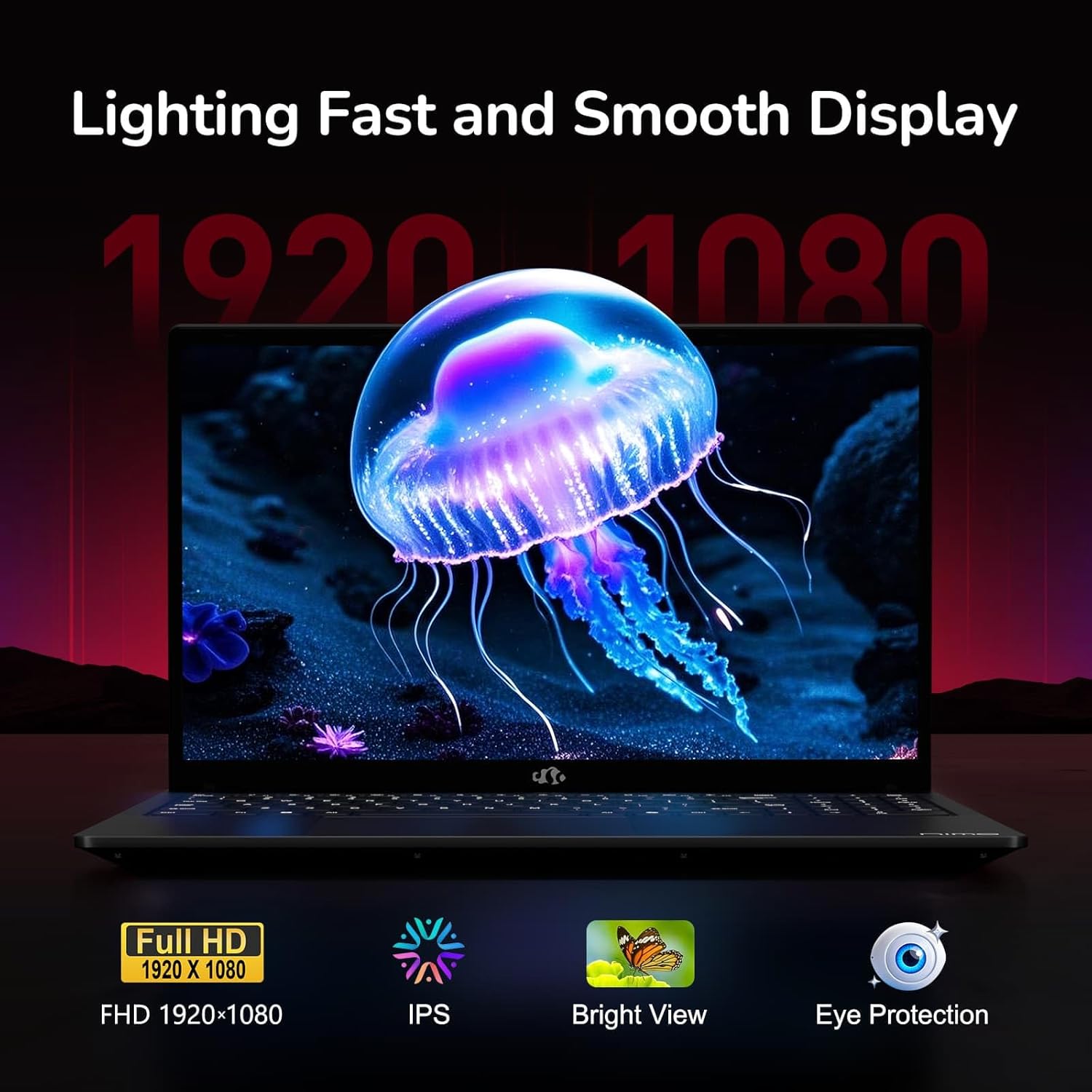
Figure 6: Laptop Display Features
5.2. Баскычтоп жана сенсордук такта
The laptop features a backlit keyboard and a responsive touchpad with multi-touch gesture support. The integrated fingerprint sensor is located on the touchpad for secure login.
- Арткы жарык клавиатура: Басыңыз Fn + Fx (where Fx is the backlight key, typically F3 or F4) to adjust keyboard backlight brightness.
- Манжа сенсор: Enroll your fingerprints via Windows Settings > Accounts > Sign-in options for quick and secure access.
- Webкамеранын купуялык калканы: Slide the physical cover over the webcam for privacy when not in use.

Figure 7: Keyboard and Input Features

Figure 8: Seamless Security Integration (Fingerprint and Webcam Shield)
5.3. Электр энергиясын башкаруу
The laptop is equipped with a 4700mAh (53.58Wh) Lithium Polymer battery. Battery life can vary based on usage. To optimize battery life, adjust power settings in Windows and close unnecessary applications.

9-сүрөт: Батареянын мүнөздөмөлөрү
6. Техникалык тейлөө жана кам көрүү
6.1. Тазалоо
- Экранды жана сыртты тазалоо үчүн жумшак, түксүз чүпүрөктү колдонуңуз.
- Өжөр белгилер үчүн, dampчүпүрөккө суу же экран тазалоочу каражат. Катуу химиялык заттардан алыс болуңуз.
- Тазалоодон мурун ноутбуктун өчүрүлгөнүн жана розеткадан ажыратылганын текшериңиз.
6.2. Сактоо жана иштетүү
- Ноутбукту күн нурунан жана экстремалдык температурадан алыс салкын, кургак жерде сактаңыз.
- Ноутбукка оор нерселерди коюудан алыс болуңуз.
- Do not expose the laptop to liquids.
6.3. Жаңыртуулар
The NIMO N155 laptop supports detachable RAM and SSD, allowing for user upgrades. Refer to the official NIMO support website or contact customer service for detailed upgrade instructions to avoid voiding your warranty.
7. Кыйынчылыктарды
This section addresses common issues you might encounter with your NIMO N155 laptop.
| Көйгөй | Мүмкүн чечим |
|---|---|
| Ноутбук күйбөйт. | Ensure the charger is properly connected and the battery has sufficient charge. Try a different power outlet. |
| Экран бош. | Check if the laptop is powered on. Adjust screen brightness. Connect to an external monitor to check if the issue is with the laptop's display. |
| Wi-Fi туташуу маселелери. | Ensure Wi-Fi is enabled in Windows settings. Restart your router and the laptop. Update Wi-Fi drivers. |
| Баскычтоптун жарыгы иштебейт. | Press the Fn key combined with the appropriate function key (e.g., F3 or F4) to toggle or adjust the backlight. |
| Fingerprint sensor not responding. | Ensure your finger is clean and dry. Re-enroll your fingerprints in Windows settings. Update fingerprint sensor drivers. |
If you encounter issues not listed here or require further assistance, please contact NIMO customer support.
8. Техникалык шарттар
| Өзгөчөлүк | Спецификация |
|---|---|
| Модель аты | Nimo N155 |
| Дисплей | 15.6-inch FHD (1920x1080) IPS Anti-Glare |
| Процессор | AMD Ryzen 7 6800H (8 Cores, 16 Threads, up to 4.7 GHz) |
| Графика | Integrated AMD Radeon 680M |
| RAM | 32GB DDR5 4800 MHz (Dual-channel, upgradeable) |
| Сактагыч | 1TB PCIe 4.0 SSD (upgradeable) |
| Операция системасы | Windows 11 Home |
| Зымсыз байланыш | Wi-Fi 5 (802.11a/b/g/n/ac), Bluetooth 5.2 |
| Порттар | 1x USB 2.0, 3x USB 3.0, 2x Type-C (1x PD, 1x Multifunction), 1x HDMI, 1x Micro SD, 1x Headphone Jack, 1x Kensington Lock |
| Webcam | 2.0 MP (with privacy shield) |
| Батарея | 4700mAh / 53.58Wh Lithium Polymer |
| Кубаттуу адаптер | Type-C 100W PD Fast Charger |
| Өлчөмдөрү (LxWxH) | 14.07 x 8.98 x 0.76 дюйм (357.4 x 228 x 19.2 мм) |
| Салмагы | 3.8 фунт (1.7 кг) |
| Өзгөчөлүктөр | Арткы жарык клавиатура, манжа изин окугуч, HD аудио, сандык баскычтоп |
9. Кепилдик жана колдоо
9.1. Өндүрүүчүнүн Кепилдиги
Your NIMO N155 laptop comes with a 2 жылдык өндүрүүчүнүн кепилдиги. Бул кепилдик нормалдуу колдонуудагы материалдардагы жана жасалгадагы кемчиликтерди камтыйт. Кепилдик дооматтары үчүн сатып алганыңыздын далилин сактап коюңуз.
9.2. Returns Policy
NIMO offers a 90-day hassle-free return policy from the date of purchase. For details on eligibility and the return process, please refer to your purchase documentation or contact customer support.
9.3. Кардарларды колдоо кызматы
For technical assistance, warranty claims, or any other inquiries, please visit the official NIMO support website or contact their customer service team. Contact information can typically be found on the NIMO brand store page or included documentation.
NIMO Brand Store: Visit NIMO Store on Amazon