
1. Киришүү
The DROP PC38X Gaming Headset is designed to provide superior comfort, improved build quality, and exceptional audio clarity for serious gamers. It features high-fidelity drivers for vivid, detailed sound across an ultra-wide frequency response. With a low 28-ohm impedance, it is easily driven by various low-power devices. The headset is built for long gaming sessions, featuring a plush, split headband and breathable velour earpads for comfort.
2. Кутуда эмне бар
- DROP PC38X Gaming Headset
- 3.5mm TRRS Cable (for consoles and mobile devices)
- Dual 3.5mm Cable (for PC setups)
- Extra Set of Velour Earpads

3. Орнотуу
3.1 Гарнитураны туташтыруу
The PC38X headset connects via a 3.5mm audio jack. Two cables are provided for different device types:
- For Consoles and Mobile Devices: Use the 3.5mm TRRS cable. This single cable handles both audio and microphone input. Insert the L-shaped end into the headset's left earcup port and the straight end into your device's 3.5mm jack.
- For PC Setups: Use the dual 3.5mm cable. This cable splits into two connectors: one for audio (green) and one for the microphone (pink). Insert the L-shaped end into the headset's left earcup port and the two split ends into the corresponding audio and microphone ports on your PC.

3.2 Баш боону тууралоо
The headband is adjustable to ensure a comfortable fit. Gently slide the earcups up or down along the headband until they rest comfortably over your ears and the headband sits securely on your head. The split headband design is intended to distribute weight evenly for extended wear.
3.3 Swapping Earpads
The PC38X comes with two sets of earpads: one pre-installed (knit mesh) and an additional pair of velour earpads. To swap them, gently pull the existing earpad off the earcup. Align the new earpad with the earcup and press it firmly around the edges until it clicks into place. The velour earpads are known for their breathability and comfort during long sessions.
4. Иштөө нускамалары
4.1 Микрофонду колдонуу
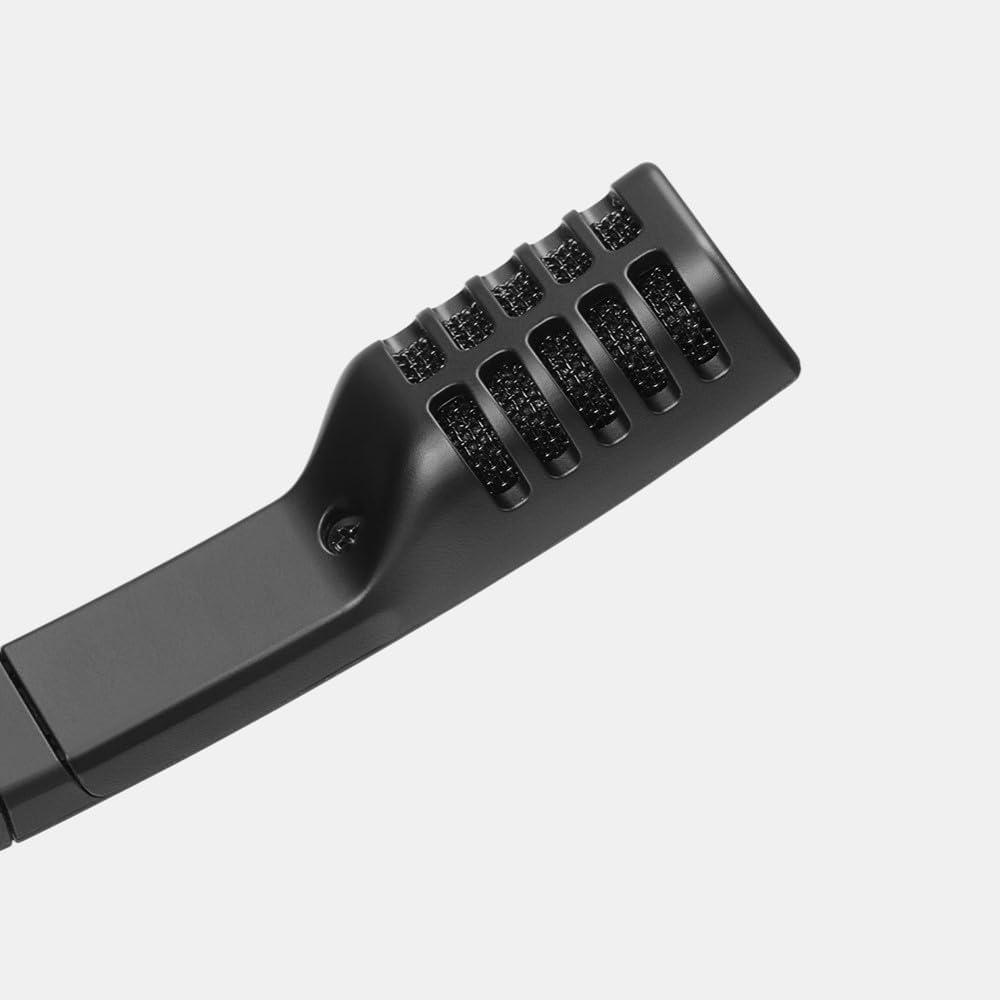
The headset features a high-quality electret condenser microphone with bi-directional pickup. To use the microphone, swing the mic boom down towards your mouth. The microphone automatically mutes when rotated upwards, indicated by an audible click. Ensure the microphone is positioned appropriately for clear communication.
4.2 Үндү башкаруу
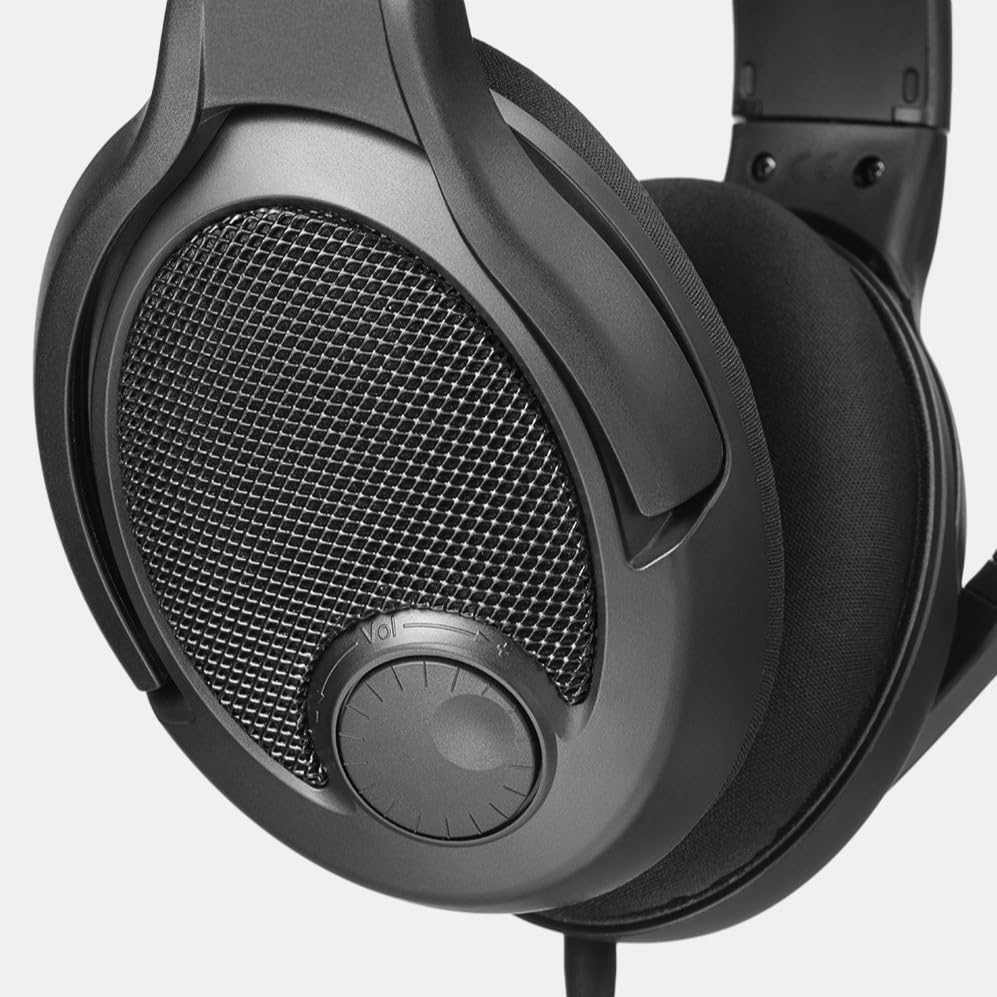
Adjust the audio volume using the integrated volume dial located on the right earcup. Rotate the dial clockwise to increase volume and counter-clockwise to decrease it. This allows for quick and convenient audio adjustments during gameplay or media consumption.
5. Техникалык тейлөө
5.1 Тазалоо
To clean the headset, use a soft, dry cloth. For earpads, a slightly damp cloth can be used, but ensure they are completely dry before reattaching or using. Avoid harsh chemicals or abrasive materials.
5.2 Кулакчындарды алмаштыруу
Earpads may wear out over time. Replace them as needed using the included spare set or by purchasing new ones. Regular replacement ensures continued comfort and optimal audio performance.
6. Кыйынчылыктарды
6.1 Үн жок же үнү төмөн
- Ensure the audio cable is securely connected to both the headset and the device.
- Гарнитурадагы үн баскычын жана түзмөгүңүздүн системалык үнүн текшериңиз.
- Түзмөгүңүздүн үн жөндөөлөрүндө туура аудио чыгаруу түзмөгү тандалганын текшериңиз.
- If using a PC, ensure the dual 3.5mm cable is correctly plugged into both the headphone and microphone jacks.
6.2 Микрофон иштебейт
- Ensure the microphone boom is swung down and not in the muted (upright) position.
- Check that the microphone cable is securely connected. For PC, ensure the pink 3.5mm jack is correctly inserted.
- Түзмөгүңүздүн үн жөндөөлөрүндө туура микрофон киргизүү түзмөгү тандалганын текшериңиз.
- Test the microphone with another application or device to rule out software issues.
6.3 Колдонуу учурундагы ыңгайсыздык
- Adjust the headband for a better fit.
- Consider swapping to the alternative velour earpads for increased breathability and softness.
- Allow for a break-in period, as the clamping force may soften with use.
7. Техникалык шарттар
| Модель аты | Drop GMR-54X-ISO |
| Элемент моделинин номери | MDX-38051-1 |
| Бренд | DROP |
| Стиль | PC38X |
| Түс | Кара |
| Байланыш технологиясы | Зымдуу |
| Наушник уясы | 3.5 мм Джек |
| Кулак жайгаштыруу | Кулак үстүндө |
| Форма фактору | Кулак үстүндө |
| Noise Control | None (Open-Back Design) |
| Frequency Response | 30000 Гц |
| Импеданс | 28 Ом |
| Аудио драйвер түрү | Динамикалык драйвер |
| Башкаруу ыкмасы | Push Button (Volume Dial) |
| Материал | Кездеме |
| Элемент Салмагы | 0.56 фунт (8.9 унция) |
| Продукциянын өлчөмдөрү | 8 x 7.5 x 4.75 дюйм |
| Шайкеш түзмөктөр | Cellphones, Desktops, Gaming Consoles, Laptops |
8. Кепилдик жана колдоо
8.1 Кепилдик маалыматы
The DROP PC38X Gaming Headset typically comes with a 2 жылдык коргоо планы. Please refer to your purchase documentation for specific warranty terms and conditions, as these may vary by region and retailer.
8.2 Кардарларды колдоо
For further assistance, technical support, or warranty claims, please visit the official DROP website or contact their customer service department. Keep your proof of purchase handy when seeking support.